
New feature4 minute read
Sell products at the desk, on the one payment
Oils, kits, drinks, aftercare: the things you sell beside a booking never had a place in FullDiary, so they lived in a tin or a separate till. Now there is a catalogue under Sell more and a Sell button on every booking, class and customer: tick the booking, add the products, take one payment, and the stock, the takings and the activity log all know.

Director, FullDiary
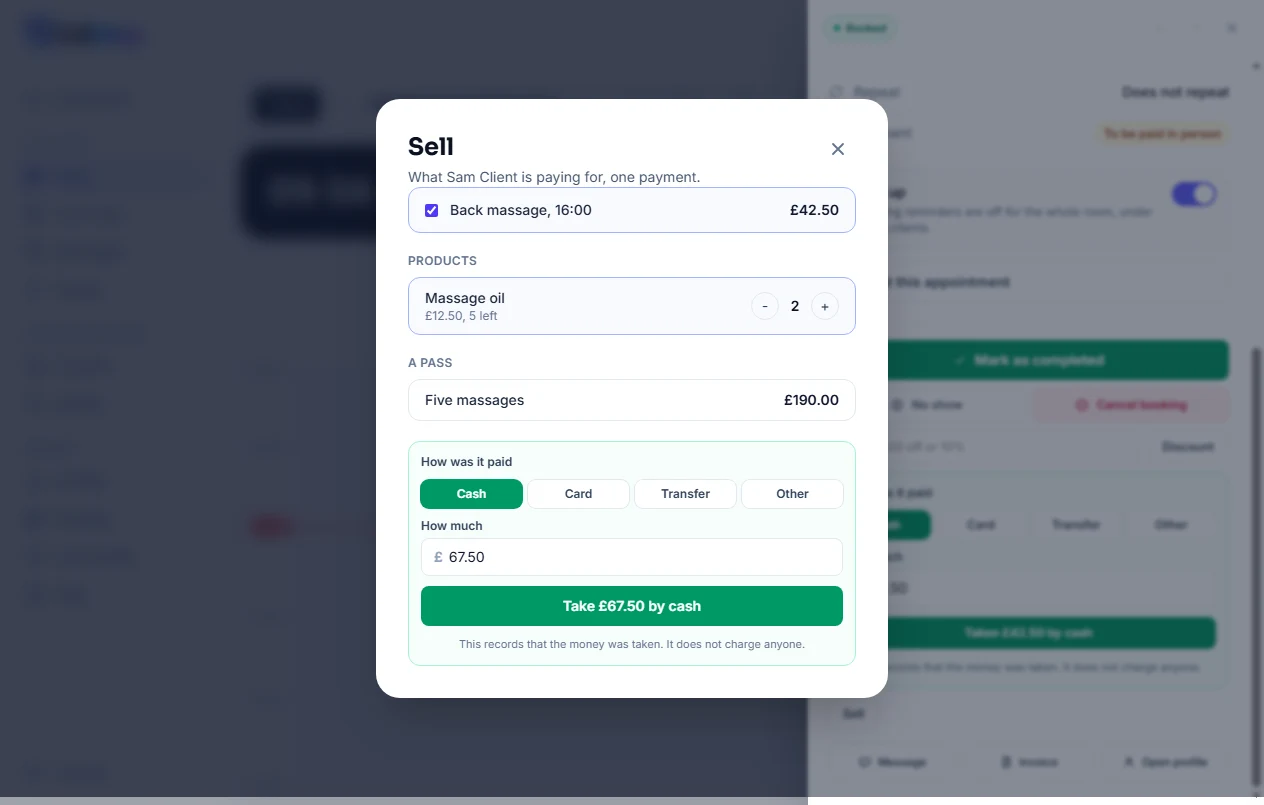
Somebody finishes a massage and buys the oil you used. Until today that was money FullDiary never saw: the booking was marked paid at its price and the oil went through whatever else was to hand. FullDiary is the booking system for small UK businesses, and from today it sells the things on your shelf too.
The catalogue
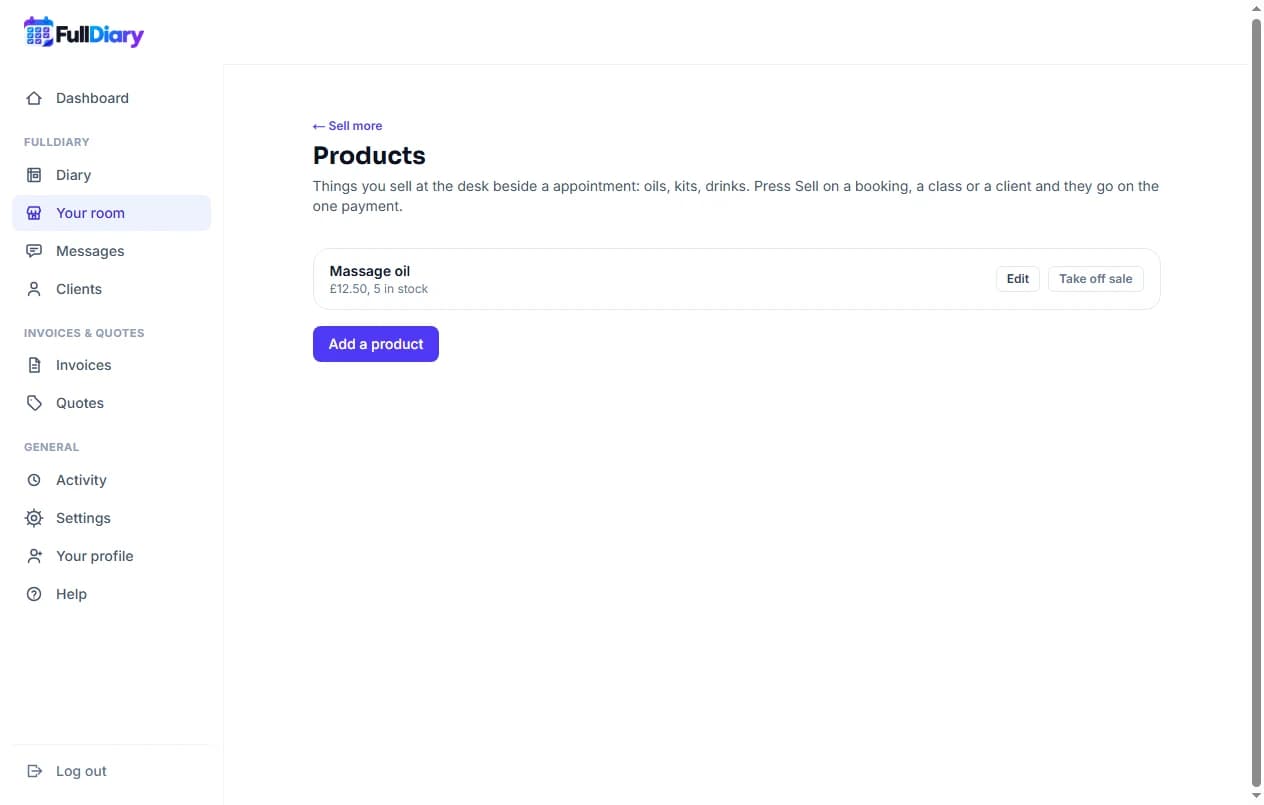
Under Your shop, Sell more, there is a new card, Products. Add what you sell: a name, the price, the VAT rate if you charge it, a line about it if you like, and a stock count if you want one kept. Leave the stock blank and nothing is counted. Take off sale hides a product from the desk without touching anything already sold.
Sell, in three places
Open a booking in the diary and there is a Sell button beside Take payment. The same button sits beside each person in a class, and on the Packages card of a customer's profile. All three open the same sheet. Today's booking is already ticked at what it owes. Below it, your products, each with a plus and a minus, and your passes, one tap each. Then how it was paid, cash, card, transfer or other, and how much: the total, which you can change for a round-down or a tip. The button says what it will do, Take £67.50 by cash.
What it writes
One payment is recorded for the lot. The booking shows paid exactly as it always did, so its money line, refunds and reports read the same; the products come off the stock; a pass goes on the customer straight away; your takings for the day count the products beside the bookings; and the activity log says what was sold, with the amount and how it was paid.
Undoing a slip
Not paid after all, on the booking, undoes the whole sale: the mark comes off, the products go back on the shelf, a pass that has not been used is cancelled. A card taken through Stripe cannot be undone that way, because the money really moved; refund it instead.
On your booking page, collected when they come in
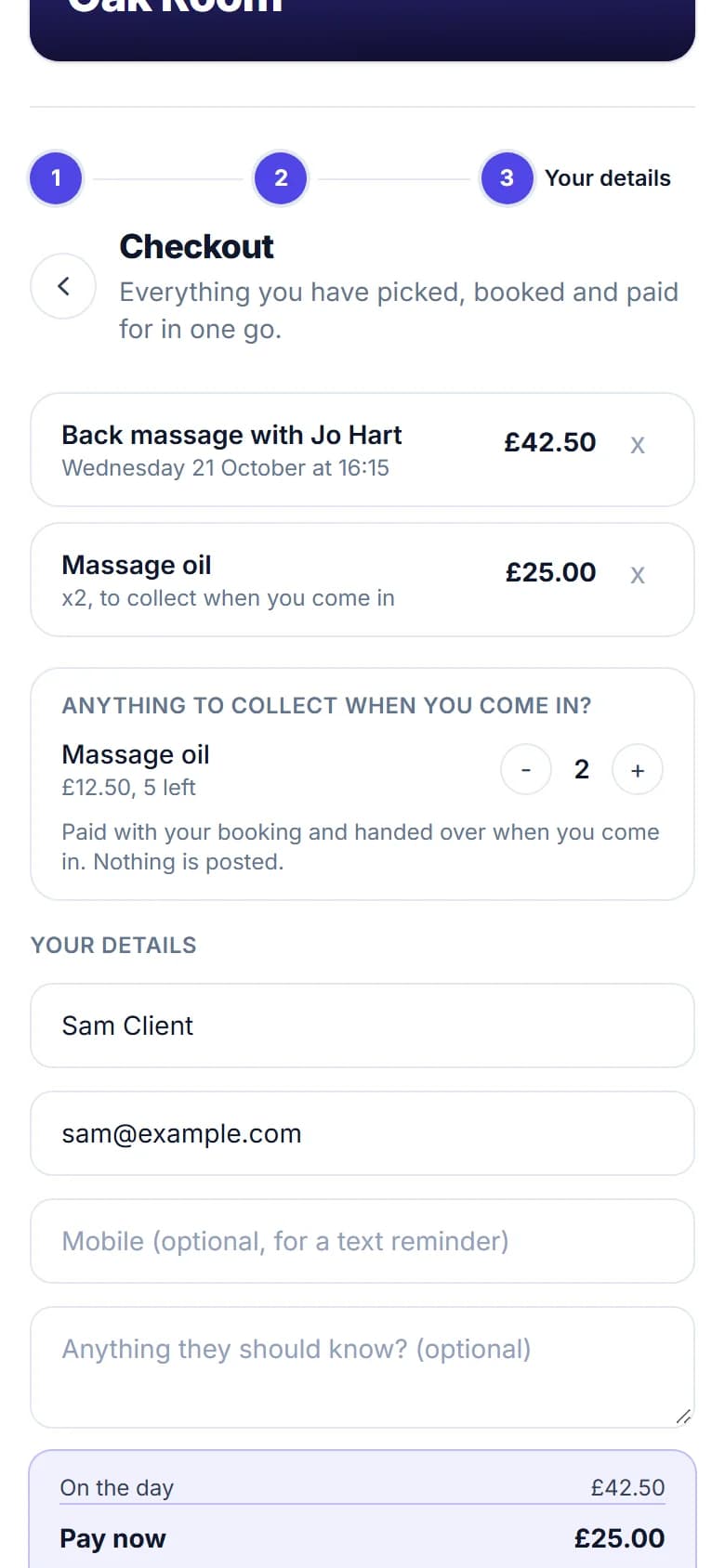
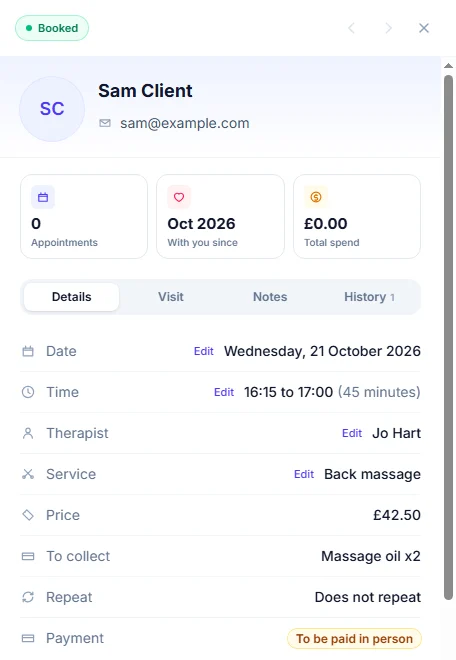
Tick Offer it on the booking page on a product and it appears at your checkout under Anything to collect when you come in?, with a plus beside it. A customer books a massage, adds the oil, and pays for both in the one card payment. Nothing is posted: the booking in your diary says To collect: Massage oil x2, and you hand it over when they arrive. A product out of stock drops off the page by itself.
Products are part of Pro, with packages, gift vouchers, discount codes and offers. This is on the website today; the FullDiary app gets its own Sell sheet in its next build. A receipt and an invoice from a sale are the next things to come.
Questions people ask
- Does a product sale need a booking?
- No. Sell on a customer's profile sells products or a pass on their own, one payment. A booking is only ticked when there is one.
- Does FullDiary take the card payment?
- Not for a sale yet. Pick card when you take it on your own reader and FullDiary records it, as Take payment does. Tap to Pay and payment links for a whole sale are coming.
- What about VAT?
- Each product carries its own rate, 0, 5 or 20 per cent, and every line sold keeps the rate it was sold at. A receipt and an invoice from a sale, with the VAT shown, are on their way.
- Can customers buy products online?
- With a booking, yes. Tick Offer it on the booking page and they can add the product at the checkout, pay for it with the booking and collect it when they come in. Nothing is posted, and a product alone cannot be bought without a booking.
Read next
Written by
Matt SucklingDirector, FullDiary
Matt runs Cynical Software Ltd, the Perthshire company that makes FullDiary, and builds it.