
For driving instructors
The simple
booking system
for driving instructors.
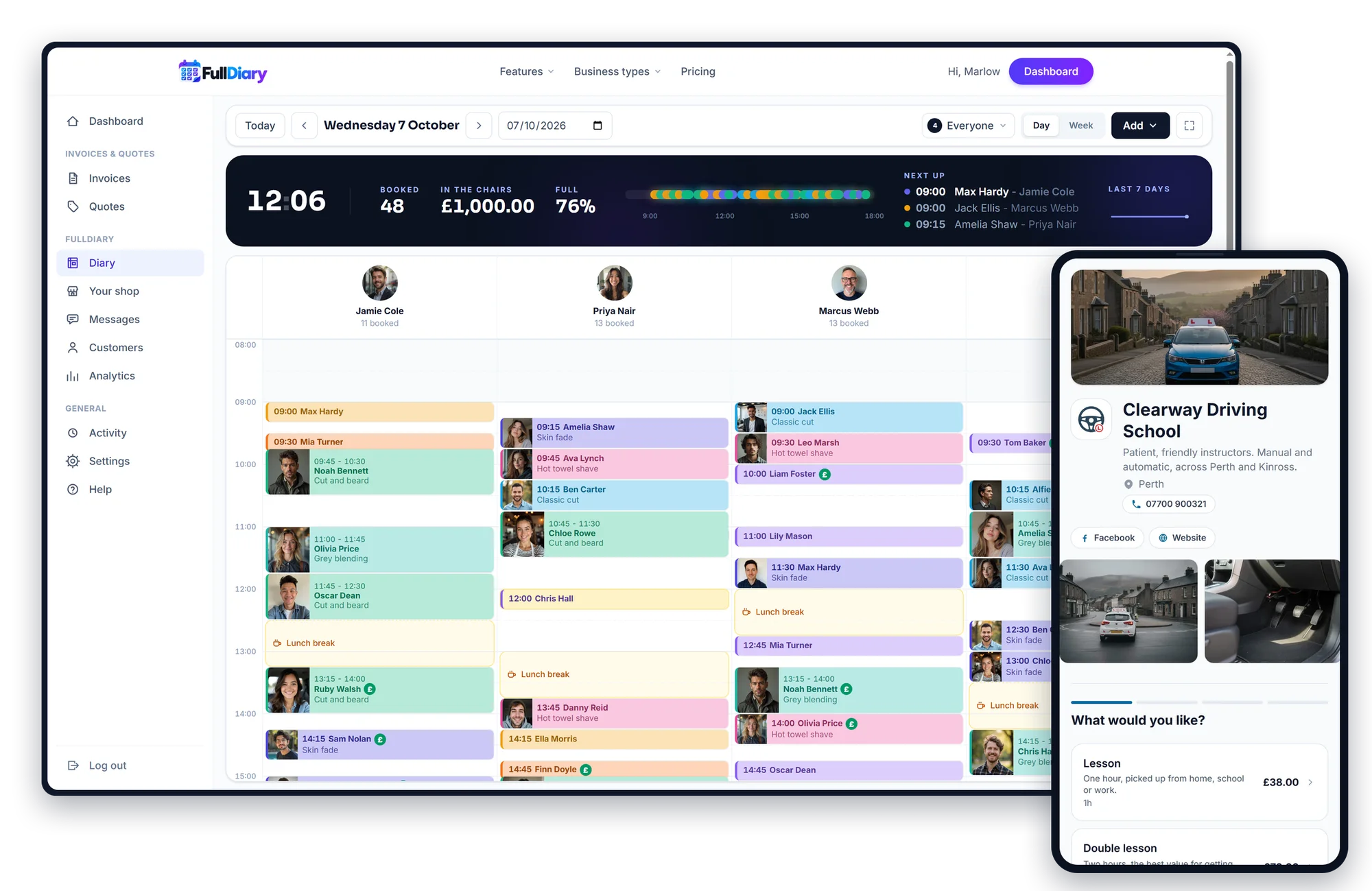
Pupils book their own lessons, the pickup address arrives with the booking, a block of ten is paid up front, and every lesson's progress lands on their page. The diary rides in the car with you, in the FullDiary app.
No card. Free for 20 bookings a month.
- Fewer no-shows
- Set up in minutes
- No commission, ever
“FullDiary makes managing bookings simple, organised and completely stress-free.”
Sound familiar?
An empty passenger seat earns nothing
Instructing is sold by the hour and driven by the mile. A forgotten lesson or a missing pickup address costs you both.
Lessons forgotten by learners?
Teenagers double-book themselves, and you find out when nobody is at the kerb.
A reminder the day before, to the pupil or the parent who booked.
Where am I picking you up?
A booking with no address is a text conversation before every lesson.
Every booking arrives with the pickup address and a maps link.
You are the booking office?
Every new pupil and every reschedule comes through your personal phone.
Pupils book and move their own lessons on your page, and a reschedule is a drag in the diary.
Paying for a booking system that takes a cut?
A slice of every new client, a fee per booking, a price that climbs with every person you add.
FullDiary is £9.99 a person, never more than £39.99 a month, and takes nothing from any booking. Ever.
No card. Free for 20 bookings a month. Set up in minutes.
How it works
How FullDiary works.
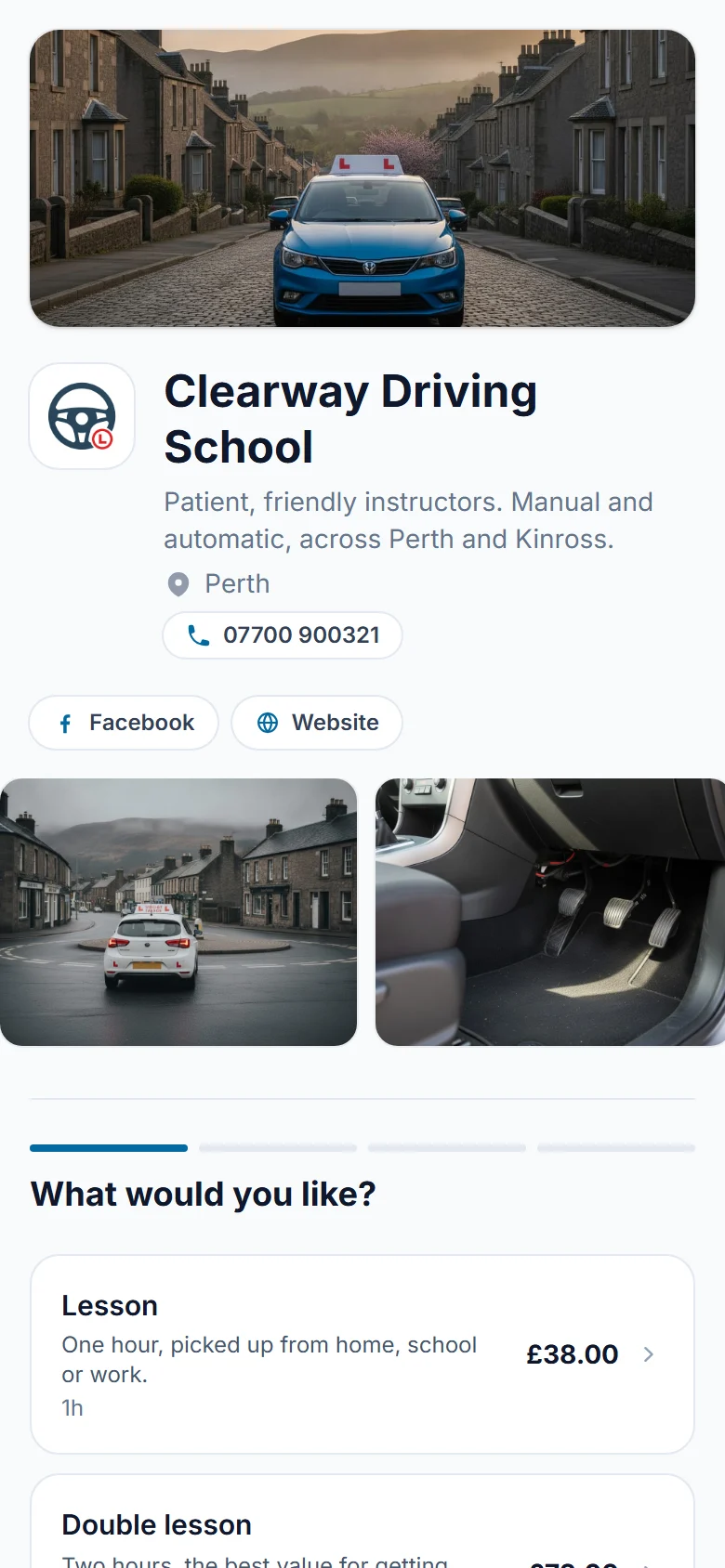
FullDiary gives you your own online booking page and link. Share it on your website, Instagram, Facebook, Google, WhatsApp, wherever your customers find you. Then:
- 01
Share your booking link
FullDiary gives you your own booking page, showing your services, prices and availability.
- 02
Pupils book themselves
Pupils open your link, choose a service, pick an available time and confirm their appointment, 24/7.
- 03
It appears in your diary
The booking is added to your FullDiary automatically, so you always know who is booked and when.
Your booking page
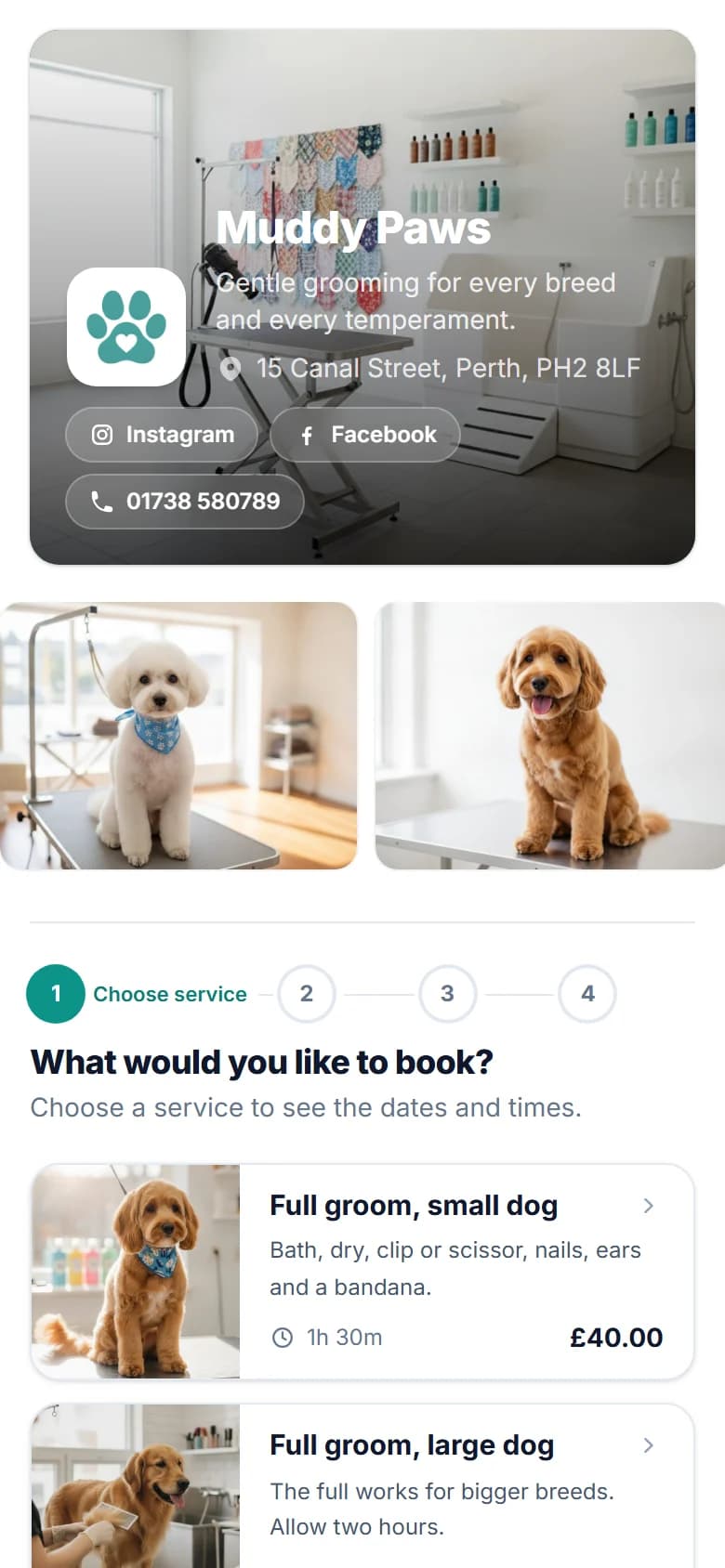
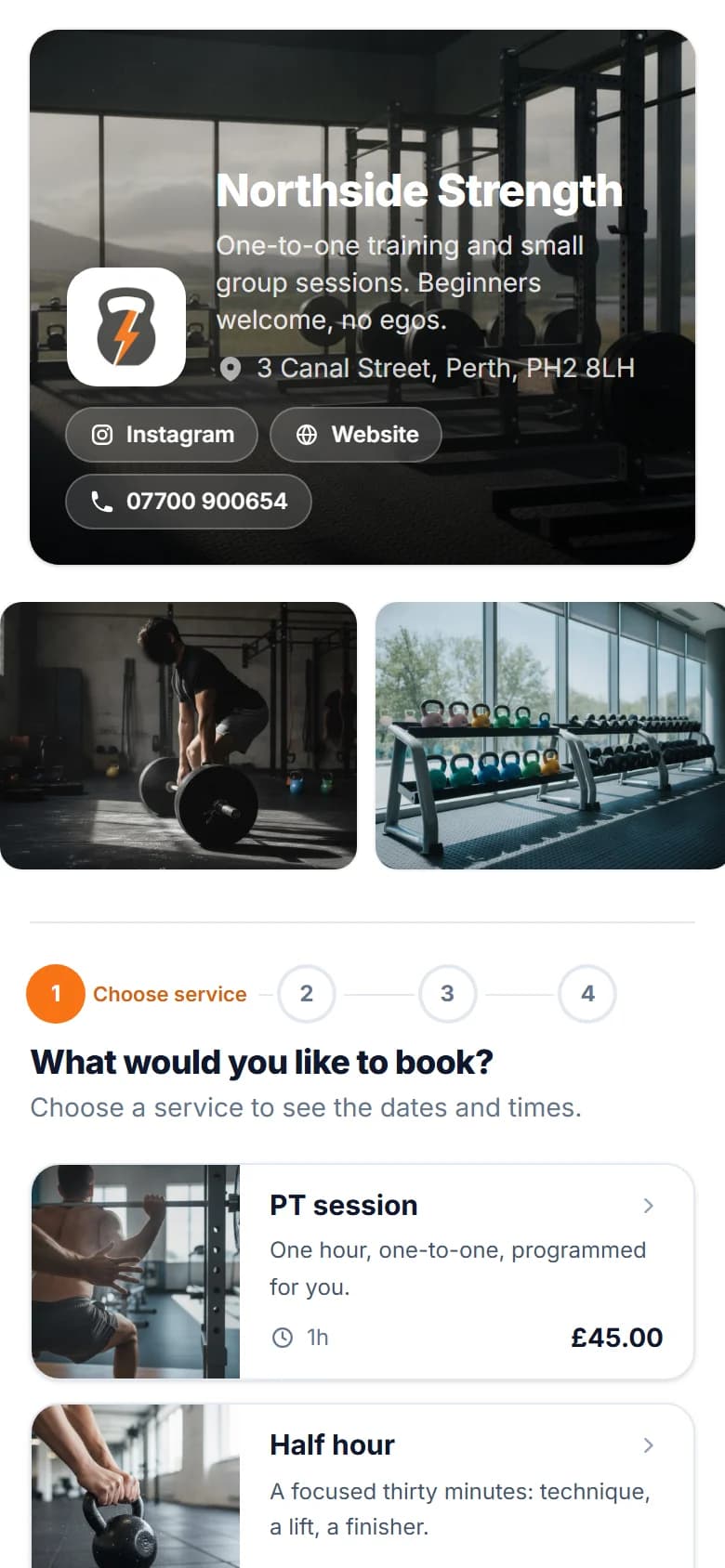
Your booking page. Your brand.
Make your booking page look like your business, not another generic booking app.
On every plan
- Your logo and brand colour
- Two designs, light or dark backgrounds
- A photo of your shop across the top
- Heading fonts and a note for your customers
On Pro
- A gallery of up to eight photos
- Instagram, Facebook, TikTok and website buttons
Savednow
Your page has its new look.
The FullDiary diary
One diary, whether you're solo or a team.
The whole day on your phone between lessons: who is next, where, a maps link to the kerb, and one tap to ring them.
- Bookings
- Staff
- Walk-ins
- Customers
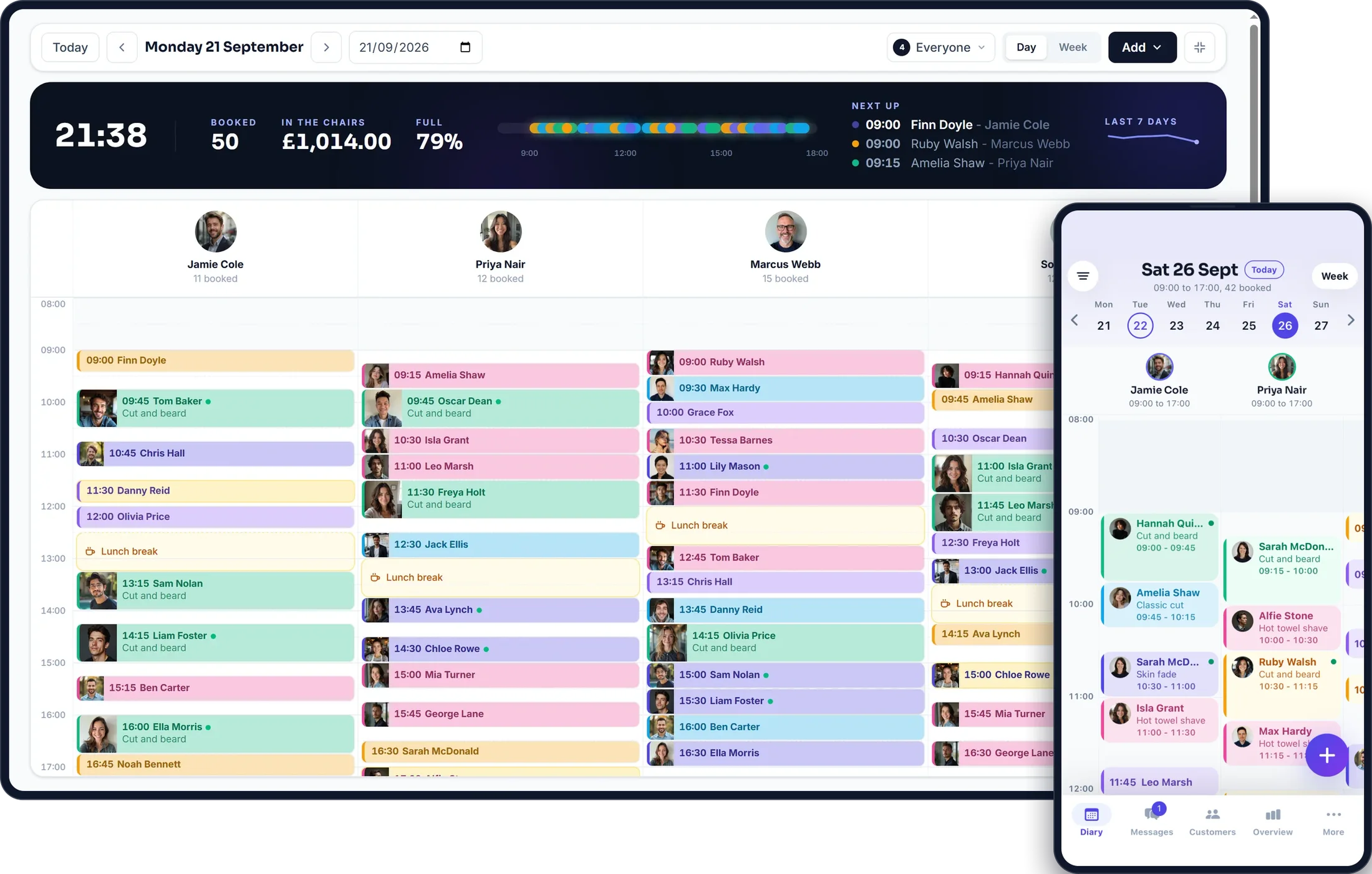
Bookings move with a drag, walk-ins go straight in, and every appointment can be marked done, cancelled or a no-show.
The same diary for everyone on the team, wherever they are: on a computer, in the browser on any phone, and in the FullDiary app on iPhone and Android.
Before they arrive
Less chasing. More doing.
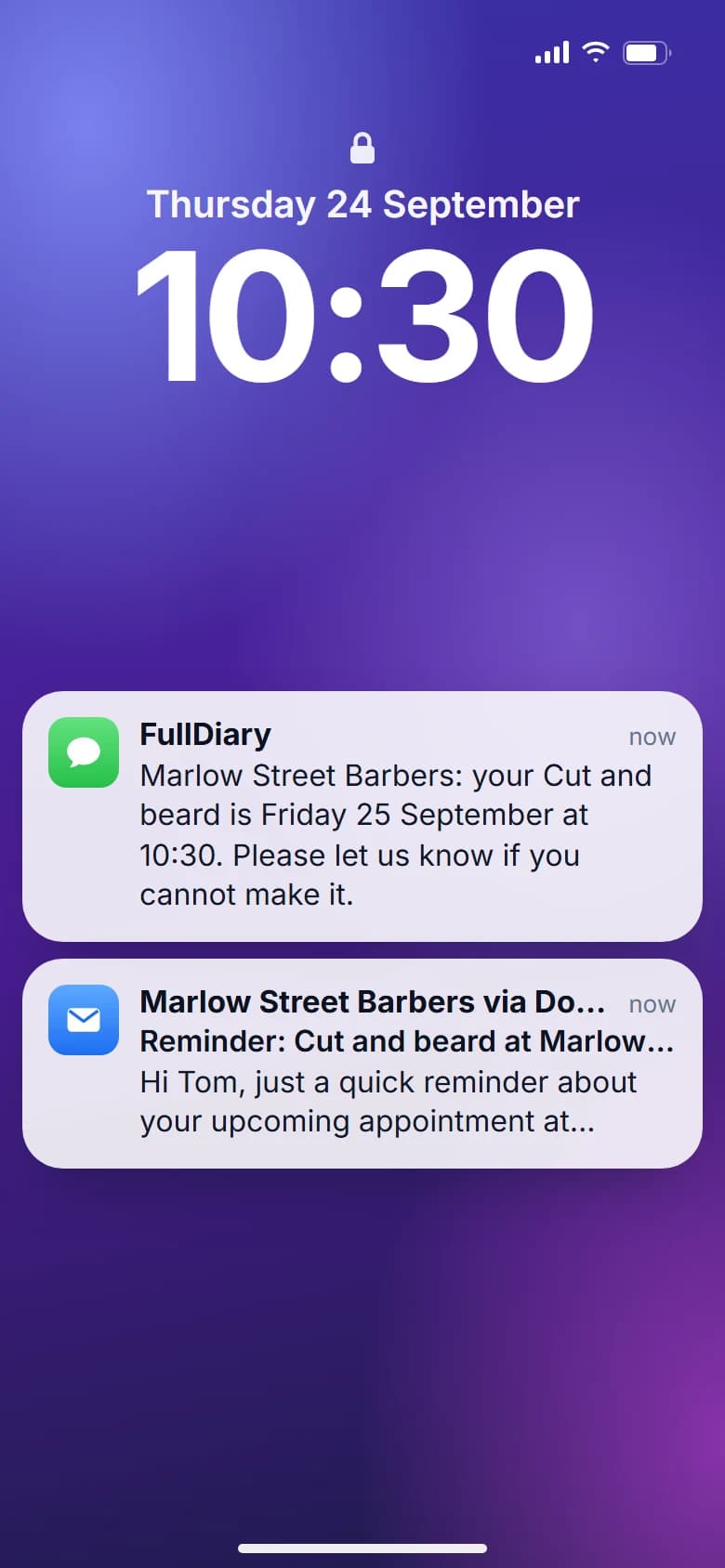
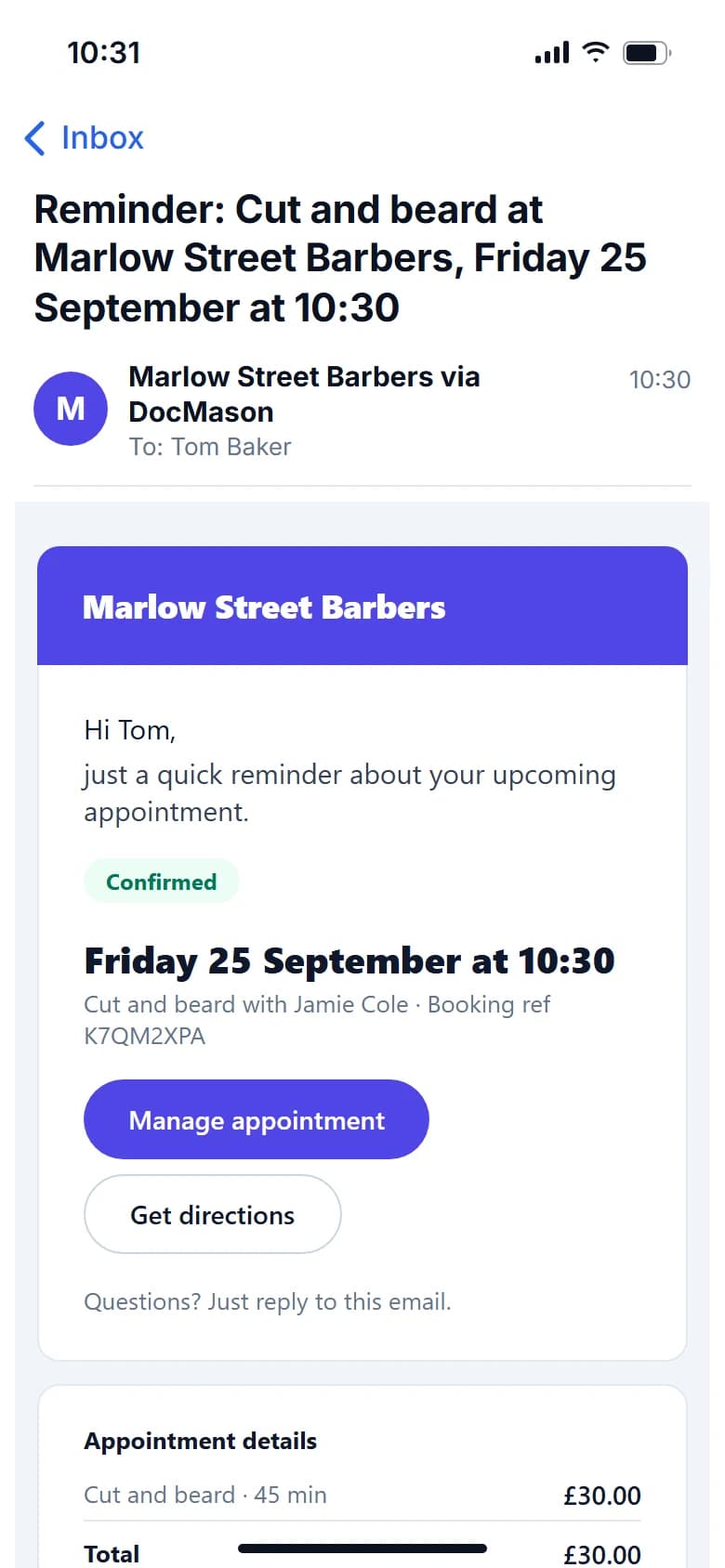
FullDiary automatically keeps customers updated with confirmations, reminders and booking changes. And if you need forms or customer information before an appointment, you can collect it all in advance.
- Booked
- Confirmed
- Reminder
- Appointment
Keeps them updated
- Booking confirmations
- Appointment reminders
- Booking changes
- Customer messages
Gets the answers first
- Licence number
- Provisional details
- Pickup address
- Pupil information
Customers complete forms before they arrive. Their answers stay with their booking.
Messages
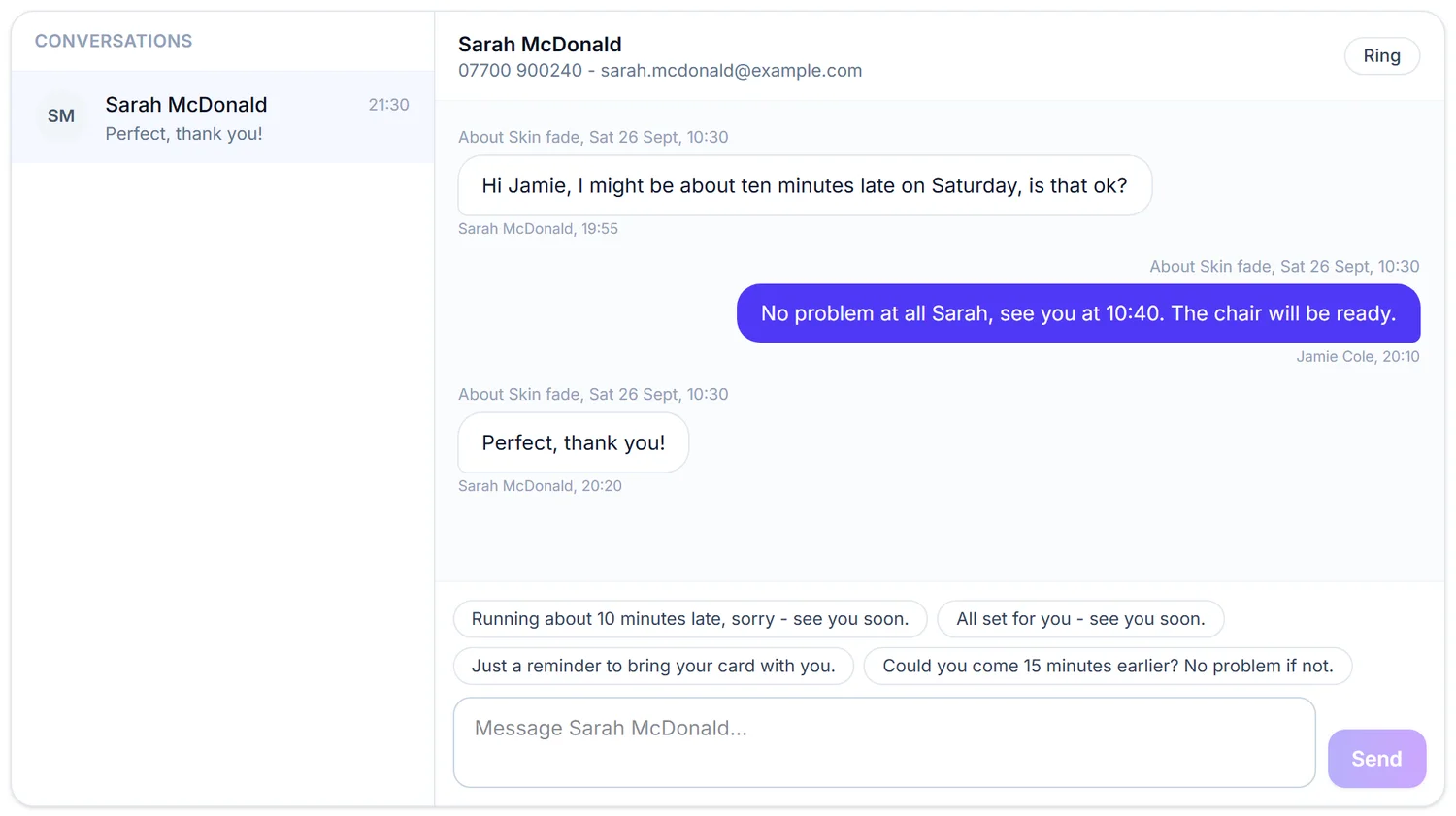
"Two minutes away", without the phone number swap
Message a pupil straight from the lesson with a quick reply. They see it on their page with an email nudge, and their answer lands in your inbox. Progress notes after the lesson go the same way.
- Quick replies for on my way and running late
- Their reply lands in your inbox, live
- Included on every plan, Free included
Payments
Get paid your way:
on the day, a deposit or in full.
Take a deposit, full payment or no payment at all when customers book online, whichever suits the service.
- Paid straight into your own Stripe account
- A deposit or full payment at booking
- No booking commission
- Going to the customer? A travel charge is on Pro
Deposit received
£30.00
- Customer
- Ellie Grant
- Service
- Test day
- When
- Wednesday, 09:00
- Left to pay on the day
- £60.00
The money lands in your Stripe account, not ours. The slot is held while they pay.
After the appointment
Your booking doesn't stop when the appointment does.
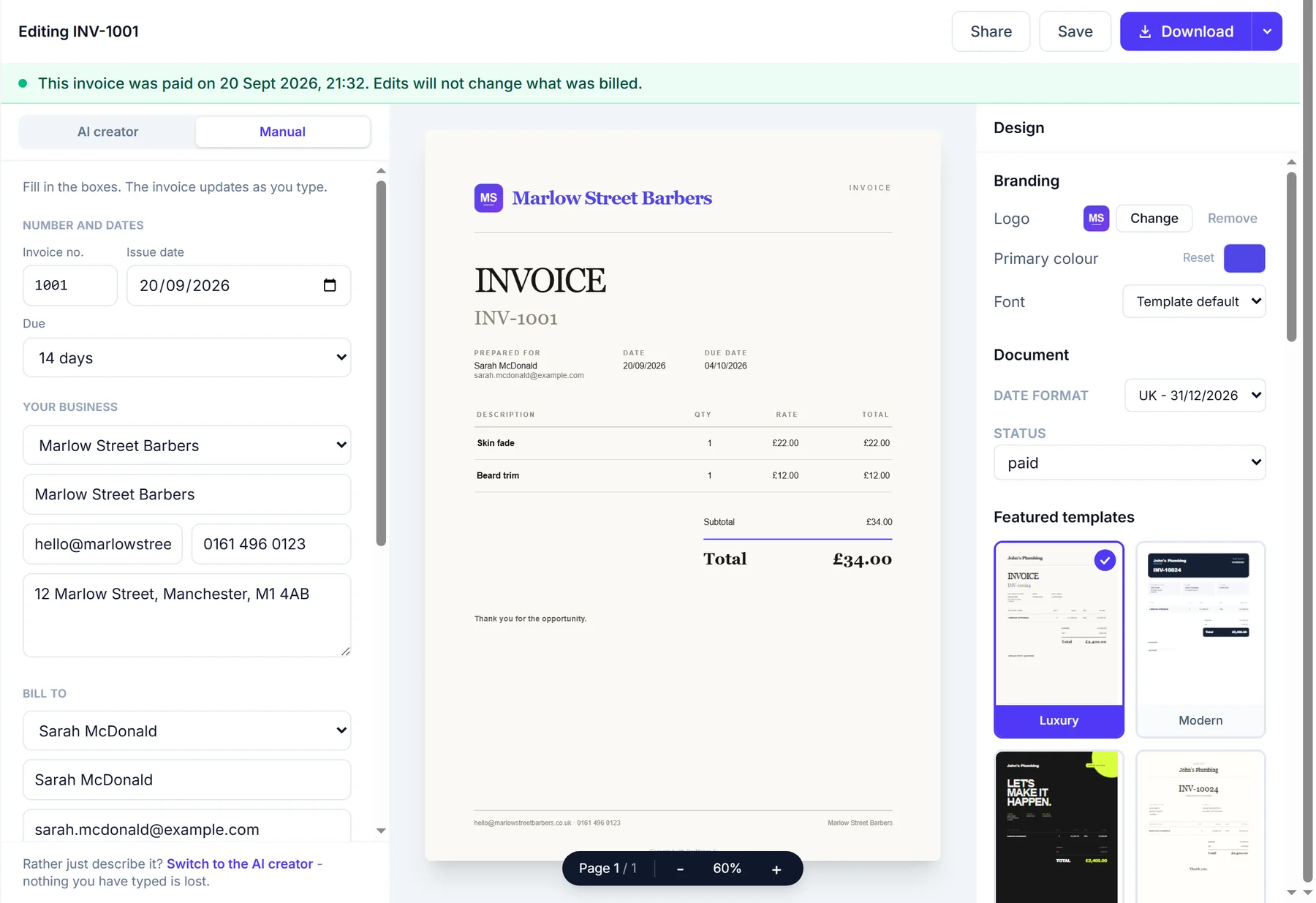
Finished bookings can flow into your invoices, payments and business admin.
- Booking
- Completed
- Invoice
- Paid
Invoices
Turn completed work into invoices.
Quotes
Create and send quotes when you need them.
Payments
Keep track of what has been paid and what is outstanding.
Your customers
Turn every booking into a returning customer.
Every booking automatically builds a customer record, so you can see their history, preferences and information in one place.
- Contact details in one place
- Everything they have booked before
- Notes and forms kept with the customer
- A come-back email when they have been away

Customer
Sarah McDonald
- Next appointment
- Mon 21 Sept, 16:30
- Beard trim
- Last appointment
- Sat 19 Sept
- Skin fade
- Completed
- 10
- since Sat 14 Mar
- Spent
- £244.00
- no no-shows
Everything so far
- Skin fade with Jamie ColeSat 19 Sept£22.00
- Cut and beard with Jamie ColeSat 22 Aug£30.00
- Skin fade with Priya NairSat 25 Jul£22.00
New bookingnow
Sarah McDonald booked Beard trim with Priya Nair, Mon 21 Sept, 16:30
Why FullDiary
You keep the money and the customers.
No commission
Keep what you earn. FullDiary doesn't take a percentage of your bookings.
No marketplace
Customers book directly with your business, with no competing businesses or listings beside you.
Simple pricing
One monthly price, and nothing added per booking.
Switching is simple
Already using a booking system?
Switch in a few minutes.
Bring your customers with you, answer six quick questions and share your new link. No retyping, no starting again.
Bring your customers
Your list comes across from your old system, with names, numbers, emails, birthdays and addresses, and you check the columns before anything imports.
clients.csv
312 customers
- Client nameName
- MobilePhone
- EmailEmail
Works with exports from Fresha, Booksy, Setmore, Cliniko, Bookwhen, Book in Beautiful and spreadsheets.
Your page, set up
Six quick questions about what you do, your hours and your services, then your page is live and looks like yours.
- Skin fade30 min£22
- Kids cut20 min£14
- Beard trim15 min£10
- + Add a service
Start taking bookings
Your link goes on Google, Instagram and WhatsApp, and customers start booking themselves in.
- Bookings you already have go into the diary in a few taps, and regulars repeat by themselves
- Gift vouchers you sold before keep their code and what is left on them (on Pro)
- From Cliniko, treatment notes and appointments come too; from Bookwhen, class bookings and passes; from Book in Beautiful and Setmore, appointments
Rather we did it for you? We'll move your clients and services across, and your bookings where we can.
Send us your filesFree to start, no card required. Moving, step by step
What comes with it
Everything FullDiary handles for driving instructors.
Before they arrive
- The pickup address, up frontEvery booking arrives with the kerb you are driving to and a maps link. On Pro, pickups past your free miles can carry a charge per mile.
- Licence details, before lesson oneLicence number and provisional details, asked on the booking page and kept on the pupil's profile.
- A deposit on the first lessonNew pupils pay a deposit as they book, through your own Stripe account. Regulars can book deposit-free.
- Reminders that reach learnersThe day before, by email, and by text on Pro, to the pupil or the parent who booked.
On the day
- A diary that rides alongReschedules are a drag on your phone, and one tap emails the pupil the new time.
- "Two minutes away", one tapA message from the lesson reaches the pupil on their page, and their reply comes into your inbox.
- Progress they can seeSkills covered and test readiness, filled in after each lesson and shared to the pupil's own page.
- Same slot every weekA pupil's lesson can repeat weekly, and the diary keeps it topped up.
After
- Ten lessons, paid up frontSold on your booking page through your own Stripe. Each lesson comes off the block and the pupil sees the balance.
- A review ask after the passOne email with your Google link, so the pass photo turns into a five-star review.
- The numbers, without a spreadsheetLessons in the book for the month, takings, blocks sold and your busiest hours.
Every feature above is live today, and because invoices and quotes are built in, they are on the same login. See every feature.
Pricing
Simple pricing, no surprises.
No commission and no contract, on any plan.
An independent instructor starts free and moves to Pro when the book passes 20 lessons a month. Pro is 9.99 GBP a month a person, never more than 39.99 GBP, and adds blocks of lessons paid up front and every instructor in a school, each with their own login.
Free
£0 forever
20 bookings a month
- Booking page
- Live diary
- QR card
- Reminders
- Messages
- Forms
- Customer import
Pro
£9.99 a person, a month
Never more than £39.99 a month, however big the team
Everything, for you and your whole team.
- Unlimited bookings and stores
- As many people as you need, each with their own login
- 50 text reminders a month for each person
- Packages, discount codes, gift vouchers, gallery and social links
- Unlimited invoices and quotes, card payments and QuoteChaser
- Send with your own branding
- Priority support
Every plan starts free, with no card and no commission. See the full comparison
Businesses using FullDiary
Built for people who are busy running a business.
"FullDiary makes managing bookings simple, organised and completely stress-free."
"Finally, a booking system that doesn't feel complicated. I set everything up in 5 minutes and my clients were booking straight away."
"So so good! Can't believe I can finish work and not have 24773 messages to go through."
FAQs
Questions from driving instructors
What it costs, what your pupils see, and how FullDiary fits the way driving instructors work.
Something else on your mind? Ask us.
Is there a driving instructor app?
Yes. The FullDiary app is on the App Store for iPhone and on Google Play for Android, free on every plan. It shows the day and the week, adds and moves lessons, answers pupils' messages and sends a notification the moment a lesson is booked. Your pupils do not need it: they book from your link in their browser.
Does it collect the pickup address when they book?
Yes. The instructor setup turns on 'ask for the customer's address' and the booking form requires it. The address shows on the lesson, in the confirmation emails and in the calendar entry, with a maps link on the diary card, so you can plan your route the night before.
Can I charge for pickups further away?
Yes, on Pro. You choose your own price per mile and how many miles are free, so pupils close by pay nothing. Anyone further out sees the charge on the booking page before they book, worked out from the real driving distance from where you set off to their pickup address.
Can parents book for their teenager?
Yes. Your booking page is a link anyone can use. A parent books with their own email and gets the confirmation and reminders, so the person paying stays in the loop.
Can I sell a block of ten lessons?
Yes, on Pro. A package is a set of lessons paid up front, sold on your booking page through your own Stripe or at the kerb from the pupil's profile. Each lesson they book comes off it automatically, and their own page shows how many are left.
Can pupils see their progress?
Yes. After each lesson, fill in the skills covered and test readiness from the diary card. With sharing on, the pupil sees every lesson's record on their own page, so the parent paying can see the progress too.
Can I take a deposit for new pupils?
Yes. Any lesson type can ask for a deposit, paid through your own Stripe account, and the slot is confirmed when it is paid. Many instructors protect first lessons this way and leave regulars deposit-free.
Is it really free to start?
Yes, and it is not a trial. Twenty bookings a month, with the booking page, the live diary and the QR card included, for as long as you like. No card, nothing expires, and there is never commission on bookings. Pro is 9.99 GBP a month a person, never more than 39.99 GBP, when you outgrow it.
Do my pupils need an app?
No. Your booking page is a link. It opens in their browser, they pick a service and a time, and the confirmation lands by email with an add-to-calendar file. Nothing to install on either side, and no password for anyone to forget.
Other businesses