Online booking Your customers book themselves, while you work.

A booking page that reads your diary, so the times it offers are times you can do. Live in about ten minutes, and it never takes a cut of the money.

  • Live in about ten minutes
  • No app for your customers
  • No commission, ever

Pro at £9.99 a month a person, never more than £39.99: unlimited bookings, never a commission. Free to start: 20 bookings a month, no card.

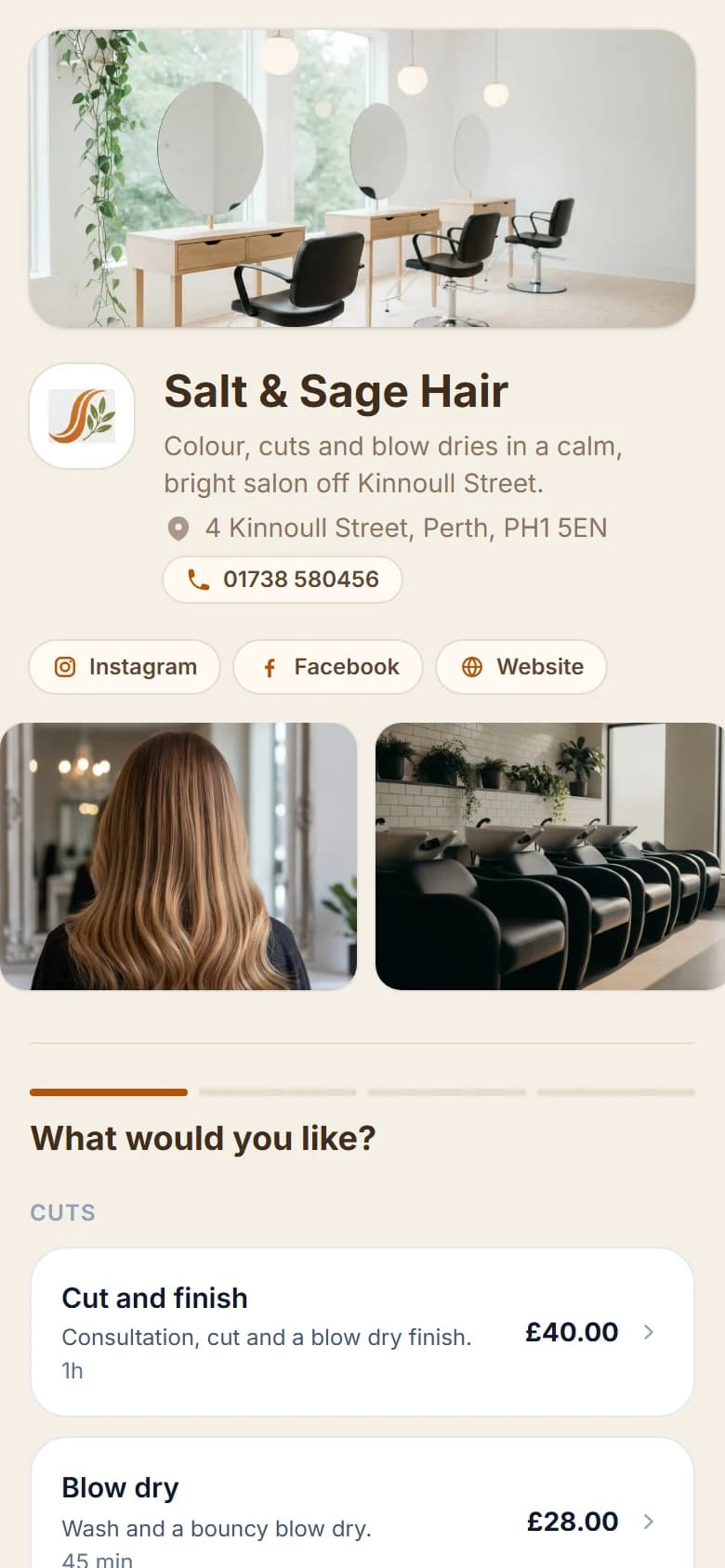
Salt and Sage Hair's booking page on a phone, in its own colours
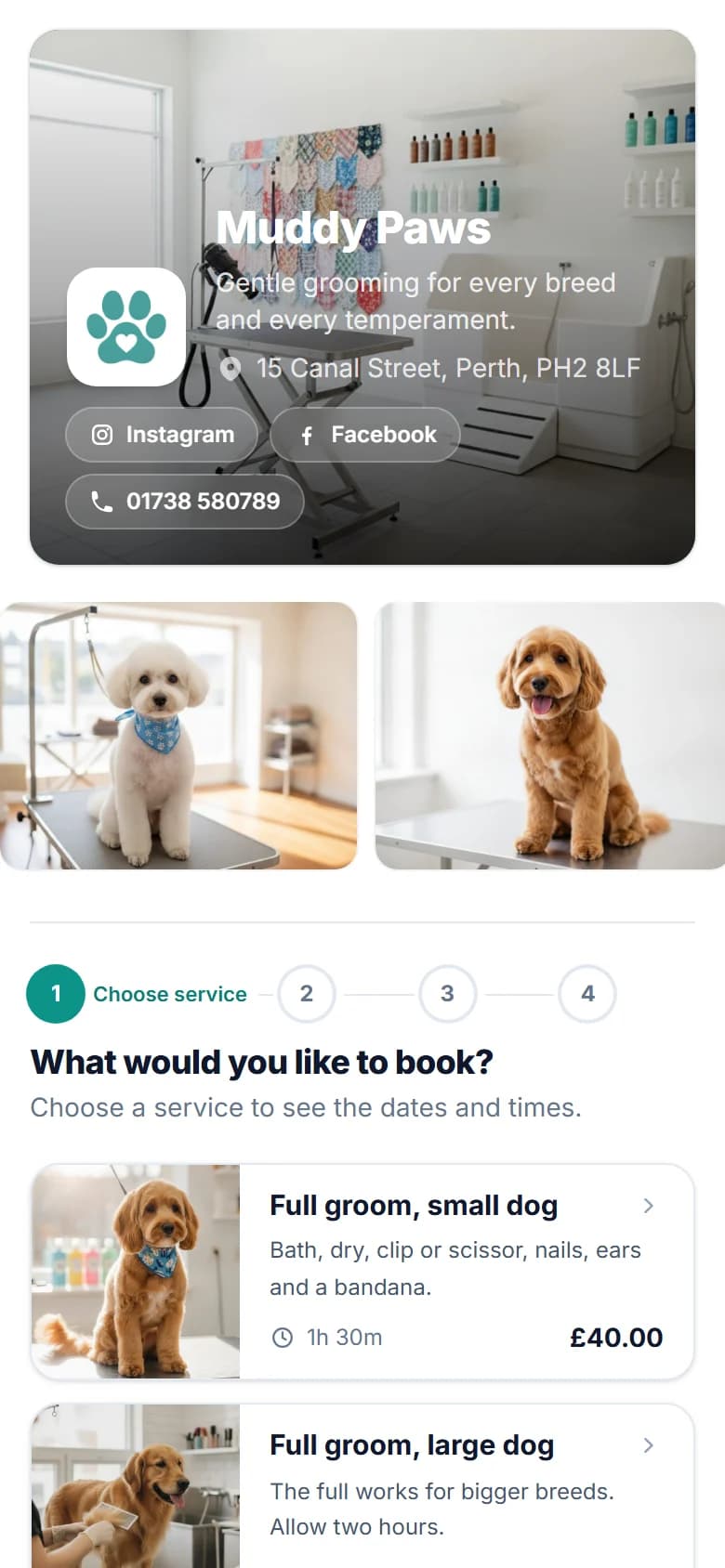
Muddy Paws' booking page on a phone, in its own colours
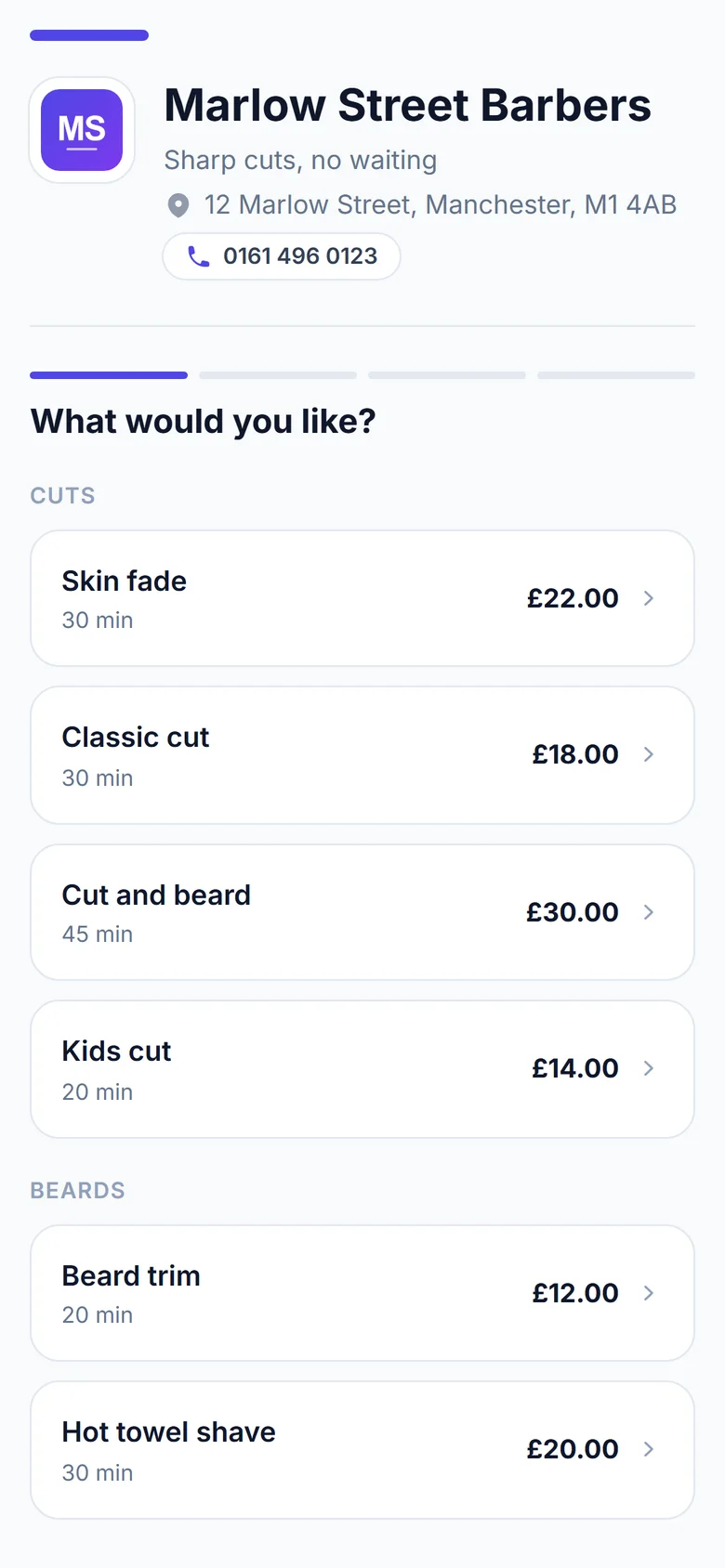
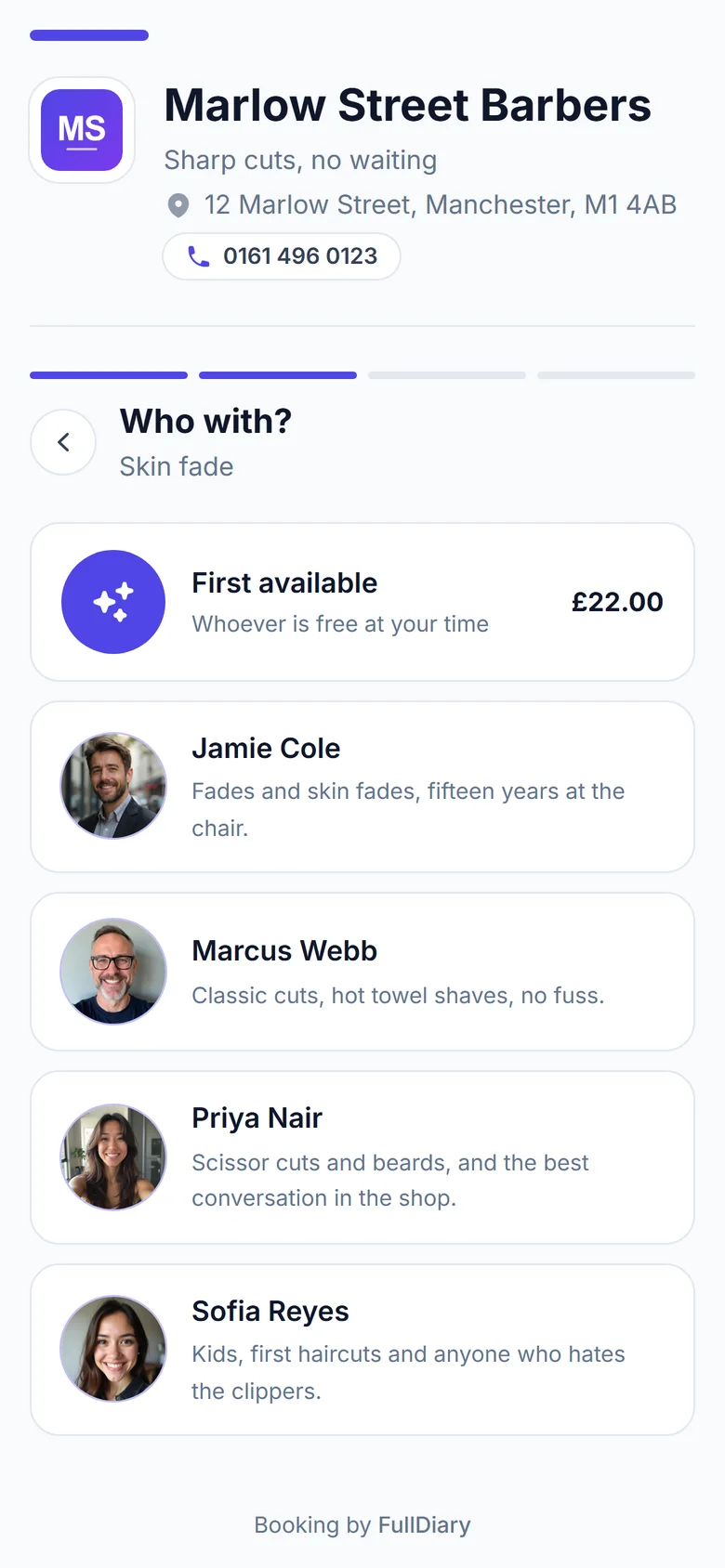
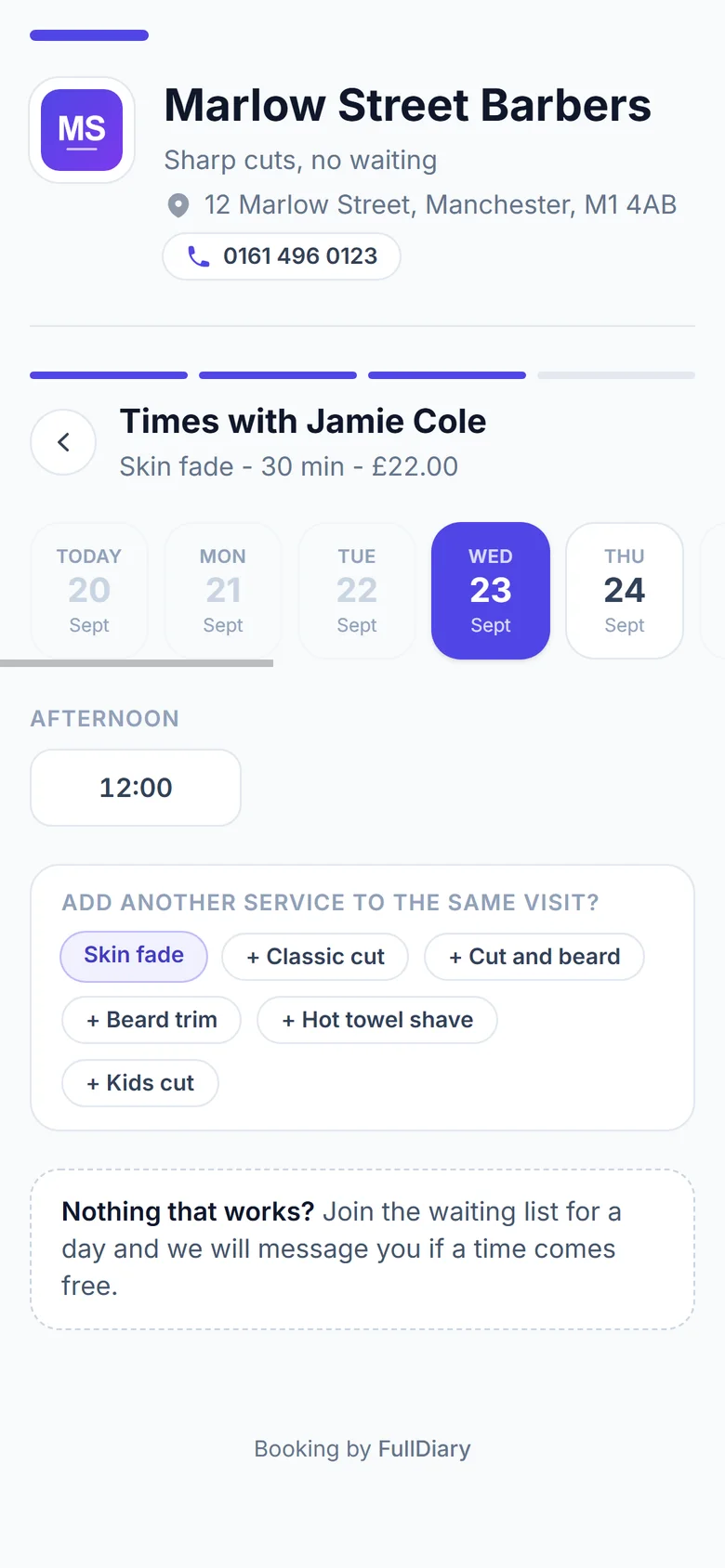
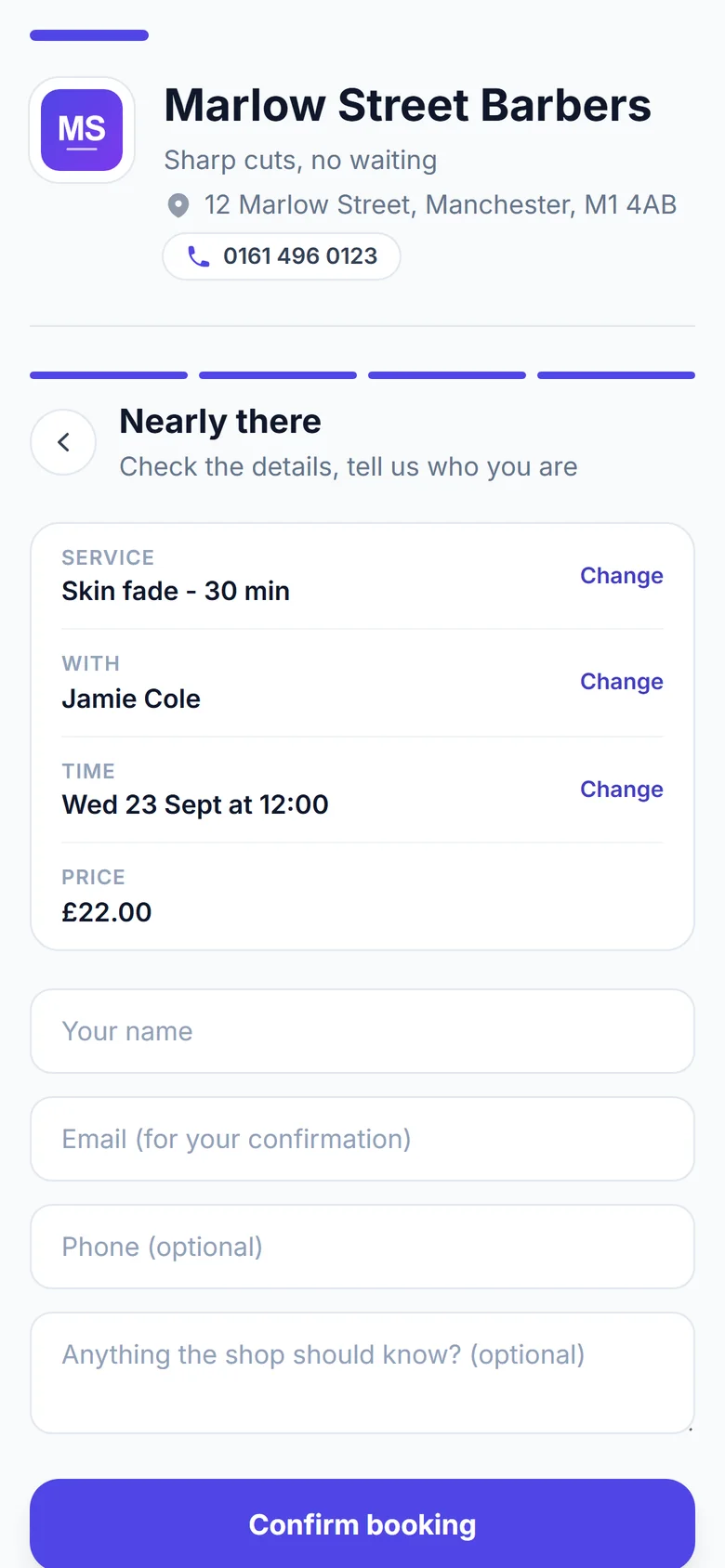
1Pick a service2Pick a person3Pick a time4Say who they are5Booked
Step one: the services with their prices and timesStep two: choosing who with, each barber with a photo and a line about them, or first availableStep three: the days along the top and the free times belowStep four: the summary of the booking and the customer's name, email and phoneStep five: the booking confirmed, with the time, the person, the address and the price

New bookingnow

Sarah McDonald booked a skin fade with Jamie, Saturday at 10:30.

Your booking page

Your page, your prices, make it yours.

Everything a customer needs to book with you, on one page with your name on it.

A booking page of your own

Your services, prices, team and free times, under your name and photo. You don't need a website. People book from the link in your Instagram bio, on your Google profile or in your emails.
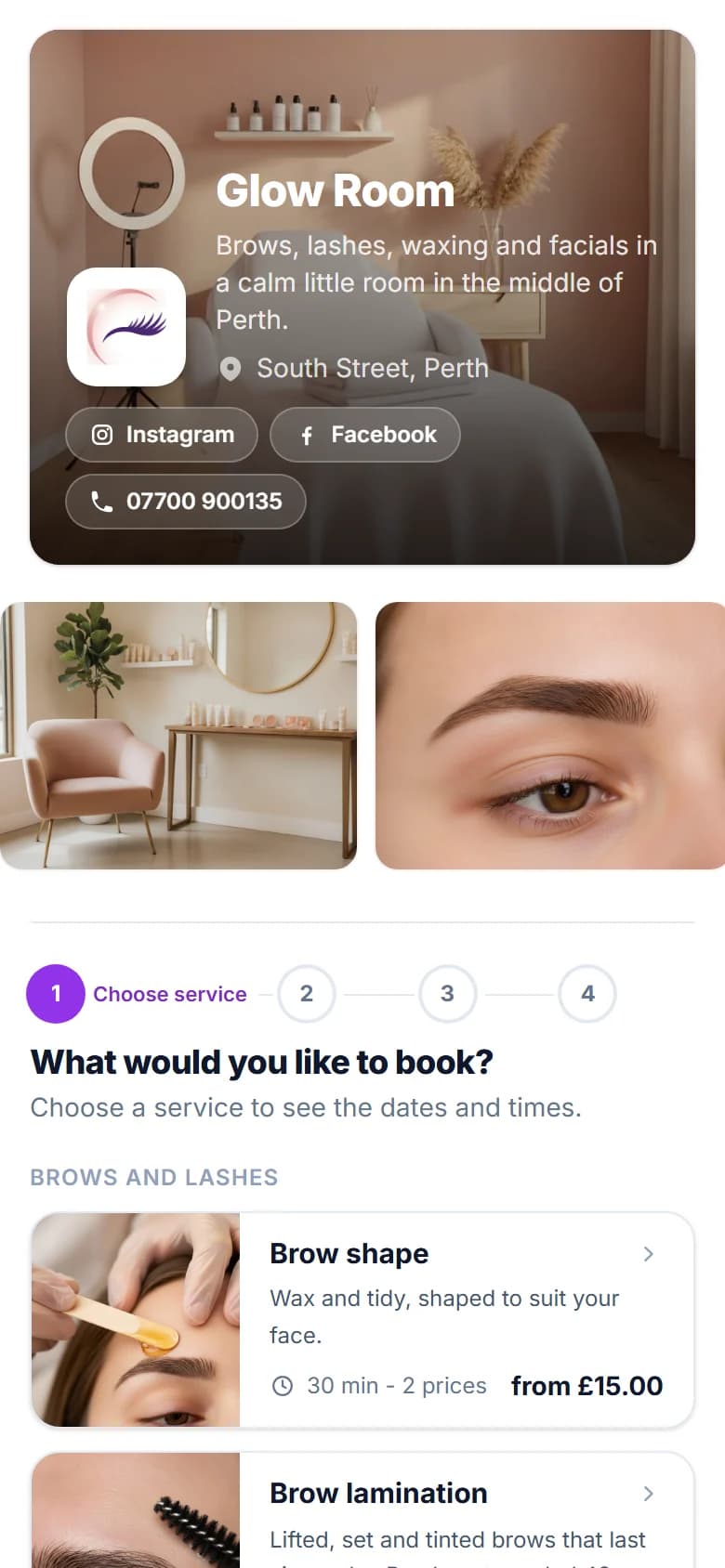
Glow Room's booking page on a phone: a photo of the salon, the logo, links and the first services
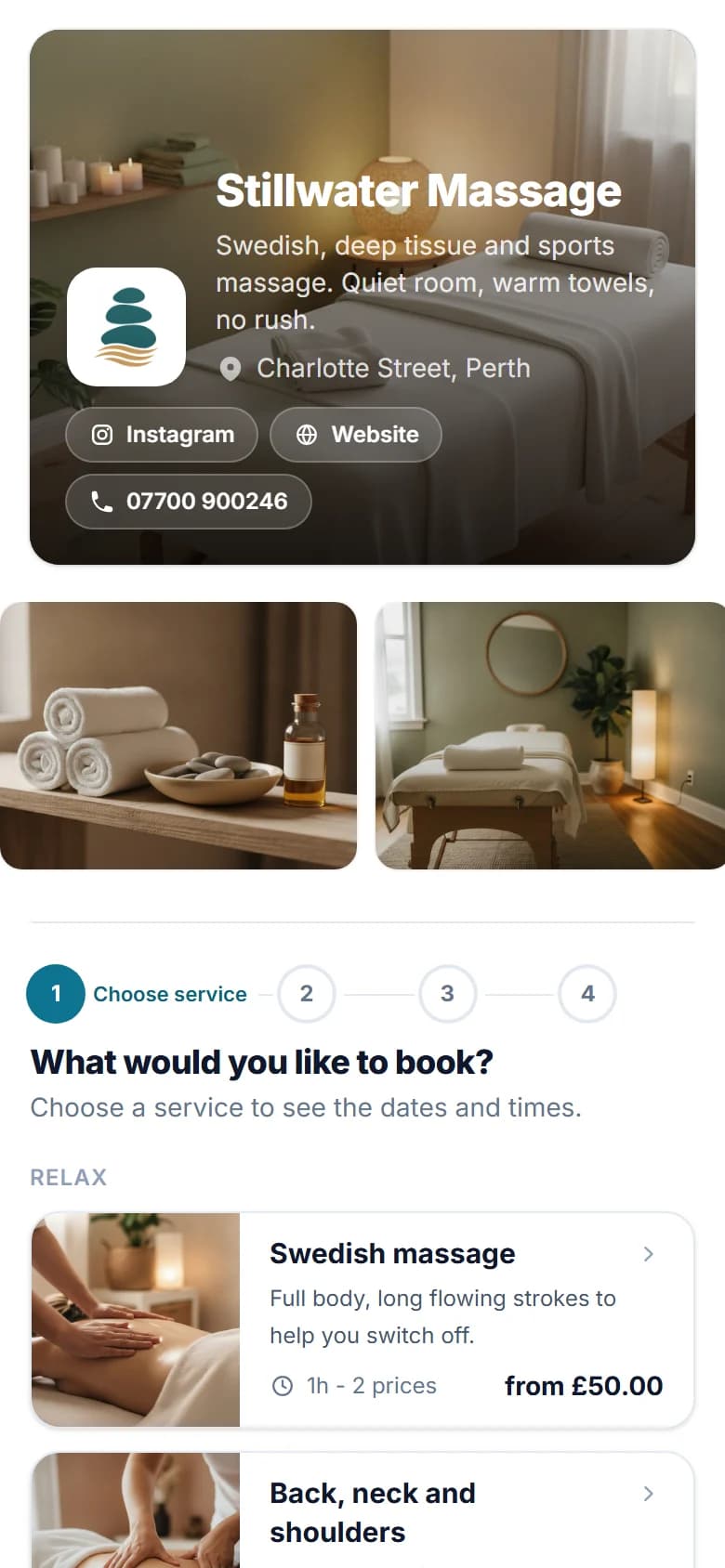
Stillwater Massage's booking page on a phone, in its own colours
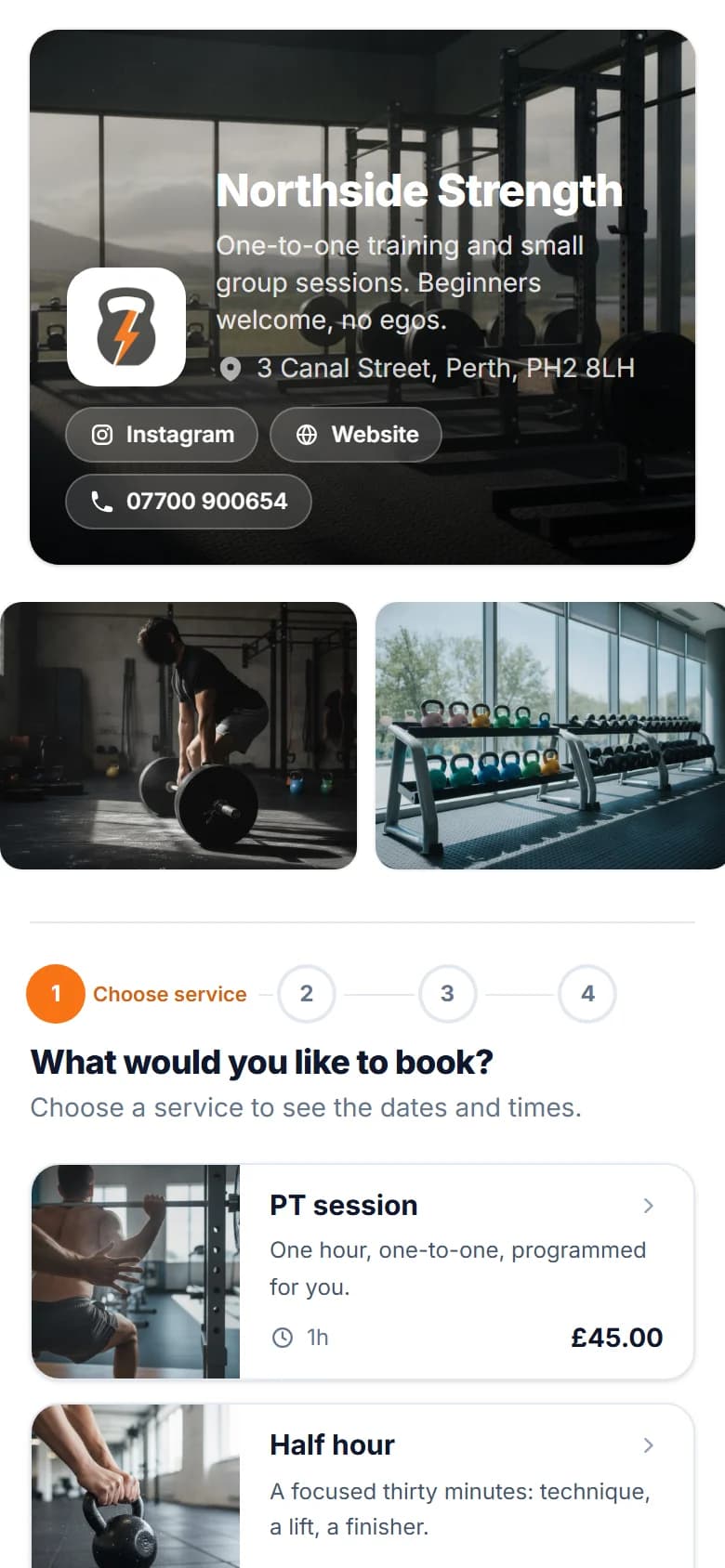
Northside Strength's booking page on a phone, in its own colours

Take a deposit, or the lot

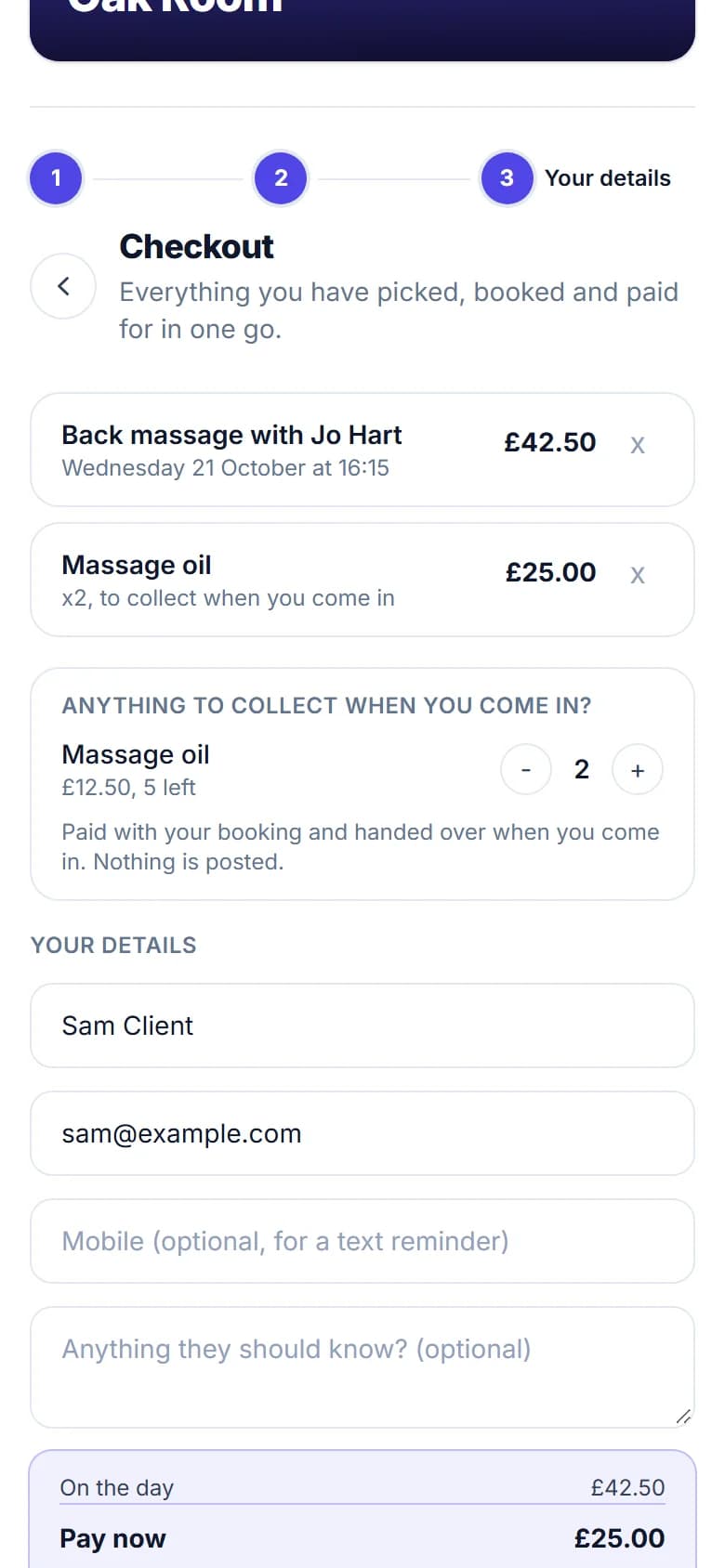
Ask for a deposit or the full price by card when they book. It goes into your own Stripe account, on every plan, the free one too.
The checkout on a phone: a back massage and massage oil, with the amount to pay now

Share it anywhere

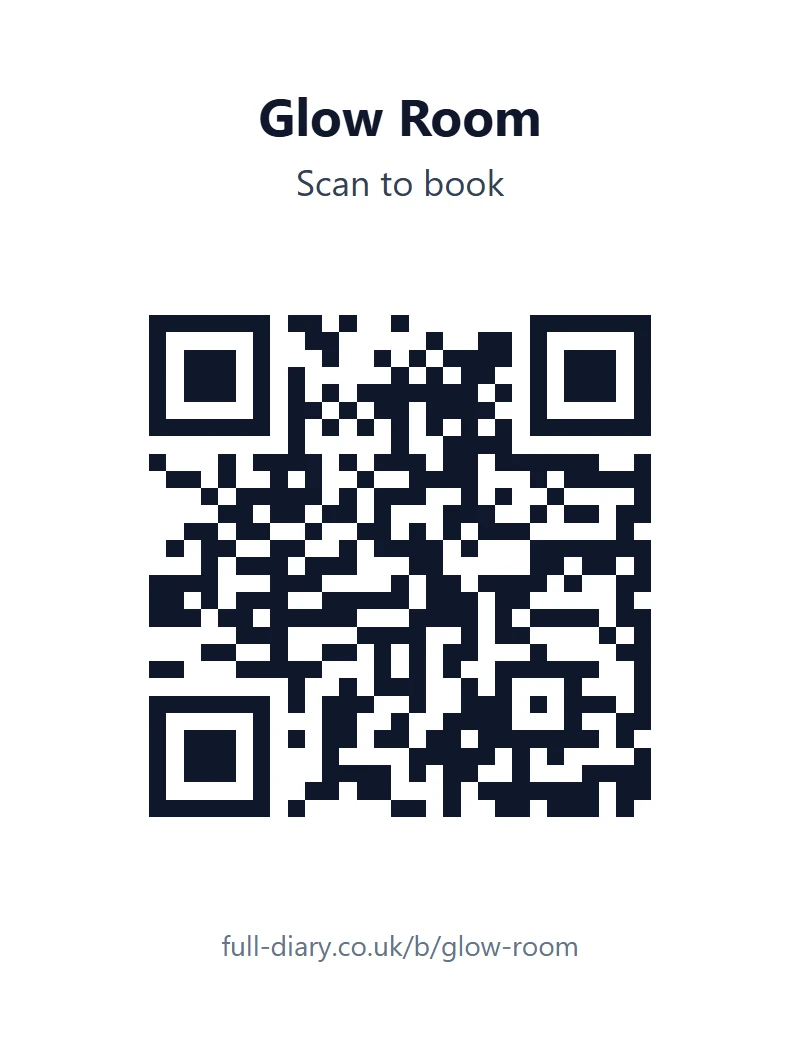
Share your link anywhere, or print a QR card for the counter. This one opens our demo salon.
Glow Room's printed QR card: the name, Scan to book, the QR code and full-diary.co.uk/b/glow-room

Your colours, your logo

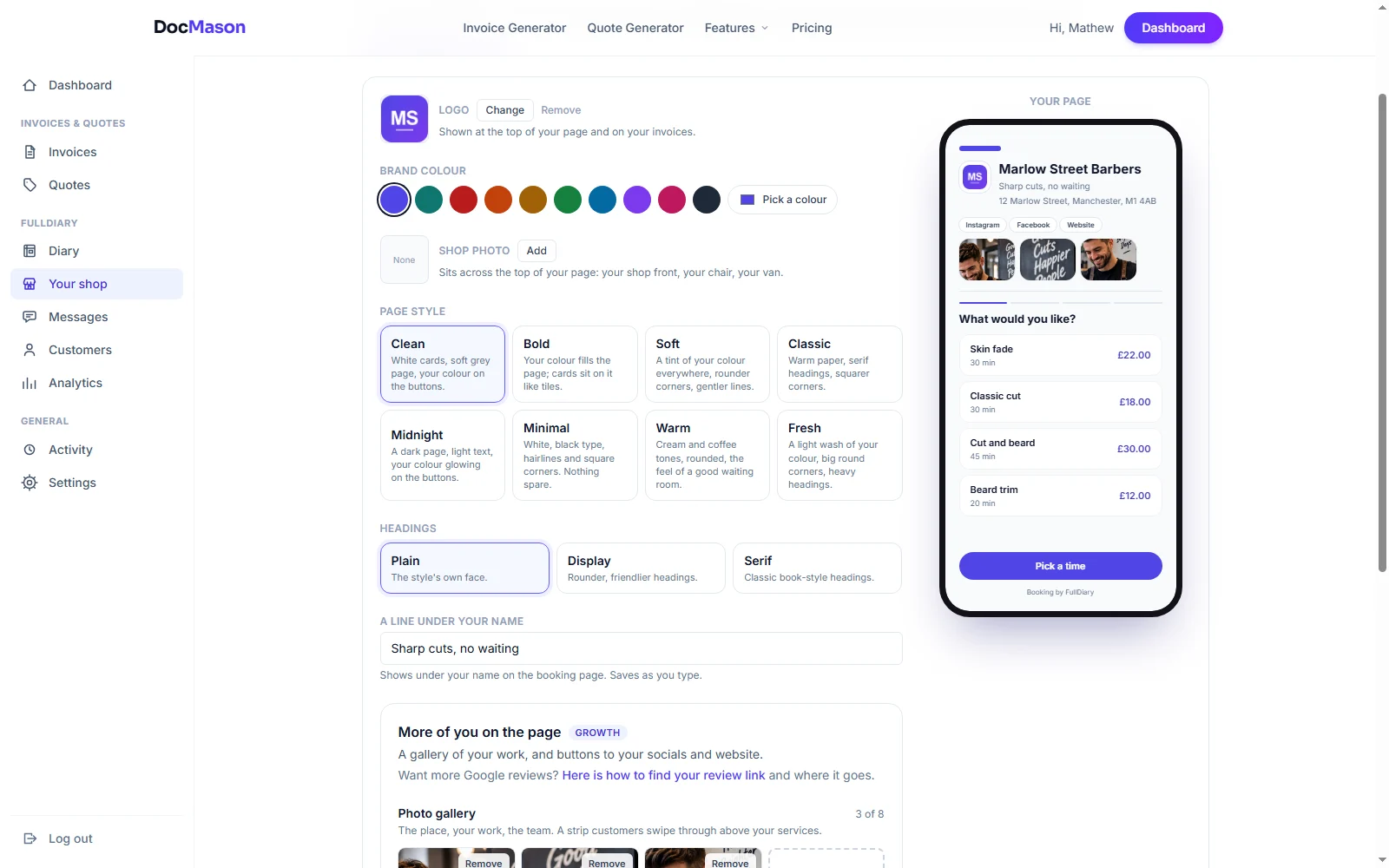
Two designs to start from, then your own colours, buttons, corners and headings, with a live preview. A photo gallery and your social links come with Pro.
The look editor: Clean or Showcase, then background colours, button colours, cards, corners and headings, with a phone preview of the page beside them

0%

No commission, ever.

Not on new customers and not on your regulars. Pro is £9.99 a month a person, never more than £39.99, and the free plan covers 20 bookings a month.
Their own page

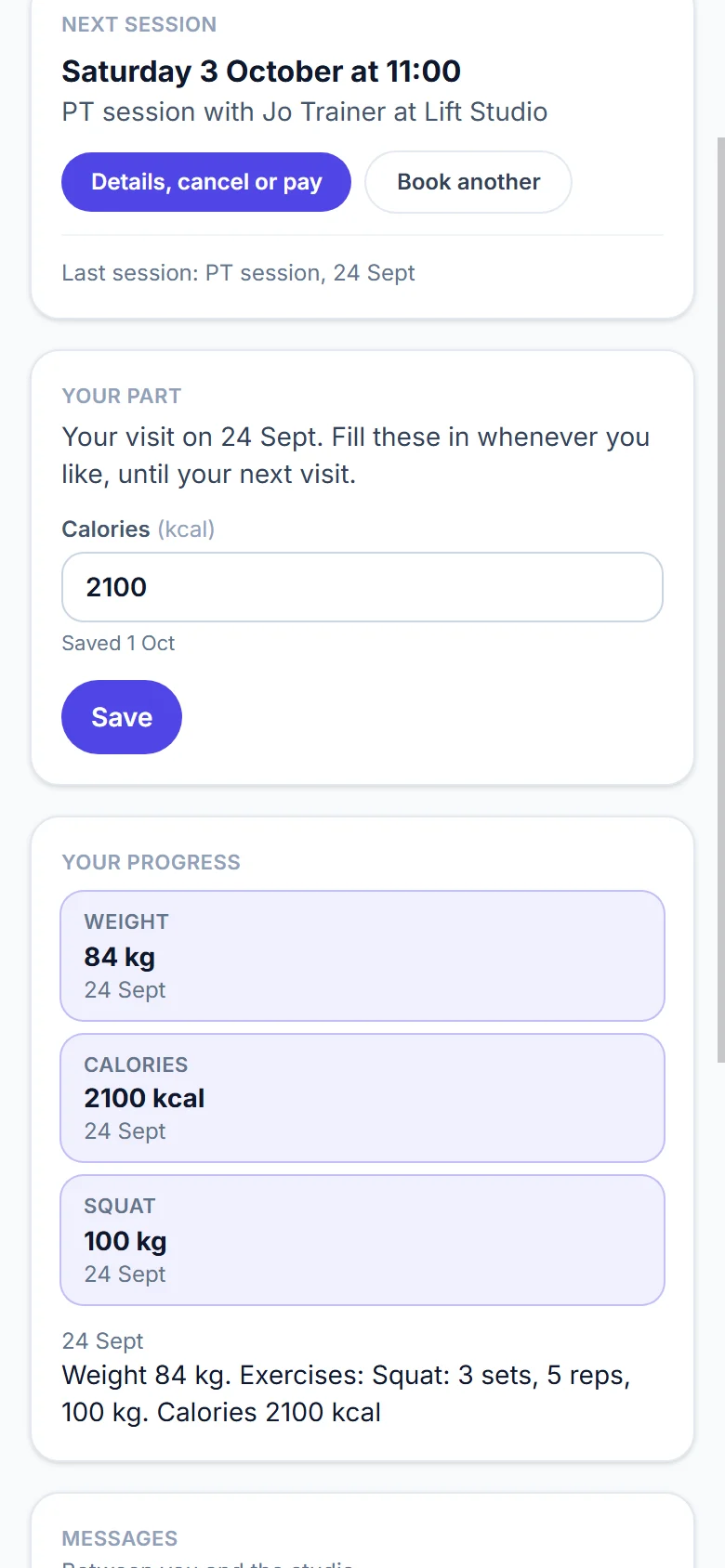
Every booking comes with the customer's own page, where they can move it, cancel it, pay or book again, with no account and no app.
A customer's own page on a phone: their next session with Details, cancel or pay and Book another

Forms before they arrive

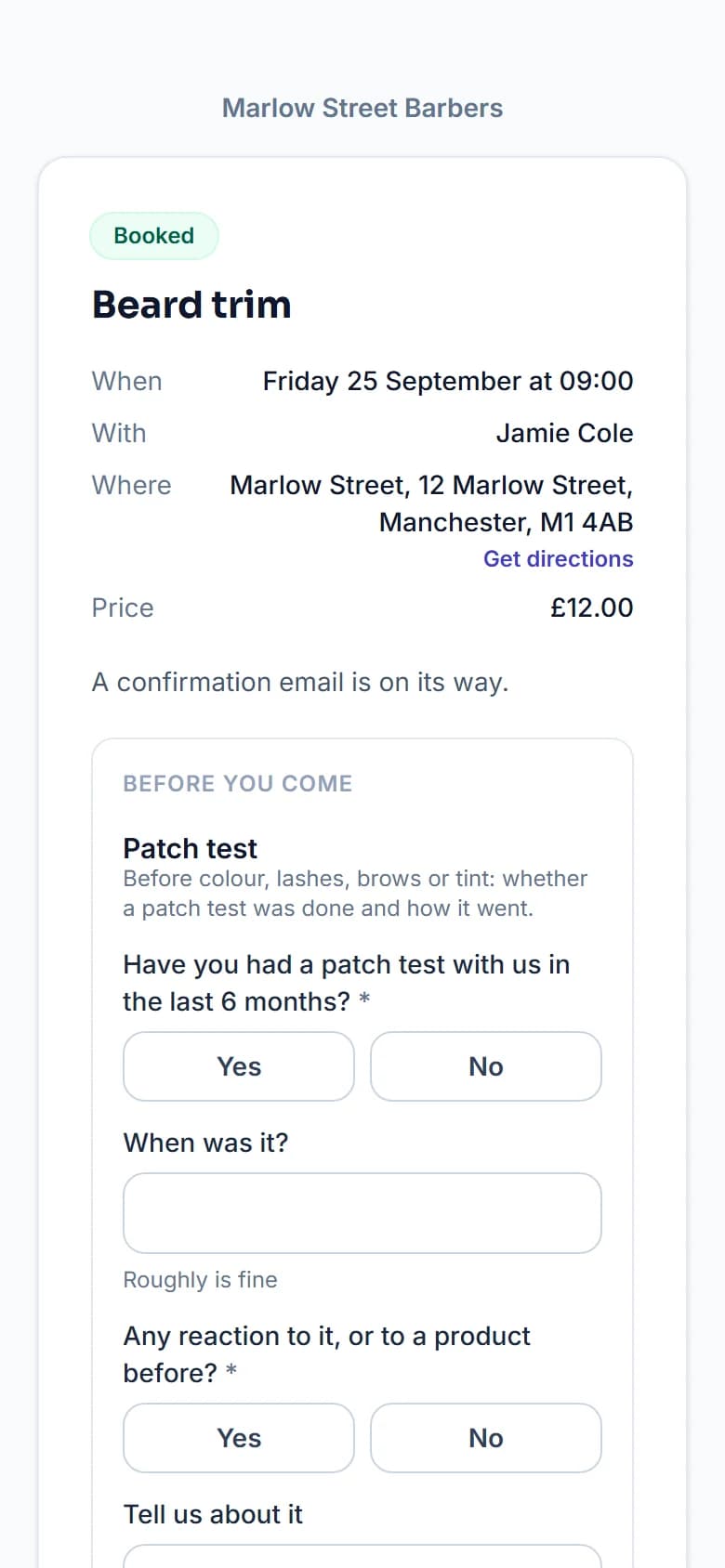
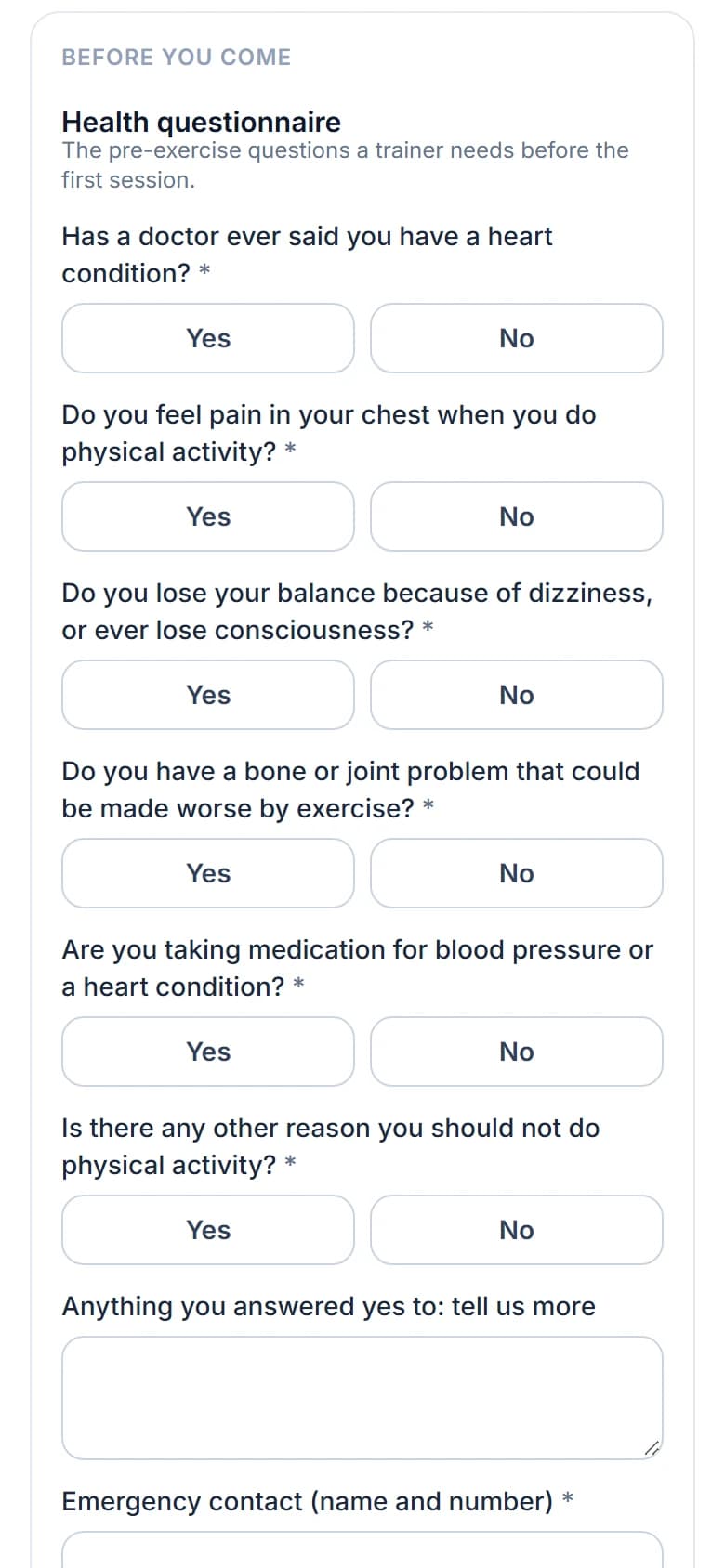
A health questionnaire, a consent form, or whatever you need to know. The answers are on their record before they walk in.
A health questionnaire on a phone, with yes and no answers to each question

More than one service at once

A cut and a beard trim, or a facial and a brow shape, booked in one go. Each has its own time, and they pay once.
The booking page's times step on a phone with a chosen barber: the days along the top and the free times below

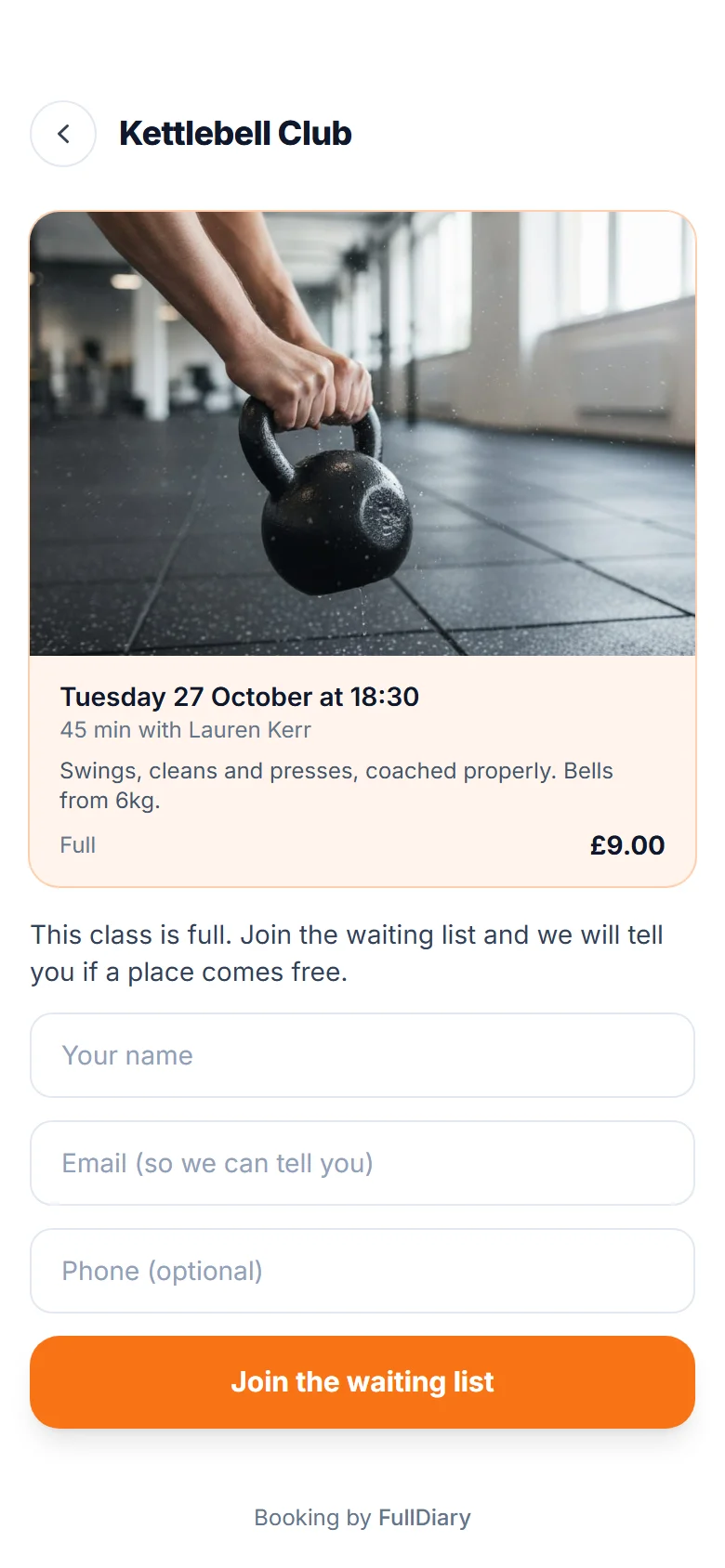
A waiting list for full days

When a day or a class is full, customers can join the waiting list. If a place comes free, the first person waiting is told, so a cancellation gets filled.
A full kettlebell class on a phone, with the form to join the waiting list

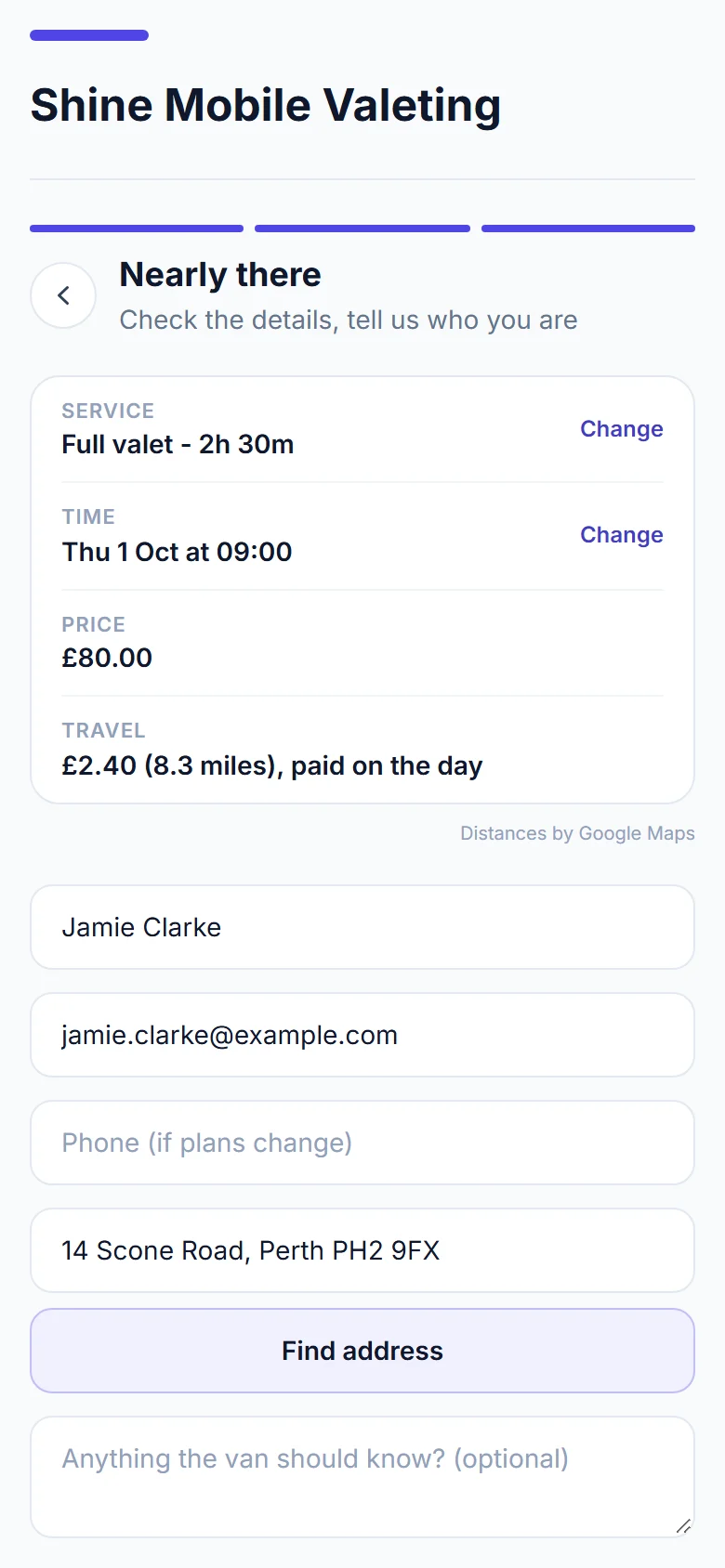
Travel, charged by the mile

If you go to your customers, the page asks for their address and adds your price per mile from the real driving distance. They see it before they book. On Pro.
The booking page's last step for a mobile valeter: the service, the time and the price, then the travel at 8.3 miles, paid on the day, and the customer's address

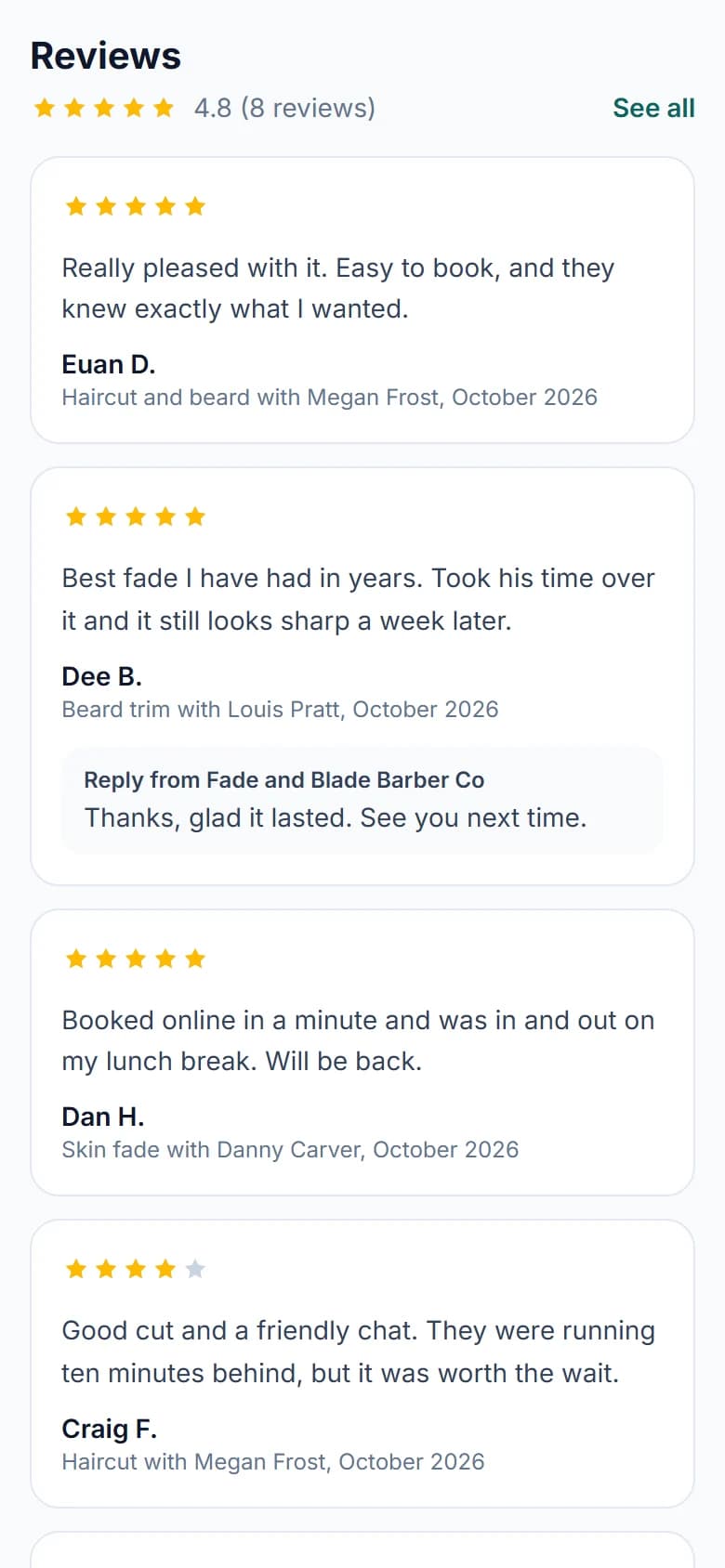
Reviews from real visits

After a visit, customers leave stars and a few words. Your stars show under your name, where the next person is deciding whether to book.
The reviews on a barbershop's booking page on a phone: five stars and 4.8 from 8 reviews, then each review with its stars, its words, the service and the month

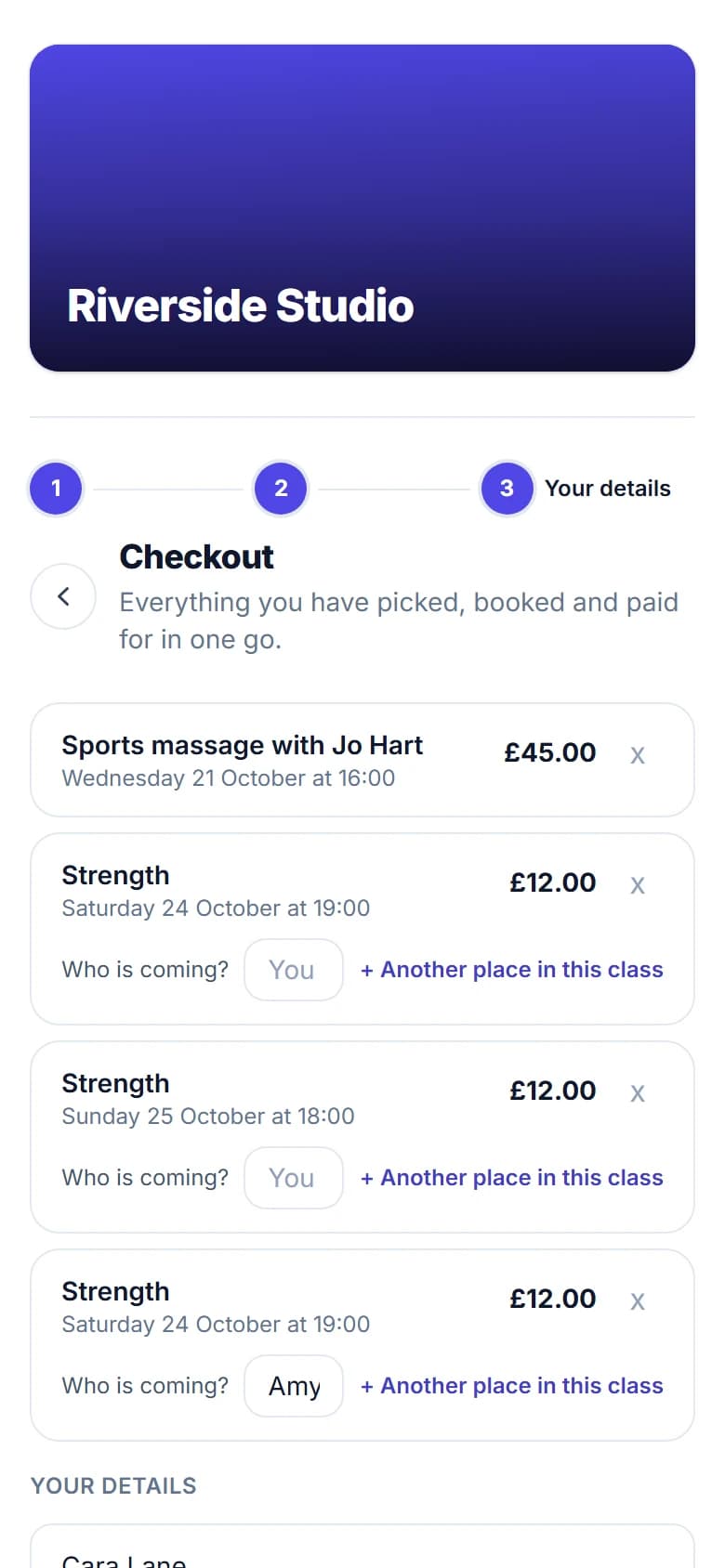
One checkout for everything

An appointment and a class place go in the same basket, with one set of details and one payment.
The checkout on a phone: a sports massage with its time and price, and two class places, one with a friend's name typed in

A card on file, instead of a deposit

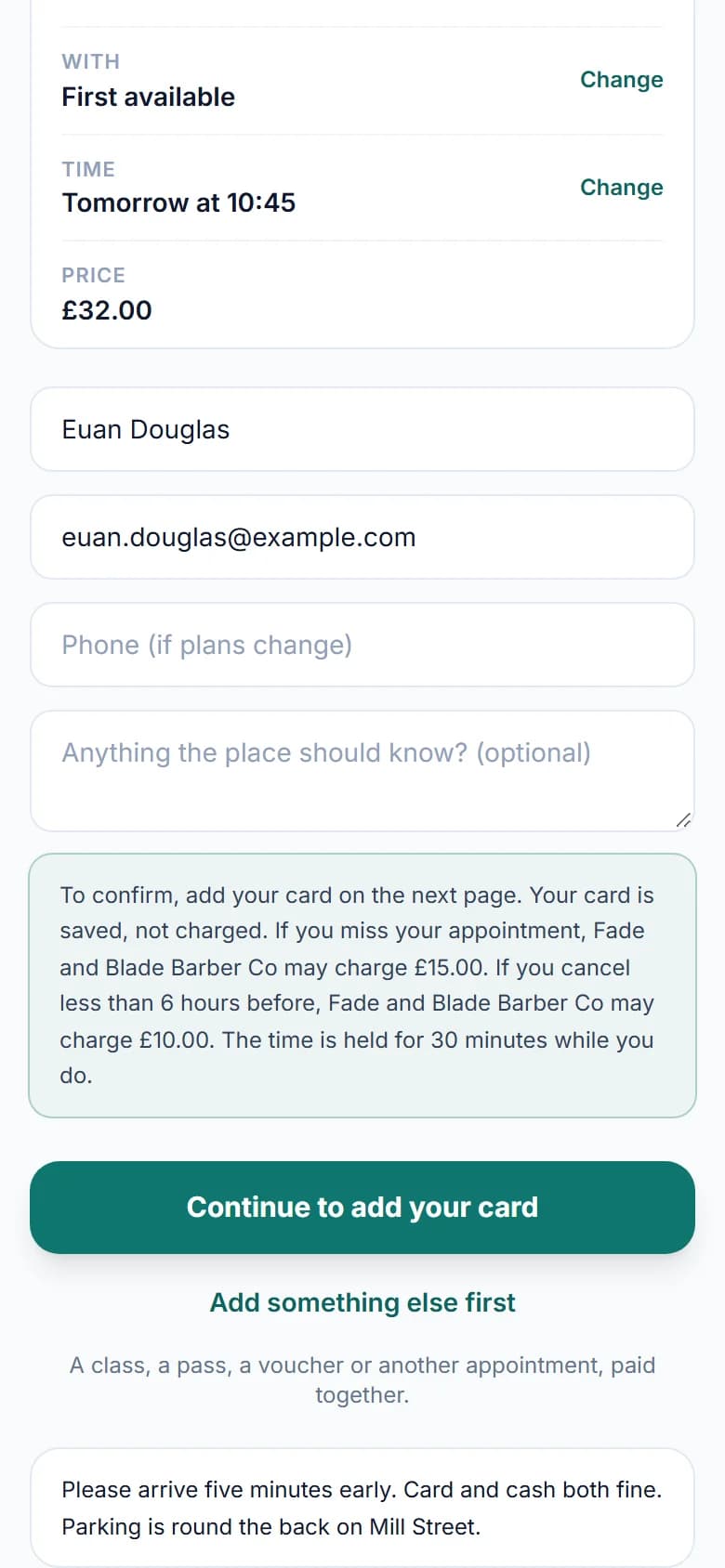
Customers save a card when they book and see your fees first. Nothing is charged unless they miss the appointment or cancel late.
The last step of a barbershop's booking page on a phone: the customer's details, the no-show and late-cancel fees they agree to, and Continue to add your card

Their side

Booked in five taps.

We make booking quick and easy for your customers. Five simple steps, no account and no app, and they're in your diary.

  1. Step one: the services with their prices and times
    1

    Pick a service

    Prices and times up front, and a beard trim can go in with the cut.

  2. Step two: choosing who with, each barber with a photo and a line about them, or first available
    2

    Pick a person

    Or First available. Each person has their own photo and a line about them.

  3. Step three: the days along the top and the free times below
    3

    Pick a time

    Only times you can do, including the gaps between bookings.

  4. Step four: the summary of the booking and the customer's name, email and phone
    4

    Say who they are

    A name and an email. The phone number is optional.

  5. Step five: the booking confirmed, with the time, the person, the address and the price
    5

    Booked

    A confirmation page and an email, with a link to change the time or cancel.

Why it matters

Booked while you're with someone else.

People book when it suits them: at ten at night, on the bus, while you have clippers in your hand. The page does the back and forth you would have done by message.

By message

Six messages, two days

  1. Hi, are you free Thursday?Mon 9:14pm
  2. Morning! What time suits you?Tue 8:40am
  3. After 5?Tue 12:05pm
  4. 5.30 or 6?Tue 12:50pm
  5. 5.30 please. Skin fadeTue 4:12pm
  6. Done. See you Thursday, £22Tue 5:20pm

Thursday stays empty until somebody answers, and you answer between customers.

On your page

One booking, Monday 9:14pm

  • They pick it themselvesA skin fade, Thursday at 5:30pm, with Danny. It is a free time, so there is nothing to check.
  • They get a confirmationAn email with a calendar button, and a link to move it or cancel.
  • You get a notificationAnd it is already in your diary, in Danny's column.

Thu 5:30pm - Danny

Alex - Skin fade

30 min - £22

Made while you were asleep. Nobody had to reply.

An example: the names, times and messages are made up.

"My clients find FullDiary easy to use and really straightforward."
Julie MacDonaldTrustpilot, 15 October 2026

And there's more

Everything else it does.

Nothing you don't need gets in the way, for you or your customers.

  1. 01Your own address

    Your page lives at full-diary.co.uk/b/ and your business name. If your name changes, change the address: the old one keeps sending people to the new one.

  2. 02Reminders by email and text

    A confirmation email when they book, and a reminder before the day with a link to move or cancel. Reminders go by email on every plan, and by text as well on Pro.

  3. 03Gift vouchers

    Sell vouchers for an amount or a service on your page. They arrive by email on the day the buyer picks, and are spent like money when they book. On Pro.

  4. 04Packages

    Sell a block of visits for one price. Each booking takes one off, and the customer's own page shows how many are left. On Pro.

  5. 05Offers and discount codes

    Put an offer on your page, or give out a code for a quiet week, a first visit or your regulars. Customers see the new price before they pay. On Pro.

  6. 06Classes and group bookings

    Give a class a number of places. Customers book a place on the same page, see how many are left, and join the waiting list when it is full. On every plan.

  7. 07Your rules

    Your hours, breaks and holidays, how far ahead people can book and how much notice you need. Nothing outside them is ever offered.

FAQs

Common questions

The things people ask about online booking before they sign up.

Something else on your mind? Ask us.

What does online appointment booking do for a small business?

Customers pick a service and a free time on your booking page, day or night, and it lands straight in your diary. They get a confirmation email, you get an alert, and a reminder goes out before the visit. No phone tag, and the page only offers times you can really do.

How long does it take to set up?

About ten minutes. The setup asks six questions with the answers already filled in for your trade, and your page is live at the end of it.

Do you take a commission on bookings?

No. Never a percentage of a booking, on any plan. You pay £9.99 a month a person for unlimited bookings, never more than £39.99 a month, or nothing at all on the free plan, which covers 20 bookings a month.

Can customers book more than one thing at once?

Yes. They can stack services in one visit and the page adds the time up, so a cut and a beard trim books the right 45 minutes rather than two separate slots.

What if I don't want people booking whenever they like?

You set the hours, the breaks and how far ahead people can book. Anything outside that is never offered.

I go to my customers. Can the page charge for travel?

Yes, on Pro. The page asks for their address, and your own price per mile, after any free miles, is worked out from the real driving distance and shown in their summary before they book.

Do I need a website?

No. The booking page is a web page in its own right, with your name and photo on it. Plenty of businesses use it as their only online presence.

Ready to get started?

Make bookings simpler.

Give your customers an easier way to book, and give yourself a simpler way to run your business.

20 bookings free every month, with no commission and no contract.