
Client records
What you did last time, without the shoebox.
Every visit, every note, every form, on one page per customer. The colour formula, the patch test date, the photo from six weeks ago.
Pro at £9.99 a month a person, never more than £39.99: unlimited bookings, never a commission. Free to start: 20 bookings a month, no card.
The problem
The details that keep a customer are the ones nobody can find.
It is on a card in a drawer
Which is fine until the drawer is at the other shop, or the card is somebody else's handwriting.
You ask the same questions twice
Allergies, medication, what they had last time. Asking again is the bit that makes a regular feel like a stranger.
Paper records and the law
A box of handwritten client cards with health details in it is personal data, and a box isn't a security policy.
How it works
Everything you need, before they sit down.
- 01
They fill the form before they arrive
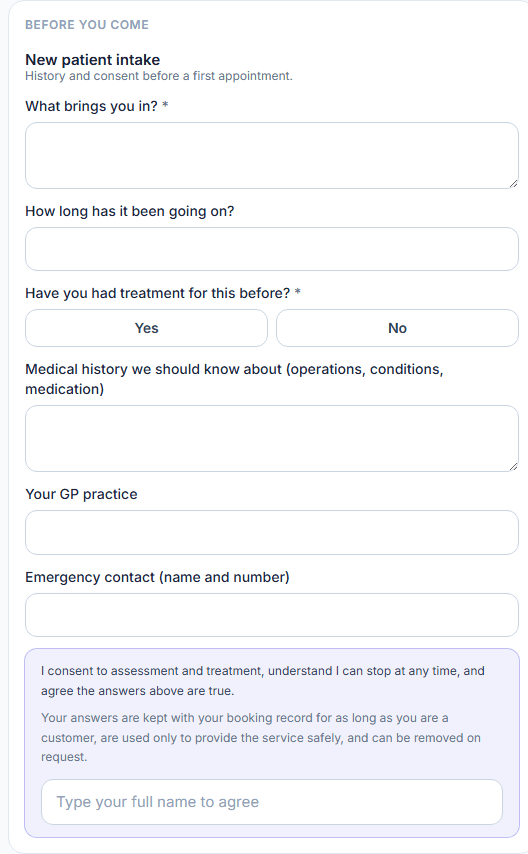
Attach a consultation or intake form to a service and it goes out with the booking. They answer on their phone; the answers are on their record when they walk in.
- 02
You write down what you did
Your trade's own fields - formula, needle, weight, whatever matters - plus a free note. From the booking card in the diary, in about ten seconds.
- 03
Next time, it is already there
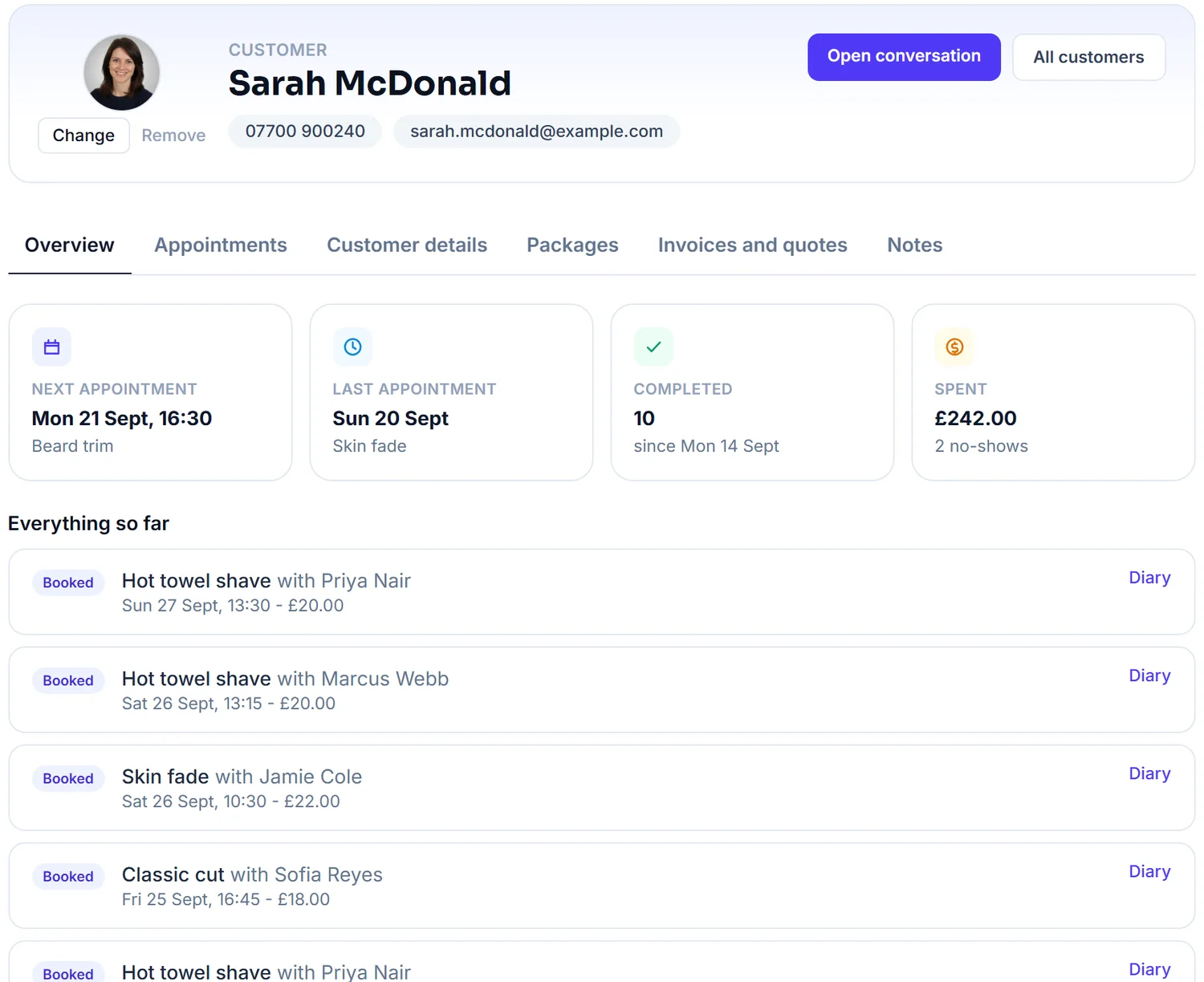
Open the booking and their history is beside it: what they had, what they paid, what you wrote.
What you'll see
Know every customer at a glance.
Their visits, spend and notes on one page, and the answers to the forms they filled in before they arrived.
What you get
Why regulars keep coming back.
Private notes stay private
Anything you write in a private note stays on your side. It never appears on a page your customer can open.
Photos, before and after
Attach photos to a visit. Useful for colour, for tattoos, for treatment, and for the conversation six weeks later.
Their whole history, in one place
Bookings, spend, packages, forms, messages and invoices. You can see whether somebody is a regular without adding anything up.
Bring your list with you
Import the customers you already have from a spreadsheet, so nobody retypes hundreds of names.
Health forms, done properly
A health or consent form shows its purpose and a retention line, takes a typed-name agreement, and keeps the time and device as evidence. The answers leave the system only as a PDF you request.
Who can see what
You and the staff you invite, and nobody else. Records are held in the EU, locked to your business in the database, never sent to an AI service, and never used by us for anything but running the service.
FAQs
Questions? Answered straight
The things people ask about client records before they sign up.
Something else on your mind? Ask a human.
Can I build my own consultation form?
Yes. Add the questions you actually ask, mark the ones that must be answered, and attach the form to the services that need it.
Is this suitable for health information?
Yes. Health and consent forms are treated as sensitive: the customer sees the purpose and a retention line, agrees with a typed name, and the time and device are kept as evidence. The answers sit on their record, are excluded from every export except the PDF you request, and are never sent to an AI service. Records are held in the EU and never shown on a customer-facing page unless you choose to share a visit summary.
Who can see a customer's records?
You and the staff you invite to your business, and nobody outside it: every record is locked to your business in the database. We are your processor, so our own access is limited to running the service and acting on your instructions, and it is never used for anything else. That is written into the privacy policy.
How does this fit UK GDPR?
You are the data controller for your customers' information and we are your processor: we act on your instructions, hold the data in the EU, use it for nothing else and delete it when you do. Health forms take explicit consent with a typed name. You can delete a customer yourself, and ask us to remove anything else, at any time.
Can I import the customers I already have?
Yes. Export a CSV from your old system and drop it on the Customers page. It shows you the columns before it imports anything.
Do customers see my notes?
No. Private notes only ever appear on your side of FullDiary.
While you are here
Two more things it does.
- Client records