
Classes, group bookings and events
Group bookings, classes and events, all covered.
If you run classes, small group sessions or the odd workshop, FullDiary has you covered. Set up a class with a number of places and your customers can book a place on your booking page, just as they would an appointment.
- Included on every plan
- Shows places left
- Waiting list included
Pro at £9.99 a month a person, never more than £39.99: unlimited bookings, never a commission. Free to start: 20 bookings a month, no card.
Saturday Bootcampnow
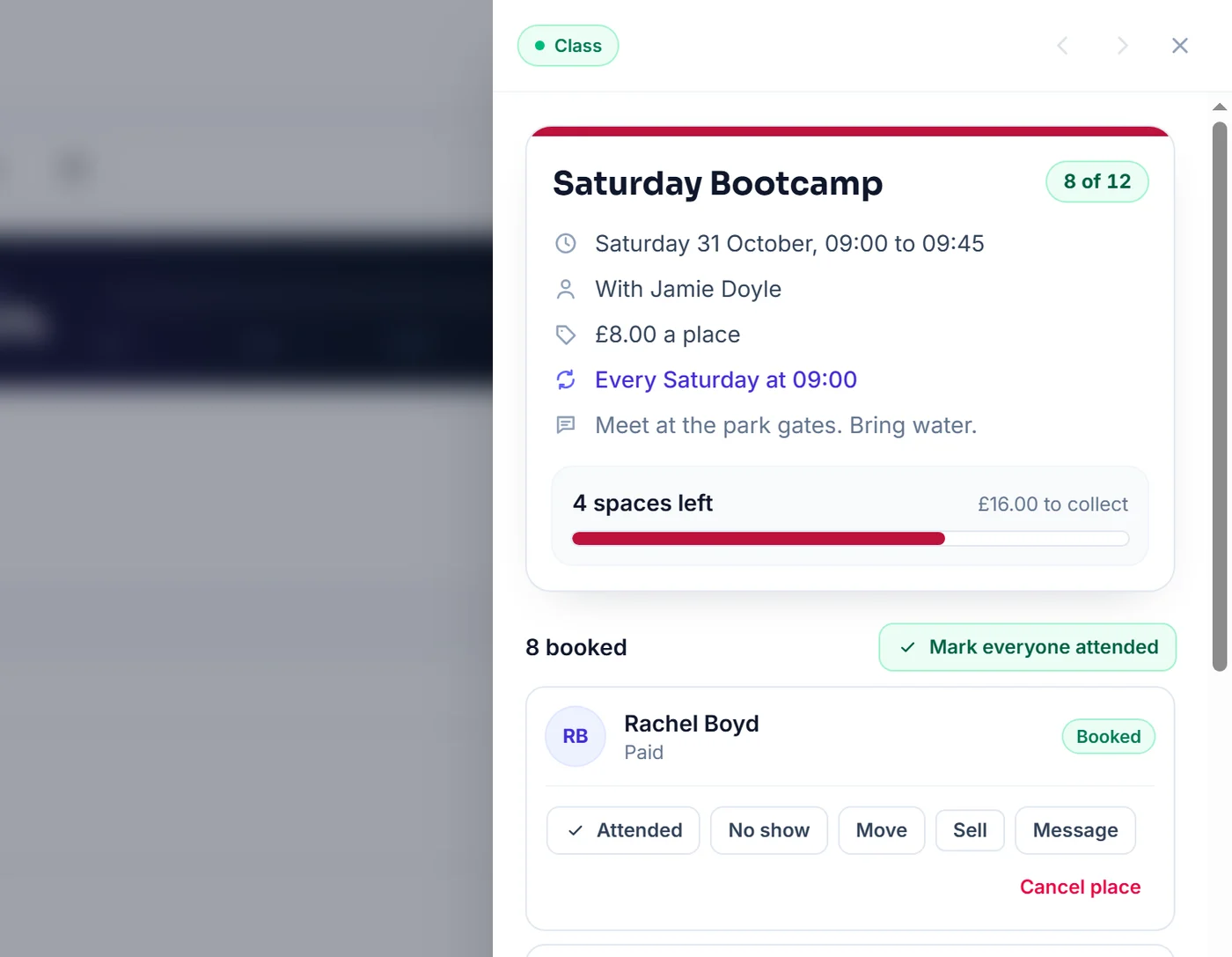
8 of 12 booked. 4 spaces left, Saturday at 09:00.
The problem
Running classes can mean a lot to keep track of.
Bookings in lots of places
Messages on WhatsApp, Instagram and text, and a list you keep up to date by hand before every class.
Knowing how many places are left
It's hard for you, and for your customers, to know if there's still room. When someone drops out, their place can easily go unfilled.
Keeping track of who has paid
Cash on the day, bank transfers and promises to pay next time. It all adds up, and it's not something anyone enjoys asking about.
How it works
Getting started is simple.
- 01
Create your class
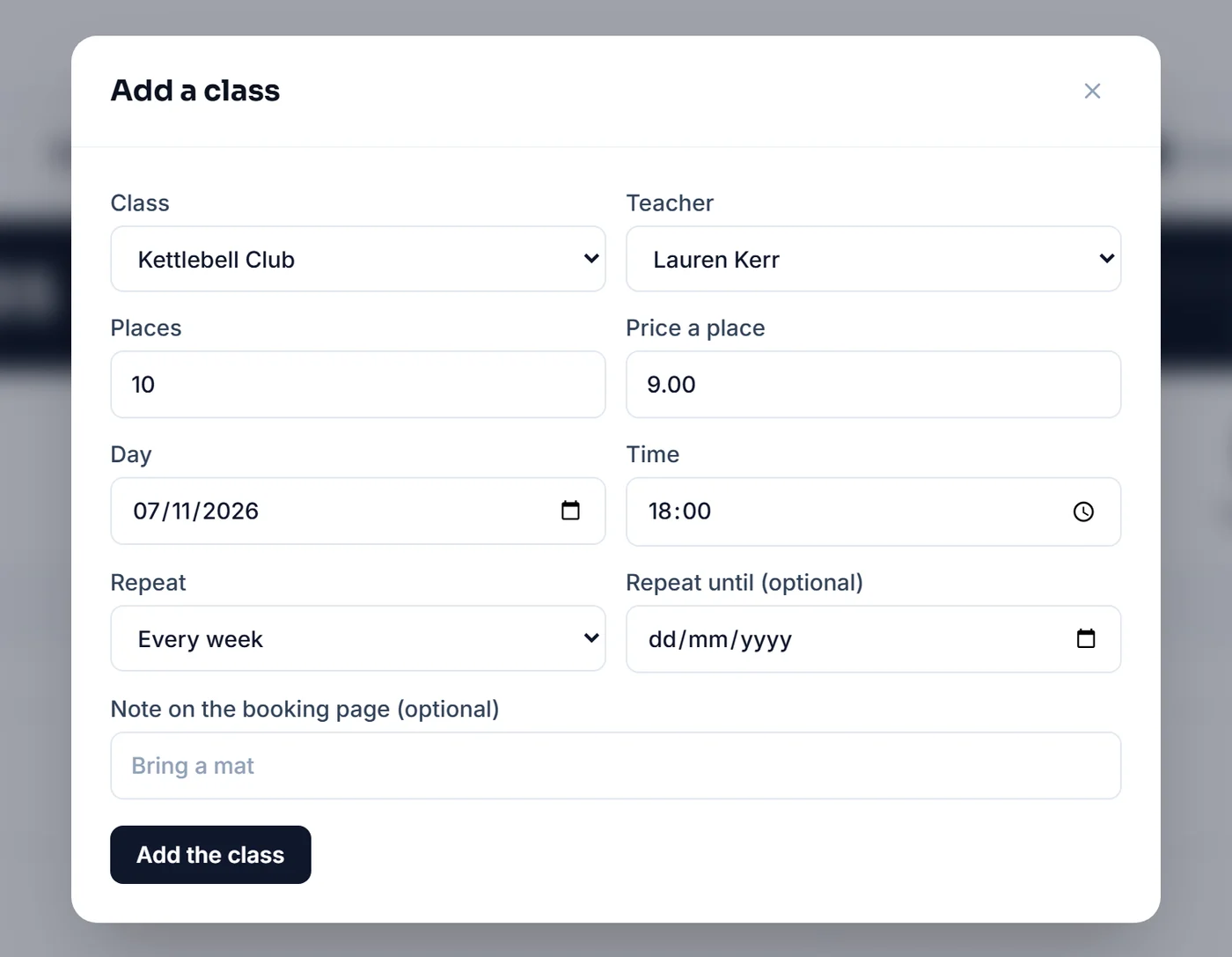
Give it a name, how long it lasts, a price per place and how many places there are. You can add a photo and a short description too.
- 02
Add it to your diary
Just once for an event or workshop, or every one, two, three or four weeks for a regular class. Repeating classes go in twelve weeks ahead and stay topped up.
- 03
Customers book a place
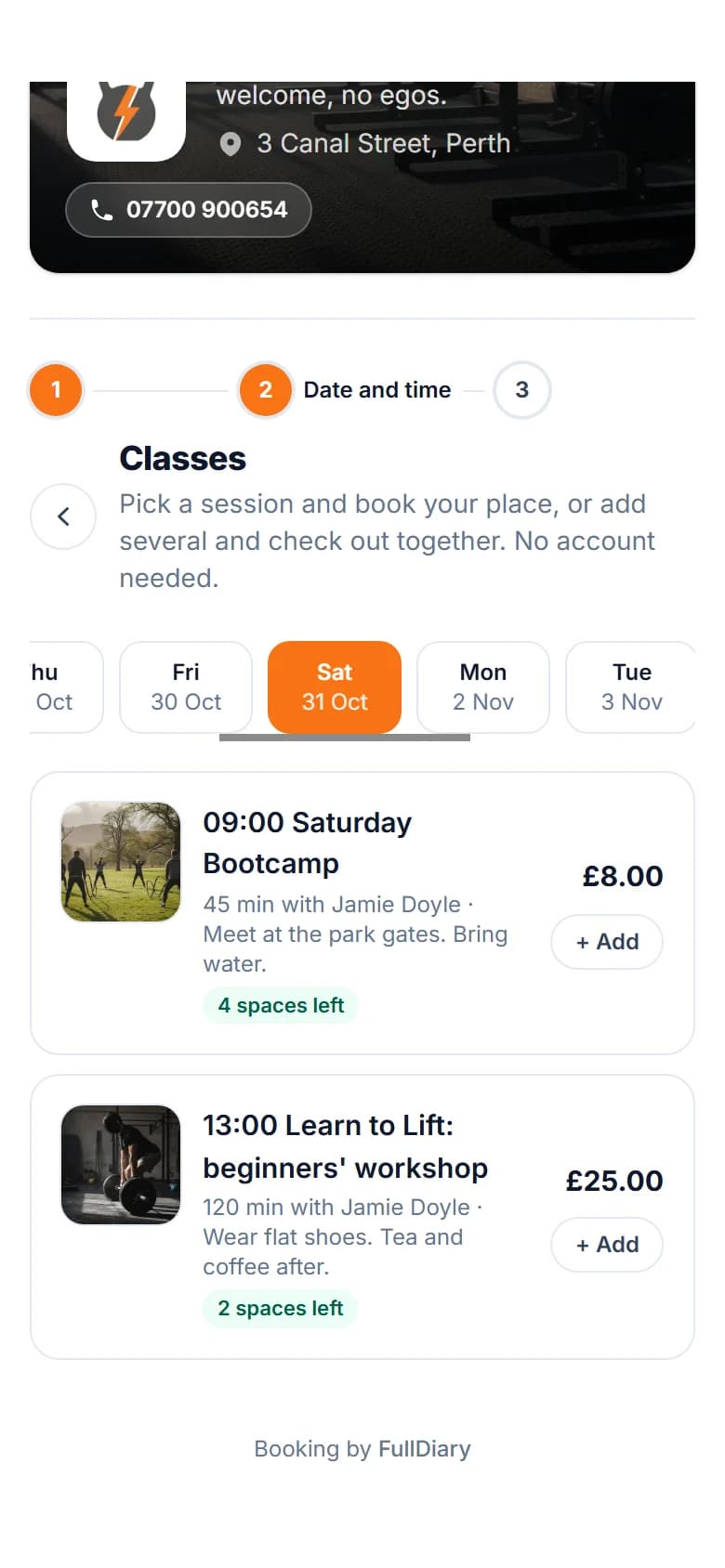
They see your classes on your booking page, with how many places are left, and book in a few taps. Everyone booked shows in your diary.
Their side
Simple for your customers to book.
Your customers don't need an account or an app. They can see what's on, book a place for themselves or a friend, and change to another class if their plans change.
- 1
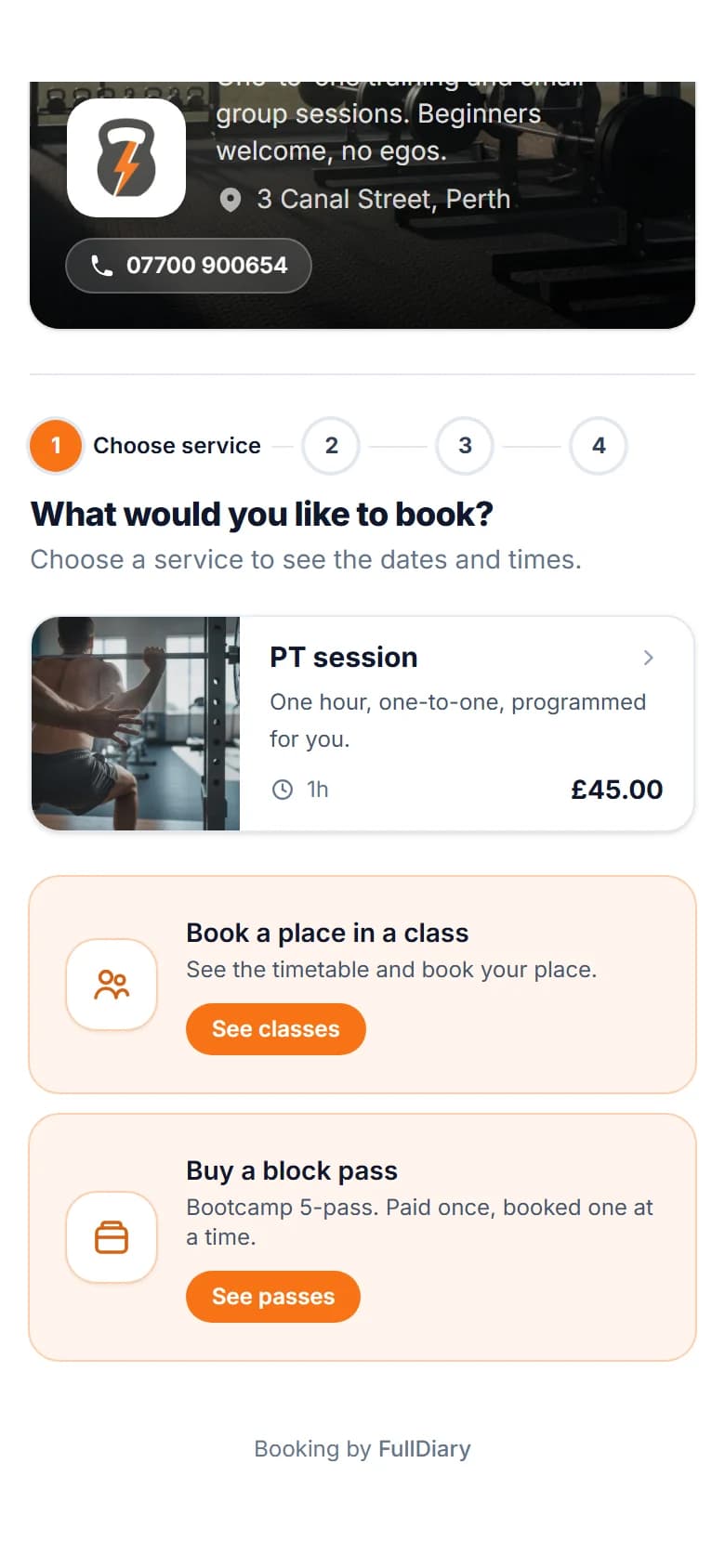
Find your classes
Your classes sit on your booking page, alongside anything else you offer.
- 2
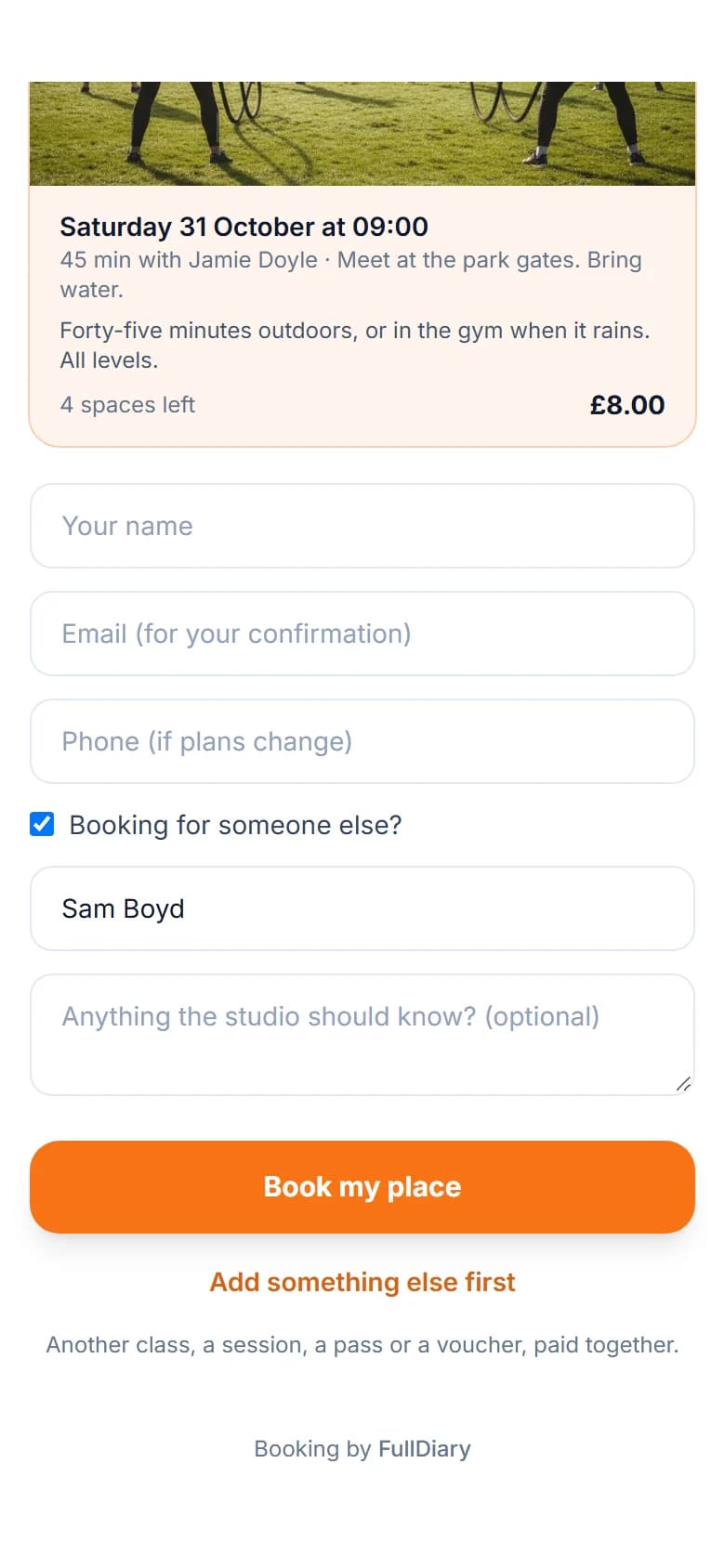
Book a place, or one for a friend
Booking for a child or a friend? They tick a box and add their name.
- 3
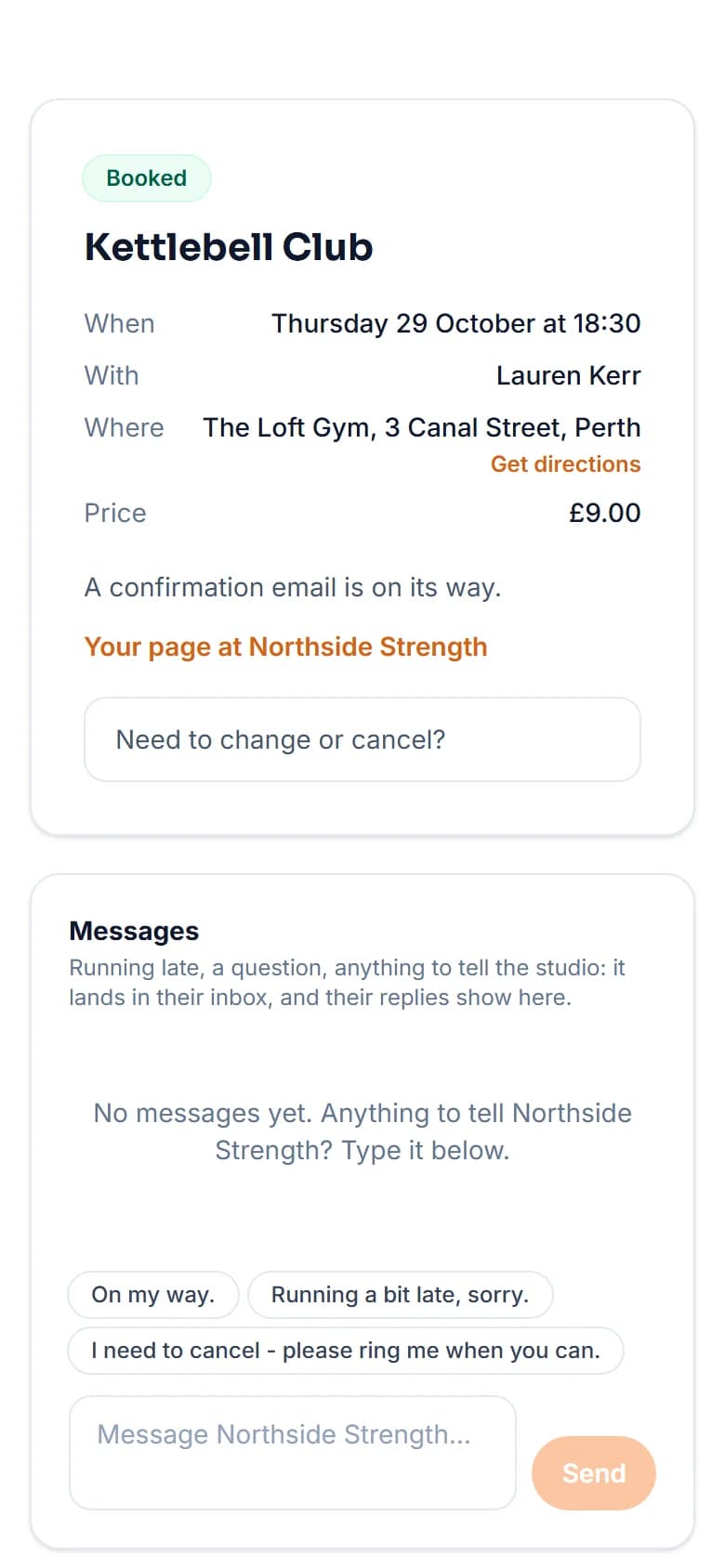
All booked
They get a confirmation email, a calendar file and a reminder before the class.
- 4
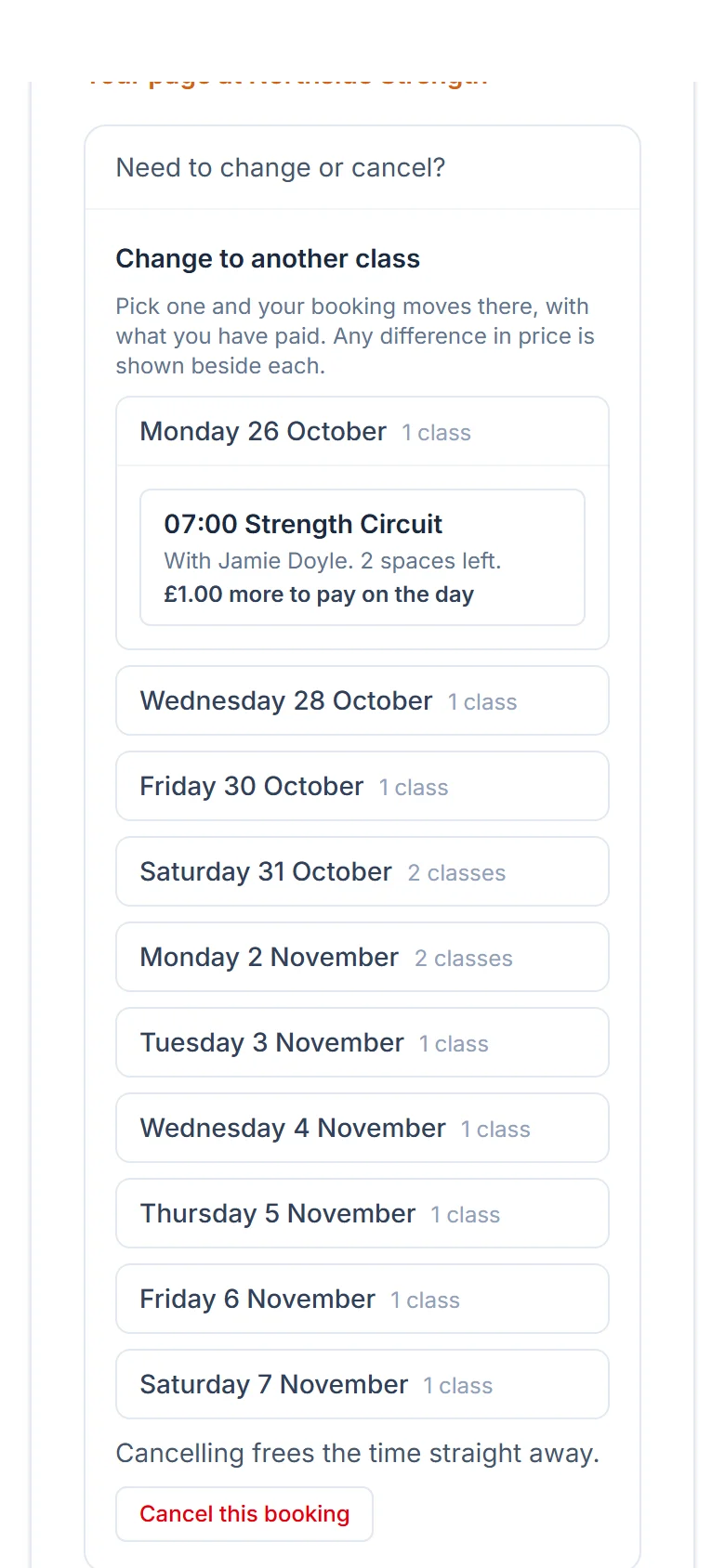
Change to another class
If plans change, they can move to another class, and what they paid moves with them.
- 5
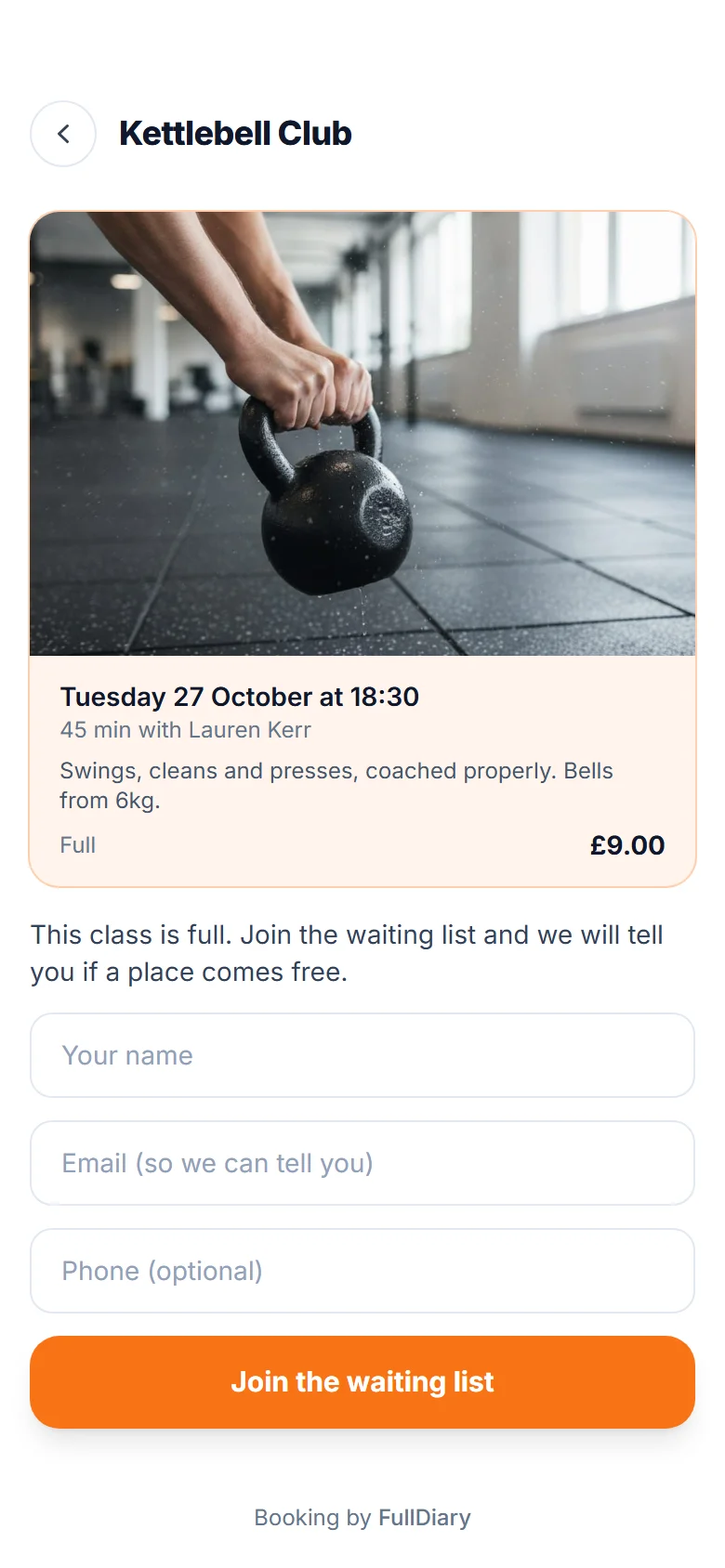
Join the waiting list
If a class is full, they can join the waiting list and hear when a place comes free.
Events and passes
One-off events and class passes, too.
As well as regular classes, you can run one-off events like workshops or taster days, and sell a block of classes paid for up front.
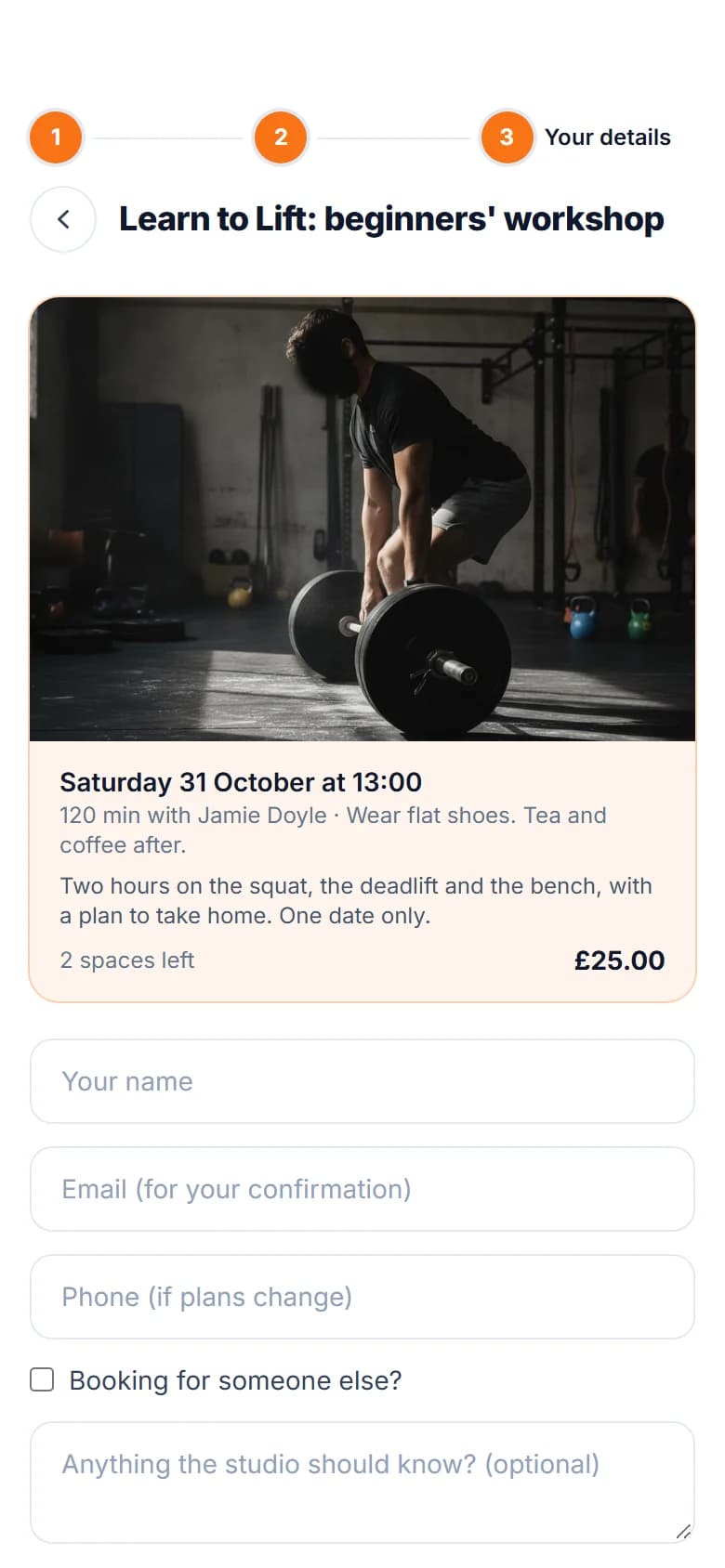
One-off events
A workshop, a taster day or a special session, with its own date, places and price.
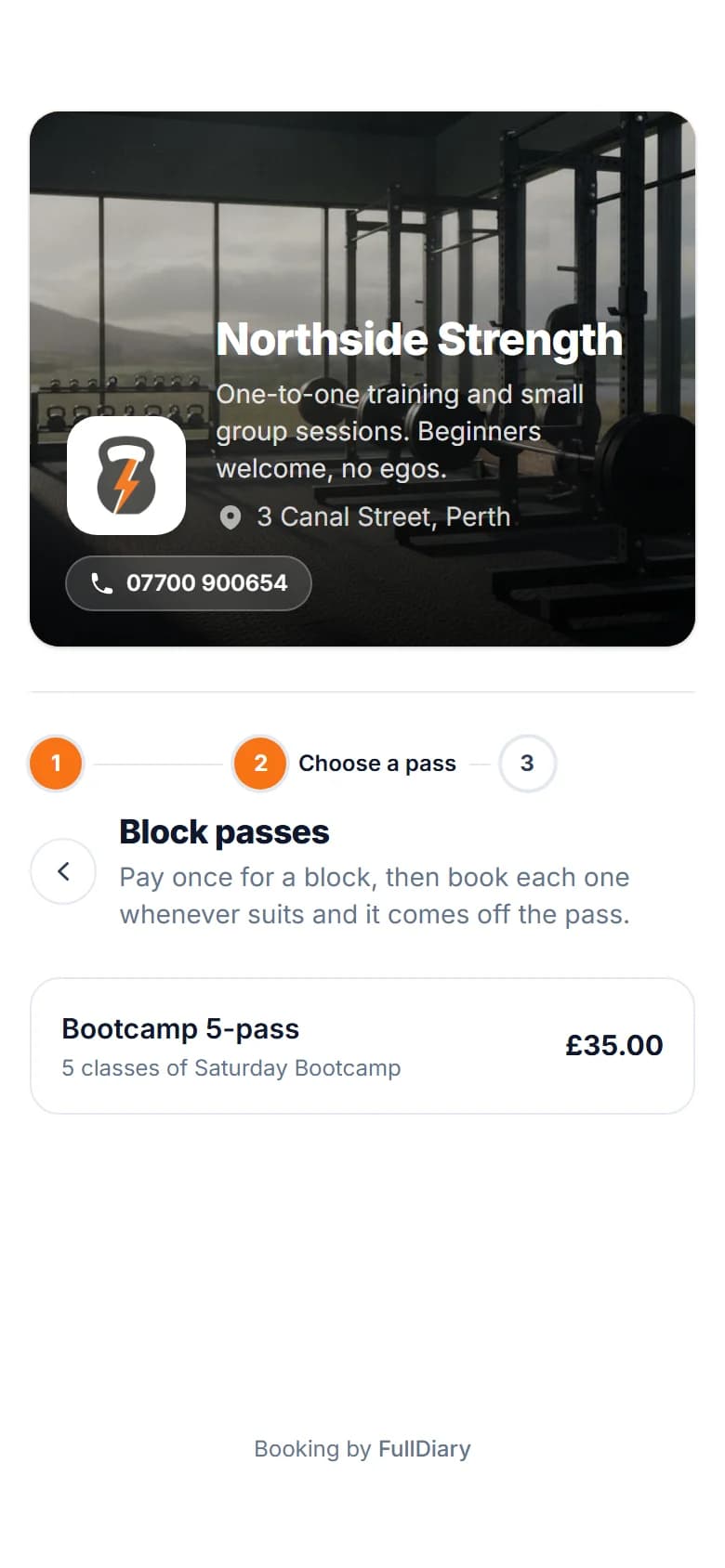
Class passes
Sell five or ten classes up front, and each booking comes off the pass. Part of Pro.
Your side
Everything in your diary.
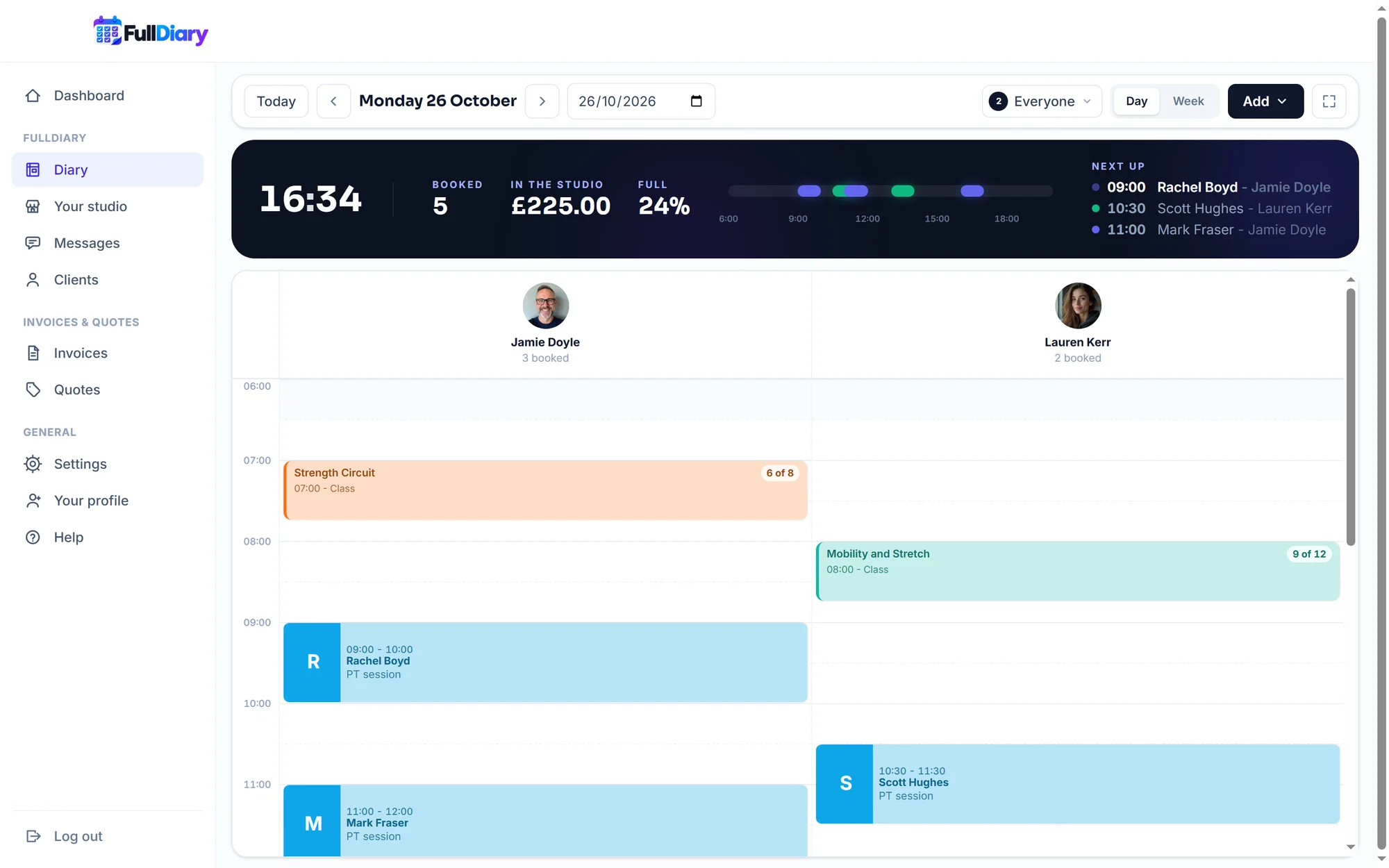
Your classes appear in the diary next to your appointments. Open one to see who's coming, who has paid and how many places are left, and mark people in as they arrive.
What you get
Helpful touches for group bookings.
Every place is a proper booking
Each person gets a confirmation and reminders, and the booking shows on their customer profile and in your takings, just like an appointment.
Bringing a friend
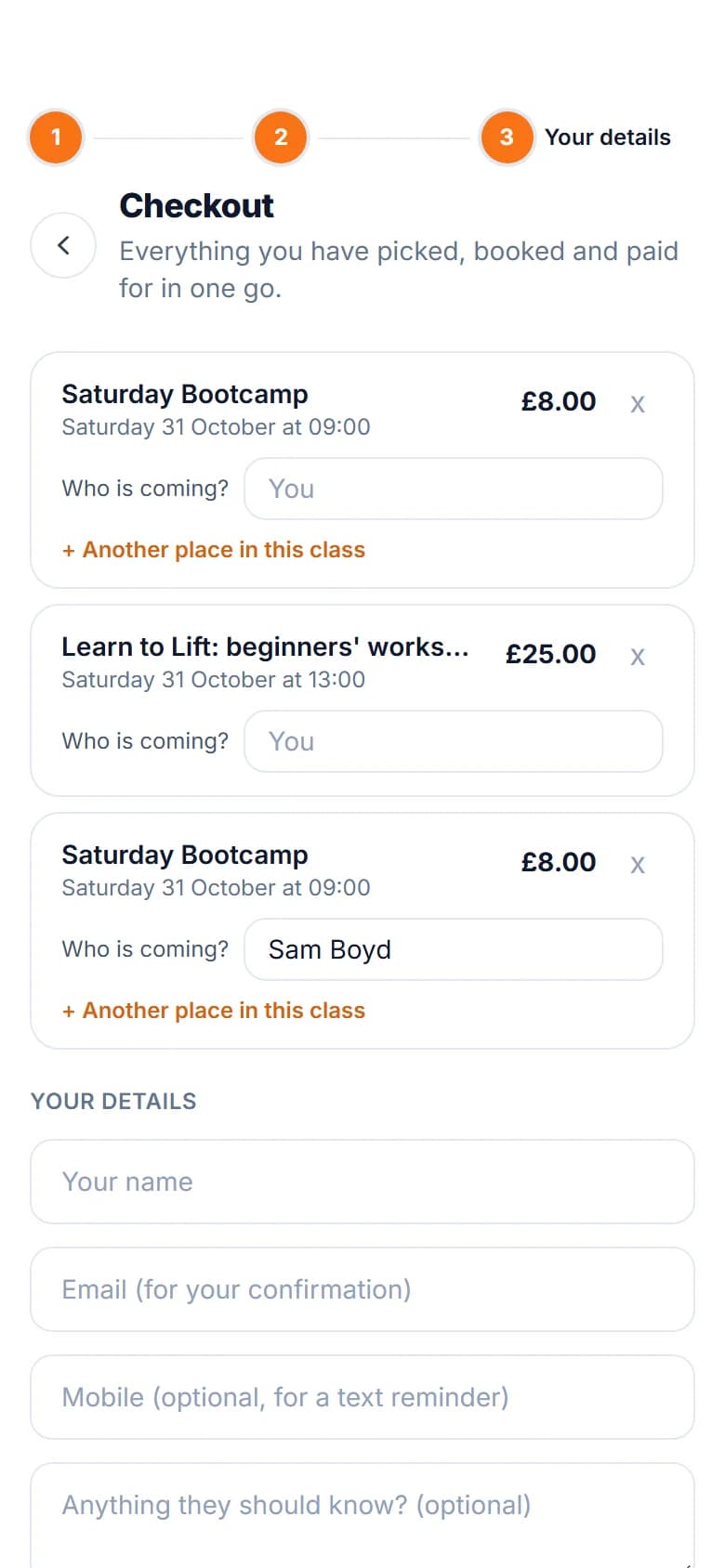
Customers can book a place for someone else, or add an extra place in the same class when they check out.
Payment up front, if you like
Ask for nothing, a deposit or the full price, paid into your own Stripe account. Discount codes, gift vouchers and forms work just as they do for appointments.
A waiting list
When someone cancels, the first person on the waiting list gets an email straight away with a link to book, and the first to book gets the place.
No clashes
A class blocks out the teacher's time, so nobody can book a one-to-one over it, and two of their classes can't be set at the same time.
Cancelling a class
If you need to cancel, everyone booked is emailed, passes and vouchers are returned, and card payments can be refunded at the same time.
FAQs
Common questions
Questions people often ask about running classes, group bookings and events with FullDiary.
Something else on your mind? Ask a human.
Are classes on the free plan?
Yes. Classes, group sessions and one-off events are on every plan, the free one included. Class passes, which are blocks of classes paid up front, are part of Pro.
Can I run a one-off event or workshop?
Yes. Add it as a class and put it in your diary just once instead of repeating it. It has its own date, time, number of places and price, and your booking page shows how many places are left.
Can people book for a friend or their child?
Yes. On the last step there is a Booking for someone else box for their name, and at checkout they can add another place in the same class for a friend, all paid together.
What happens when a class is full?
The booking page says so and offers the waiting list. When a place comes free, the first person waiting is emailed a link to book, and the first to book gets the place. You can still add someone yourself with Add anyway.
Can customers pay up front?
Yes. Each class can take nothing up front, a deposit or the full price, paid by card into your own Stripe account. FullDiary never takes a commission on a booking.
Can a customer change to a different class?
Yes, from their confirmation, as long as it's before your cancellation cut-off. Their place moves with what they paid. A dearer class asks for the difference, and if they have already paid more than a cheaper class costs, the difference goes back the way they paid: to their card, or onto their gift voucher.
I run classes in more than one place. Does that work?
Yes. Each session is at one of your places, and each place's booking page shows its own classes.
Can I run classes from my phone?
Yes. In the FullDiary app for iPhone and Android you can add a class to the diary, see who's booked, mark people attended, take payment and add someone to a session.
While you are here
Two more things it does.
- Classes, groups and events