
For pilates studios
The simple
booking system
for pilates studios.
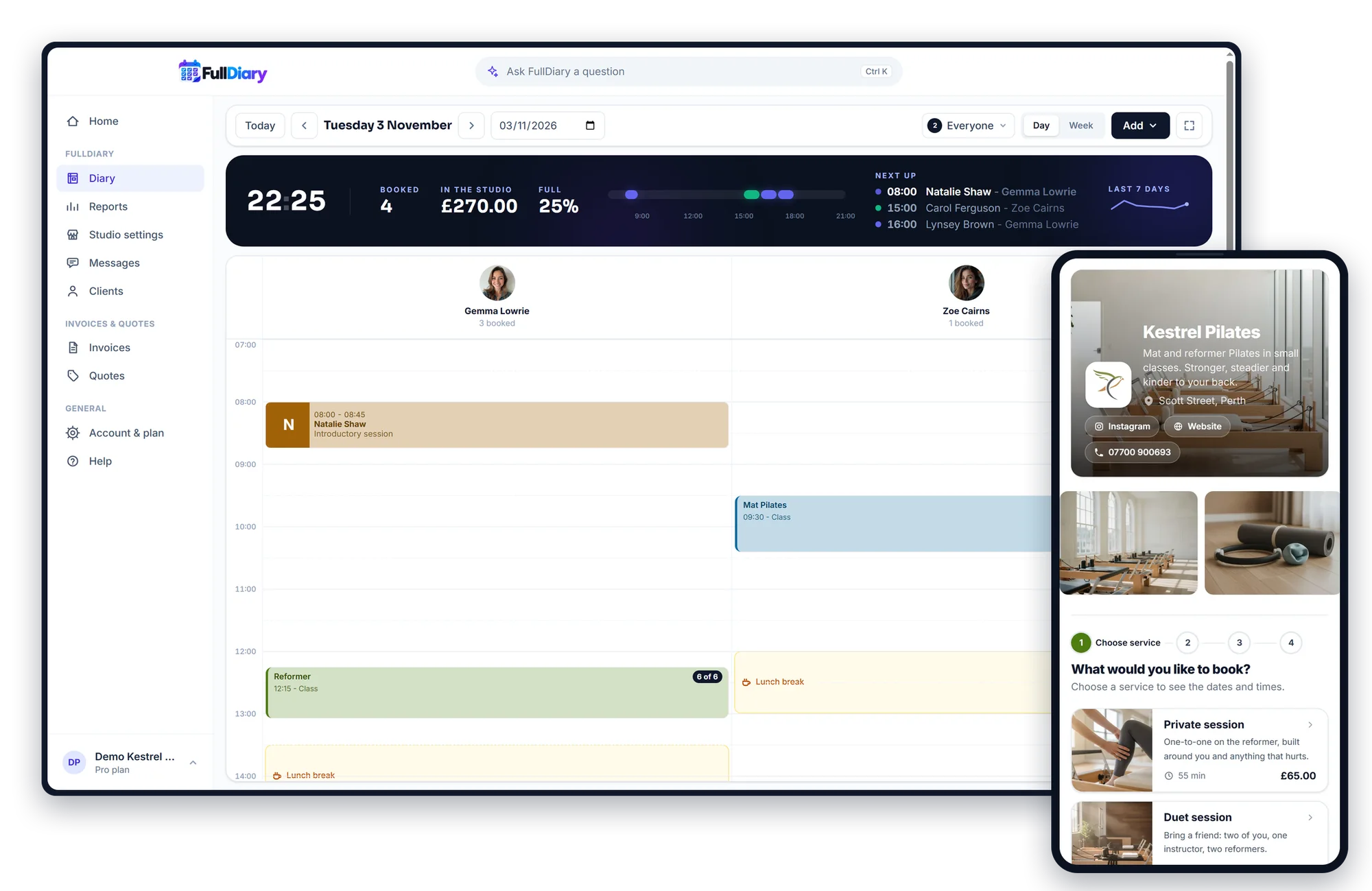
Clients book a place in your reformer and mat classes and pay when they book. Full classes keep a waiting list, class passes sell on your page, and private sessions sit in the same diary.
No card. Free for 20 bookings a month.
- Fewer no-shows
- Set up in minutes
- No commission, ever
“FullDiary makes managing bookings simple, organised and completely stress-free.”
Sound familiar?
Six reformers, and a group chat for each?
A studio runs on small classes, regulars and a waiting list, and every one of them used to start with a message.
Reformer places booked on WhatsApp?
Six machines, a group chat and a spreadsheet of who is in.
Clients see how many places are left and book their own. Every class's list is in the diary.
Late cancellations on a full class?
A reformer empty at 7am while someone else wanted it.
A waiting list for full classes, a cancellation window you set, and payment taken when a place is booked.
Class packs in a spreadsheet?
Who bought ten, who has three left, and who is on their last one.
Sell class passes on your page. Each class comes off automatically, and clients can see what is left.
Paying for a booking system that takes a cut?
A slice of every new client, a fee per booking, a price that climbs with every person you add.
FullDiary is £9.99 a person, never more than £39.99 a month, and takes nothing from any booking. Ever.
No card. Free for 20 bookings a month. Set up in minutes.
How it works
How FullDiary works.
FullDiary gives you your own online booking page and link. Share it on your website, Instagram, Facebook, Google, WhatsApp, wherever your customers find you. Then:
- 01
Share your booking link
FullDiary gives you your own booking page, showing your services, prices and availability.
- 02
Clients book themselves
Clients open your link, choose a service, pick an available time and confirm their appointment, 24/7.
- 03
It appears in your diary
The booking is added to your FullDiary automatically, so you always know who is booked and when.
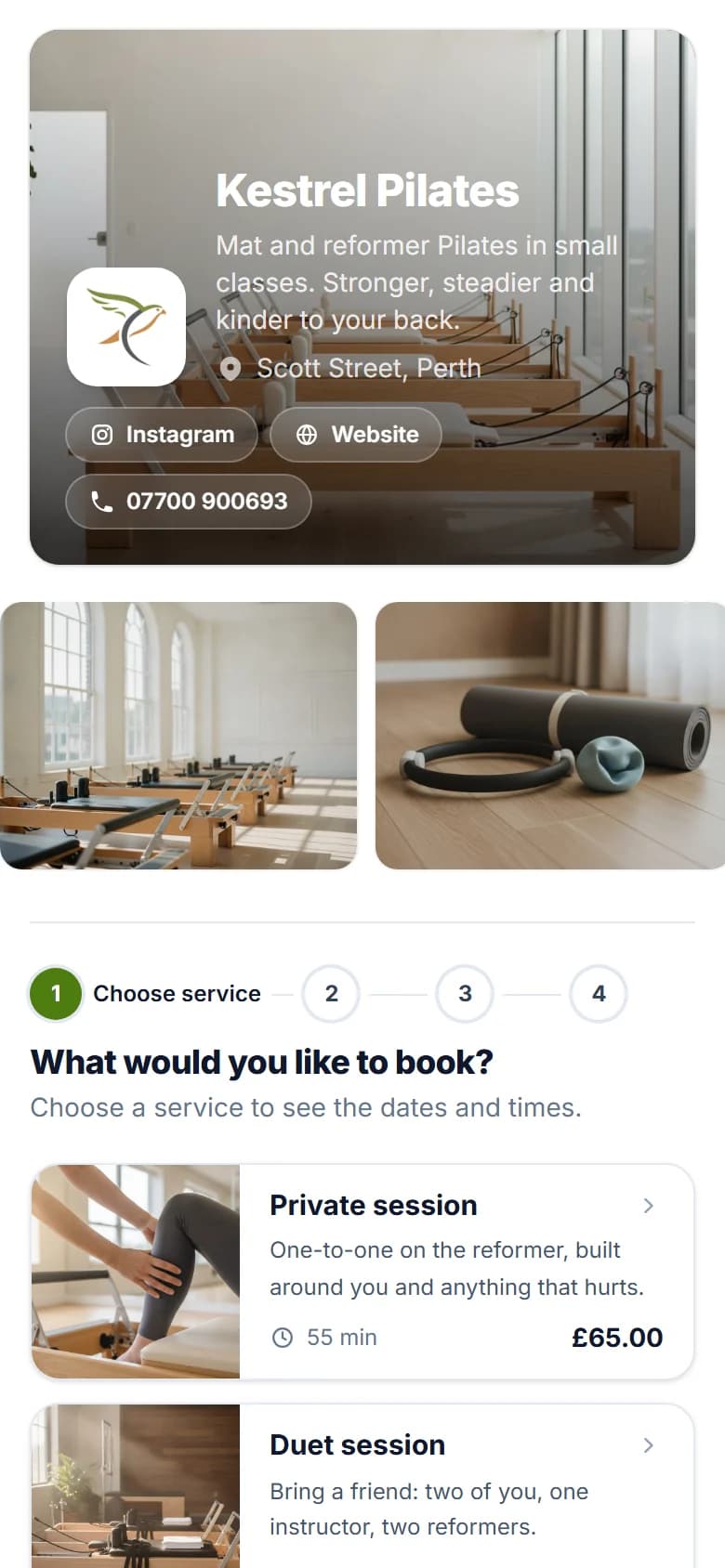
Your booking page
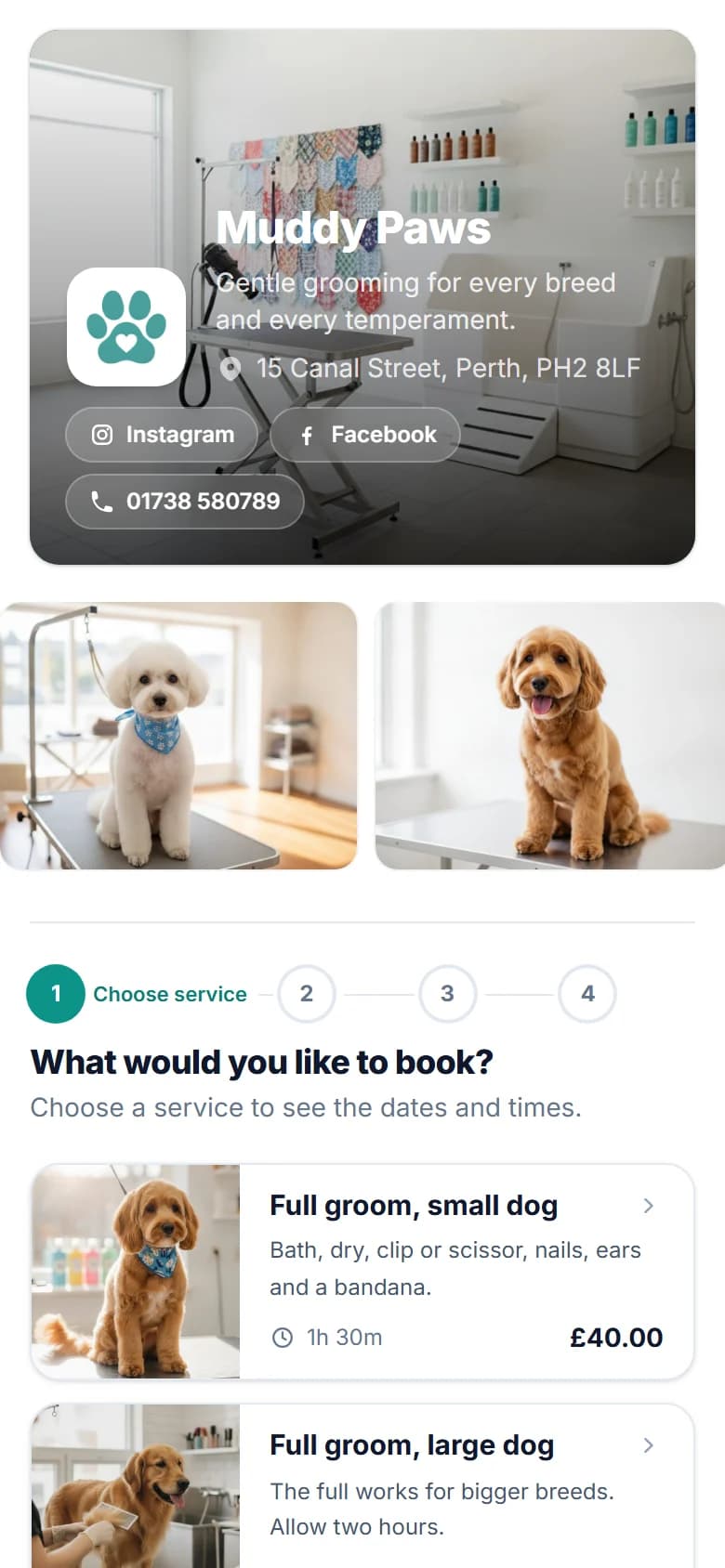
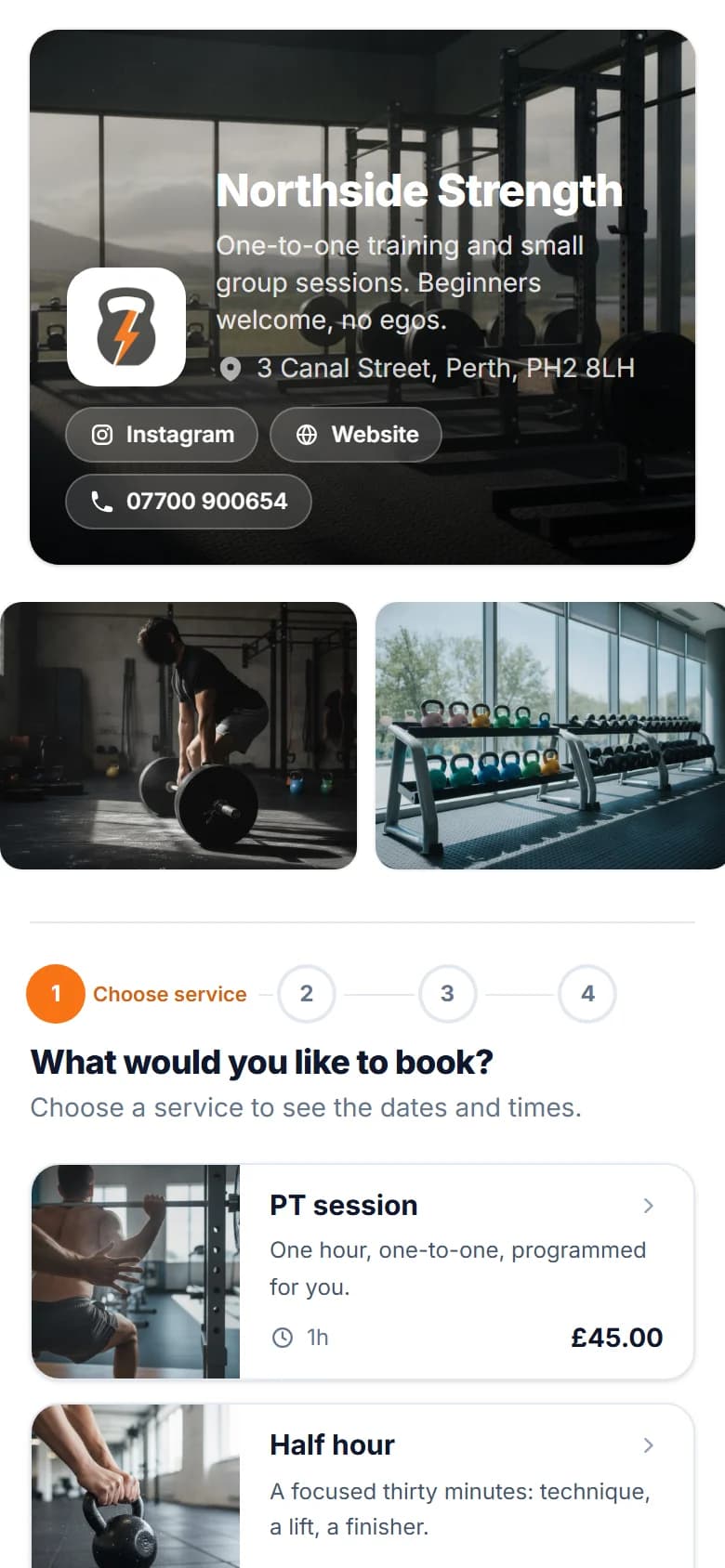
Your booking page. Your brand.
Make your booking page look like your business, not another generic booking app.
On every plan
- Your logo and brand colour
- Two designs, light or dark backgrounds
- A photo of your shop across the top
- Heading fonts and a note for your customers
On Pro
- A gallery of up to eight photos
- Instagram, Facebook, TikTok and website buttons
Savednow
Your page has its new look.
The FullDiary diary
One diary, whether you're solo or a team.
Every class is a block in its instructor's column showing how full it is, private and duet sessions sit around them, and the whole week is on your phone.
- Bookings
- Staff
- Walk-ins
- Customers
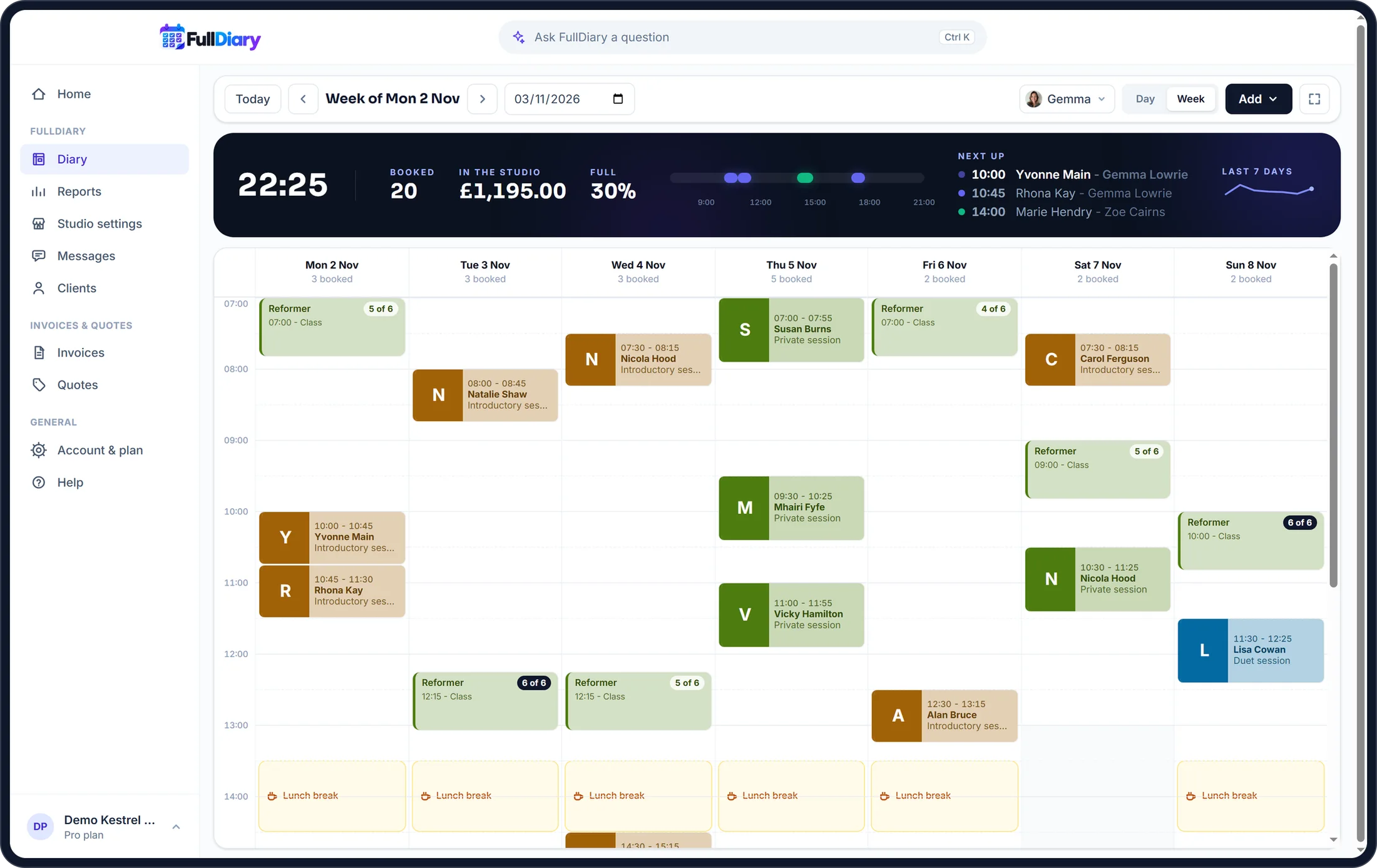
Bookings move with a drag, walk-ins go straight in, and every appointment can be marked done, cancelled or a no-show.
The same diary for everyone on the team, wherever they are: on a computer, in the browser on any phone, and in the FullDiary app on iPhone and Android.
Before they arrive
Less chasing. More doing.
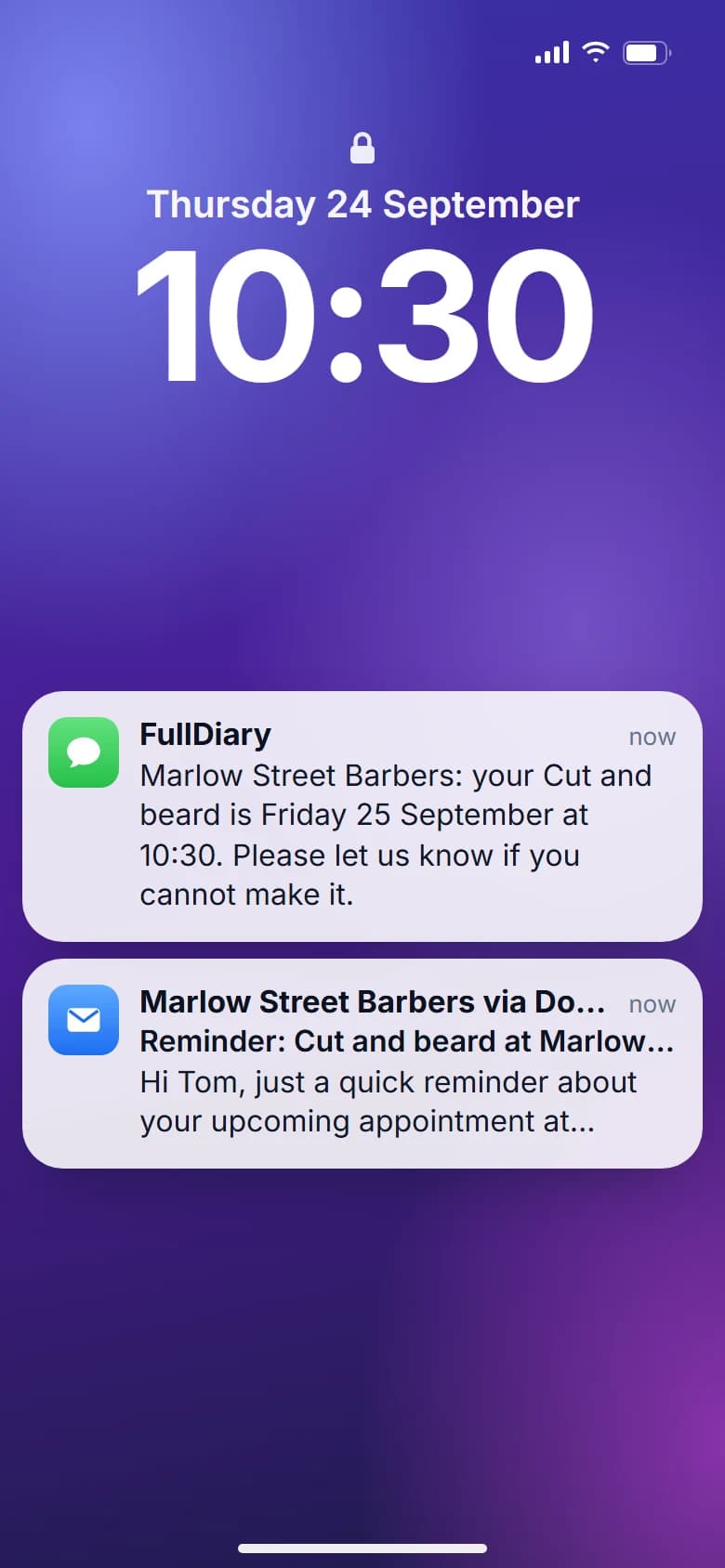
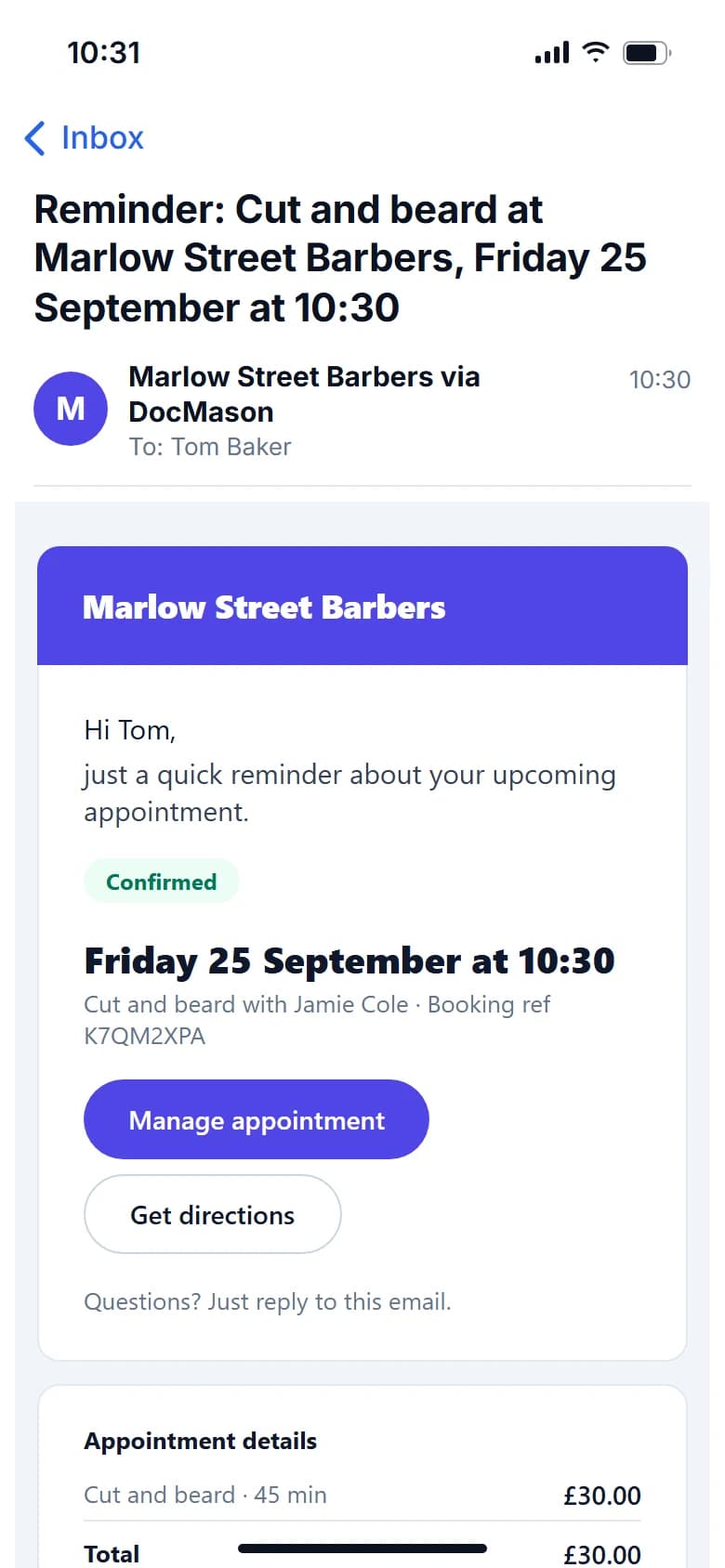
FullDiary automatically keeps customers updated with confirmations, reminders and booking changes. And if you need forms or customer information before an appointment, you can collect it all in advance.
- Booked
- Confirmed
- Reminder
- Appointment
Keeps them updated
- Booking confirmations
- Appointment reminders
- Booking changes
- Customer messages
Gets the answers first
- Health questionnaire
- Injuries and conditions
- Emergency contact
- Customer information
Customers complete forms before they arrive. Their answers stay with their booking.
Classes
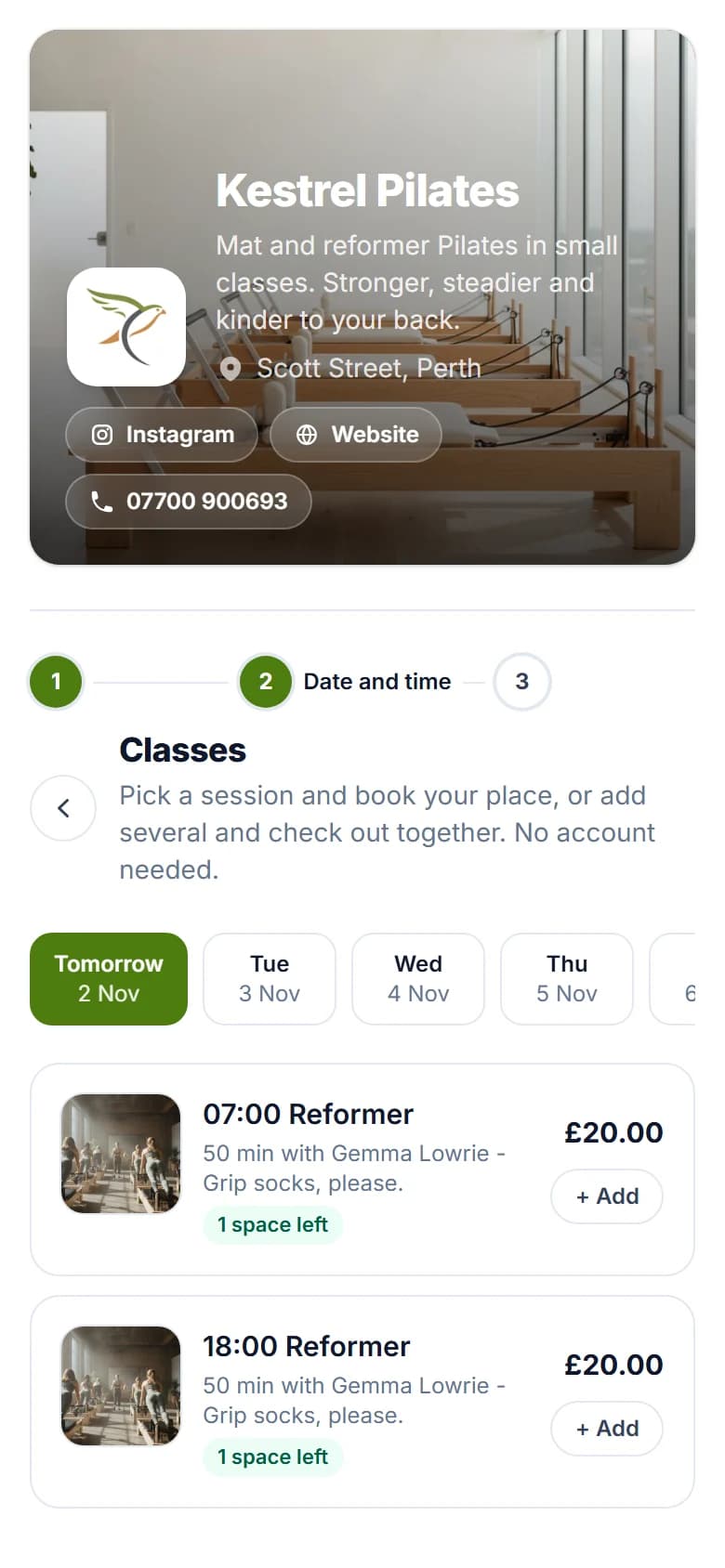
Every reformer, booked from one link
Your booking page shows a strip of days, and each day's classes with the time, the instructor, the price and how many places are left. Clients add a place, or several, and check out once. A full class offers its waiting list.
- Places left on every class
- Several classes booked in one go
- A waiting list when a class is full
Payments
Get paid your way:
on the day, a deposit or in full.
Take a deposit, full payment or no payment at all when customers book online, whichever suits the service.
- Paid straight into your own Stripe account
- A deposit or full payment at booking
- No booking commission
- Going to the customer? A travel charge is on Pro
Deposit received
£20.00
- Customer
- Lynsey Brown
- Service
- Private session
- When
- Thursday, 10:30
- Left to pay on the day
- £45.00
The money lands in your Stripe account, not ours. The slot is held while they pay.
After the appointment
Your booking doesn't stop when the appointment does.
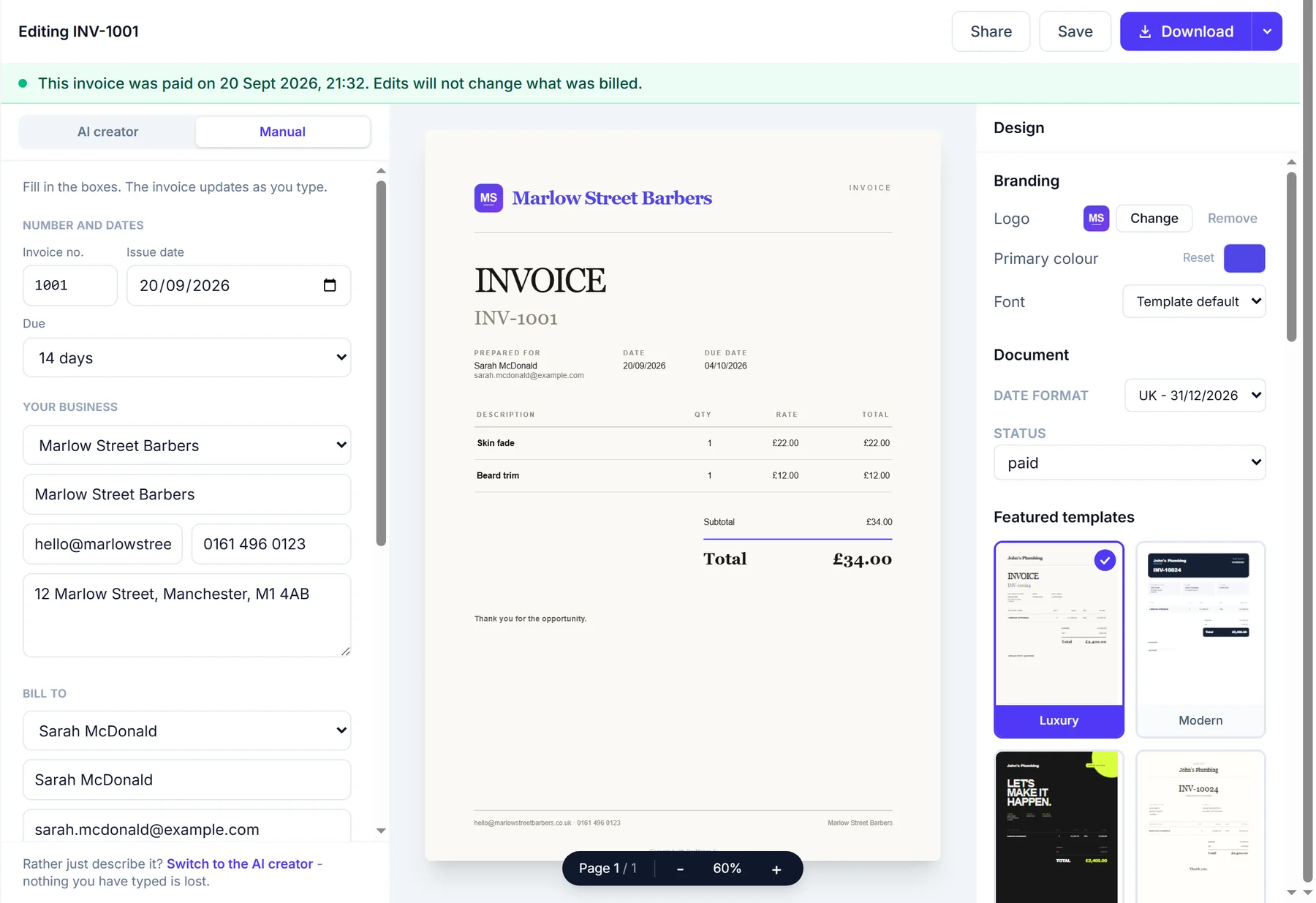
Finished bookings can flow into your invoices, payments and business admin.
- Booking
- Completed
- Invoice
- Paid
Invoices
Turn completed work into invoices.
Quotes
Create and send quotes when you need them.
Payments
Keep track of what has been paid and what is outstanding.
Your customers
Turn every booking into a returning customer.
Every booking automatically builds a customer record, so you can see their history, preferences and information in one place.
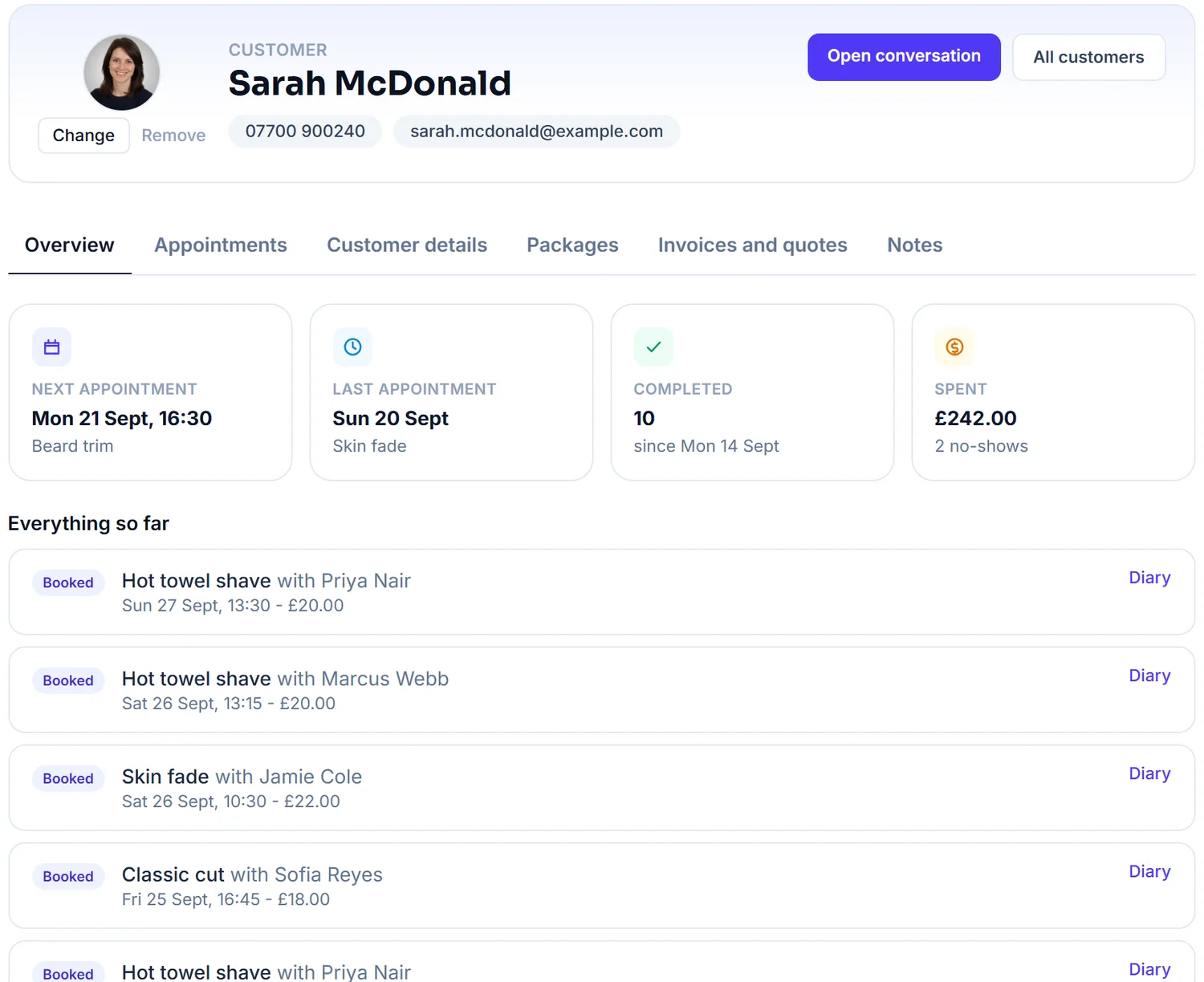
Customer details
Keep contact details in one place.
Appointment history
See what they have booked before.
Notes and forms
Keep useful information attached to the customer.
Rebooking
Make it easy to get customers booked in again.
Why FullDiary
You keep the money and the customers.
No commission
Keep what you earn. FullDiary doesn't take a percentage of your bookings.
No marketplace
Customers book directly with your business, with no competing businesses or listings beside you.
Simple pricing
One monthly price, and nothing added per booking.
Switching is simple
Already using a booking system?
Switch in a few minutes.
Bring your customers with you, answer six quick questions and share your new link. No retyping, no starting again.
Bring your customers
Your list comes across from your old system, with names, numbers, emails, birthdays and addresses, and you check the columns before anything imports.
clients.csv
312 customers
- Client nameName
- MobilePhone
- EmailEmail
Works with exports from Fresha, Booksy, Cliniko, Bookwhen, Book in Beautiful and spreadsheets.
Your page, set up
Six quick questions about what you do, your hours and your services, then your page is live and looks like yours.
- Skin fade30 min£22
- Kids cut20 min£14
- Beard trim15 min£10
- + Add a service
Start taking bookings
Your link goes on Google, Instagram and WhatsApp, and customers start booking themselves in.
- Bookings you already have go into the diary in a few taps, and regulars repeat by themselves
- Gift vouchers you sold before keep their code and what is left on them (on Pro)
- From Cliniko, treatment notes and appointments come too; from Bookwhen, class bookings and passes; from Book in Beautiful, appointments
Rather we did it for you?
We'll move everything across for you, your clients and services, and the bookings you already have wherever your old system exports them.
Free to start, no card required. Moving, step by step
What comes with it
Everything FullDiary handles for pilates studios.
Before they arrive
- Your timetable on your booking pageClients pick a day and see every class with its time, instructor, price and places left.
- Paid when they bookThe price of a place, or a deposit, through your own Stripe account. FullDiary takes no commission.
- A health questionnaire firstAsked before a client's first visit, and kept on their record. Add pregnancy or injuries: every question is yours to change.
- A reminder before every classBy email, and by text on Pro. Clients cancel or change class from their booking.
- Private, duet and intro sessionsOne-to-ones beside your classes, each with its own length and price.
On the day
- A column for every instructorA class blocks its instructor's time, so a private session never lands on it. The whole studio on Pro.
- Who is coming, at a glanceOpen a class to see everyone booked and what each has paid, then mark them all attended in one tap.
- A waiting list for full classesWhen a place frees up, the first person waiting is sent a link to book it, good for two hours.
- Messages both waysRunning late, or a question about a class? Their reply comes back to your inbox.
After
- Class passesFive or ten classes paid up front on your booking page. Each class comes off the pass. On Pro.
- Change a class, everyone hearsMove a class to a new time or instructor and everyone booked is emailed. Cancel it and card payments go back.
- A nudge for anyone who driftsOne email with a link to book goes to anyone with nothing booked four weeks after their last visit. You set the gap.
- How full every class runsReports shows how full your classes are, how many turned up and which is the fullest.
- Bring your clients overImport them from your old booking system or a spreadsheet. Anyone already there is matched, never doubled.
Every feature above is live today, and because invoices and quotes are built in, they are on the same login. See every feature.
Pricing
Simple pricing, no surprises.
No commission and no contract, on any plan.
Classes and the timetable are on every plan, Free included. Pro is 9.99 GBP a month a person, never more than 39.99 GBP for the whole studio, and adds class passes, text reminders and a login for every instructor.
Free
£0 forever
20 bookings a month
- Booking page
- Live diary
- QR card
- Reminders
- Messages
- Forms
- Customer import
Pro
£9.99 a person, a month
Never more than £39.99 a month, however big the team
Everything, for you and your whole team.
- Unlimited bookings and stores
- As many people as you need, each with their own login
- 50 text reminders a month for each person
- Packages, discount codes, gift vouchers, gallery and social links
- Unlimited invoices and quotes, card payments and QuoteChaser
- Send with your own branding
- Priority support
Every plan starts free, with no card and no commission. See the full comparison
Businesses using FullDiary
Built for people who are busy running a business.
"FullDiary makes managing bookings simple, organised and completely stress-free."
"Finally, a booking system that doesn't feel complicated. I set everything up in 5 minutes and my clients were booking straight away."
"Our customers love booking online, and we love the simplicity."
FAQs
Questions from pilates studios
What it costs, what your clients see, and how FullDiary fits the way pilates studios work.
Something else on your mind? Ask us.
Can clients book a reformer class online?
Yes. Your booking page lists the week's classes by day, each with its time, instructor, price and the places left, so a class of six reformers shows exactly how many are free. Clients add a place, or several, give their details and pay if you take payment. Classes are on every plan, Free included.
How do I set up my timetable?
Add each class once with its length, price and places. Then put it in the diary with its instructor, day and time, and set it to repeat every week or every two, three or four weeks. Change one later and you are asked whether to change just that one or every one still to come.
What happens when a class is full?
Clients can join the waiting list. When a place frees up, the first person waiting is sent a link to book it, good for two hours. The place is not held, so whoever books first gets it.
Can I sell class packs?
Yes, on Pro. Sell a pass of five or ten classes on your booking page through your own Stripe account. Each class booked comes off it automatically, and a pass can cover every class or only the ones you pick, so reformer and mat can have their own.
Can a client move to another class?
Yes. From their booking, outside your cancellation window, they can move their place to any class with room, and their payment moves with it. A dearer class asks for the difference, and a cheaper one gives it back.
Is it Pilates studio software, or just a booking page?
It is booking software built around a timetable: classes and places, payments, class passes, a waiting list, health forms, private and duet sessions and reports, on the website and in the FullDiary app for iPhone and Android. It does not stream classes online or run memberships.
Is there a health form for new clients?
Yes. A health questionnaire is asked before a client's first visit: heart, joints, medication and an emergency contact, kept on their record. Every question is yours to change, so you can ask about pregnancy or a recent injury too.
Is it really free to start?
Yes, and it is not a trial. Twenty bookings a month, with the booking page, the live diary and the QR card included, for as long as you like. No card, nothing expires, and there is never commission on bookings. Pro is 9.99 GBP a month a person, never more than 39.99 GBP, when you outgrow it.
Do my clients need an app?
No. Your booking page is a link. It opens in their browser, they pick a service and a time, and the confirmation lands by email with an add-to-calendar file. Nothing to install on either side, and no password for anyone to forget.
Other businesses