
New feature3 minute read
Several services in one booking, from your diary
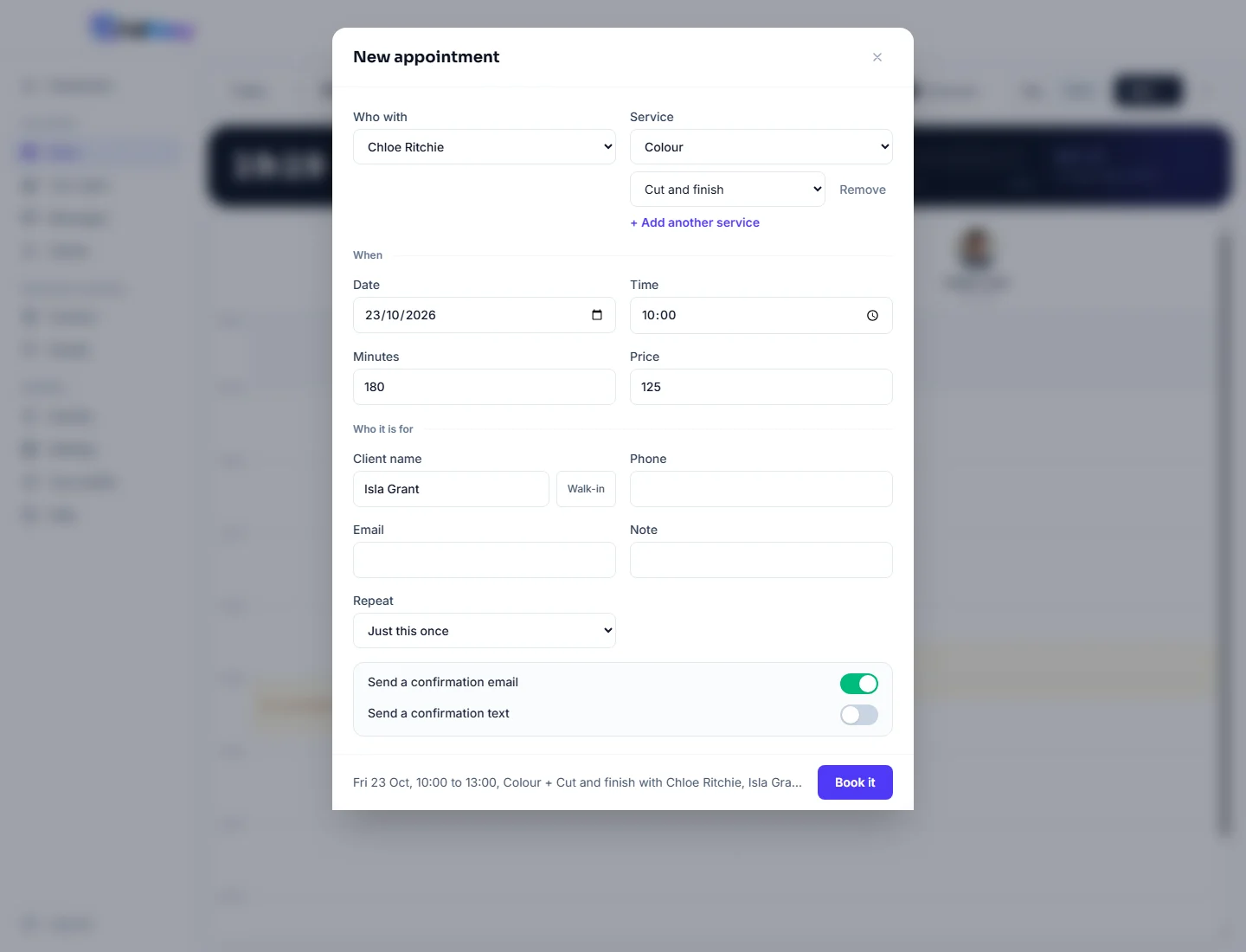
When someone rings for a colour and a cut, you can now put both in one booking. Pick the first service, press Add another service, pick the next. They run back to back with the same person, the minutes and the price add up, and the diary, their confirmation and the invoice all show both.

Director, FullDiary
FullDiary is the simple booking system for UK small businesses, with invoices and quotes built in. Customers booking online could already add a second service to their visit. Until today, a booking you typed in yourself, for a phone call or someone at the desk, took one service. A colour and a cut meant two bookings, or one booking with the wrong name and a price worked out by hand.
Add another service
Open New appointment in the diary and pick the first service as usual. Under it, Add another service gives you a second row; pick what comes next. Add up to five, and Remove takes one off. They follow each other with the person you chose, so a two hour colour and an hour's cut at ten o'clock fill the diary until one.
Minutes and Price fill in with the totals. Leave them alone and each service is charged at that person's own price for it, the same as a single booking. Type over either and your figure stands for this one booking. The line at the foot of the form reads it all back before you press Book it.
In the app
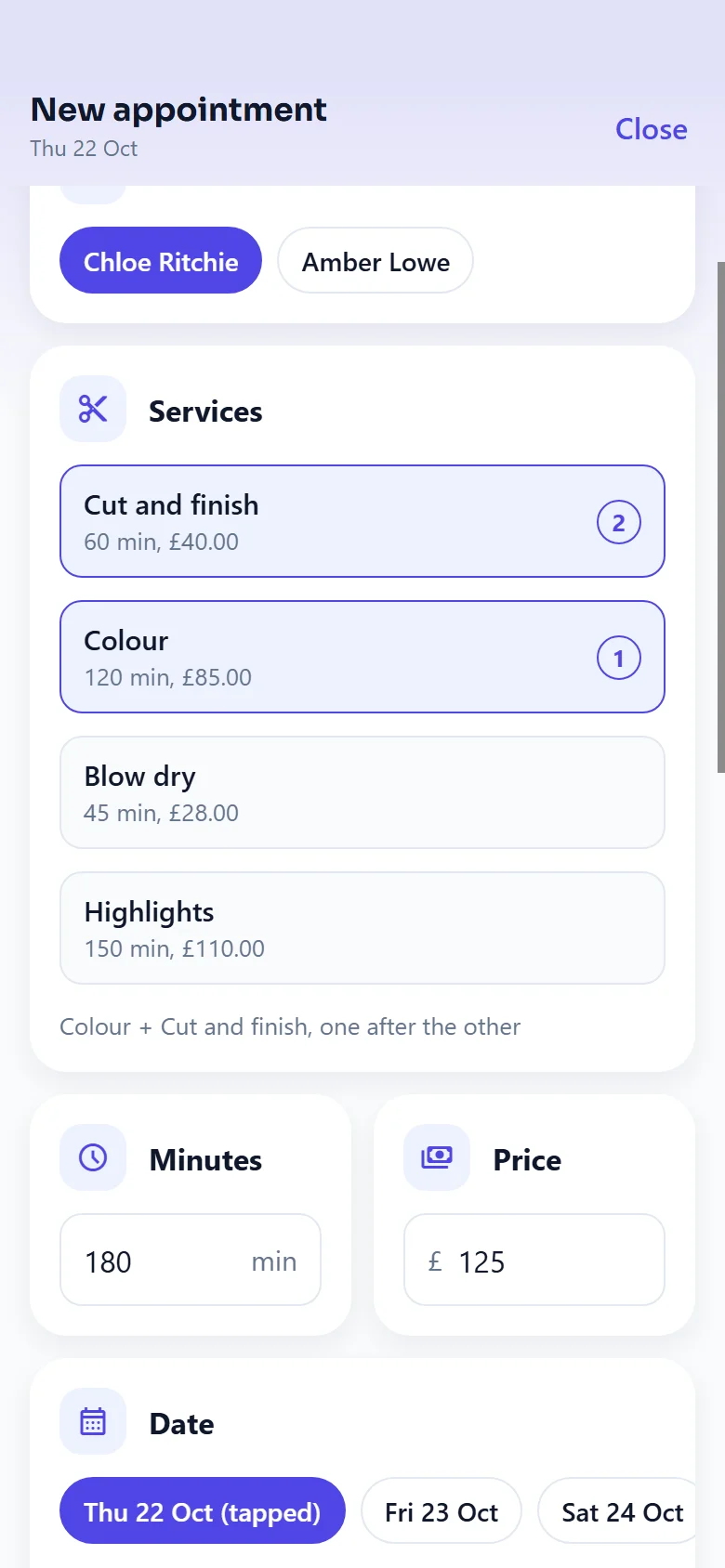
The FullDiary app does the same from its next update. In the New appointment sheet, pick a service, press Add another service, then tap the others you want. Each one shows its number in the order they happen, tapping the same one twice adds it twice, and the cross on its pill under the list takes one off.
What your customer sees
One booking with both services in its name: Colour + Cut and finish. Their confirmation email and their reminders say so, and so does the booking in your diary, your takings and their history. If they bought a pass for one of the services, the pass covers the first service and the rest are charged as usual.
Invoices and repeats
- Invoice it. The invoice from the booking lists each service on its own line. If you typed a different total, a Price adjusted line makes up the difference, so the invoice comes to what you charged.
- Make it a regular. Repeat works as it always has, and every repeat carries all of the services, the full length and the price.
- Change it later. Move it or stretch it in the diary like any booking. To swap the services, cancel it and book again.
Questions people ask
- Can I book two services with two different people?
- Not in one booking. Every service in a booking is with the same person, one after the other. For a colour with one stylist and a cut with another, add two bookings.
- Can I add the same service twice?
- Yes. Two children's cuts in one visit is one booking with the cut picked twice.
- Does it count as one booking on the Free plan?
- Yes. A visit with several services is one booking, so it counts once towards the Free plan's monthly limit.
- Can my customers do this when they book online?
- They already can. On your booking page they pick a service, then add another on the time step, and the times offered fit the whole visit.
Read next
Written by
Matt SucklingDirector, FullDiary
Matt runs Cynical Software Ltd, the Perthshire company that makes FullDiary, and builds it.