
New feature3 minute read
Your booking emails, in your own words
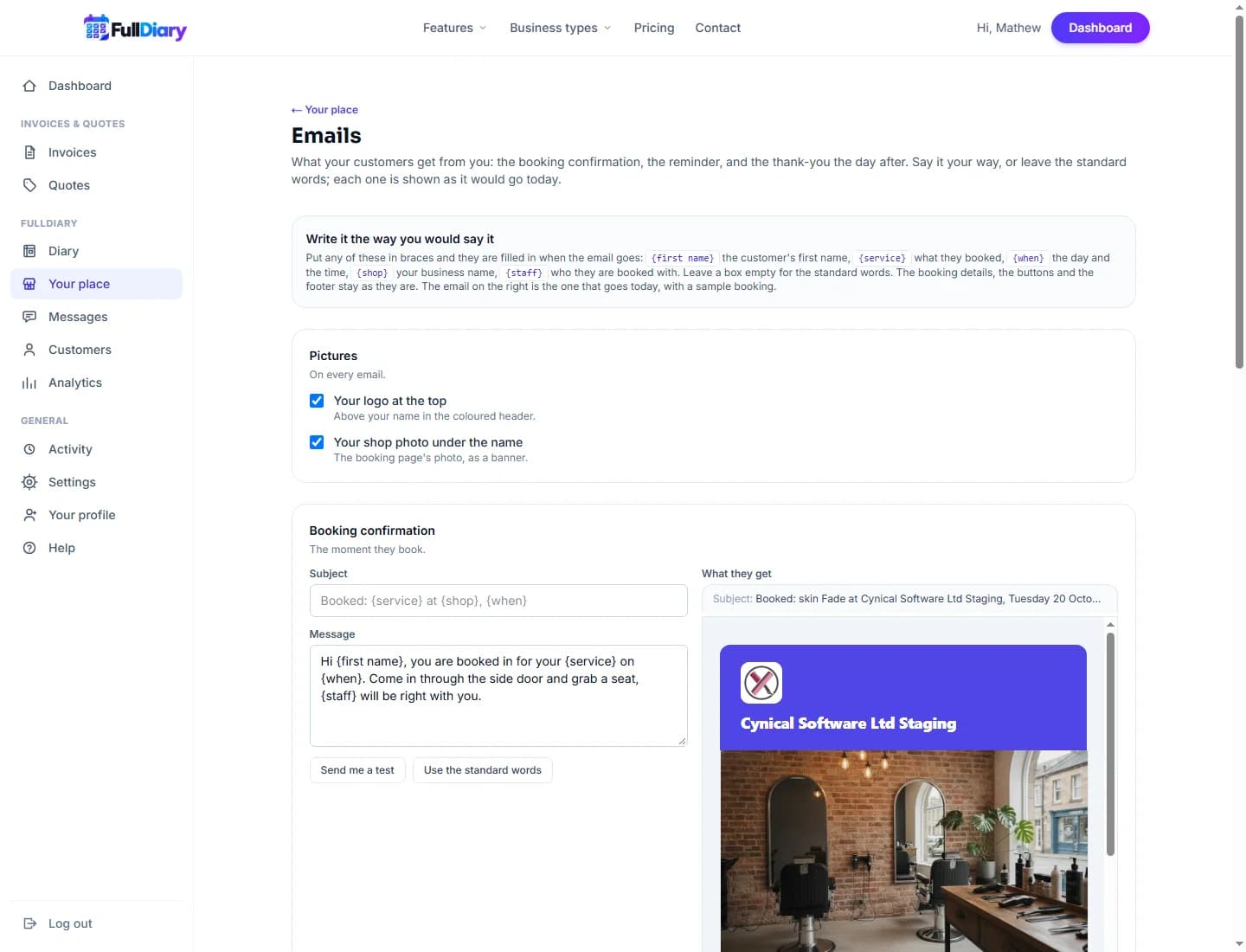
The emails your customers get from FullDiary have always been in our words. From today they can be in yours: write the confirmation, the reminder and the thank-you the way you would say it, send yourself a test, and the booking details stay neat underneath.

Director, FullDiary
Every booking made through FullDiary sends a short set of emails: a confirmation the moment someone books, a reminder before the visit, and a thank-you the day after that asks for a review. They have always read well, but they have always read like us. A barber in Perth and a physio in Edinburgh do not say the same things to their customers, and now they do not have to.
What you can change
Under Your shop, Emails you will find a card for each of the three emails. Each has a subject and a message. Type what you would say: "See you tomorrow, Sam" as the subject, "Parking is round the back and the kettle is on" in the message. Your words take the place of our opening lines. The booking details underneath, the time, the price, the Manage button and the directions, stay exactly as they were, because that is the part a customer comes back to.
Five placeholders fill themselves in: {first name}, {service}, {when}, {shop} and {staff}. Write "Hi {first name}, {staff} is looking forward to seeing you {when}" once, and every customer gets their own version.
See it before a customer does
Each card has a Send me a test button. It builds a sample from your own business, your first service, your first person, your colour, and sends it to the email you sign in with, so you can read it on your phone the way a customer would. Leave a box empty and that email keeps the standard words, so nothing changes until you want it to.
Where to find it
On the website it is under Your shop, Emails. In the FullDiary app it is under Your shop, Emails too, with the same three cards and the same test button. It is on every plan, including Free.
Questions people ask
- Can I change the emails for just one person?
- No, the words are for every customer. Put {first name} in and each person gets their own name; anything about one booking goes in a message to them instead.
- What if I leave a box empty?
- That email keeps the standard words, exactly as before. You can change one email and leave the others.
- Does the thank-you email need a review link?
- Yes. It only goes once your review link is saved under Keeping customers, because asking for a review with nowhere to leave one would be odd.
Read next
Written by
Matt SucklingDirector, FullDiary
Matt runs Cynical Software Ltd, the Perthshire company that makes FullDiary, and builds it.