
New feature4 minute read
A new Home: your first booking, then your day
Sign in and FullDiary now shows you what matters. A new business sees the steps to its first booking and a Share page with everywhere to put its booking link. A business with bookings coming in sees today's appointments, what needs it, and the week.

Director, FullDiary
Signing up for a booking system is easy. Knowing what to do next is the hard part: you have a page, a diary with nothing in it, and a menu of things you could do. We watched new businesses land in FullDiary, look around, and leave. So Home has been rebuilt around one question: what should I do right now?
FullDiary is the simple booking system for UK small businesses, with invoices and quotes built in. Home is the first page you see when you sign in.
Before your first booking
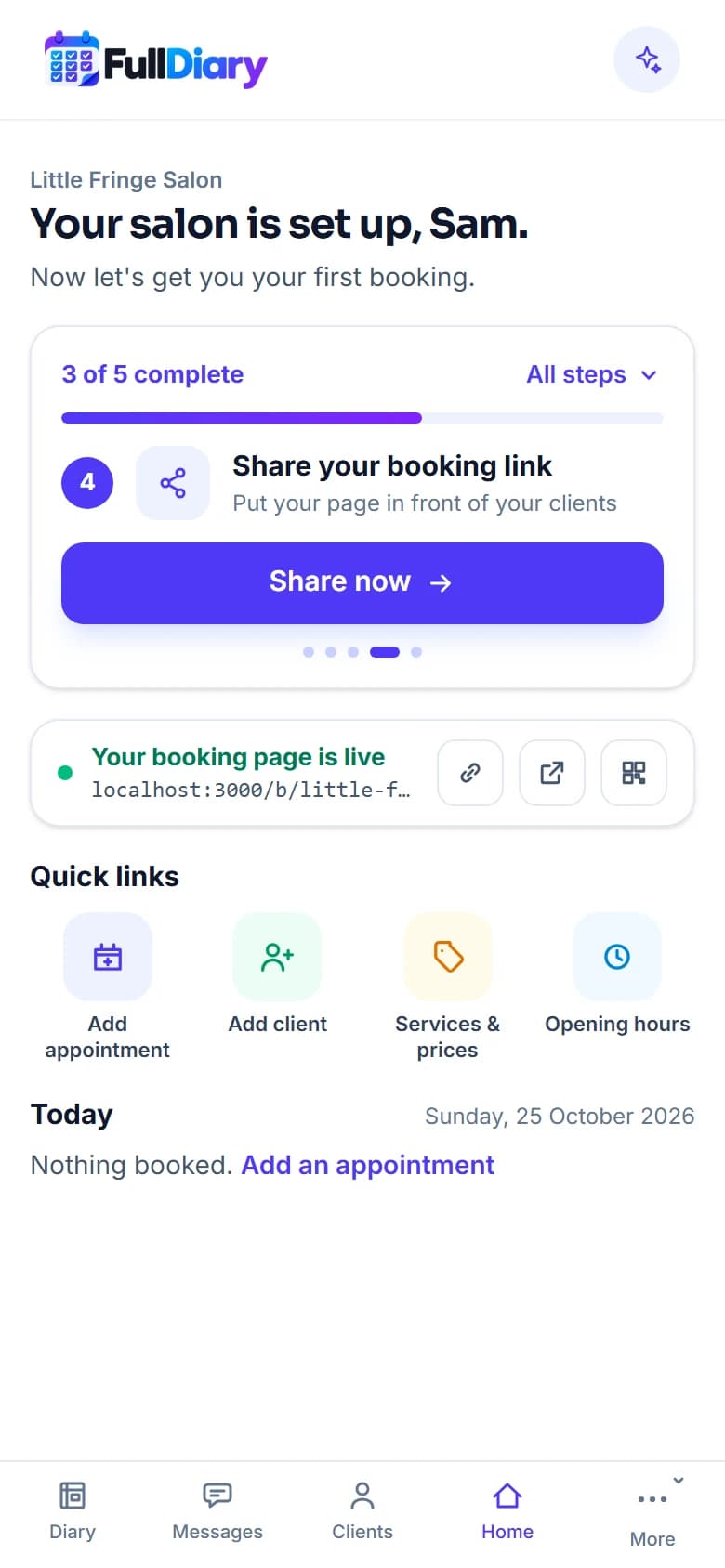
A new business sees its name, a line that says its page is set up, and one card: 3 of 5 complete, a thin bar, and the next step with a button. The first three steps are the ones setup did for you, your services, your team and hours, your page going live, so you start from a win. The fourth is sharing your booking link. The fifth is the booking itself, which we tell you about the moment it lands. All steps opens the whole list.
Under the card sit your live address with copy, open and a QR card beside it, eight quick links (add an appointment, add a customer, services and prices, opening hours, customise your page, booking rules, your figures and help) and today.
Share your booking page
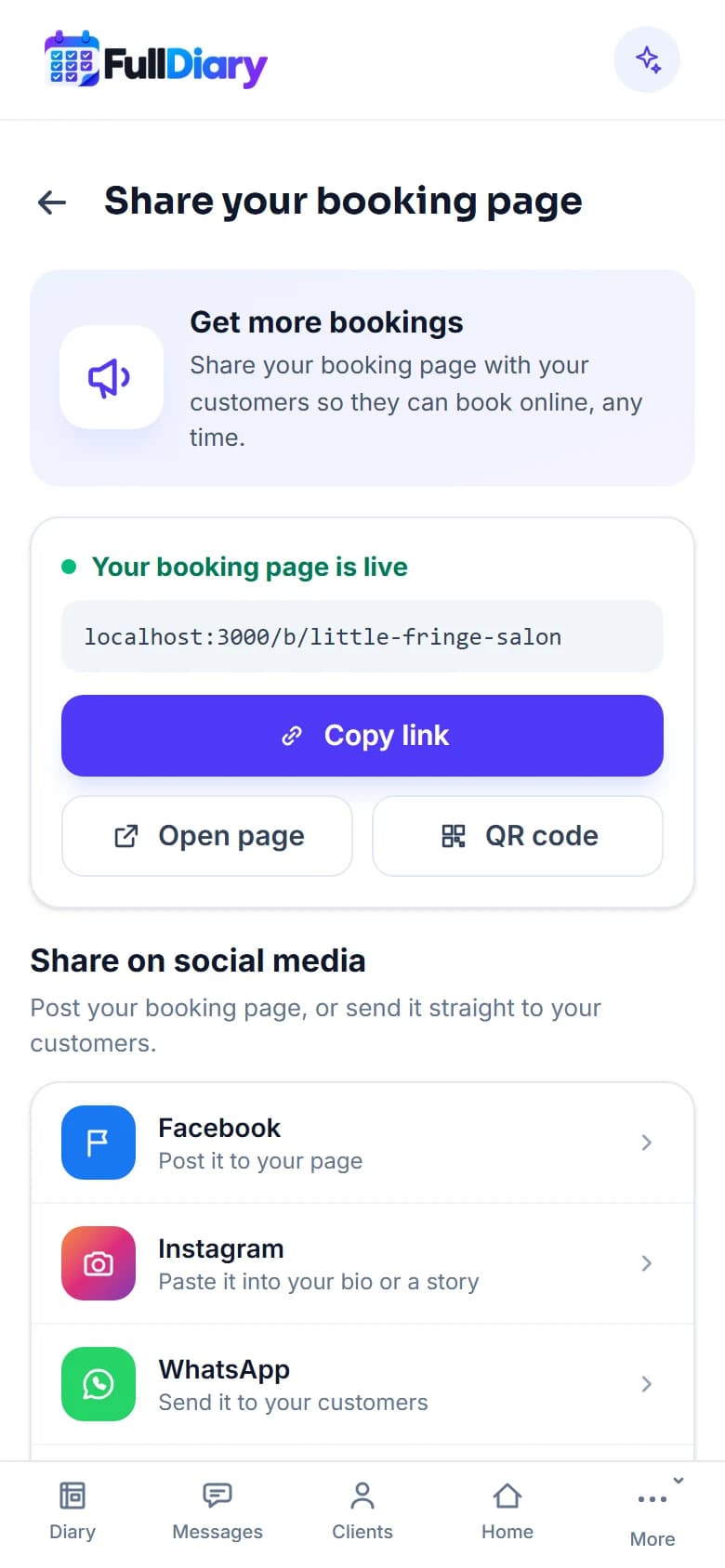
Share now opens a page with everywhere to put your link. Facebook opens its share box with your page in it. WhatsApp, Text message and Email open with a ready-made line, Book with your business and the link. Instagram has no share button, so that row copies the link and tells you to paste it into your bio or a story. Print a QR card gives you one for the desk or the window. One tip at the foot says where most first bookings come from: your Instagram bio, your Facebook page and your Google listing.
From your first booking on
Once a customer has booked, Home becomes your day, and it is not another dashboard. One sentence under your name says how the day looks: what is booked and still to take, what you have taken this week against last week, and how many new customers came this month. Your live address stays at the top, with copy, open and the QR card beside it, and the quick links stay too, because an established business is always updating something. Then today's appointments, the next one first, each with the price and Paid, Held or Take payment, opening the booking so you can take the money there. Needs you lists what wants a decision: bookings held while someone pays, unread messages, unpaid invoices, an invite nobody has accepted. And the week as seven days with a count under each, every one opening the diary on that day.
No charts. The long view, with takings, no-shows and the rest, is one link away under Analytics.
Two names that changed
Your shop's door in the menu is now named after your trade: Salon settings, Studio settings, Garage settings. Settings is now Account and plan, because that is what it holds. Everything is where it was.
Ask FullDiary
There is a new box in the header on the website. Ask FullDiary a question in your own words and the help assistant answers from the help pages, with links to the answers it used.
Questions people ask
- Do I need to switch anything on?
- No. Home is the first page after you sign in, on every plan.
- What counts as the first booking?
- A booking a customer makes on your booking page, a completed appointment, or an invoice or quote. Your own test booking does not count, so you can try your page without losing the steps.
- Is this in the phone app too?
- The website has it now. The phone app keeps its Dashboard tab until its next update.
- Where did the charts go?
- Under Analytics, one link from Home. Nothing was removed.
Read next
Written by
Matt SucklingDirector, FullDiary
Matt runs Cynical Software Ltd, the Perthshire company that makes FullDiary, and builds it.