
New feature4 minute read
Email your customers an offer, and see what it brought in
Your book is full of people who have not been in for a while. Marketing, the new add-on to Pro, writes to them: pick who gets it, say it in your own words, put a discount code on the Book button, and afterwards see how many booked and what those bookings are worth. 9.99 a month for your whole shop, stop it whenever you like.

Director, FullDiary
FullDiary is the booking system for UK small businesses: an online booking page, a live diary, reminders and your customers in one place. Most of what a booking app calls marketing is a marketplace that takes a cut of a new client's first visit. This is the other half, and the cheaper one: the people already on your book, who liked you enough to come once and have not been back for a while.
Who gets it
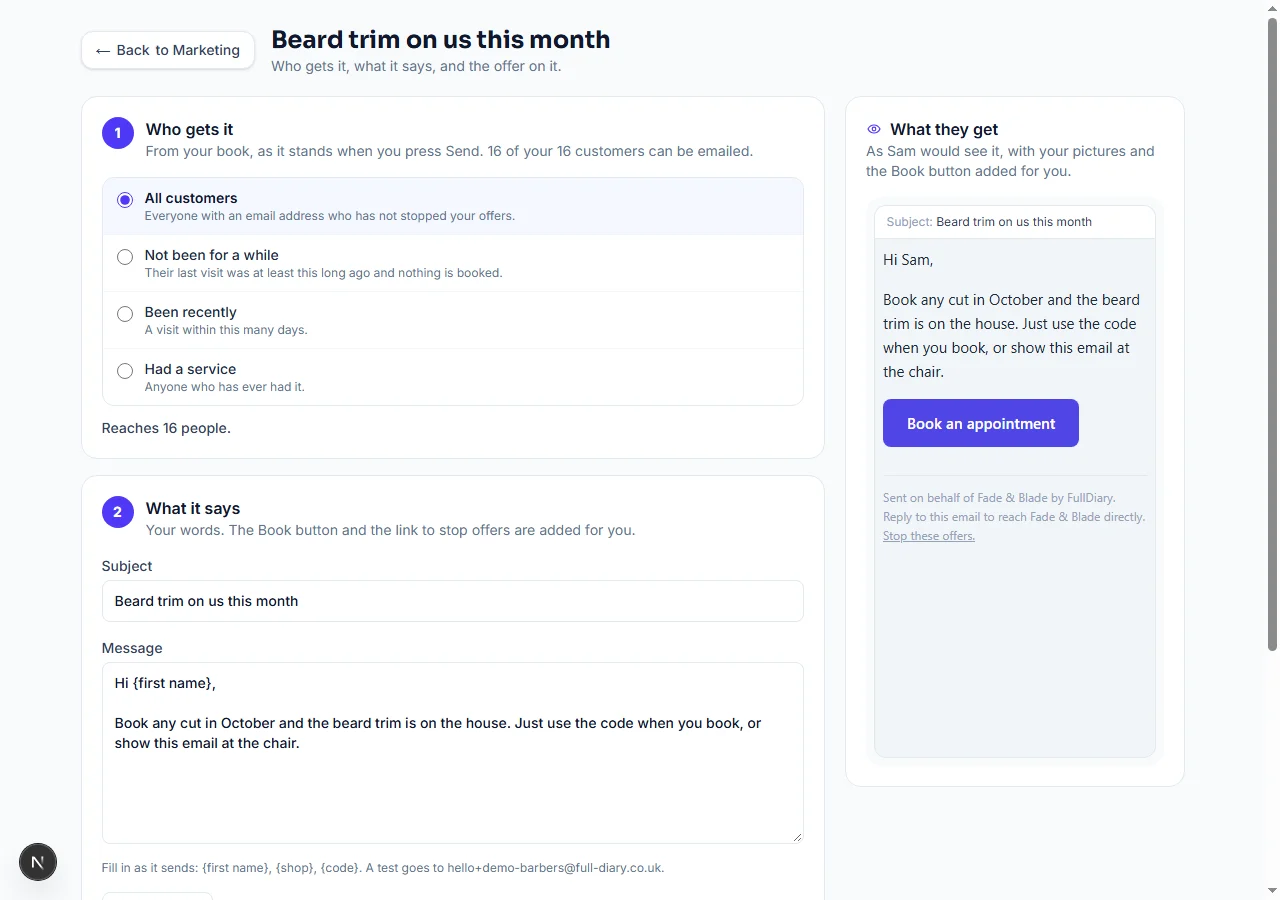
Open Your shop, then Marketing, and press New email. The first question is who it goes to, and the choices come from your own diary: everyone with an email address, people who have not been in for a while (you say how long, and anyone with a booking ahead is left out), people who came in the last few weeks, or anyone who has ever had one service. As you pick, the page says how many people that reaches, so you know before you send.
What it says
The subject and the message are yours. Write {first name} and {shop} and they fill in as it sends. The email as a customer would see it sits beside your words, with your logo and shop photo if you have them switched on under Emails, so there are no surprises. A Book button is added for you, pointing at your booking page, and if you put a discount code from Sell more on the email the button carries the code: they press, they book, the discount is already on.
What it brought in
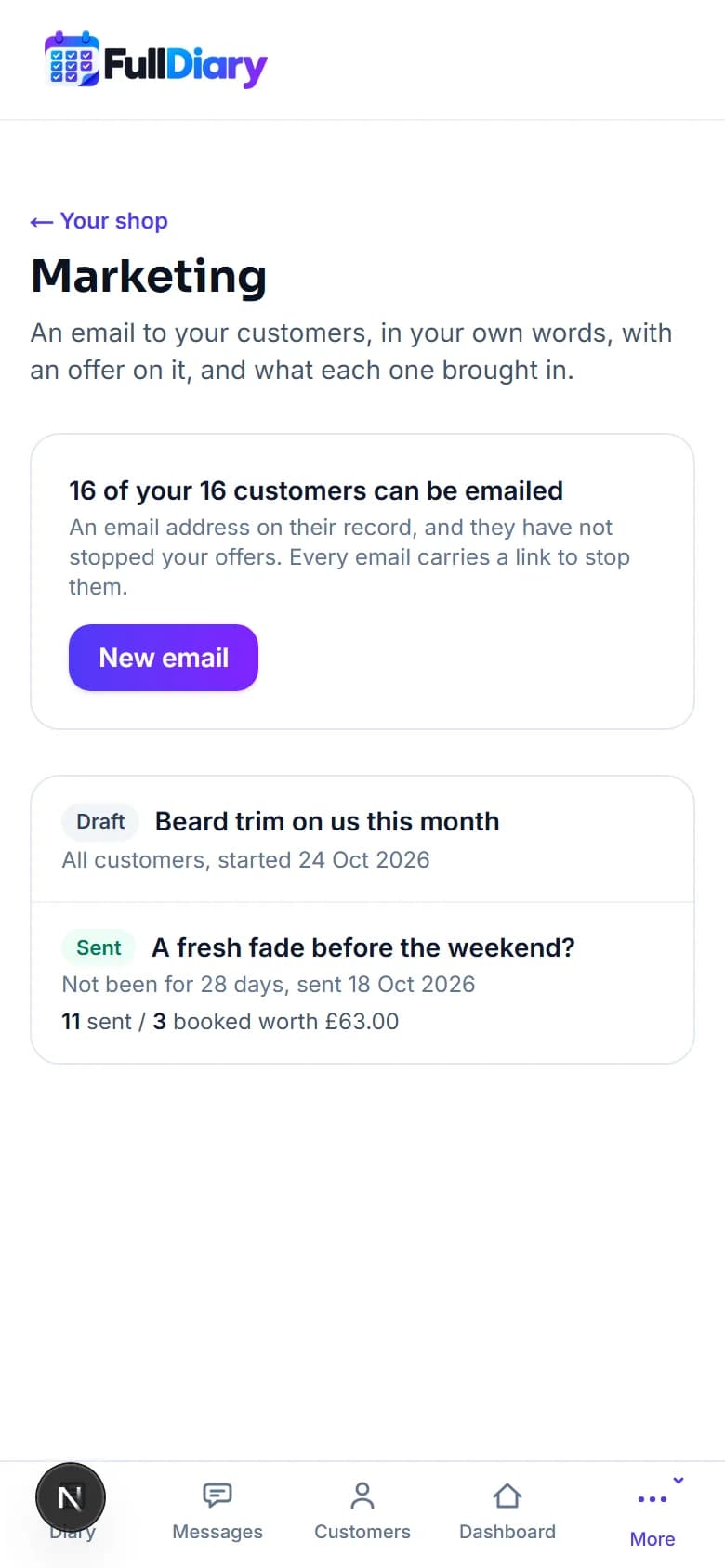
Send me a test sends the email to your own address first. Send asks once, naming how many people it goes to, and then it goes. From then on the email's page keeps the score: how many were sent, how many booked through its Book button and what those bookings are worth, at the price of each booking. A quiet week, an email to the people who have not been in since the summer, and a number next to it the following Monday.
Your customers stay in charge
Every email ends with a link to stop your offers. One tap and they are out, with a line saying so and a way back if they change their mind; nobody who has stopped them is emailed again. You can switch offers off for one person yourself, from their booking in the diary. Their booking confirmations and reminders carry on as normal, because those are not offers.
Setting it up
Marketing is an add-on to Pro: 9.99 a month for your whole shop, however many people work there, or 99.90 a year on a yearly plan. Add it under Settings, Your plan, and it is on at once; stop it whenever you like, the unused days come off your next bill, and everything you sent stays. It is not available yet on a plan bought in the App Store or Google Play.
Questions people ask
- Do I need my customers' permission to email them an offer?
- People who have booked with you may be sent your offers until they say otherwise, and every email carries a one-tap link to stop them. Anyone who stops them is never emailed an offer again. Confirmations and reminders are not offers and carry on as normal.
- How do I know an email worked?
- The Book button on each email carries a mark of its own. A booking made through it counts on that email's page: how many booked, and what those bookings are worth.
- Can I put a discount on it?
- Yes. Make a discount code under Sell more, pick it when you write the email, and the Book button carries the code, so the discount is on when they book.
- What does it cost?
- 9.99 a month for your whole shop on top of Pro, or 99.90 a year on a yearly plan. Stop it whenever you like and the unused days come off your next bill.
Read next
Written by
Matt SucklingDirector, FullDiary
Matt runs Cynical Software Ltd, the Perthshire company that makes FullDiary, and builds it.