
New feature5 minute read
Send an offer by text, with the cost shown first
Marketing can now text as well as email. Write a few words, see what they come to before you send (12 texts to 10 people: 10 from this month's allowance, 2 from your credits), and every text opens with your name and ends with a short link to your booking page and the way to stop. Part of the Marketing add-on, paid from the texts you already have.

Director, FullDiary
FullDiary is the booking system for UK small businesses: an online booking page, a live diary, reminders and your customers in one place. Marketing, the add-on for writing to the customers you already have, has sent emails since last week. From today it sends texts too, and because a text costs money, it tells you exactly what it will cost before anything goes.
A text, not an email
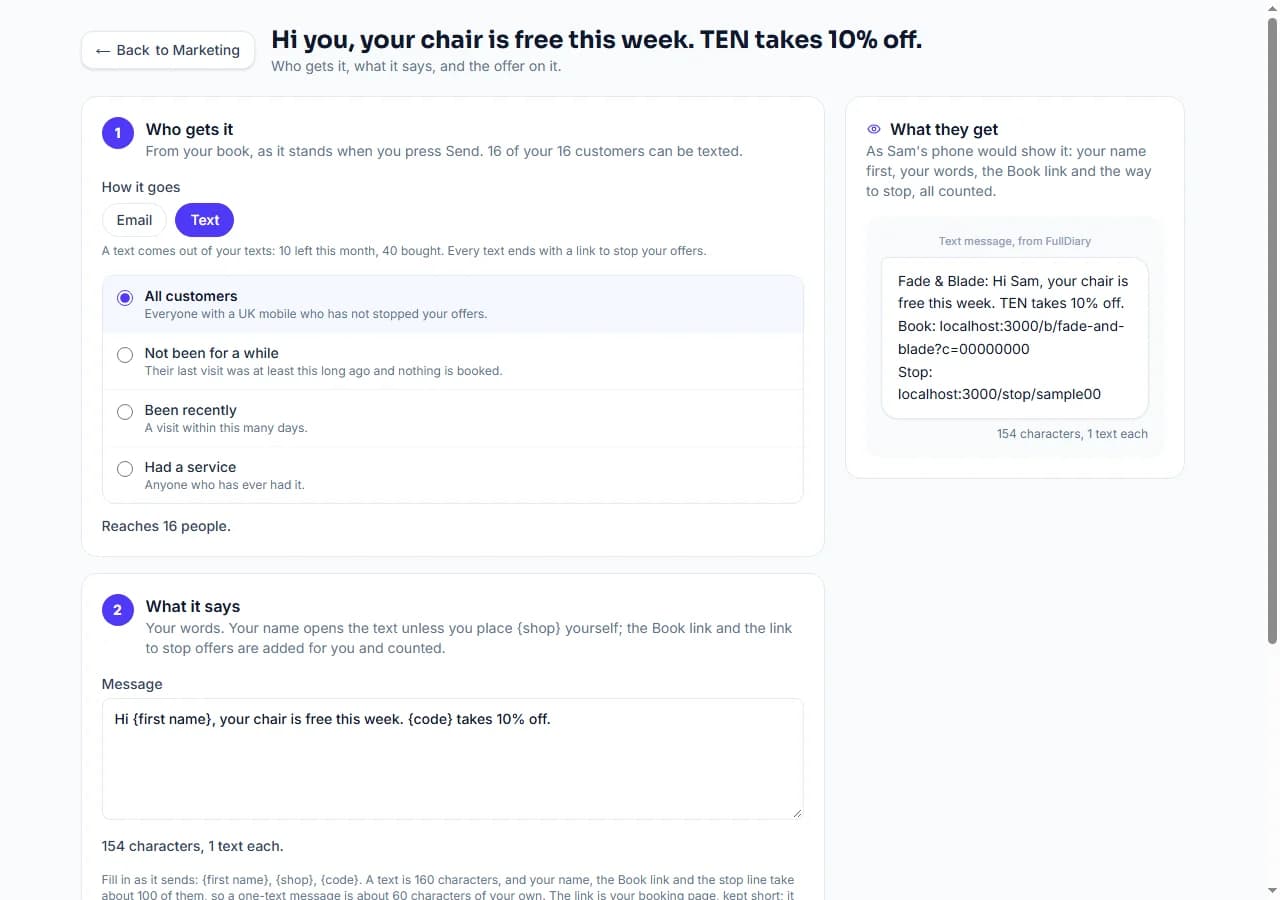
Open Your shop, Marketing, press New email or text, and choose Text at the top. Who gets it works as it does for an email: everyone, people who have not been for a while, people who came recently, or anyone who has had a service. The difference is who can be reached: a text goes to anyone in that audience with a UK mobile on their record who has not stopped your offers, and the page says how many that is before you write a word.
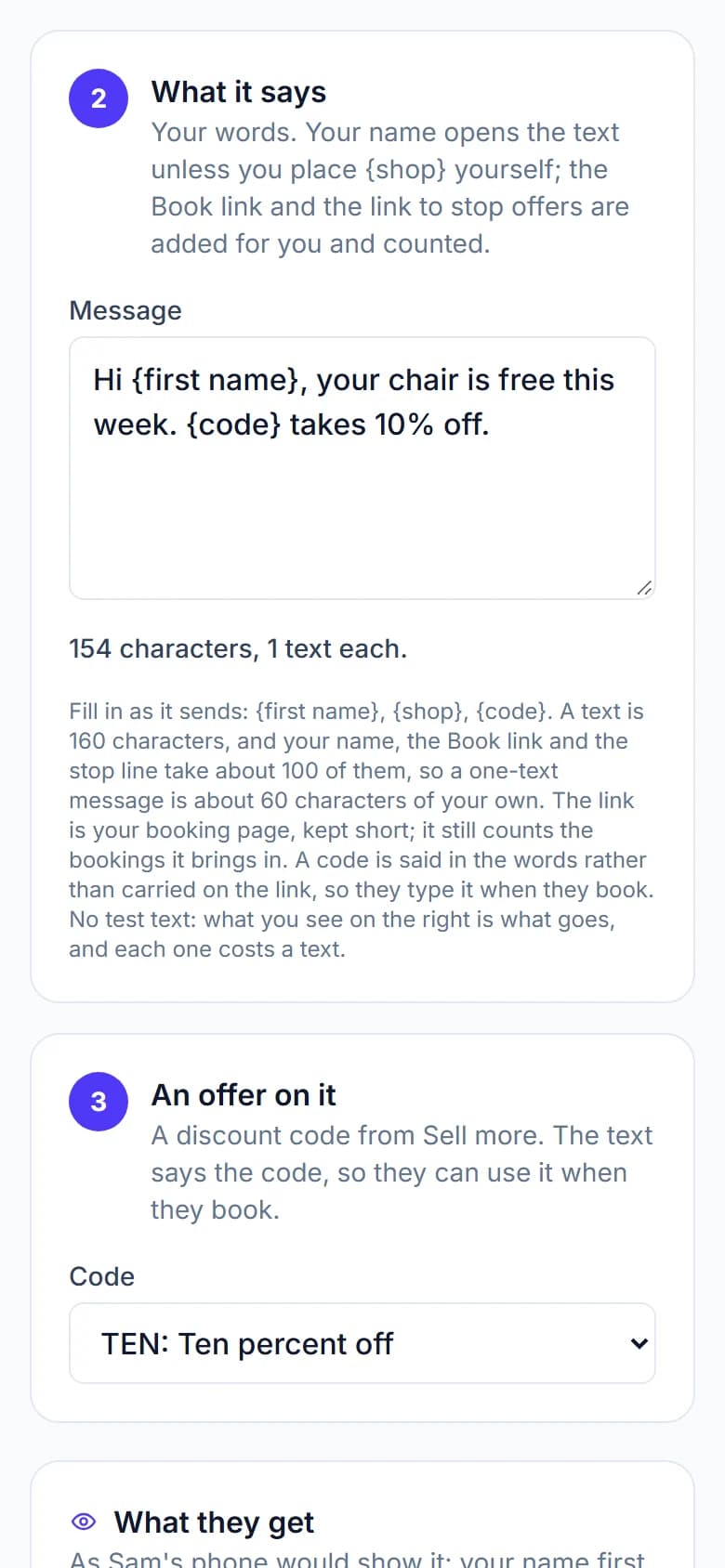
There is one box and no subject. Your business name opens the text, because every FullDiary text comes from the sender FullDiary and your name is how the customer knows it is you. Your words follow, with {first name}, {shop} and {code} filled in as it sends. Then a short link to your booking page, and a link to stop your offers. Beside the box the whole thing is counted as you type: 143 characters, 1 text each.
Why the count matters
A text is 160 characters, and your name, the Book link and the stop line take about 100 of them, so a one-text message is about 60 characters of your own. Go past that and each person gets two texts, which costs two. The count turns amber when that happens, so you can trim a word rather than pay twice. One more thing it watches for: a curly apostrophe or an emoji pasted in from elsewhere drops a text to 70 characters, and the page names the character so you can swap it for a plain one.
The cost, before you send
Texts come out of the texts you already have: the 50 a month for each person on Pro first, then any packs you have bought under Account & plan, Your plan. Before you send, the page works out the exact bill, with each person's own first name counted: 16 texts to 16 people: 10 from this month's allowance, 6 from your credits. If you are short, it says by how many, Send stays off, and Buy more texts sits beside it. When you do send, it asks once with that cost, and then the texts go one at a time, each paid for before it leaves. If the texts ran out part way, the campaign's page says who was left out, and Send again reaches them once you have bought more.

What came back
The link in the text is your booking page, kept short so the text stays one part, and it still counts: the campaign's page shows how many were sent, what paid for them, how many booked through the link and what those bookings are worth, the same as an email. A discount code from Sell more is said in the words (Use code TEN.) rather than carried on the link, so the text stays short and the customer types it when they book.
Your customers stay in charge
A marketing text is not a reminder. Every one ends with a link that stops your offers in one tap, nobody who has stopped them is texted again, and booking confirmations and reminders carry on as normal. The sender is FullDiary, which cannot take a STOP reply, which is why the link is there instead.
Setting it up
Text campaigns are part of the Marketing add-on: 9.99 a month for your whole shop on top of Pro, or 99.90 a year on a yearly plan, added under Account & plan, Your plan and stopped whenever you like. The texts themselves come from your allowance and your packs, nothing more. Open Marketing, press New email or text, and choose Text.
Questions people ask
- How much does a text cost?
- Nothing beyond the texts you already have. Each person on Pro brings 50 texts a month, used first; after that, packs bought under Account & plan, Your plan: 100 for 5.00, 500 for 22.50 or 1,000 for 40, and they never expire. A message that runs to two parts costs two texts for each person.
- Why does my message cost two texts?
- A text holds 160 characters of the plain alphabet, and your name, the Book link and the stop line take about 100, so a message of more than about 60 characters of your own becomes two texts each. A curly quote or an emoji drops a text to 70 characters; the page names the character so you can swap it.
- Who gets it?
- Everyone in the audience you chose who has a UK mobile on their record and has not stopped your offers. Landlines, foreign numbers and people with no number are left out, and the page says how many it reaches before you send.
- Can customers reply STOP?
- No: the sender is FullDiary, which cannot take replies. Every text ends with a link that stops your offers in one tap, and that is the way out. You can also switch offers off for one person from their booking in the diary.
- Does the link count bookings?
- Yes. The link is your booking page with a short reference for the campaign, so a booking made through it shows on the campaign's page with what it is worth, just as an email's Book button does.
Read next
Written by
Matt SucklingDirector, FullDiary
Matt runs Cynical Software Ltd, the Perthshire company that makes FullDiary, and builds it.