
New feature4 minute read
One basket, one checkout: appointments and classes together
Until today a customer booked one thing at a time: an appointment, then a class, each with its own details and its own payment. Now the last step of any booking has Add something else first. The thing goes in a basket, they carry on, and Checkout books the lot with one name, one email, the forms once and one payment.

Director, FullDiary
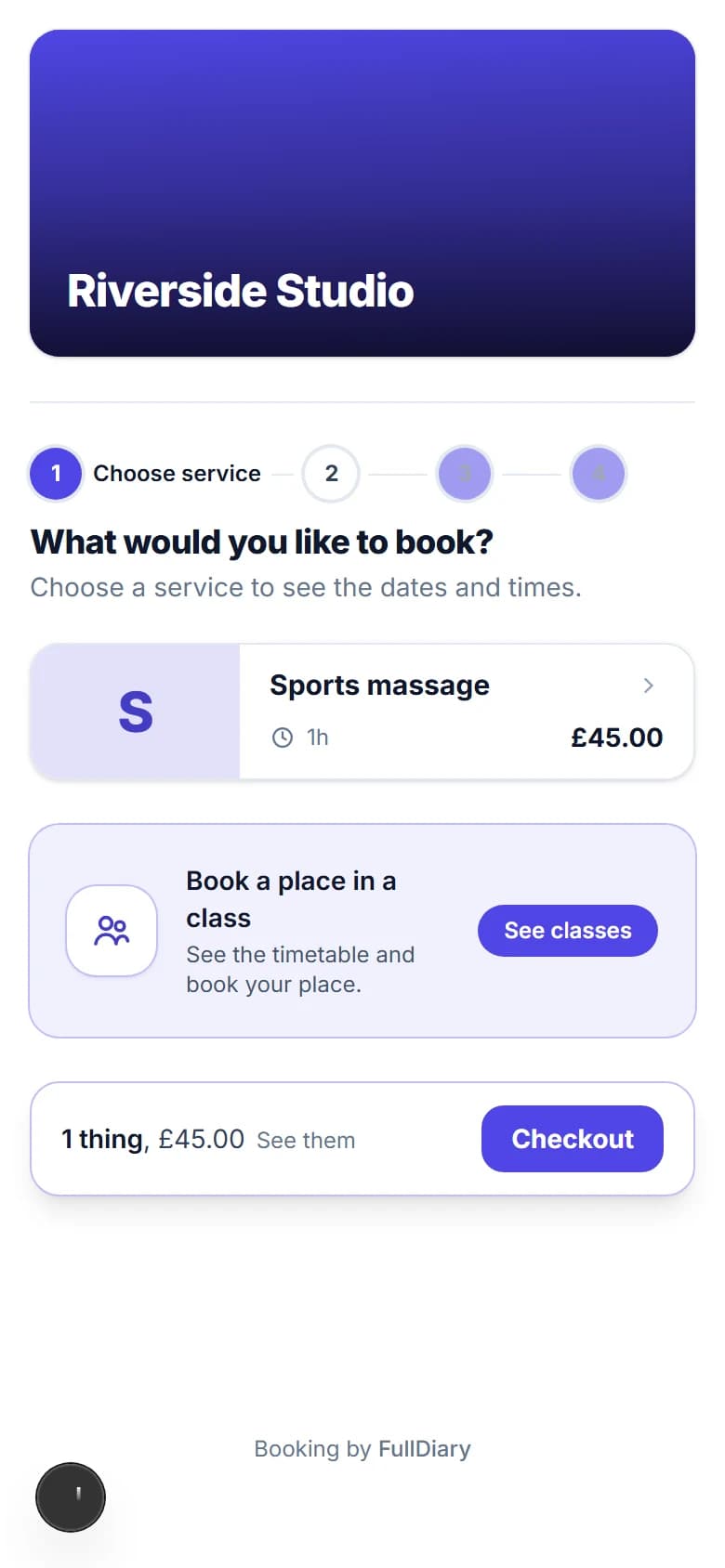
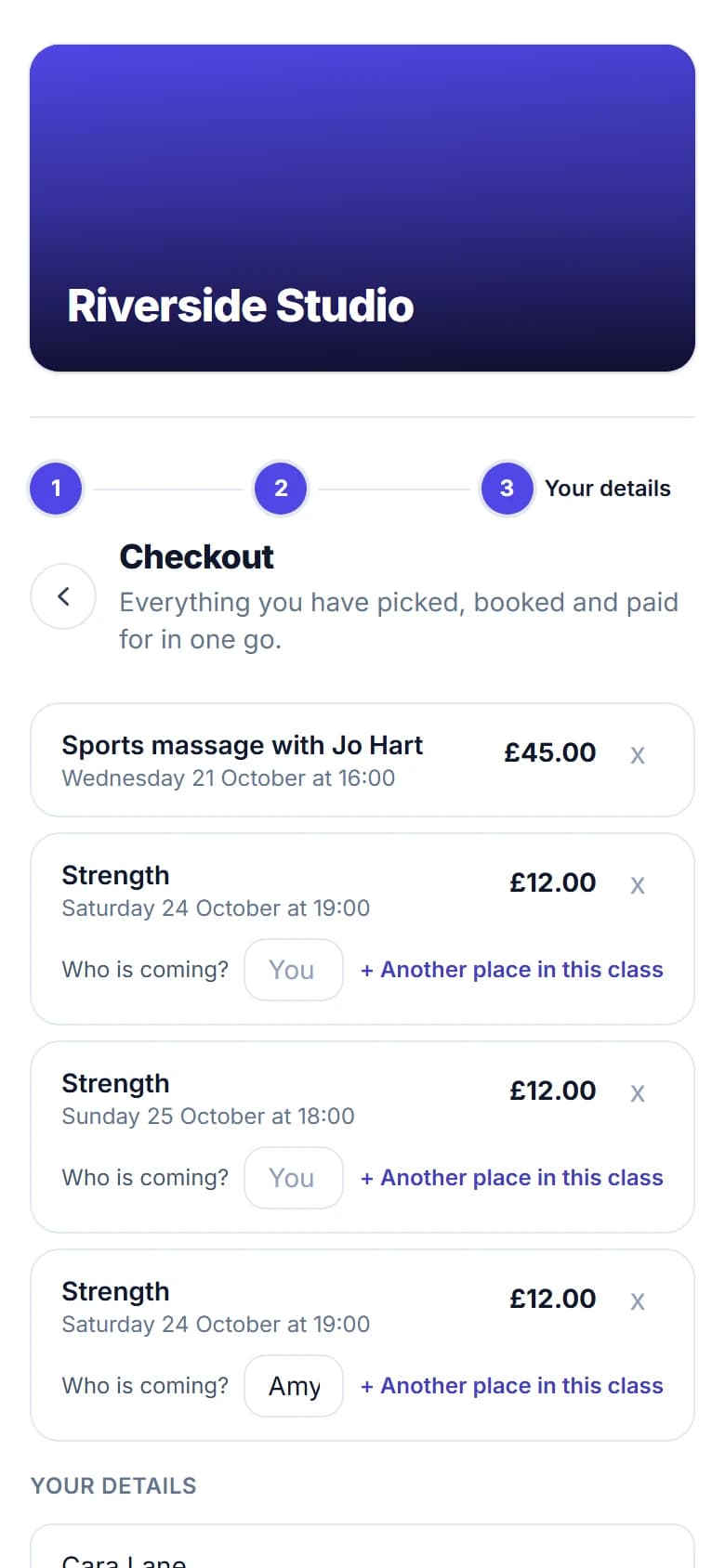
Someone books a sports massage for Saturday and, on the way out of your booking page, thinks of the Tuesday class. Until today that meant booking the massage, going back to the start, finding the class, and typing their name and email again, with a second payment and a second email. Two things, two goes. FullDiary is the booking system for small UK businesses, and from today its booking page has a basket.
Add something else first
The last step of booking an appointment, and of booking a place in a class, now has Add something else first under the button. Press it and the thing as they picked it, the service, the person and the time, goes into a basket, and they are back at your front door to pick the next. On the classes timetable, + Add beside a session puts that place in the same basket. Nothing is held and nothing is booked until they check out, so a basket left behind takes nothing from your diary.
A bar at the foot of every page of your booking page keeps count: 2 things, £57.00, See them for the list with a cross beside each, and Checkout.
One checkout
Checkout is one details step for everything in the basket. Each thing is listed with its time, its place if you have more than one, and its price: the figure, Free, or On your pass when a class pass covers it. Every class place asks Who is coming? Blank means them; a name means a friend or a child, and + Another place in this class adds a second place in the same session, with the friend's name. Then their name, email and phone once, your forms once across every service in the basket, a discount code (one thing per code, as before) or a gift voucher, and one button: Pay by card for what is due now, or Book it all.
What you see
In your diary nothing changes shape. Each thing is its own booking, in its own column, with its own confirmation link, reminders and cancellation, and a class place sits in its session like any other. You get one alert for the lot rather than one per thing. The customer's confirmation page lists everything they booked, and the page their emails link to lists every upcoming booking with Manage beside each.
When something has gone
If a time was taken while they were deciding, or a class filled up, that thing fails on its own: the rest are booked, the page says which one did not make it, and Pick another time takes them back to your booking page. The payment covers only what was booked.
It is on every booking page, on every plan, from today, with nothing to switch on. A customer who only ever books one thing will not notice a difference until they press Add something else first. Booking at the desk is as it was.
Questions people ask
- Does the customer pay once or once per thing?
- Once. One card payment covers what is due now across the basket: a deposit where a service takes one, the full price where it takes payment up front, nothing where it is paid on the day. Each booking still records its own share.
- Can they book a place for a friend in the same class?
- Yes. + Another place in this class adds a second place in the same session, and Who is coming? takes the friend's name. Two places with no names are refused, since one person cannot hold two places.
- What about class passes and discount codes?
- A class pass covers the places it can, in date order, and the rest are charged. A discount code applies to one thing, the first that costs money, as it always has. A gift voucher is spent across the basket in order.
- Do I have to switch anything on?
- No. It is on every booking page, on every plan, from today.
Read next
Written by
Matt SucklingDirector, FullDiary
Matt runs Cynical Software Ltd, the Perthshire company that makes FullDiary, and builds it.