
New feature3 minute read
Sign up and log in with Google or Apple
No password to make up or remember: press Continue with Google or Continue with Apple and you are in, with the same account on the website and in the FullDiary app. Apple is new on the website today, and the app gets both buttons in its next update.

Director, FullDiary
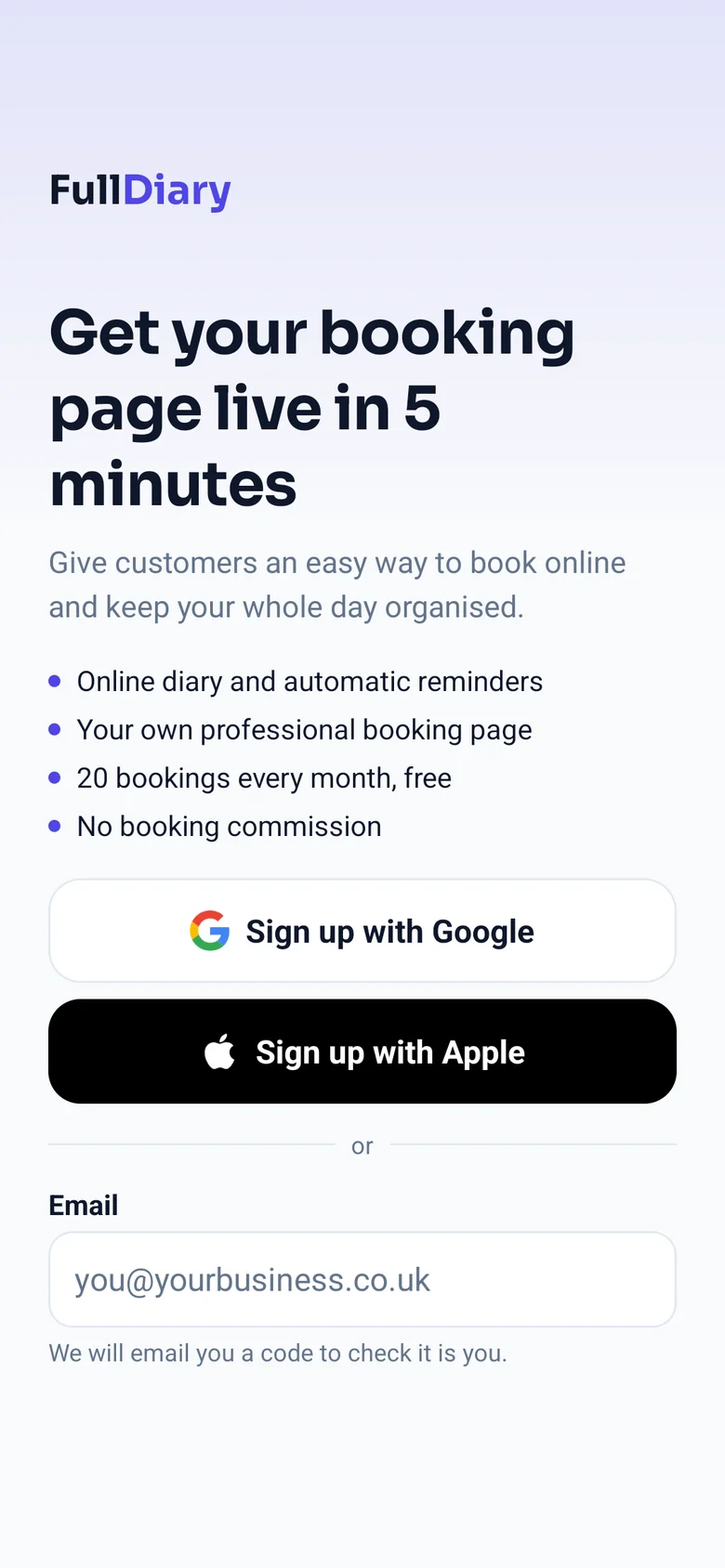
FullDiary is the booking system for UK small businesses: an online booking page, a diary, reminders and your customers in one place. Getting started should take seconds, so now you can sign up, or log back in, with the Google or Apple account you already have, instead of making up another password.
On the website
The sign-up page has Sign up with Google and Sign up with Apple above the email box, and the log-in page has Continue with Google and Continue with Apple. Press one, pick your account on Google's or Apple's own page, and you come straight back to FullDiary, logged in.
In the FullDiary app
The FullDiary app for iPhone and Android gets the same two buttons on its sign-up and log-in screens in its next update. On an iPhone, Apple's button opens Apple's own sign-in: Face ID or Touch ID and you are in, with no web page and no password. Google's button, and Apple's on an Android phone, open that company's page and bring you straight back to the app.
One account, however you come in
- The same account everywhere. An account made in the app is the account on the website, and the other way round. Log in with Google, Apple or your password: the same email address means the same diary.
- Hide My Email. Apple lets you hide your address. If you do, FullDiary gets a private Apple address that passes our emails on to you, so booking alerts and our other emails still arrive. Your account is then under that private address, so keep logging in with Apple.
- Want a password too? Set one under Account & plan, Login and password on the website, and you can log in with your email as well.
Setting up a new account
A new account made with Google or Apple goes through the same short setup as one made with an email: your name, filled in when Google or Apple shares it, then your business name, then your booking page. If you already have a FullDiary account under that email, you go straight to your diary instead. It is free, and on every plan.
Questions people ask
- Do I need a Google or Apple account?
- No. Signing up with your email works as before: we email you a code to check it is you, then you choose a password.
- Will it make a second account if I already have one?
- Not if Google or Apple gives us the same email address: you are logged in to the account you already have. Only Apple's Hide My Email gives us a different address, and so a new account.
- When does the app get the buttons?
- In the FullDiary app's next update for iPhone and Android. Until then, log in to the app with your email and password, or press Email me a code instead.
Read next
Written by
Matt SucklingDirector, FullDiary
Matt is a software engineer with over 15 years of experience. He started FullDiary to build a fairer booking system, and he still builds it himself.