
New feature5 minute read
Team jobs, for work that takes two or more of you
Some jobs take two. A deep clean, a removal, a couples massage. Say how many people a service needs and FullDiary books that many of your team at once, as one booking in each of their columns. Online, customers see the times enough of the team are free together, and the booking goes to whoever is free, which you can change.

Director, FullDiary
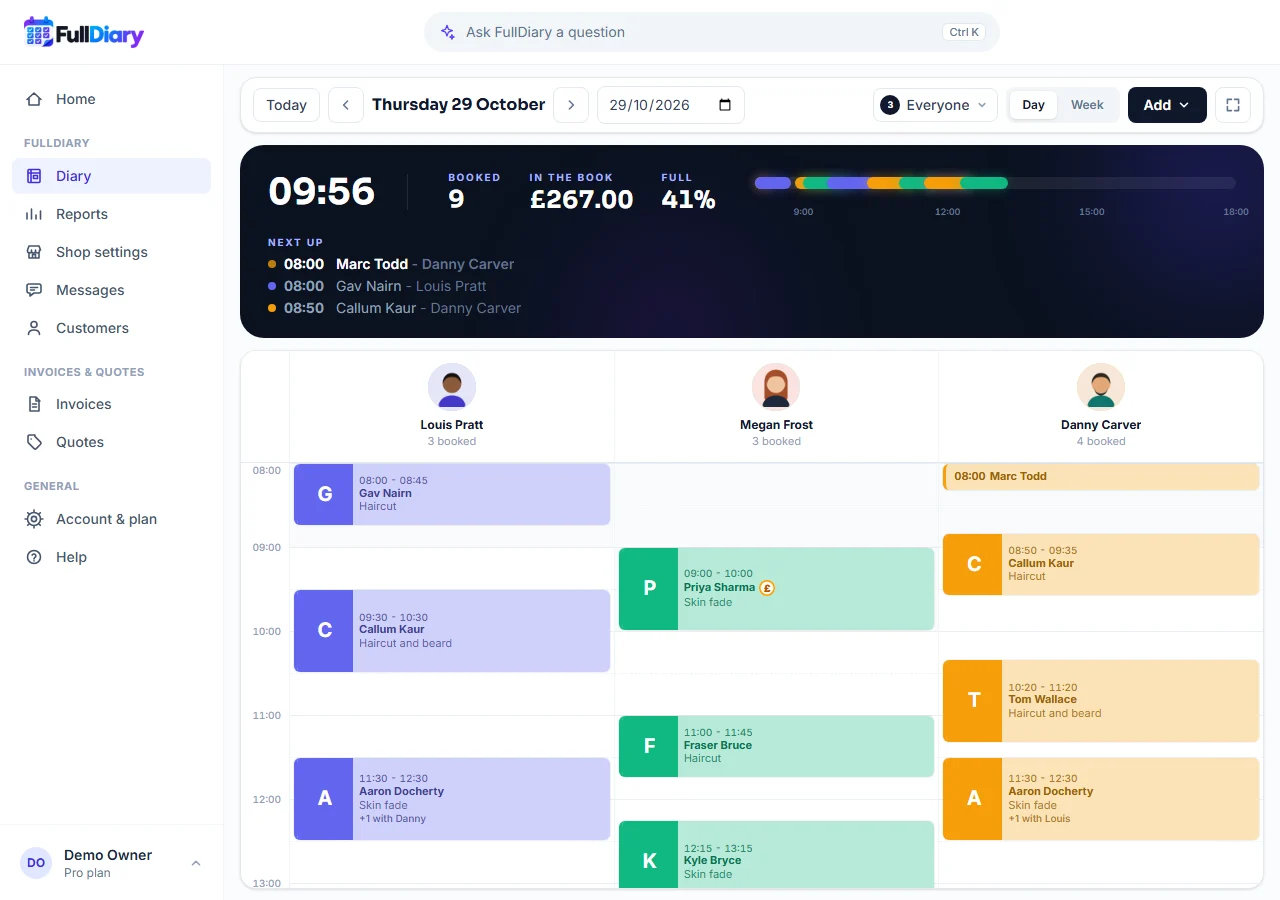
FullDiary is the booking system for UK small businesses, with an online booking page, a live diary and reminders in one place. Until now a booking was one person's. A cleaning company asked us whether two of their cleaners could go on one job, and from today they can, and so can two movers, two therapists or a crew of six.
Say how many people a service needs
Open the service under Shop settings, Services and prices. Under Service details there is a new choice, People needed, from 1 to 6. The price stays the price of the job, not a price for each person. You only see the choice once two or more of your team take bookings, so a one-person shop sees nothing new, and a class always has one teacher.
One booking, in every column it needs
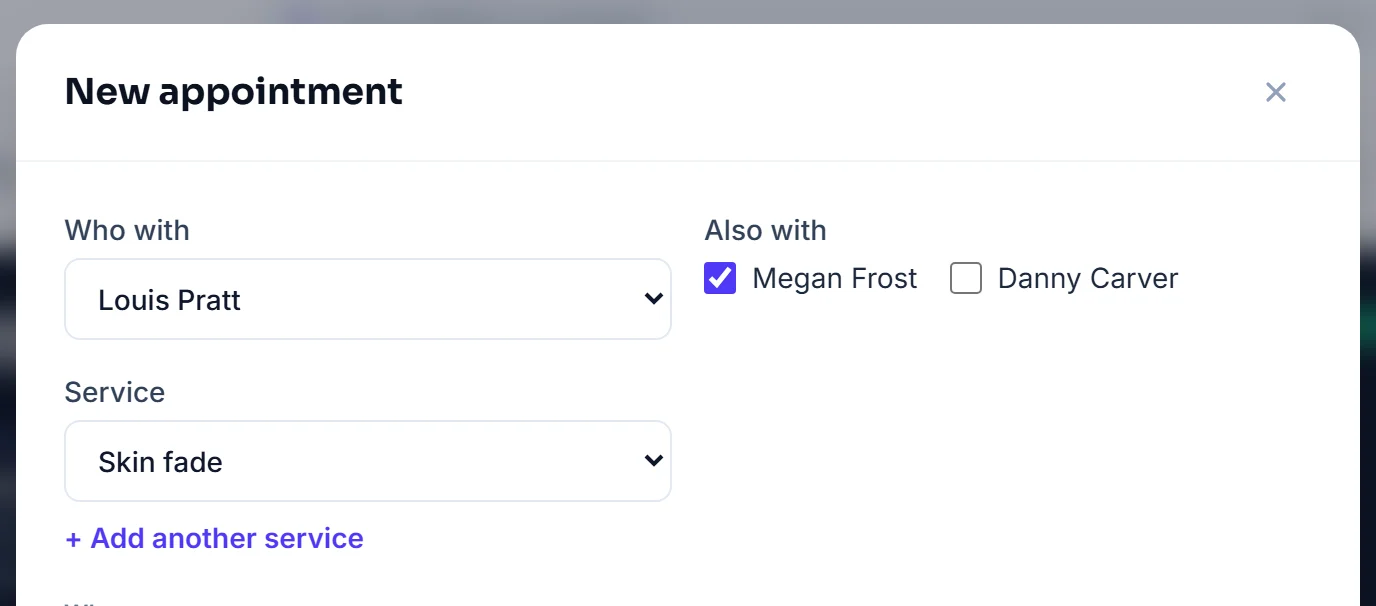
Add an appointment with that service and the form shows Also with beside Who with, with the next people already ticked. Tick or untick whoever is going, up to six. Book it and the job sits in each of their columns at the same time, every card saying who else is on it, like +1 with Danny, with the price on the first person's card. Drag it to a new time, change its service, mark it done or cancel it from any of its cards and the whole job moves together.
Open the booking and the Staff row names everyone on it. Edit there changes a person, takes someone off (their time goes straight back on sale, and the booking and its price stay) or adds another, and each change is checked against the diary first, so you are told by name when it clashes. A booking of one person looks exactly as it always has.
Online, the times enough of you are free together
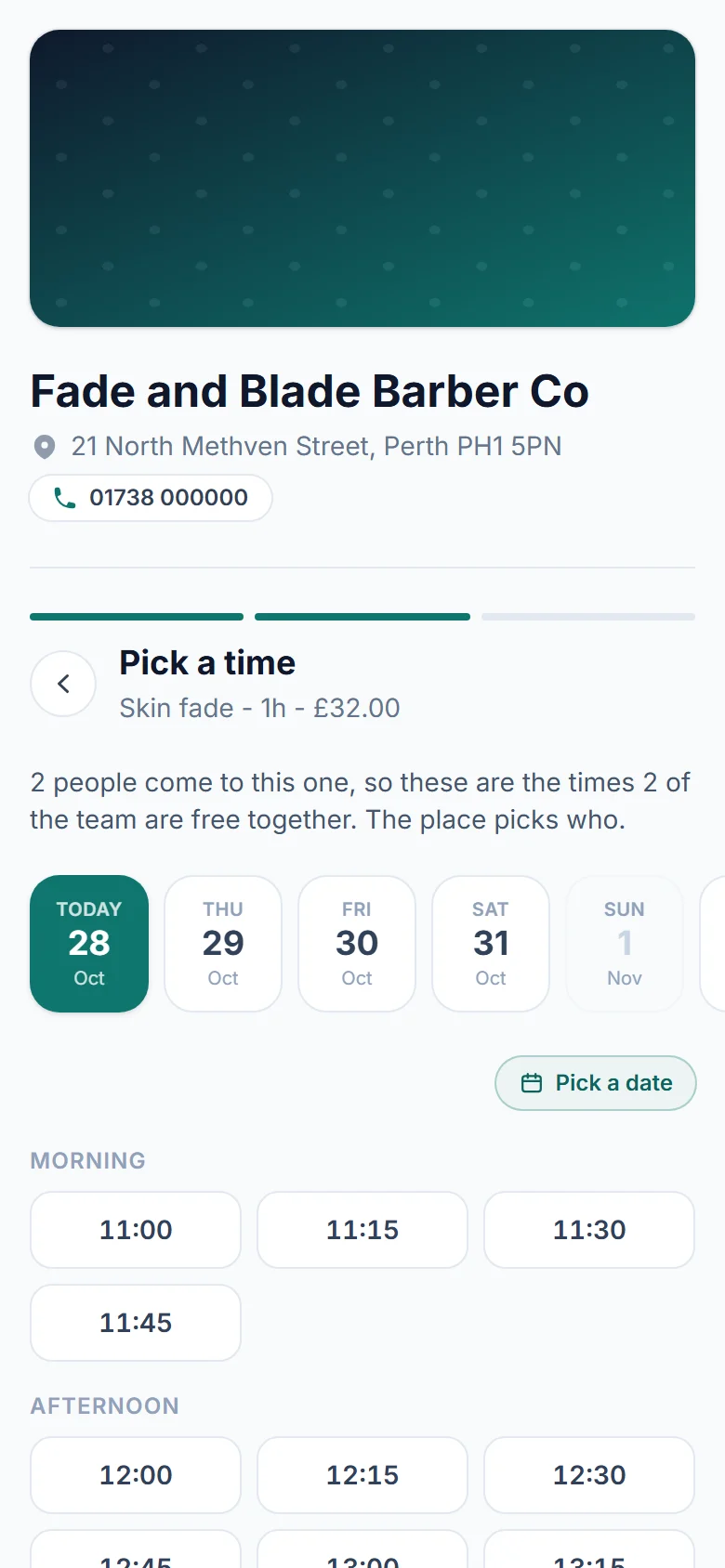
On your booking page a service that needs two people says so on its card, and there is no Who with step for it. The times offered are the minutes when at least that many of your team, counted in First available, are free together, and a day without enough people at work is greyed out in the calendar. The booking goes to that many of them, picked from those who are free, and the confirmation page names everyone.
Add another service and the waiting list are not offered on a team service, and a customer moves a team booking by ringing you rather than from their confirmation page, since moving it means moving everyone.
Everyone on the job hears about it
The confirmation, the reminder and the moved and cancelled emails say with Sam and Jo, and so does the calendar file the customer gets. Everyone on the job whose card asks for booking alerts, and who has a login, gets their own copy, and someone taken off a job hears nothing more about it.
Which plan, and the app
Team jobs are part of Pro, because they take two or more people who take bookings, and on Free one person does. The FullDiary app has it all from version 1.9.0, the same People needed, Also with and Who's on it. To start, open a service and set how many people it needs.
Questions people ask
- Is the price for the job or for each person?
- For the job. A service that needs two people has one price, and it sits on the first person's card in the diary. Per-person price and time overrides do not apply to a team job.
- Can a customer pick who comes?
- No. The booking page offers the times enough of your team are free together, and the booking goes to that many of them, picked from those who are free. You can change who is on it from the booking in your diary.
- What happens when one of the team is off that day?
- The booking page only offers times when enough people are free together, so a day with fewer people at work than the service needs is greyed out. At the desk, each person on a job is checked against the diary before the booking is made.
- Can I take someone off a job?
- Yes. Open the booking, press Edit on the Staff row and Remove beside their name. Their time goes back on sale, the booking and its price stay, and they get no further emails about it.
- Does a team job repeat?
- Not yet. Repeat is for bookings of one person, so a team job is booked each time it is needed.
- Is it in the FullDiary app?
- Yes, from version 1.9.0. The service's People needed, Also with when you add a booking, the diary's +1 with cards and Who's on it on the booking all work the same way in the app.
Read next
Written by
Matt SucklingDirector, FullDiary
Matt is a software engineer with over 15 years of experience. He started FullDiary to build a fairer booking system, and he still builds it himself.