
New feature4 minute read
Reviews on your booking page, from real visits
The day after a visit, the thank-you email asks for stars and a few words. Each review is tied to a real booking and goes on your booking page, with your stars under your name, and every reviewer is then offered a quick way to post the same words on Google.

Director, FullDiary
FullDiary is the booking system for UK small businesses: an online booking page, a diary, reminders and your customers in one place. Until now, the email we send the day after a visit asked your customer for a Google review, if you had added your Google link. Now it asks for a review of that visit, and the review goes on your booking page, where the next customer is deciding whether to book.
What your customers see
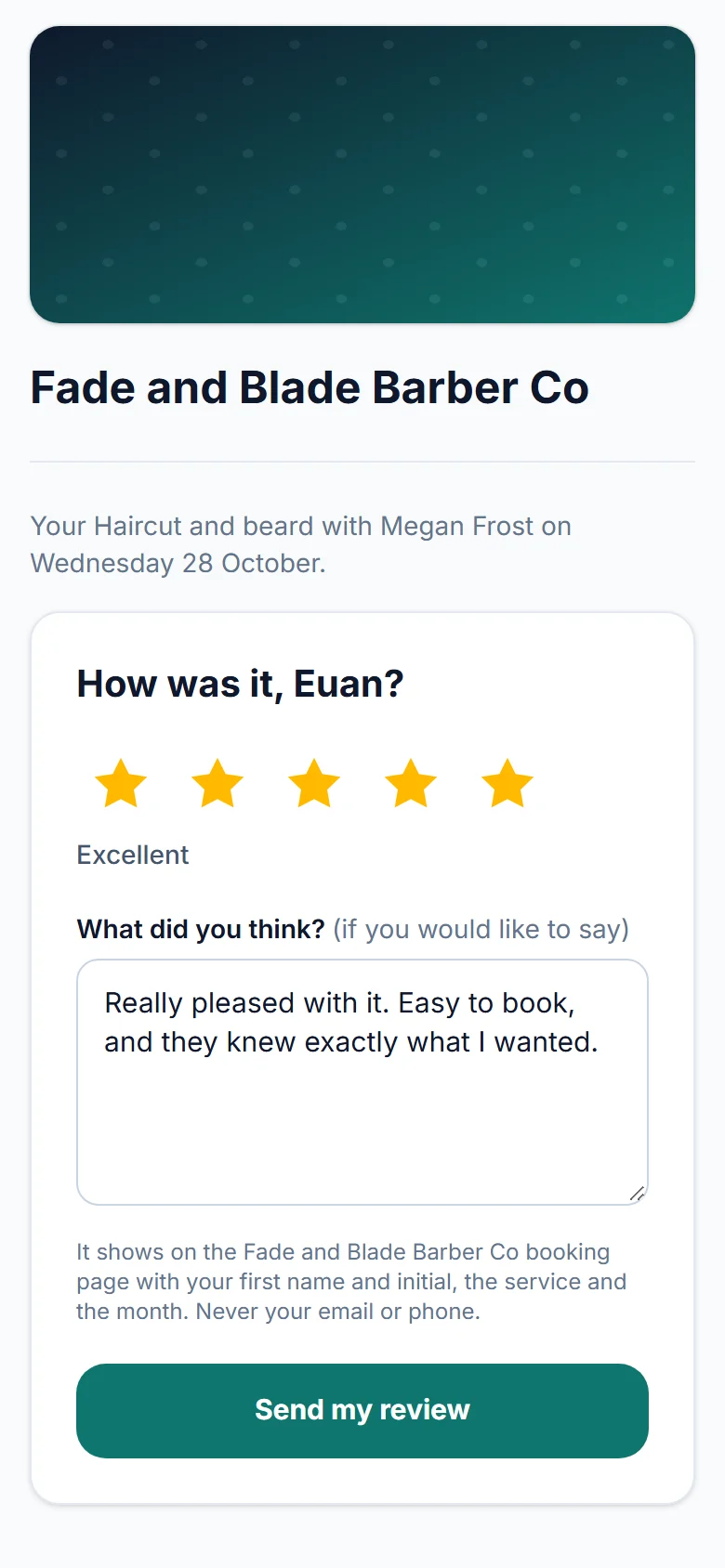
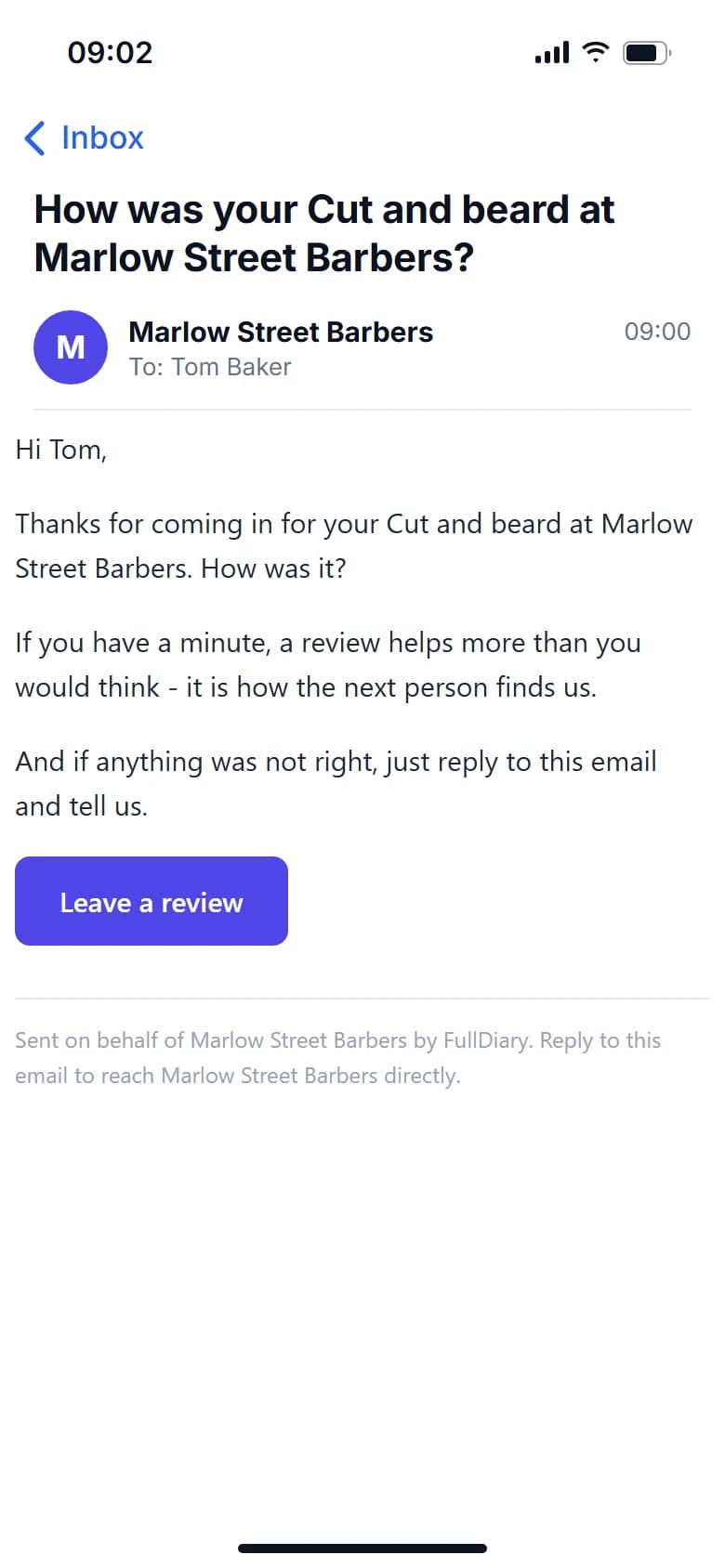
The day after a visit, the customer gets one thank-you email, with five stars to tap and the visit's details under them. A star opens a page for that visit with those stars picked, with nothing to sign in to: they can change the stars, write a few words if they want, and send. A visit still to come says not yet, and a cancelled booking or a no-show has nothing to review. Once sent, a review cannot be changed, and opening the link again shows it.
Then Google, for everyone
If you have added your Google review link, it sits under the stars in the email, and after sending, the customer is asked if they would post it on Google too. Their words are there to copy, with a button that opens your Google review box. Everyone is offered it, whatever their stars.
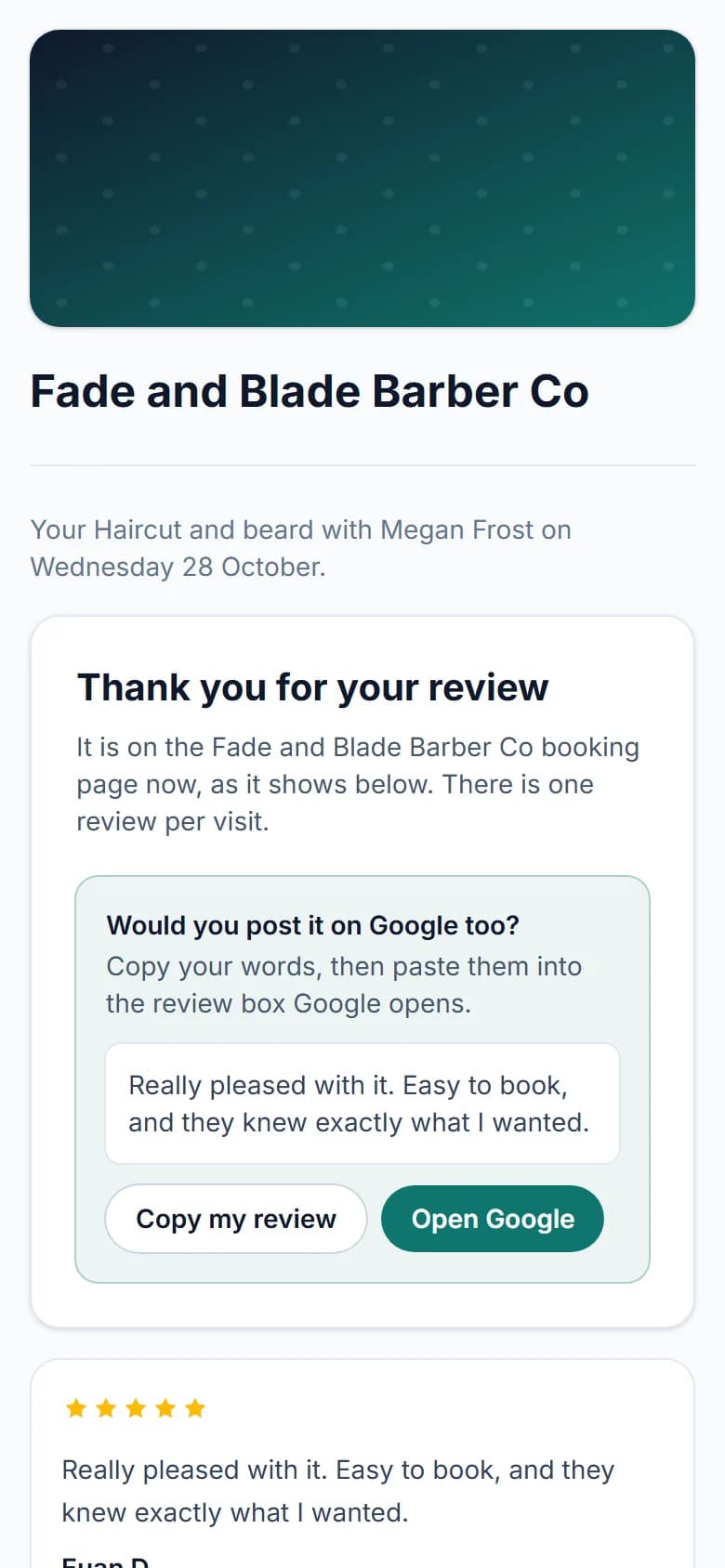
FullDiary never posts to Google for anyone. Google only takes a review from the person's own Google account, so the customer pastes their words in themselves. It takes them a minute.
On your booking page
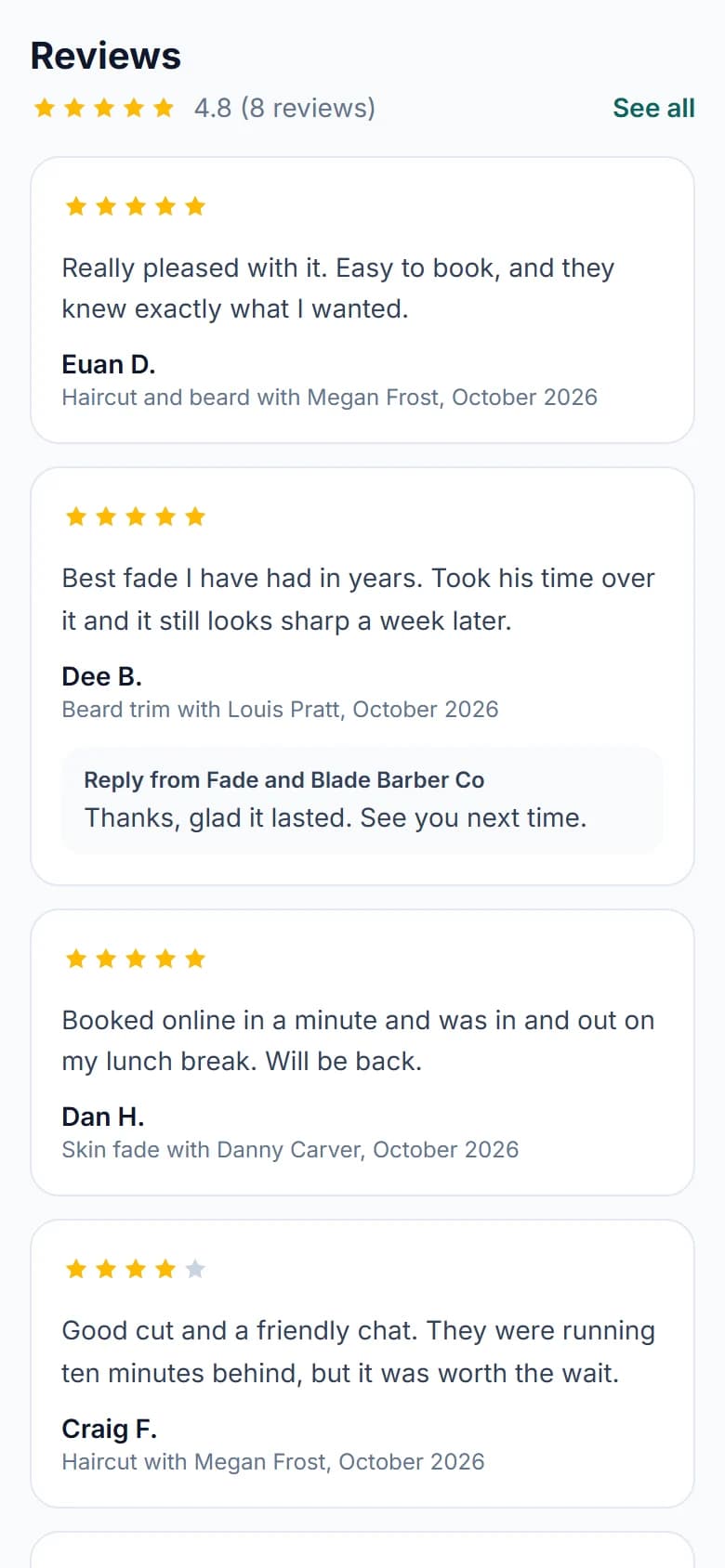
- Your stars under your name. From the first review, your booking page shows your average and how many reviews you have, such as 4.8 (8 reviews), in both designs.
- The newest five. Under your services, the five newest reviews with words, each with the customer's first name and initial, the service, who did it and the month.
- All of them. See all opens a page of every review, newest first, stars-only ones included, each with your reply under it.
- From real visits. Under them, a line says every review there is from a visit booked with you. Nothing is copied in from another site.
Replying, and hiding the words
Under Shop settings, Reviews you see your average, a bar for each number of stars and every review. Reply to any of them and your reply shows under it on your booking page, from your shop. You can change it or take it off.
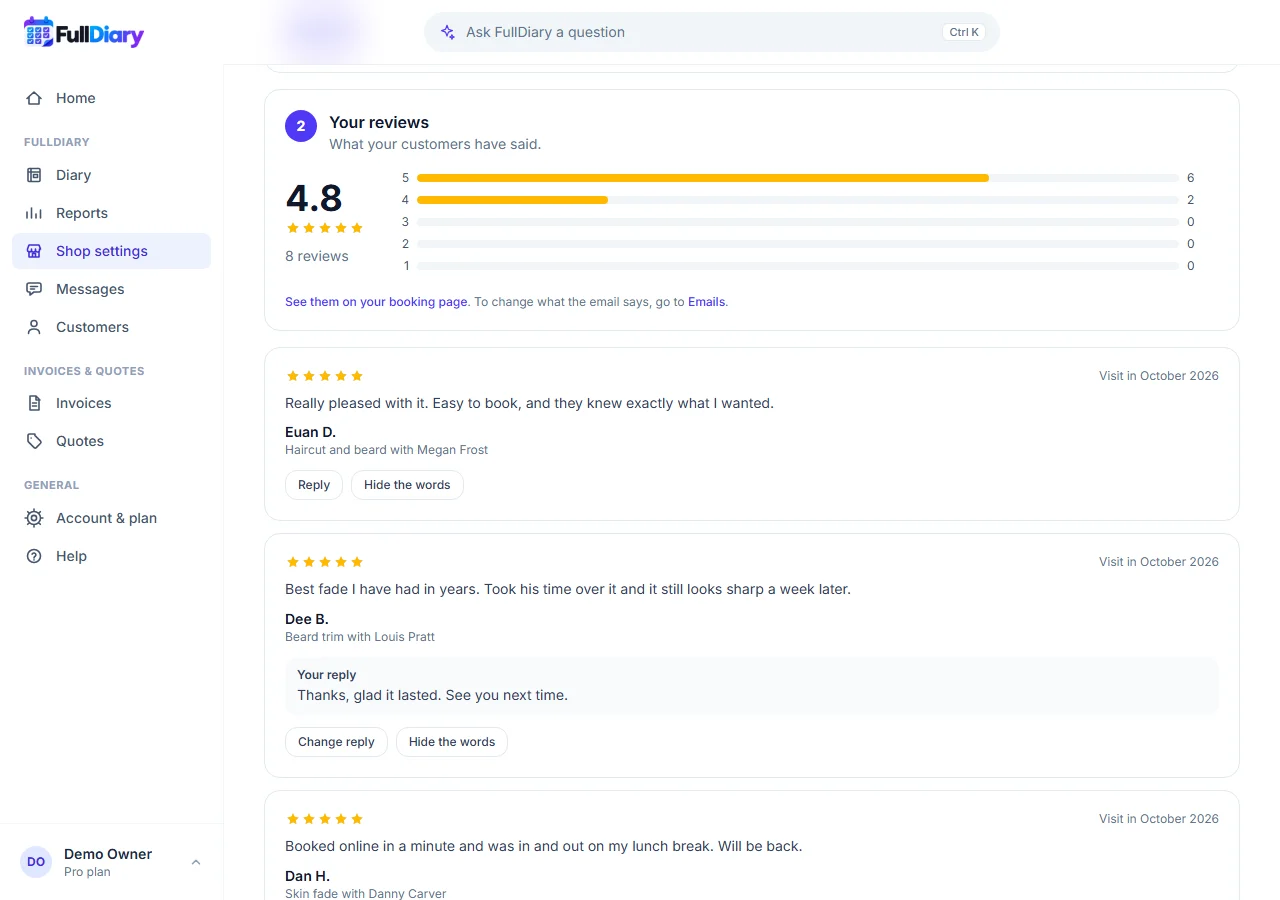
If a review is abusive, or gives someone's personal details, you can hide its words, picking which of the two it is. The page then says the words were taken off and why. The stars stay and still count in your average, so hiding a review can never raise your score. Show the words again puts them back.
Setting it up
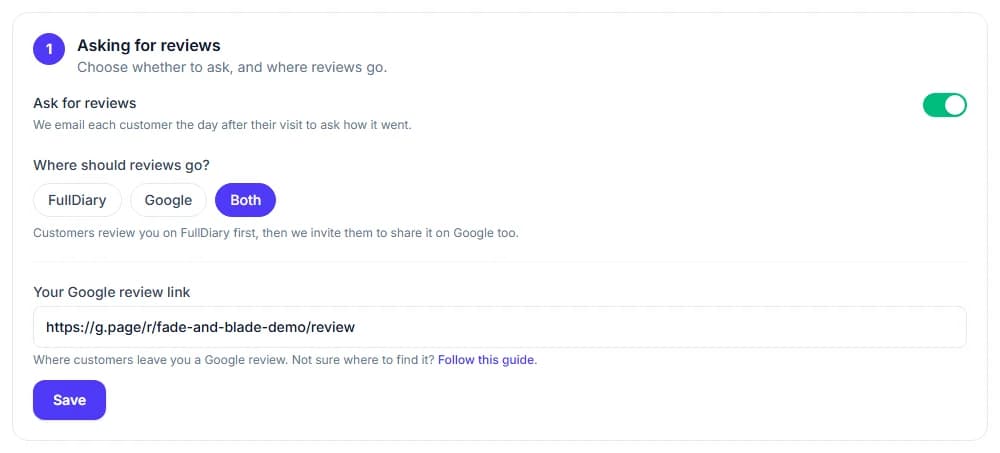
There is nothing to switch on: reviews are on for every shop, on every plan, set to Both, and the first ask goes the day after your next visit. Under Shop settings, Reviews, you choose where reviews go: FullDiary (reviews on your booking page only), Google (the email goes straight to your Google review box) or Both. Add your Google review link there for Google or Both. To stop, switch off Ask for reviews: nobody is asked, your booking page shows none, and nothing is deleted. Reviews are looked after on the website for now, not yet in the FullDiary app.
Questions people ask
- Can someone leave a review without visiting?
- No. The link is only in the thank-you email after a visit, it belongs to that booking, and it works once the visit has happened. There is one review per visit.
- Can I delete a bad review?
- No, but you can reply to it. You can hide its words only if they are abusive or give someone's personal details, and its stars still count.
- Does FullDiary post my reviews to Google?
- Nobody can: Google only takes a review from the customer's own Google account. After sending, every reviewer is offered their words to copy and a button that opens your Google review box.
- Can I bring in reviews from Google or another booking app?
- No. Every review on your booking page comes from a visit booked with you, which is what makes it one your customers can trust.
Read next
Written by
Matt SucklingDirector, FullDiary
Matt is a software engineer with over 15 years of experience. He started FullDiary to build a fairer booking system, and he still builds it himself.