
New feature4 minute read
Save their card when they book, and charge no-show fees
Switch it on and customers who book online add their card through your own Stripe account, with your no-show and late-cancel fees shown before they book. Nothing is charged by itself. If someone does not turn up, you charge the fee from their booking in the diary.

Director, FullDiary
FullDiary is the booking system for UK small businesses: an online booking page, a diary, reminders and your customers in one place. A no-show costs you the slot and the money, and a deposit is not right for every service. Now your booking page can save the customer's card when they book online, so a no-show or a late cancellation can be charged a fee they agreed to up front.
What your customers see
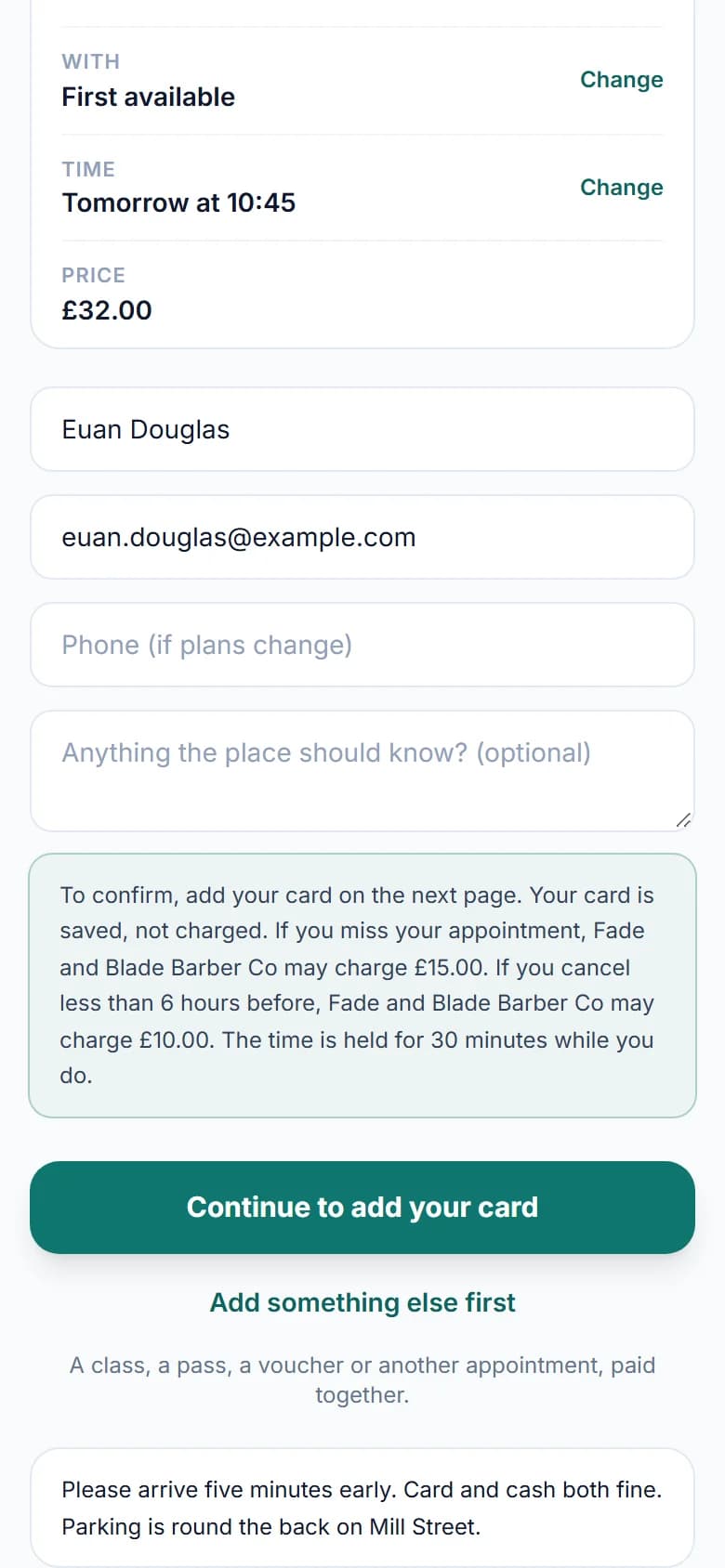
Before they book, your fees show above the button. "Your card is saved, not charged. If you miss your appointment, Fade and Blade Barber Co may charge £15.00. If you cancel less than 6 hours before, Fade and Blade Barber Co may charge £10.00." With nothing to pay up front, they press Continue to add your card and add it on Stripe's secure page, which shows the same words beside its button. Nothing is charged, and saving the card is what confirms the booking. When the service takes a deposit or the full price, the same payment keeps the card, and nothing extra is asked.
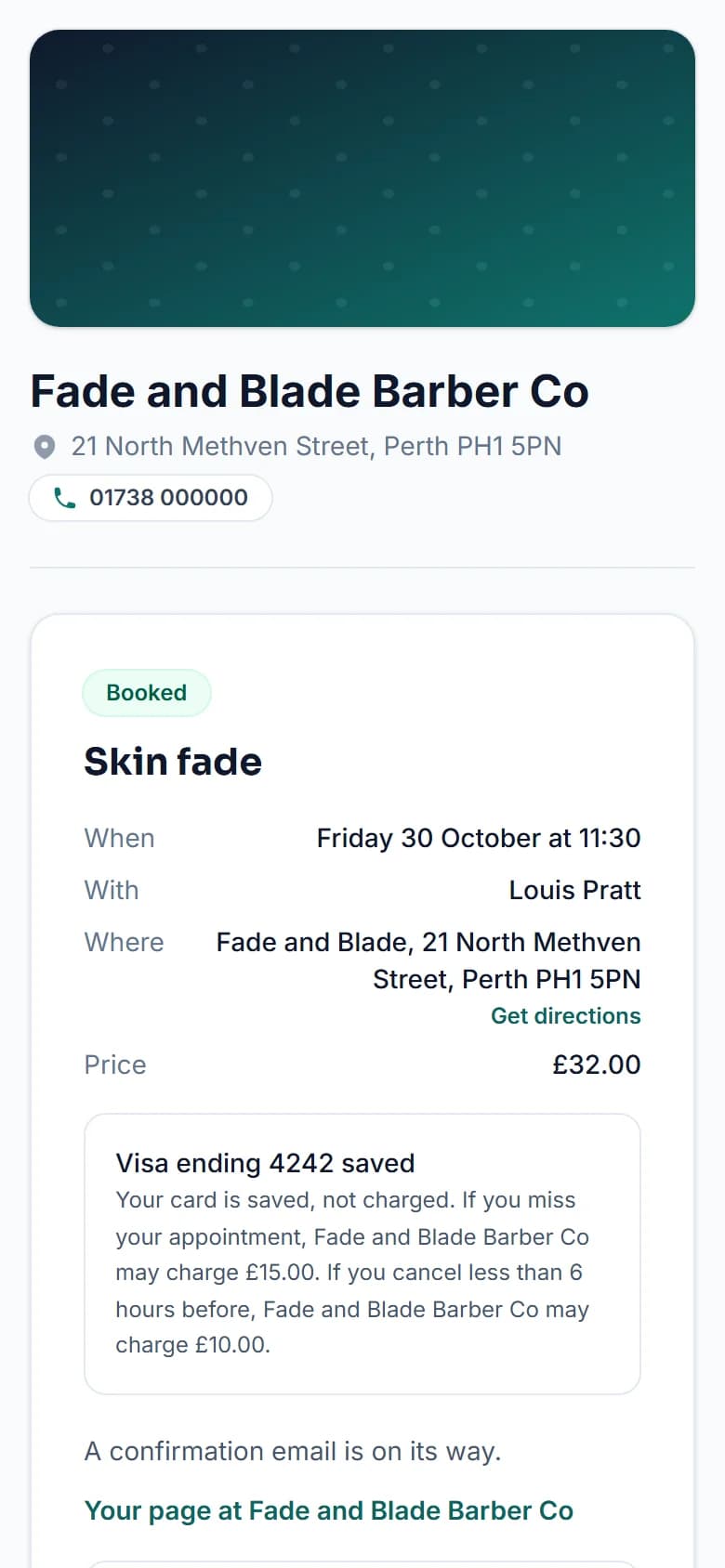
Their confirmation page and email then say which card was saved, such as Visa ending 4242, with the terms they agreed to. The booking keeps those terms exactly, so if you change your fees later, it can still only ever be charged what they saw.
After a no-show
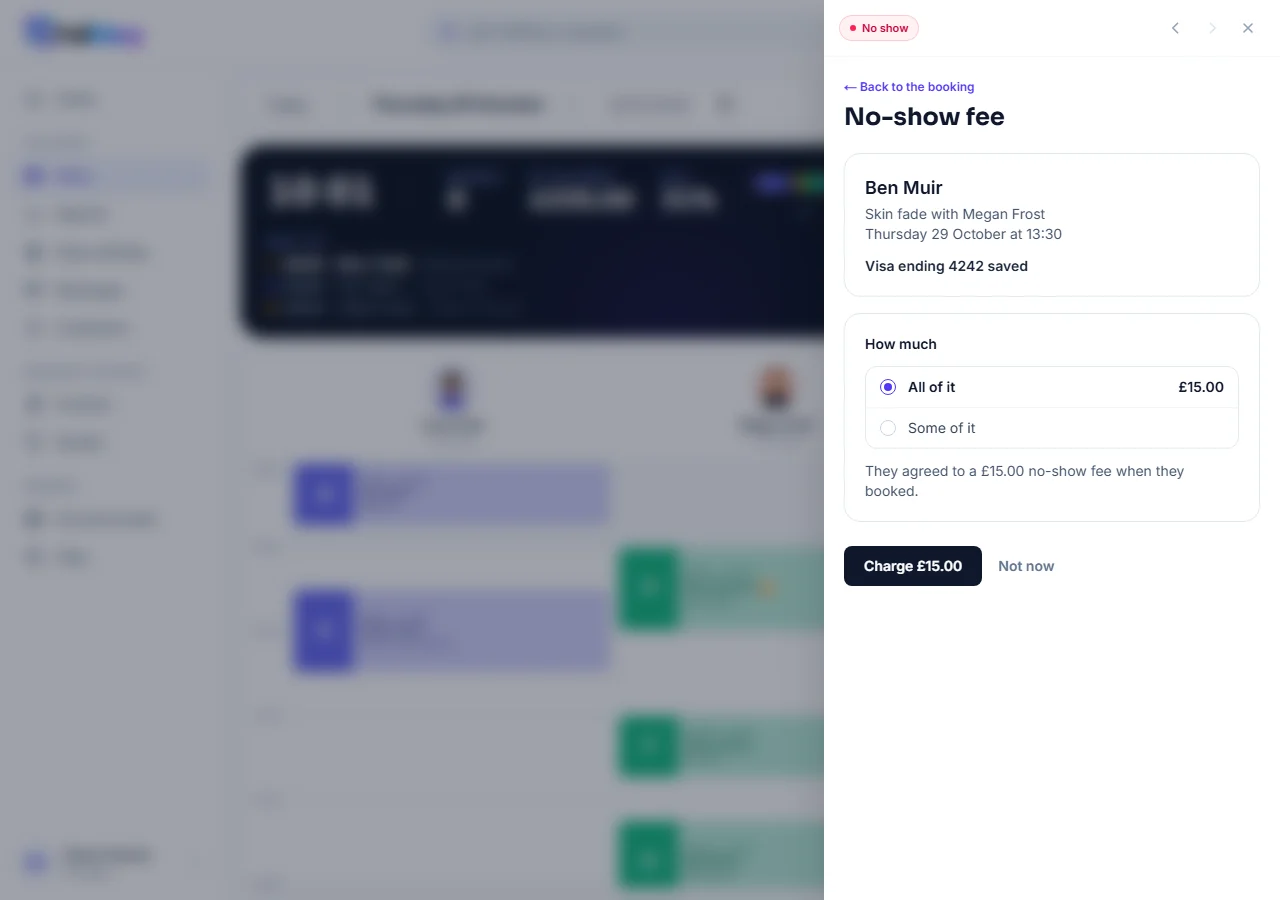
Mark the booking No show in the diary and press Charge the no-show fee. You see the booking, the card they saved and the fee they agreed to. Charge all of it, or choose Some of it to charge less, never more. Press Charge and the money goes straight to your Stripe account, and the customer is emailed a receipt that quotes the terms they agreed to.
- A late cancellation. Customers cannot cancel online inside your cancel window, so a late cancellation is you cancelling after they get in touch. When it is late, Cancel asks Who asked to cancel?, and They did charges the late-cancel fee as it cancels. Untick it to let them off. If they paid a deposit, They did keeps the deposit instead, with no fee on top.
- When the card will not go. If their bank wants them to approve the payment, or turns the card down, nothing is taken. They are emailed a link to pay the fee themselves with any card, which works for 14 days, and you are told so.
- Changed your mind? One fee per booking, and you can refund all of it to their card from the same place. They are emailed to say so.
Setting it up
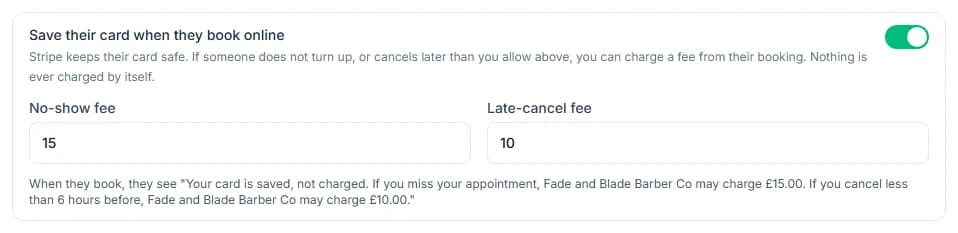
Under Shop settings, Booking rules, Cancelling and payment, switch on Save their card when they book online and type your fees: a no-show fee, a late-cancel fee, or both. Late means later than your cancel window, set just above, and each fee is at least 30p. The page shows the exact words your customers will see. You need your own Stripe account connected and verified, as for deposits. It is on every plan, and FullDiary takes no commission; Stripe's usual card fee comes off a fee you charge.
For now it works for appointments booked on your booking page. It does not yet cover classes, several bookings paid together, or bookings you add to the diary yourself. It is on the website for now, not yet in the FullDiary app. A fee shows on the booking, in your activity log and in your Stripe account, not in your dashboard takings, which count finished work.
Questions people ask
- Is anything charged when they book?
- Not for the card. A service that takes a deposit or the full price charges that as before, and a fee is only ever charged when you press Charge on the booking.
- Can I charge more than the fee they agreed to?
- No. You can charge less, or nothing, but never more than the fee shown when they booked, even if you have raised your fees since.
- What if their card is declined?
- Nothing is taken. They are emailed a link to pay the fee with any card, which works for 14 days, and you are told so.
- Does FullDiary keep their card details?
- No. The card is kept by Stripe, on your own Stripe account. FullDiary only knows which card it was, such as Visa ending 4242.
Read next
Written by
Matt SucklingDirector, FullDiary
Matt is a software engineer with over 15 years of experience. He started FullDiary to build a fairer booking system, and he still builds it himself.