
New feature2 minute read
Bookings straight into your customers' calendars
Some customers forget they booked. Now the confirmation email and the page they see after booking both have Google, Apple and Outlook buttons that put the booking in their calendar.

Director, FullDiary
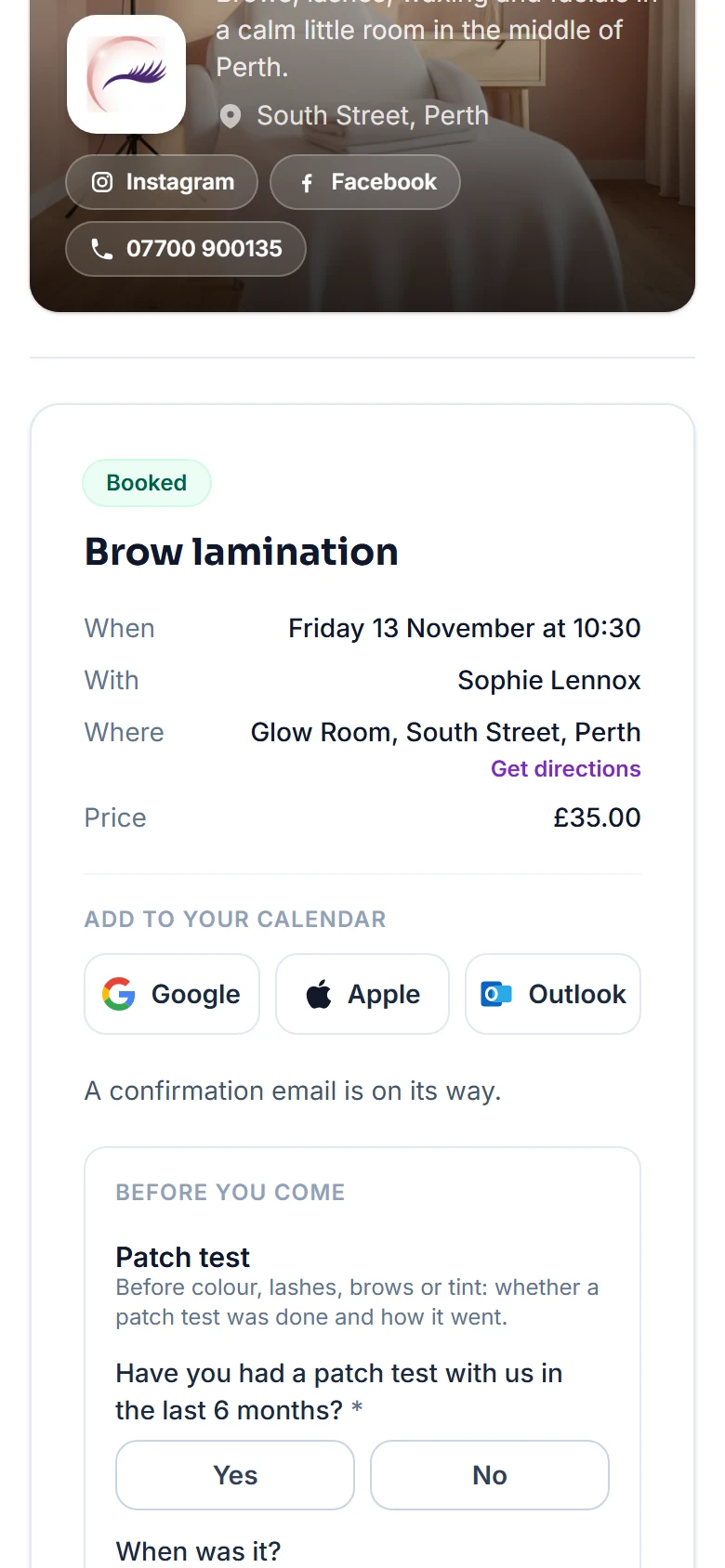
FullDiary is the booking system for UK small businesses, with an online booking page, a diary and payments in one place. Every confirmation email already carried a calendar file, but plenty of mail apps tuck it away where nobody taps it. Now adding the booking is one tap.
Straight after booking
The page your customers see once they have booked now has three buttons under the booking's details, Google, Apple and Outlook. One tap and the booking is in their calendar. Someone who books several things together gets the buttons on each booking.
In the confirmation email
The same three buttons sit in the confirmation, and in the email that goes when a booking moves. Each goes straight to that calendar.
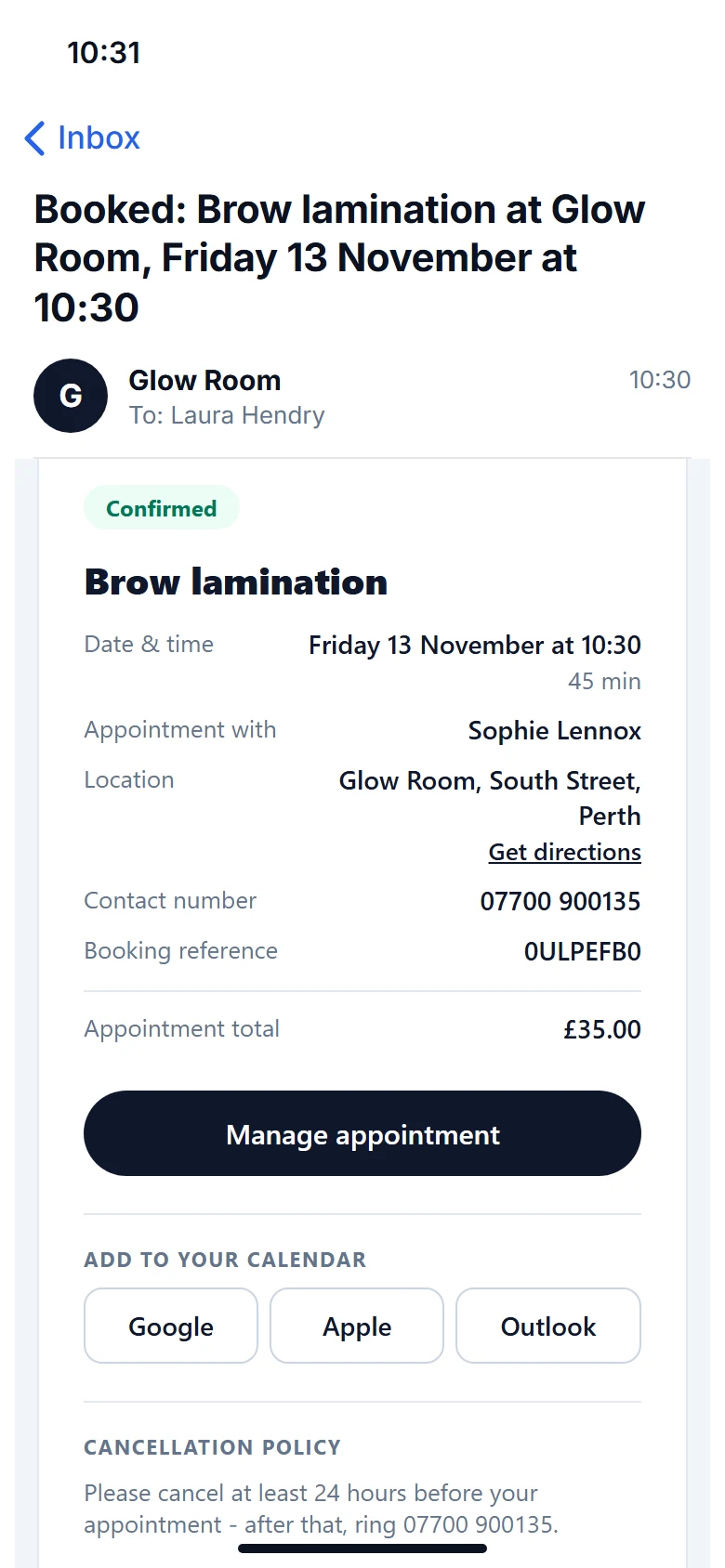
Always the right time
The calendar entry has the service and your business name, the time, the address, who it is with and a link to manage the booking. It is made from the booking as it stands, so after a move it adds the new time. A cancelled booking has nothing to add.
Reminder emails still go at the times you choose, and text reminders on Pro, so a booking in their calendar is one more nudge rather than the only one.
Questions people ask
- Do I need to switch anything on?
- No. Every booking's confirmation email and the page after booking have the buttons, on every plan.
- What does the calendar entry say?
- The service and your business name, the time, the address, who it is with, the booking reference and a link for the customer to manage or cancel.
- Which plan is it on?
- Every plan, Free and Pro.
Read next
Written by
Matt SucklingDirector, FullDiary
Matt is a software engineer with over 15 years of experience. He started FullDiary to build a fairer booking system, and he still builds it himself.