New feature3 minute read
Two designs for your booking page, and a photo gallery on Pro
When someone taps your booking link, they should know straight away they are in the right place. Your FullDiary booking page comes in two designs, Showcase with a picture on every service and Clean, and Fine-tune sets the background, buttons, cards, corners and headings, with your colour, logo and a photo of your place on every plan. On Pro you can add a gallery of your work and links to your socials and website.

Director, FullDiary
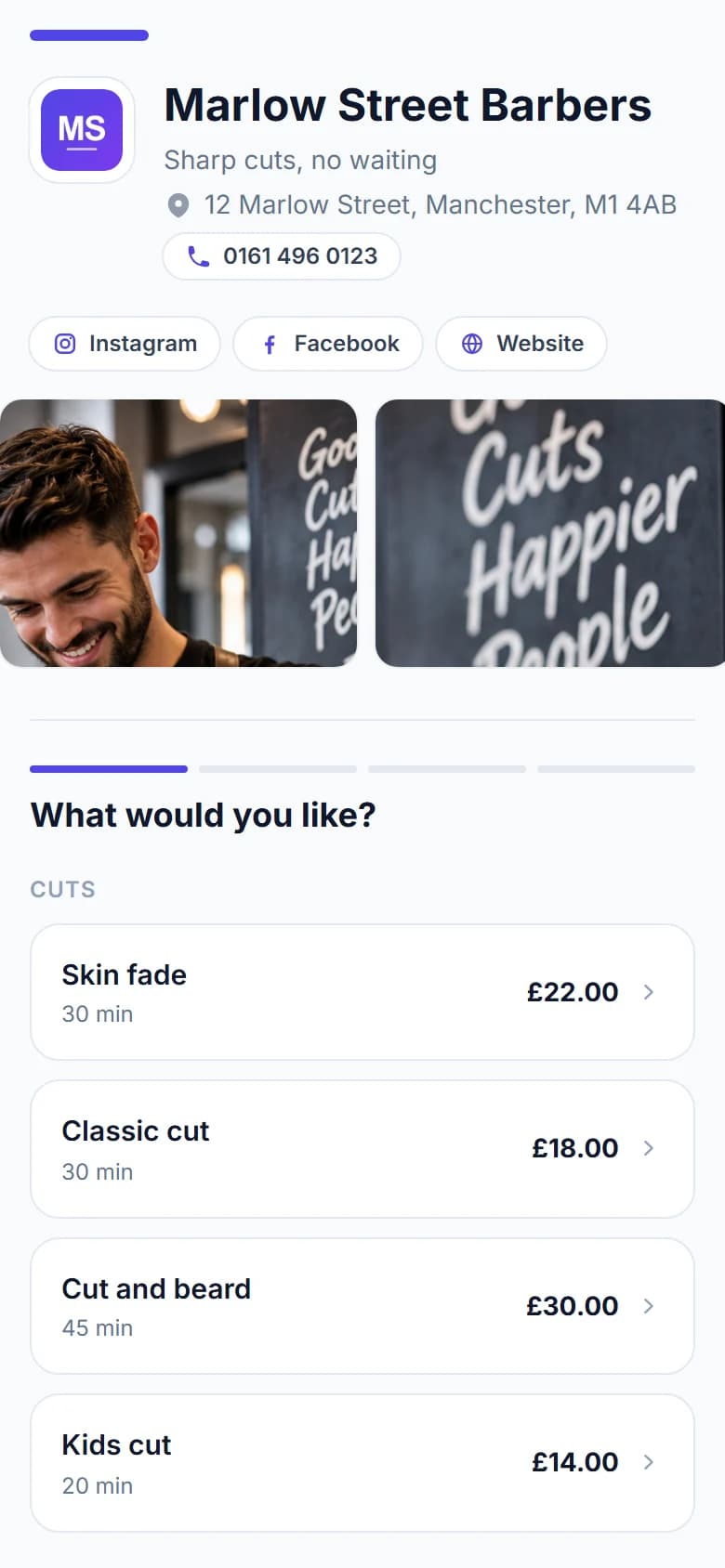
People find a barber, a nail technician or a dog groomer on Instagram or Google, then tap through to book. If the booking page looks like grey software with somebody else's logo on it, some of them stop and wonder whether they are in the right place.
FullDiary is the online booking system for UK appointment businesses, and your booking page is the first thing your customers see of it. It takes a couple of minutes to make it look like yours.
Two designs to choose from
Pick a design, and your colour goes on the buttons unless you give them one of their own.
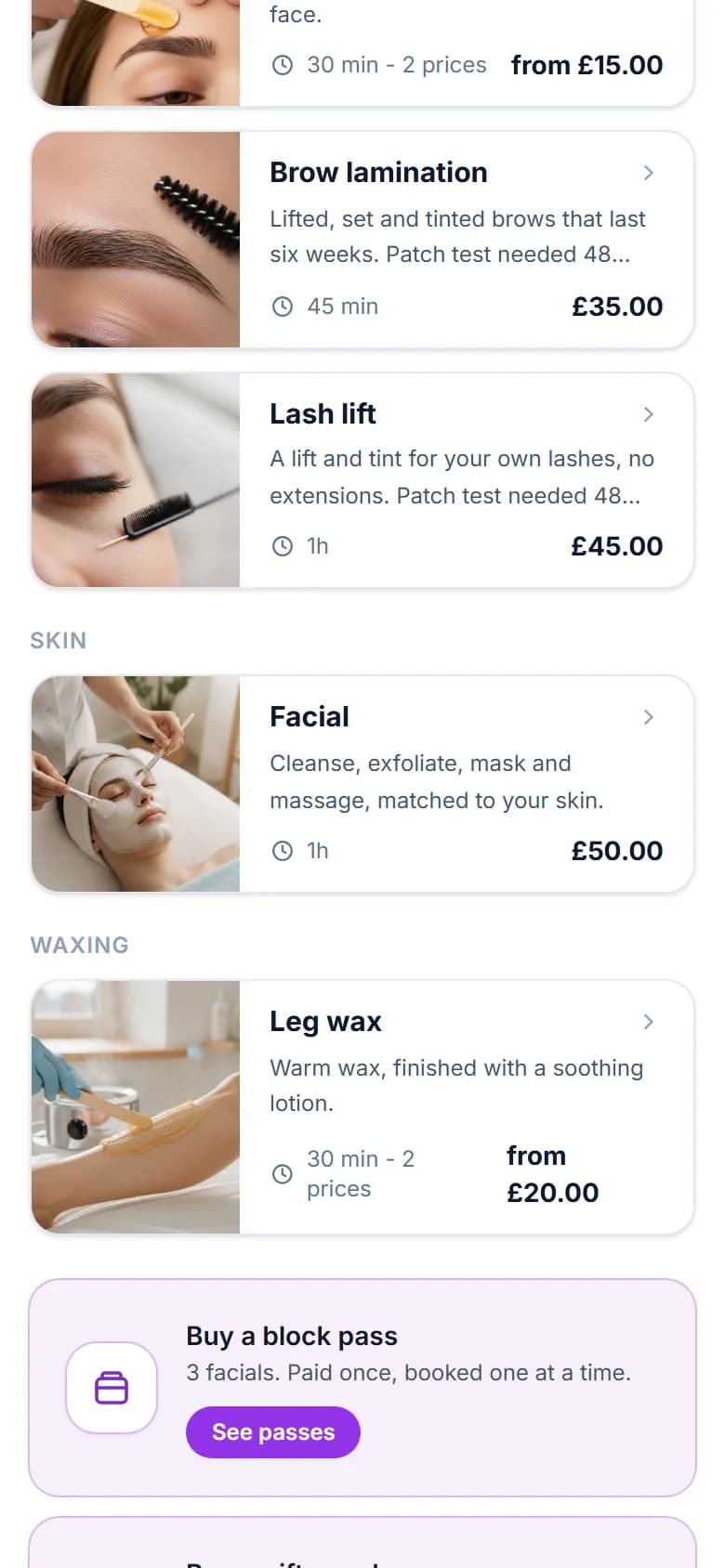
- Showcase. Your shop photo across the top with your logo, name and note over it, numbered steps, and every service as a card with its own picture. A new page starts here.
- Clean. A simple list of what you offer, quick to book from, in one column. The pictures on your services stay saved for Showcase.
Fine-tune it
- Background. White, light grey, cream, a tint of your colour, your colour, dark, more besides, or any colour you pick. The text turns dark or white, whichever reads.
- Buttons. A colour of their own, filled or outline.
- Cards. A line, a shadow or a bold line in your colour.
- Corners. Square, rounded or extra round.
- Headings. Standard, heavy, display or serif.
Chose one of the eight styles this page used to offer? Your page looks as it did. Each became Clean with its own background, corners and headings, so Midnight is Clean on the dark background.
Make it yours
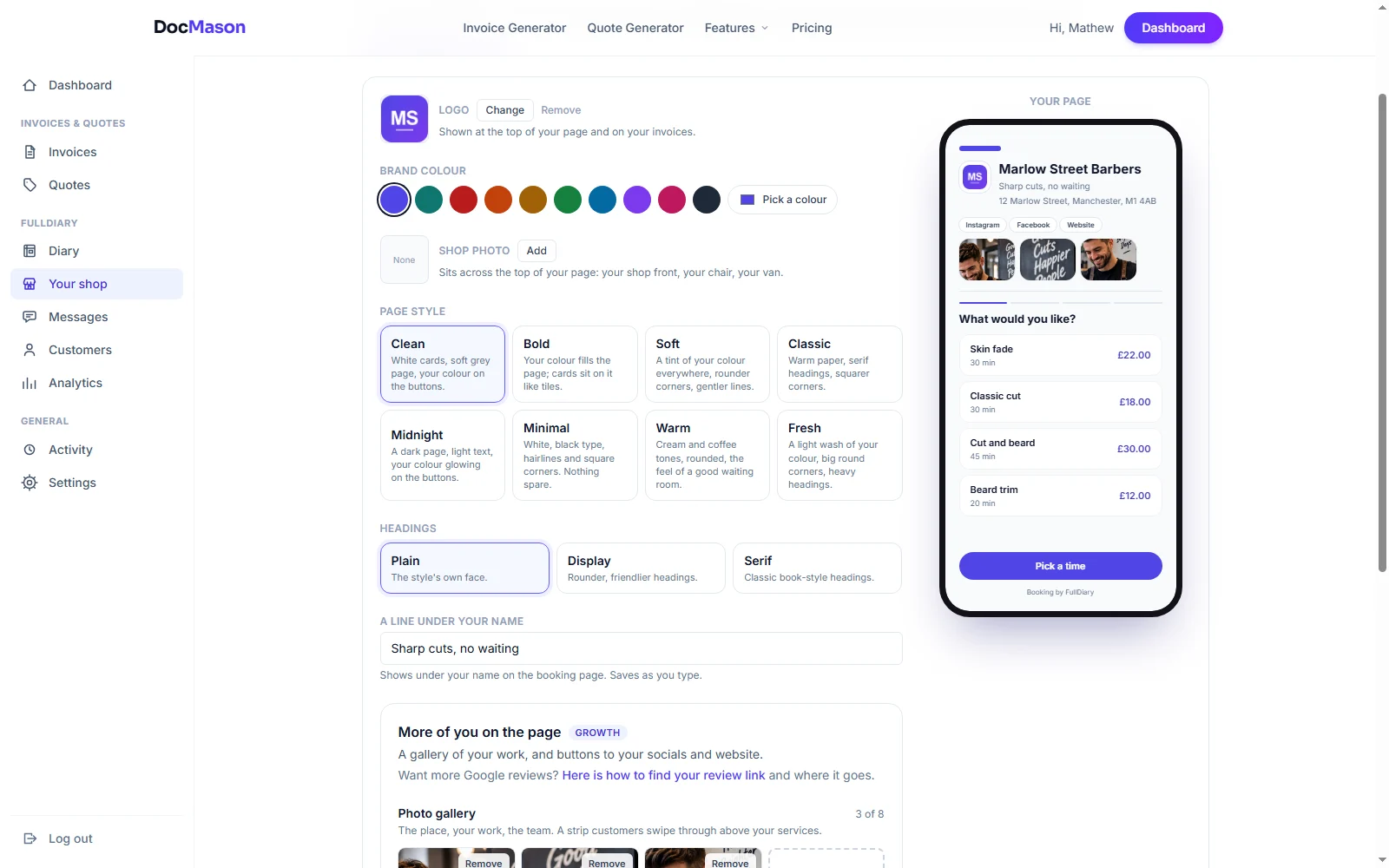
Under Shop settings, Your booking page, add your logo, pick one of the swatches or any colour you like, and add a photo to sit across the top of the page: your shop front, your chair or your van. Write a note for your customers of up to 140 characters to go under your name. A preview beside the controls shows your real page as a phone, a tablet or a computer.
More of you, on Pro
On Pro you can add a photo gallery that customers swipe through before they book, with up to eight pictures of your place, your work and your team, and buttons to your Instagram, Facebook, TikTok and website. It is the part of the page that sells the visit, not just the time slot.
Good to know
- Your link never changes when you change the look, so anything you have already shared keeps working.
- Your page lives at full-diary.co.uk/b/your-business. Using your own web address is not available yet.
- A small Booking by FullDiary line sits at the foot of the page on every plan. Everything above it is yours.
Questions people ask
- Can I use my exact brand colour?
- Yes. Pick one of the swatches or any colour you like. It goes on your buttons and links, and on your invoices too.
- Can I take the FullDiary name off?
- Not at the moment, on any plan. A small Booking by FullDiary line sits at the foot of your page; everything above it is your name, your colours and your photos.
- Does changing the look change my link?
- No. Your link stays the same, so everything you have already shared keeps working.
- Is the photo gallery free?
- Both designs, Fine-tune, your colour, your logo, a photo of your place and the note for your customers come with every plan. The photo gallery and the social links come with Pro, at £9.99 a month a person.
Read next
Written by
Matt SucklingDirector, FullDiary
Matt is a software engineer with over 15 years of experience. He started FullDiary to build a fairer booking system, and he still builds it himself.