
New feature2 minute read
Ask for the details you need when customers book
Your booking page can now ask for a mobile number, a date of birth and an address, each only if you want it. People who have booked before are welcomed back and skip what you already have.

Director, FullDiary
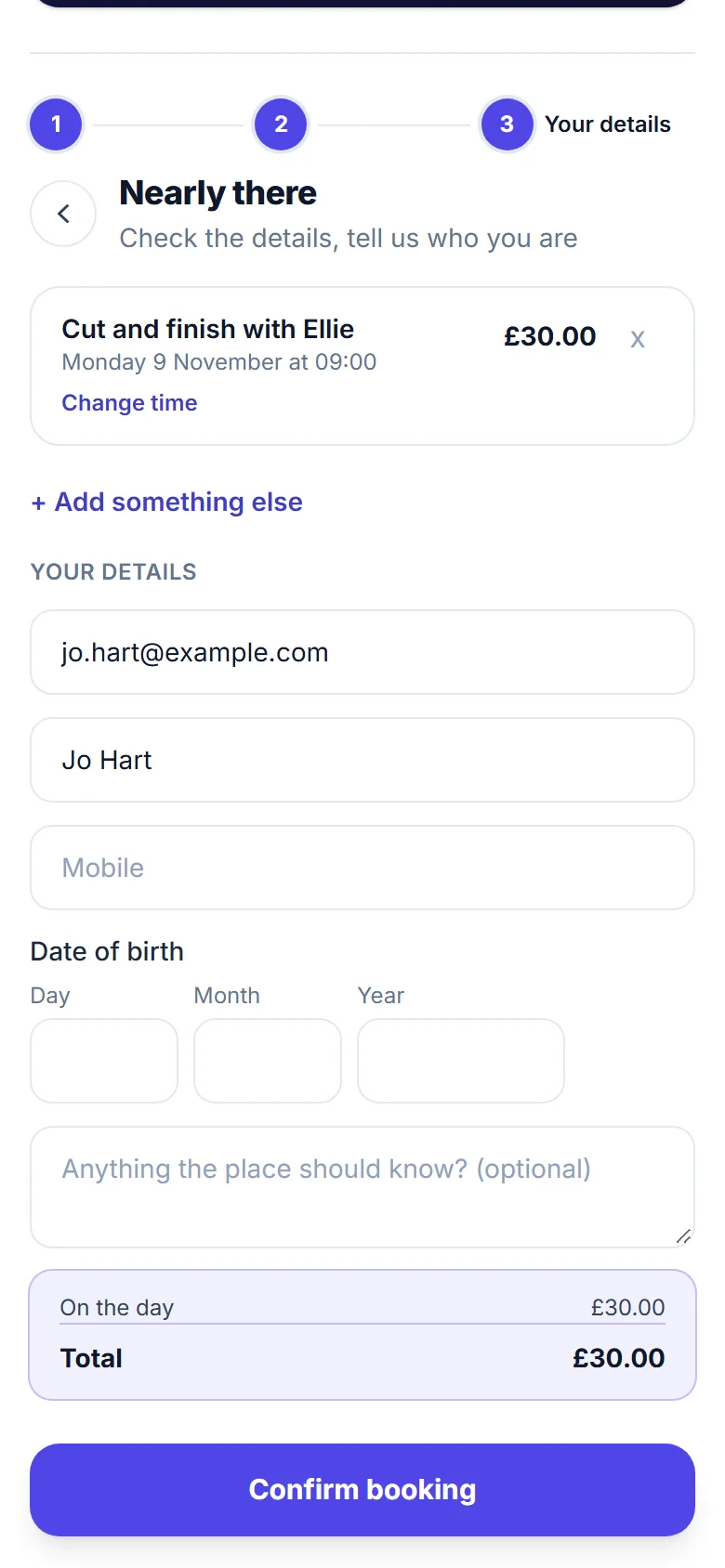
FullDiary is the booking system for UK small businesses, with an online booking page, a diary and payments in one place. Until now your booking page asked for a name and an email, and a phone number if they chose to give one. Now you decide what else it asks.
Ask for what you need
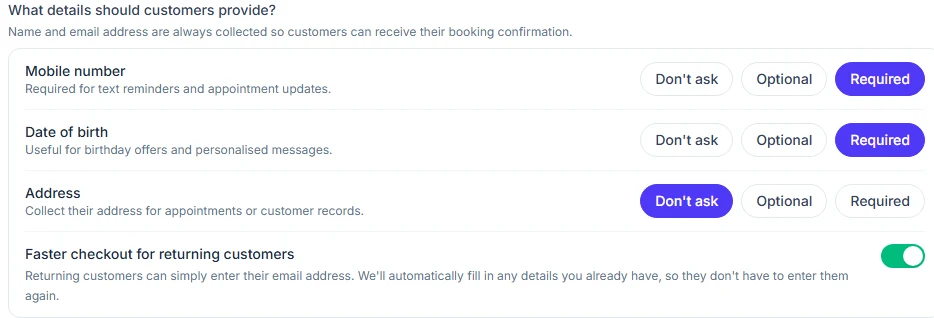
A clinic may need a date of birth for every new patient. A salon that sends text reminders needs a mobile number for each booking. Some businesses like a home address on every record. Each one can be not asked, optional or required, and your customers only see the boxes you want.
Booked before? Straight through
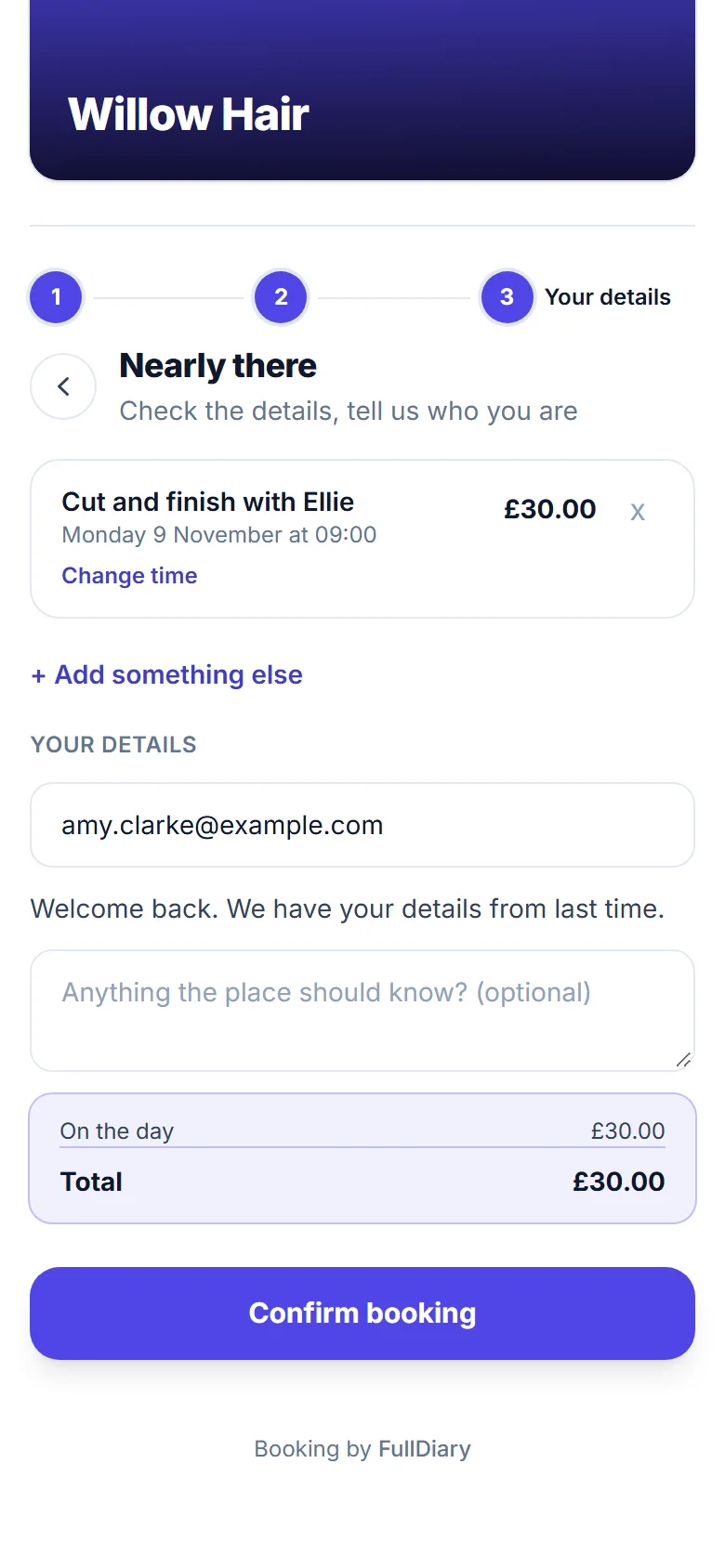
When someone types an email you already have, your booking page welcomes them back and skips their name and anything their record already holds. A regular can book in a few seconds. The page never shows what is on the record, so nobody can see another person's details by typing their email. It is on to start with, and you can switch it off.
Your records stay yours
What a customer types goes on their customer record and fills only the gaps. A number or address you have already saved is never overwritten. If one of your forms asks for a date of birth or an address, it is not asked twice. With the marketing add-on, the date of birth on the record is what the birthday email goes by.
Switching it on
Open Shop settings, Booking rules, and under Before they book choose what you need from them, then save. If you go to your customers, the address is the one you travel to, so it is always asked. People joining a waiting list are asked the same details. The setting is on the website now and comes to the FullDiary app in its next update.
Help: the details customers give when they book
Questions people ask
- Which details can I ask for?
- A mobile number, a date of birth and an address. Each one can be not asked, optional or required, and a name and an email are always asked.
- Do people who have booked before type everything again?
- No. They type their email and are only asked for what their customer record does not have yet.
- Can someone see another customer's details by typing their email?
- No. Your booking page never shows what is on a customer's record. It only leaves out the boxes it does not need.
- Which plan is it on?
- Every plan, Free and Pro.
Read next
Written by
Matt SucklingDirector, FullDiary
Matt is a software engineer with over 15 years of experience. He started FullDiary to build a fairer booking system, and he still builds it himself.