
New feature3 minute read
Book two customers in at the same time
Sometimes two at once is what you want. Your diary now lets you, after telling you who is already there.

Director, FullDiary
FullDiary is the booking system for UK small businesses, with an online booking page, a diary and payments in one place. It has always refused two bookings at once for the same person, for you as well as for your customers.
Most of the time that is right. But some shops do it on purpose. Two regulars who always come in together. A fringe trim beside a colour. A quick fix while another customer waits. Shops moving to FullDiary from other booking systems had bookings like these, and the diary would not take them.
How it works
Add a booking at a time that is taken and FullDiary tells you who is there, as it always has. Under that is a new button, Book anyway. Press it and the booking goes in beside the other one.
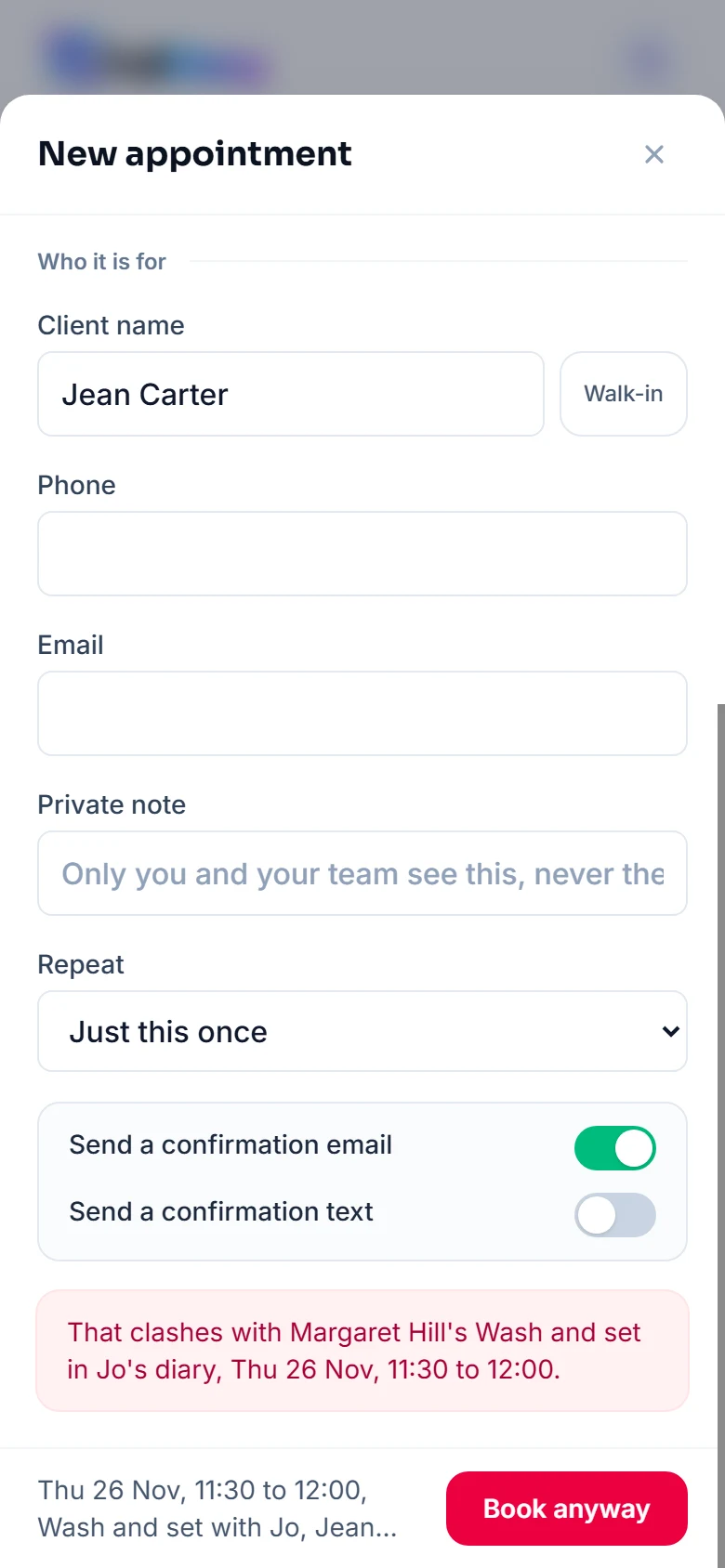
Moving a booking onto another works the same way, and so does making one longer so it runs into the next. You are told who is in the way every time, so nothing is double-booked by accident.
In your diary
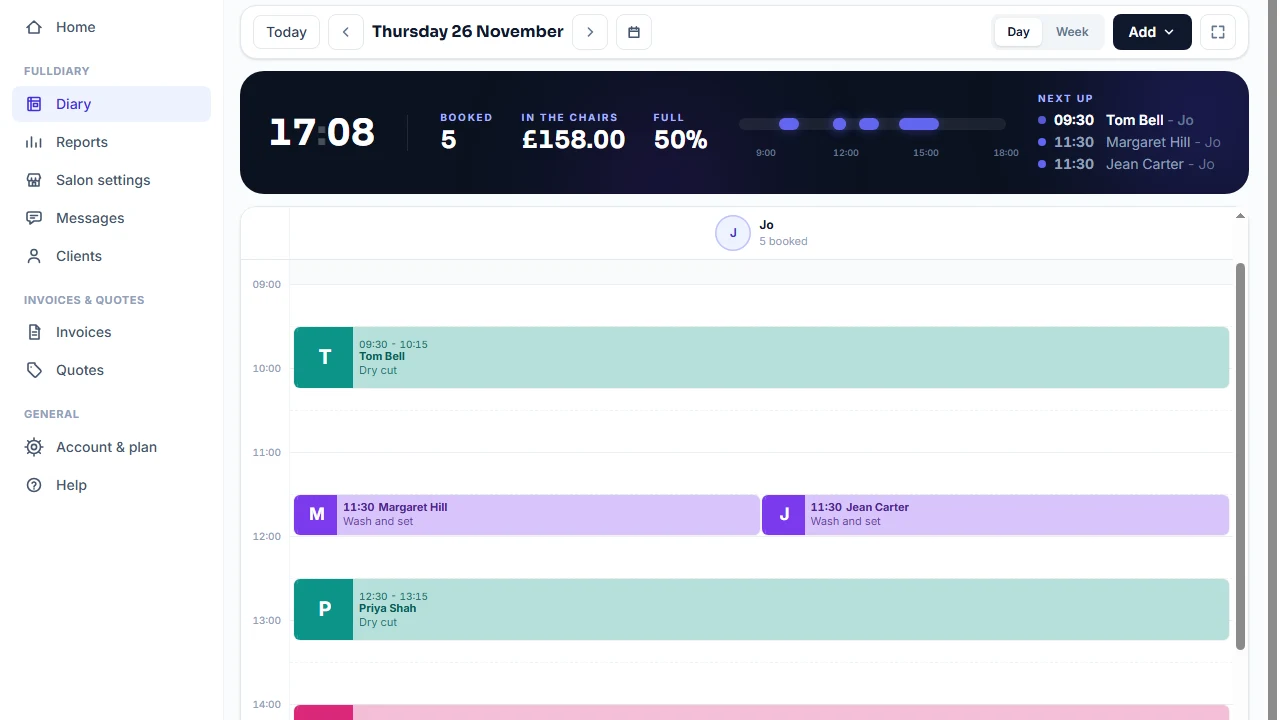
Bookings at the same time sit side by side in that person's column, so you can read and open each one. There is no limit of two, so a third can go in the same way.
Repeats
If a repeat has weeks that clash with another booking, FullDiary says how many it skipped and offers Book them anyway. A repeat made from a booking that was already booked over another carries on doing that each week, so two regulars who share a time are two repeats.
Your customers cannot double-book you
None of this is on your booking page. Online, the time is taken. A customer is never offered it, and a customer moving their own booking is only offered free times.
What it does not do yet
Changing a booking to a longer service is still refused if it would run into another booking, so change its length or move it first. Services that need two or more of your team are not booked over other bookings. Importing bookings from another system still leaves out the ones that overlap, and lists them for you.
In the app
On the website this works today. The FullDiary app for iPhone and Android tells you who is in the way today, and gets the Book anyway button and the side by side diary with its next update.
Questions people ask
- Can customers book at a time that is already taken?
- No. Only you and your team can, from your own diary. Your booking page treats the time as taken.
- How many bookings can overlap?
- As many as you choose. FullDiary tells you who is in the way each time, and you decide.
- Do I have to switch it on?
- No. The button appears when a booking you are adding, moving or making longer clashes with another one.
- Does it work for a booking that repeats?
- Yes. Weeks that clash are skipped and counted, and Book them anyway puts them in.
- Which plan is it on?
- Every plan, free included.
Read next
Written by
Matt SucklingDirector, FullDiary
Matt is a software engineer with over 15 years of experience. He started FullDiary to build a fairer booking system, and he still builds it himself.