
New feature3 minute read
Ten designs for your gift vouchers
Gift vouchers sell best in the run-up to Christmas. Now they can look the part, with ten designs to choose from and a preview of each before you pick.

Director, FullDiary
FullDiary is the booking system for UK small businesses, with an online booking page, a diary and payments in one place. On Pro your customers can buy gift vouchers on your booking page, and you can sell and give them in person too.
Until now every voucher looked the same. Now you can choose how yours look, in time for Black Friday and Christmas.
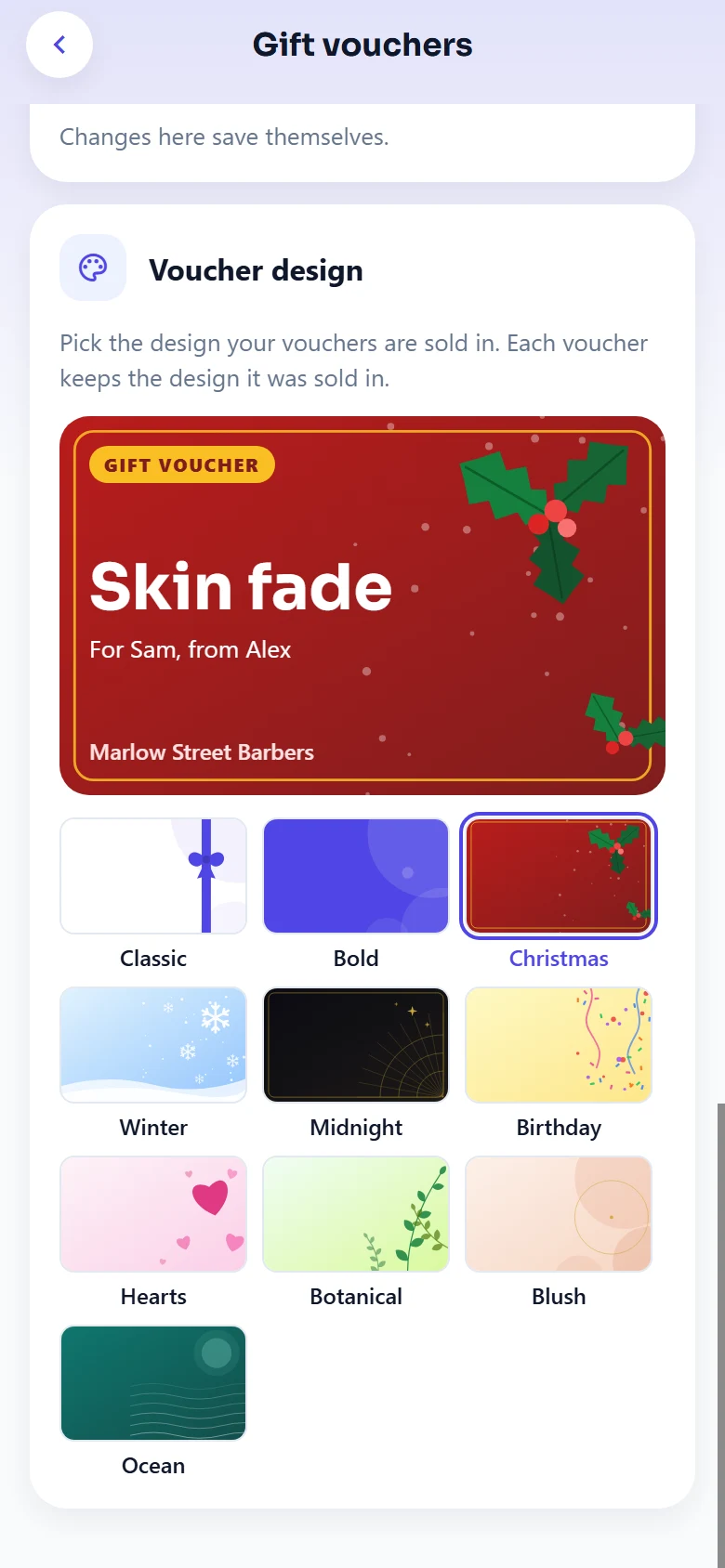
Ten designs to choose from
- Classic. White, with a ribbon in your colour.
- Bold. Your colour, edge to edge.
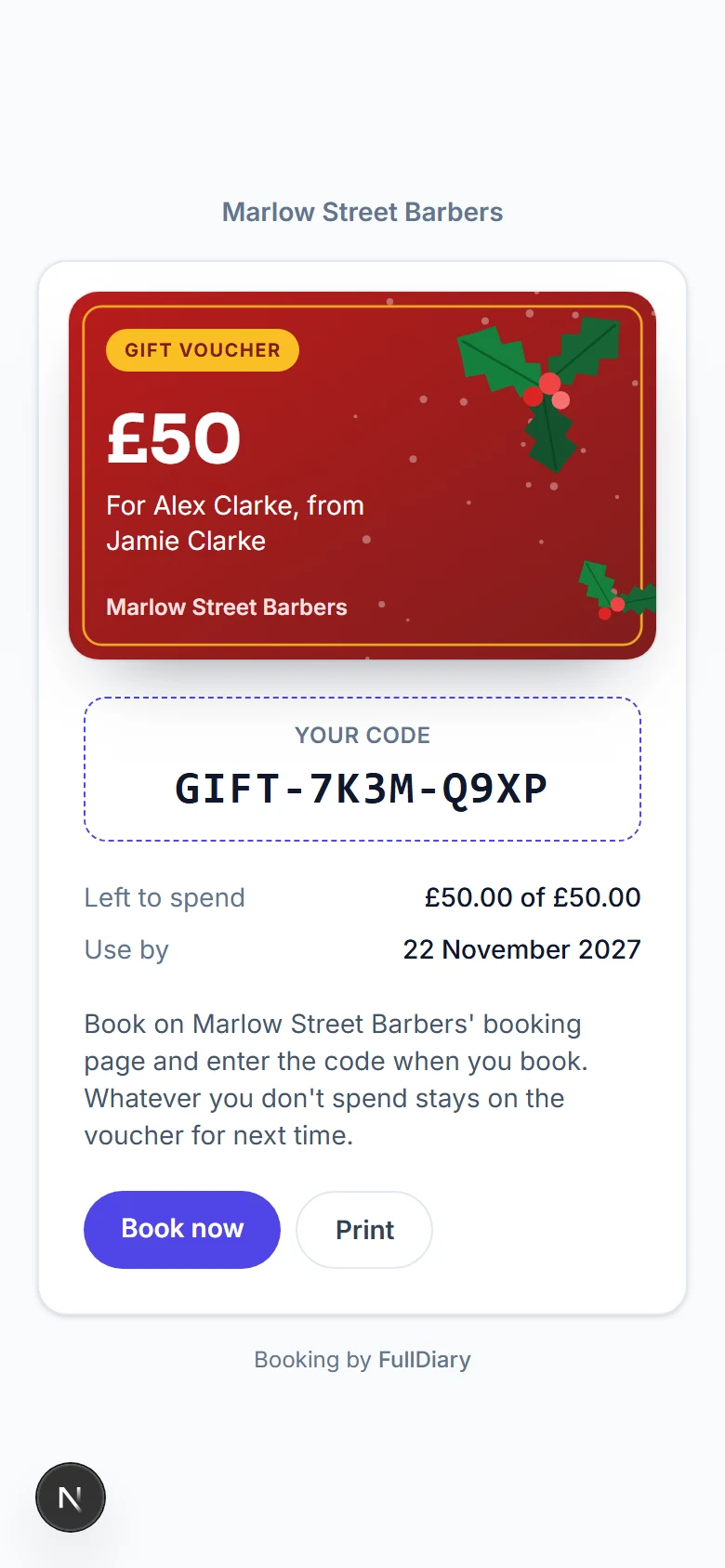
- Christmas. Deep red and gold, with holly.
- Winter. Ice blue, with falling snow.
- Midnight. Black and gold, for something special.
- Birthday. Bright and cheerful, with confetti.
- Hearts. Pink, for Valentine's and Mother's Day.
- Botanical. Fresh green leaves.
- Blush. Soft peach and quiet shapes.
- Ocean. Deep teal, with gentle waves.
How to choose one
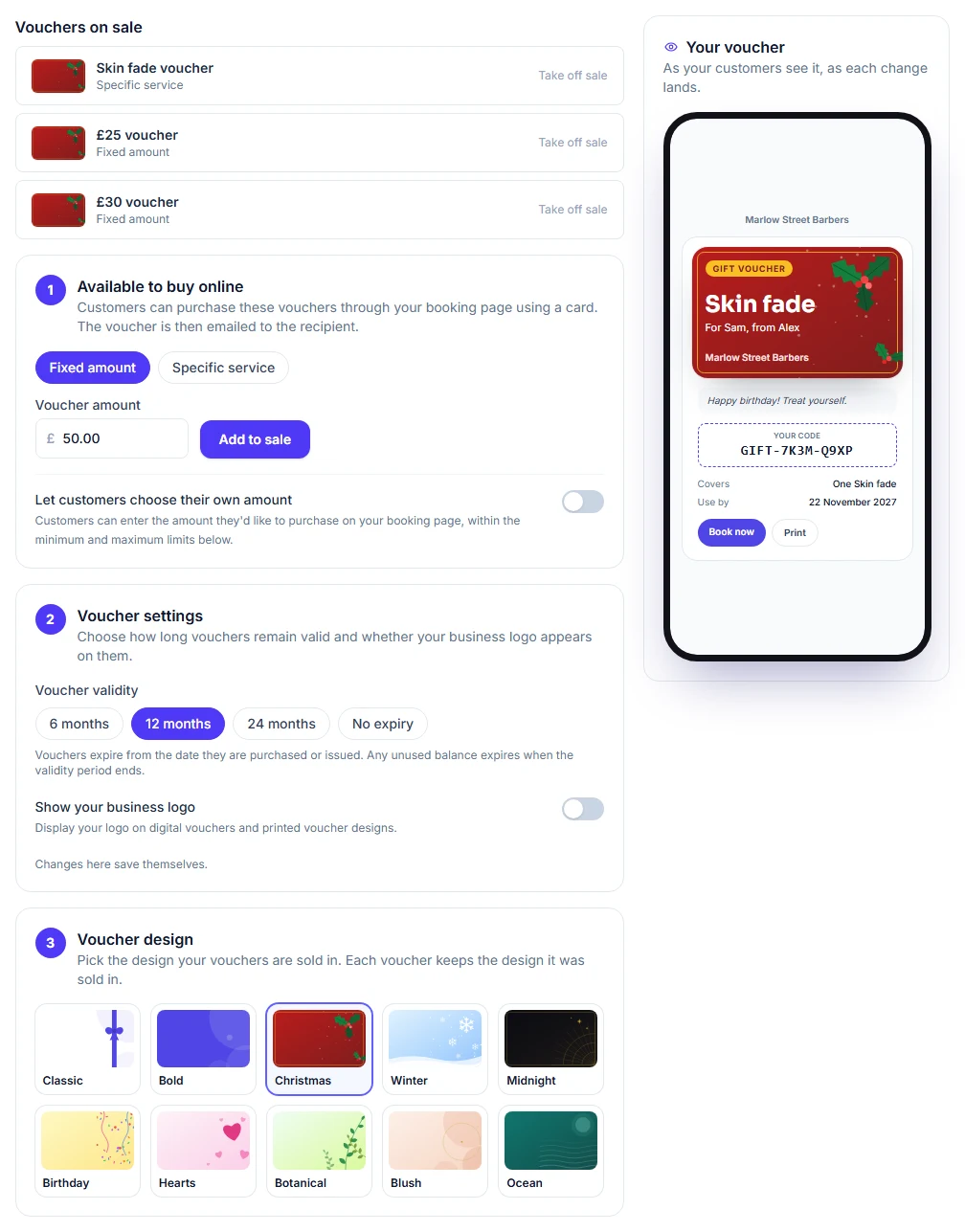
Open Shop settings, then Packages, gift vouchers and discounts, then Gift vouchers. Under Voucher design, pick the one you like. The phone beside the designs shows a voucher in it, in your booking page's colours, so you see it before your customers do.
What your customers see
The design is on the front of every voucher, with the amount or the service, who it is for and your business name. Customers see it when they open their voucher from the email, and it prints the same way.
A different design for one voucher
When you issue a voucher in person, it starts on your usual design, and you can pick another for that one. A birthday voucher can have confetti while the rest stay Classic.
Every voucher keeps the design it was sold in. Switch back to Classic in January and the Christmas vouchers you have already sold stay Christmas.
A clearer Gift vouchers screen
The screen reads more clearly too. What customers can buy online, your voucher settings and the design each have their own section. Your vouchers show how many are active and the balance still to spend.
In the app
The FullDiary app for iPhone and Android gets the designs with its next update, along with a clearer Gift vouchers screen. Tap a voucher there to see it, send it, change its expiry or cancel it.
Questions people ask
- Which plan are the designs on?
- Pro, along with gift vouchers themselves. There is nothing extra to pay for the designs.
- Will vouchers I have already sold change?
- Vouchers sold before the designs arrived show whichever design you choose. Every voucher sold from now on keeps the design it was sold in.
- Can the design use my own colours?
- Classic and Bold are drawn in your brand colour, the one your booking page uses. The other eight have colours of their own.
- Can my logo go on the voucher?
- Yes. Switch on Show your business logo under Voucher settings and your logo sits above each voucher.
Read next
Written by
Matt SucklingDirector, FullDiary
Matt is a software engineer with over 15 years of experience. He started FullDiary to build a fairer booking system, and he still builds it himself.