
New feature3 minute read
Move your lunch break, or skip it, for one day
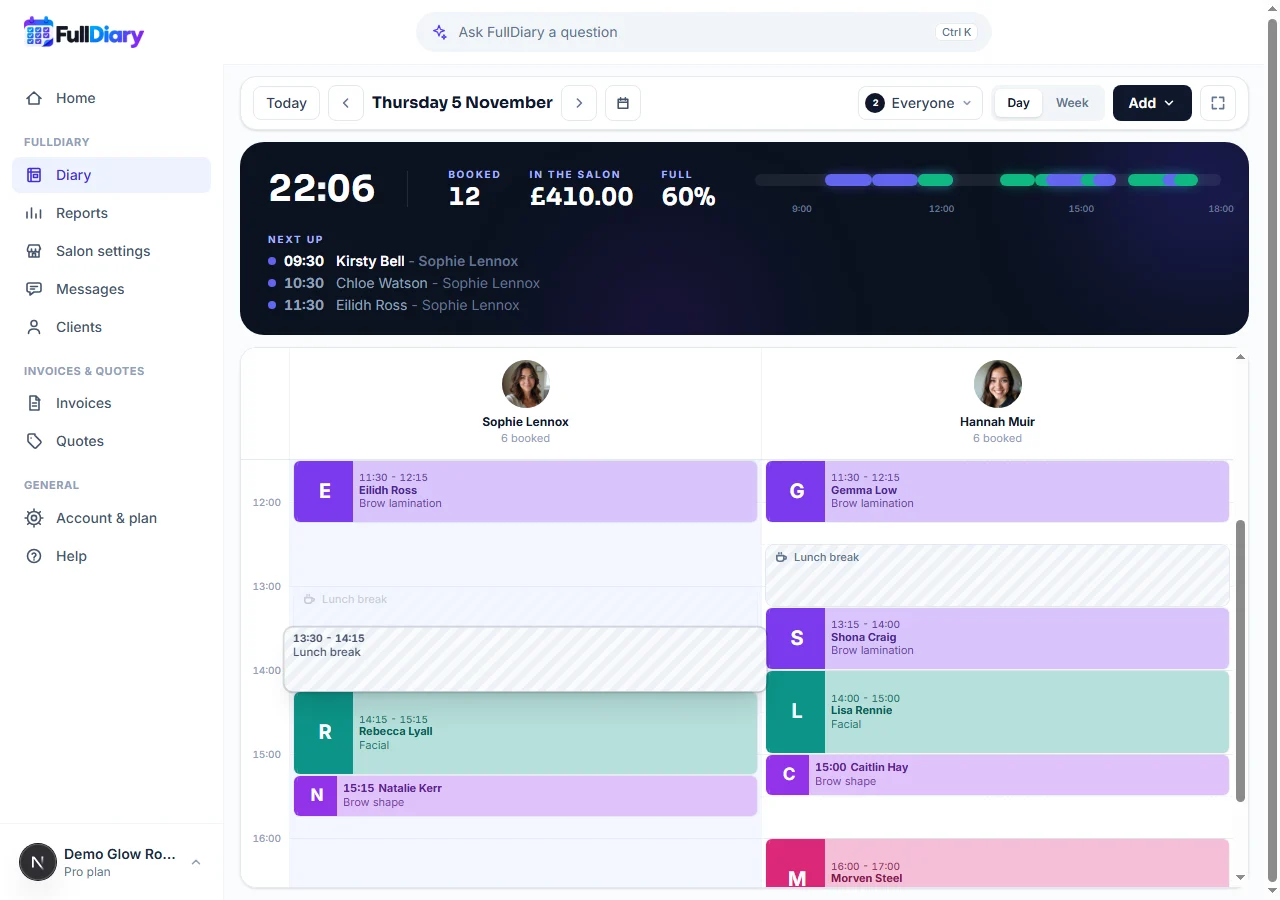
Breaks set in your hours now go in the diary as blocked time. When the morning runs over, drag lunch to later, stretch it, or take it off for the day, and the rest of the week stays as it is. Any blocked time drags the same way.

Director, FullDiary
FullDiary is the booking system for UK small businesses: an online booking page, a diary, reminders and your customers in one place. You set each person's hours once, lunch break included, and the booking page never offers that time. Days do not always go to plan, though, so a break now behaves like any other blocked time in your diary.
Your break, on the day you are actually having
The lunch break in your hours goes into the diary as blocked time on every day you work. When a client runs late or a regular wants the one o'clock slot, drag your lunch to two o'clock. Going home early on Friday? Open Friday's break and remove it. Only that day changes; next week's lunch is where it always is.
Drag any blocked time
- Move it. Press and hold a block, a break, a training session or a dentist trip, and drag it to a new time. In the day view you can drop it in someone else's column, and in the week view on another day.
- Stretch it. Drag the bottom edge of a block to make it longer or shorter, the way you would a booking that ran over.
- Open it. A quick click opens the block, with Remove. Whole days off, like a holiday, are changed from there rather than dragged.
If there is a booking where you drop a block, FullDiary names who it is and asks before blocking that time: Block it anyway, or Keep it where it was. The booking stays booked either way and the customer is not told, so move it first if they need to know.
Just this day, or every week
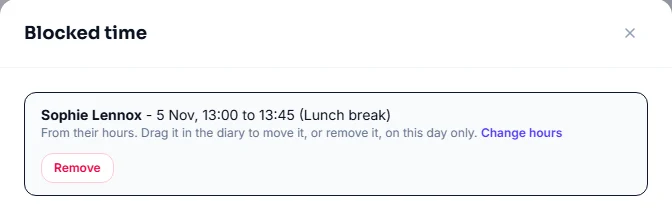
Open a break and it says it comes from that person's hours, with a Change hours link. Change the break there, its time or what sort of break it is, and every week from now on follows. Save the hours without touching the break, and the days you moved or removed stay as you left them.
In the FullDiary app, breaks show as blocked time too: tap one to remove it for the day. Dragging blocked time is on the website.
Questions people ask
- Can customers book my lunch if I move it?
- No. The booking page never offers blocked time, so a moved break is not on sale at its new time, and the time it left is open to book again.
- Will saving my hours undo a break I moved?
- Not unless you change that day's break in the hours. Change Tuesday's lunch time, say, and every Tuesday from now on follows the new time; the other days keep any you moved or removed.
- Can I still book someone over my break?
- Yes. From the diary you can book over a break or any blocked time, as before. Only the online booking page leaves it out.
Read next
Written by
Matt SucklingDirector, FullDiary
Matt is a software engineer with over 15 years of experience. He started FullDiary to build a fairer booking system, and he still builds it himself.