
New feature3 minute read
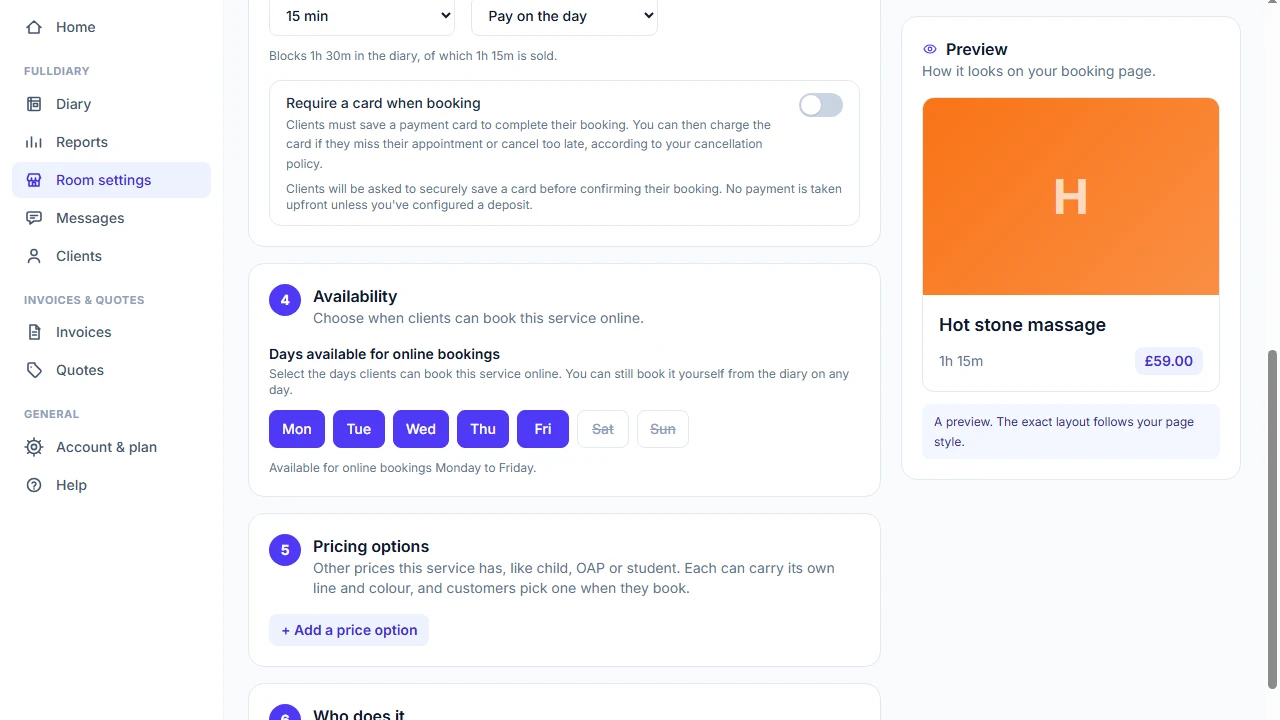
Choose the days each service can be booked online
Some services only suit some days, even when the same people are working. Now each service can have its own days, and your booking page keeps to them.

Director, FullDiary
FullDiary is the booking system for UK small businesses, with an online booking page, a diary and payments in one place. Your booking page offers a service whenever someone who does it is working, which is right most of the time.
But some services only suit some days. A salon might keep its treatments for one to weekdays and take only treatments for two at the weekend, with the same therapists in all week. Working hours cannot say that, because the people are there on both. Now the service can.
How it works
Each service has seven days, all ticked to begin with. Untick a day and that service is no longer offered online on it. Your other services carry on as usual, so the weekend can stay open for the ones you want booked then.
It covers everything your customers do themselves, so booking, moving a booking and the waiting list all keep to the days you chose. When someone books two services together, they are offered the days both can be booked.
How to switch it on
Open Shop settings, then Services, products and prices, and press Edit on the service. Under Availability, untick the days you do not want and save. The list then shows the days under the service, so you can see at a glance which ones are limited.
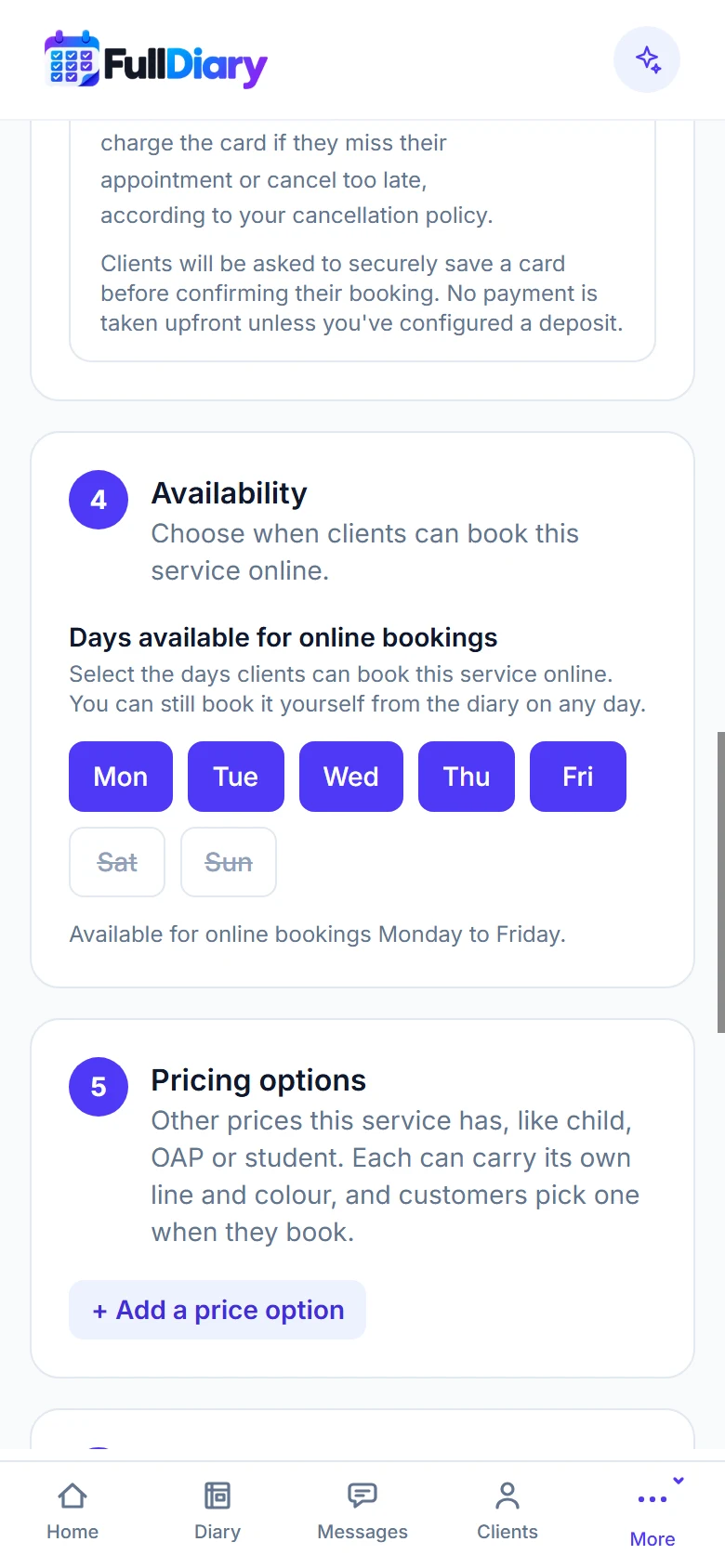
What your customers see
On your booking page the days a service is not offered are greyed out, so customers pick from the days that work.
You can still book it yourself
The days are for your booking page, not for you. If you put a regular in on a Saturday from the diary, the booking is made and FullDiary tells you the service is not available online that day, so it is never a surprise.
What it does not do yet
Bookings already in your diary stay where they are. The setting stops new ones. It is for services, not classes, as a class is on the days you put it in the diary.
In the app
Days you set on the website apply to your booking page straight away. The FullDiary app for iPhone and Android gets the setting, and the message when you book on another day, with its next update.
Questions people ask
- Can I offer one service on weekdays and another at the weekend?
- Yes. Each service has its own days. Untick Saturday and Sunday on one, and leave them ticked on the other.
- Can I still book it on a day I have unticked?
- Yes, from the diary. FullDiary makes the booking and tells you the service is not available online that day.
- What happens to bookings I already have on those days?
- Nothing. They stay in your diary. The setting only stops new online bookings.
- Which plan is it on?
- Every plan, free included. Every day is ticked until you change it.
Read next
Written by
Matt SucklingDirector, FullDiary
Matt is a software engineer with over 15 years of experience. He started FullDiary to build a fairer booking system, and he still builds it himself.