
For music teachers
The simple
booking system
for music teachers.
Pupils book a weekly lesson online and keep their slot all term. After each lesson, they see what to practise and how each piece is coming on.
No card. Free for 20 bookings a month.
- Fewer no-shows
- Set up in minutes
- No commission, ever
“FullDiary makes managing bookings simple, organised and completely stress-free.”
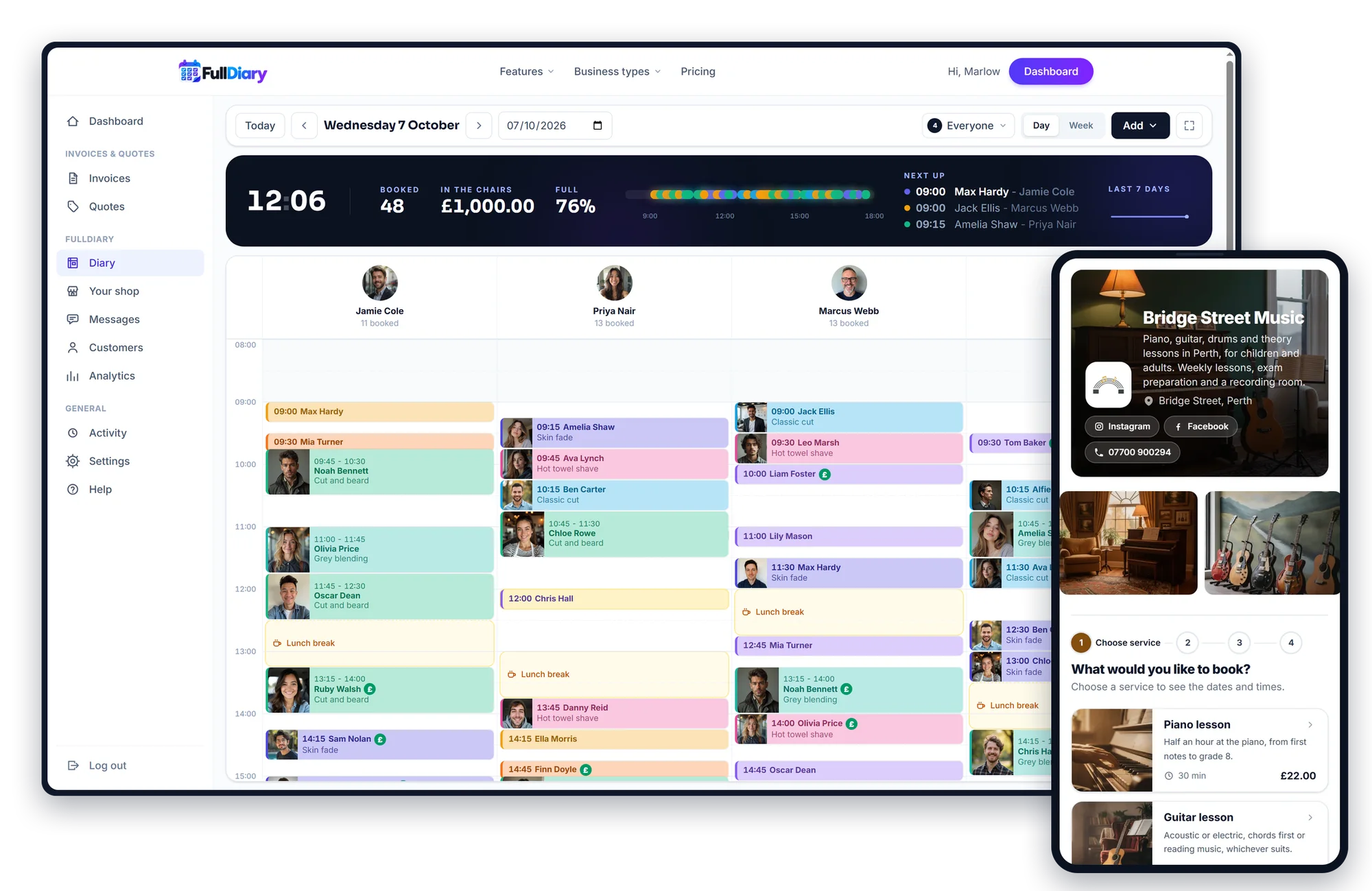
Sound familiar?
Twenty pupils, and a notebook of who has paid?
A music teacher's week runs on the same slots, term after term. The fees and the practice notes are where it gets messy.
Fees chased lesson by lesson?
Cash in an envelope one week, a transfer the next, and a list of who still owes.
Parents pay as they book, or buy the whole term up front on Pro.
Cancelled the night before?
A school trip or a cold, and the slot sits empty for the week.
A saved card covers a late cancellation, and a reminder goes the day before.
Did they practise?
The practice notes go home in a notebook, and the notebook stays in the piano stool.
What to practise this week shows on the pupil's own page, where a parent can see it.
Paying for a booking system that takes a cut?
A slice of every new client, a fee per booking, a price that climbs with every person you add.
FullDiary is £9.99 a person, never more than £39.99 a month, and takes nothing from any booking. Ever.
No card. Free for 20 bookings a month. Set up in minutes.
How it works
How FullDiary works.
FullDiary gives you your own online booking page and link. Share it on your website, Instagram, Facebook, Google, WhatsApp, wherever your customers find you. Then:
- 01
Share your booking link
FullDiary gives you your own booking page, showing your services, prices and availability.
- 02
Pupils book themselves
Pupils open your link, choose a service, pick an available time and confirm their appointment, 24/7.
- 03
It appears in your diary
The booking is added to your FullDiary automatically, so you always know who is booked and when.
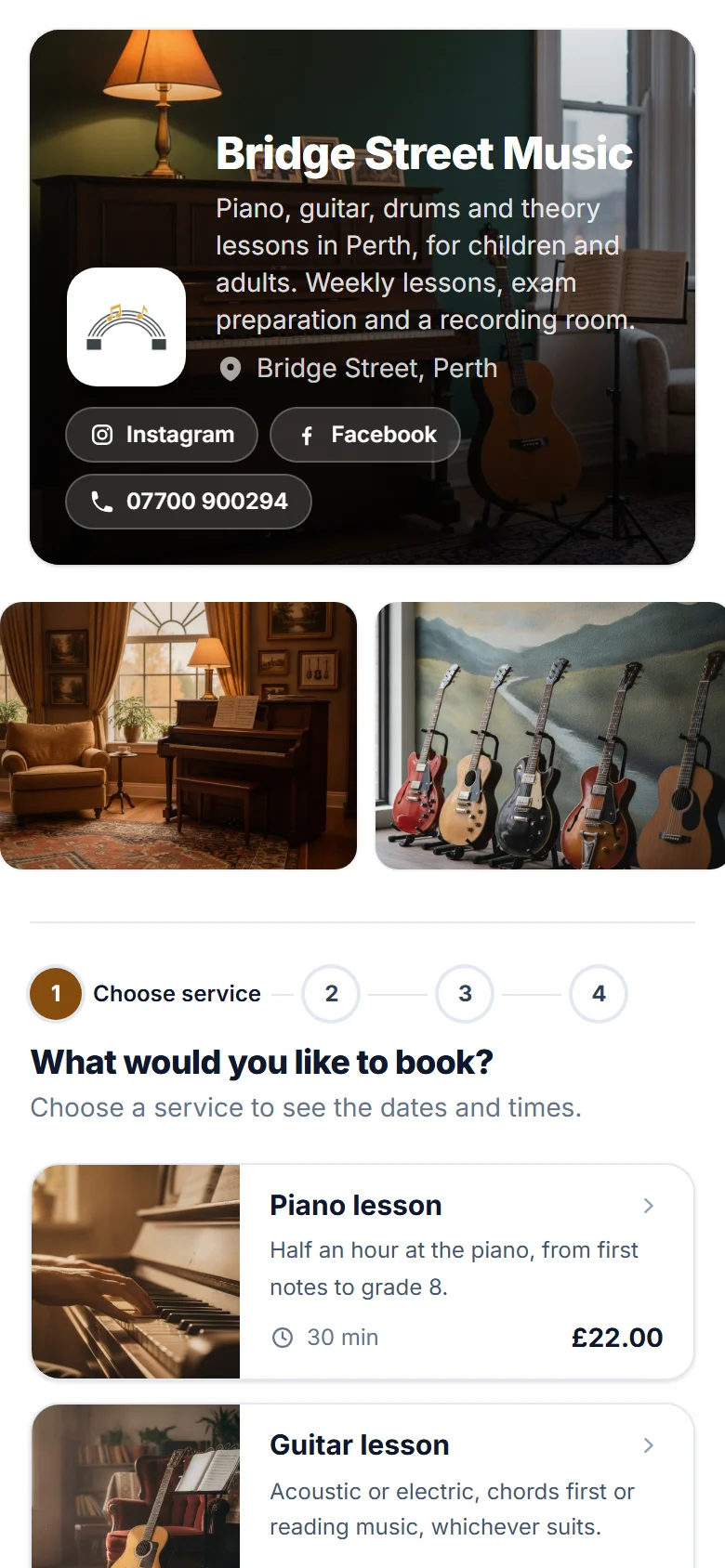
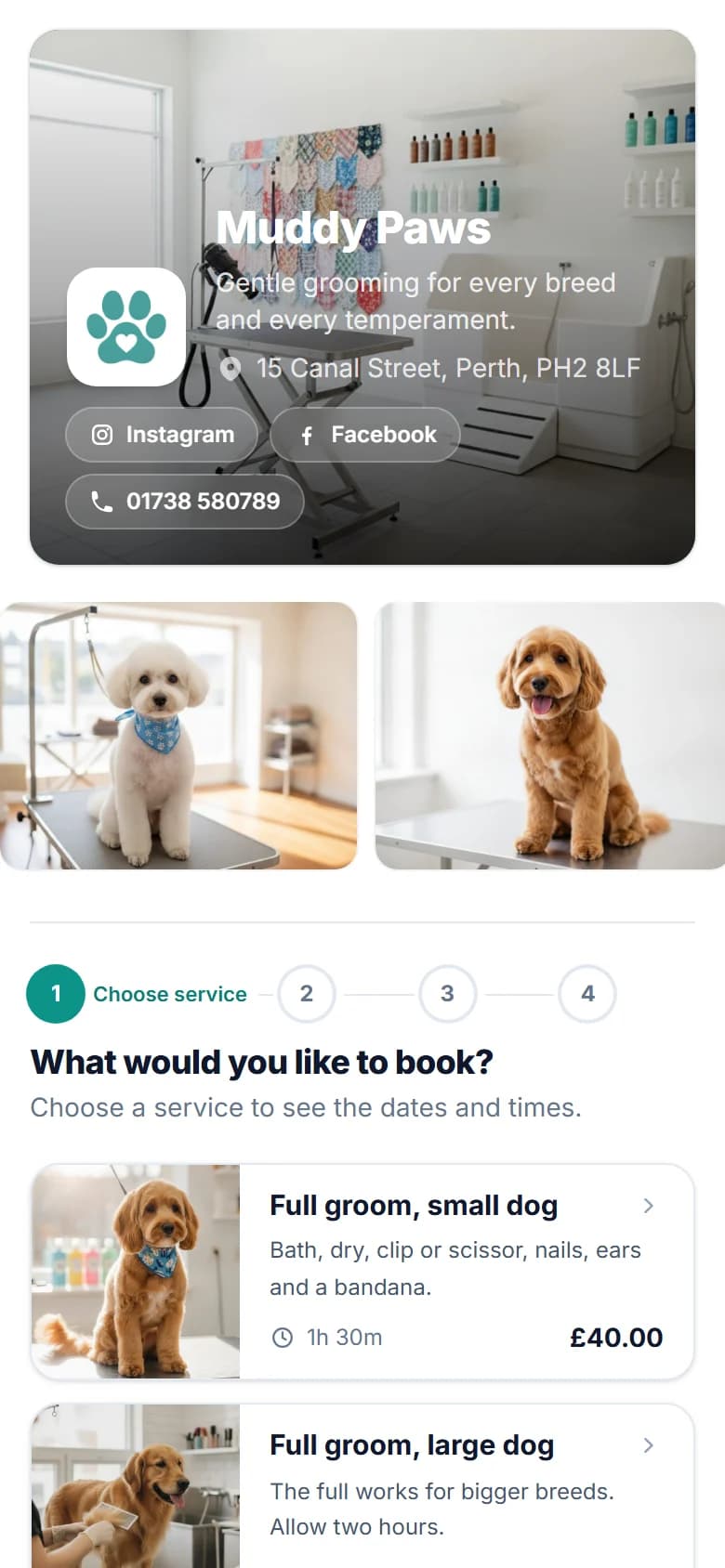
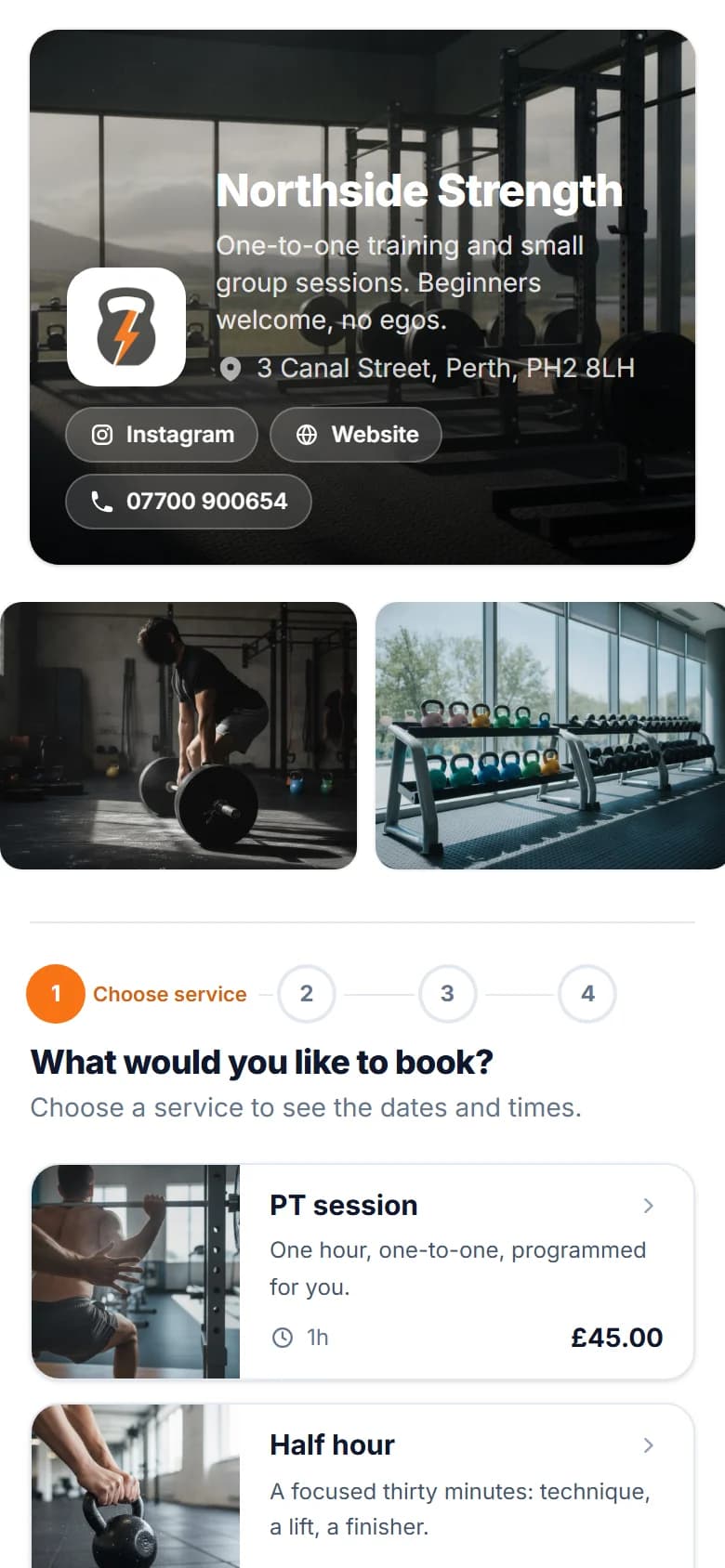
Your booking page
Your booking page. Your brand.
Make your booking page look like your business, not another generic booking app.
On every plan
- Your logo and brand colour
- Two designs, light or dark backgrounds
- A photo of your shop across the top
- Heading fonts and a note for your customers
On Pro
- A gallery of up to eight photos
- Instagram, Facebook, TikTok and website buttons
Savednow
Your page has its new look.
The FullDiary diary
One diary, whether you're solo or a team.
Every teacher has their own column, half hours and hours sit at their real length, and this week's pupils are on your phone.
- Bookings
- Staff
- Walk-ins
- Customers
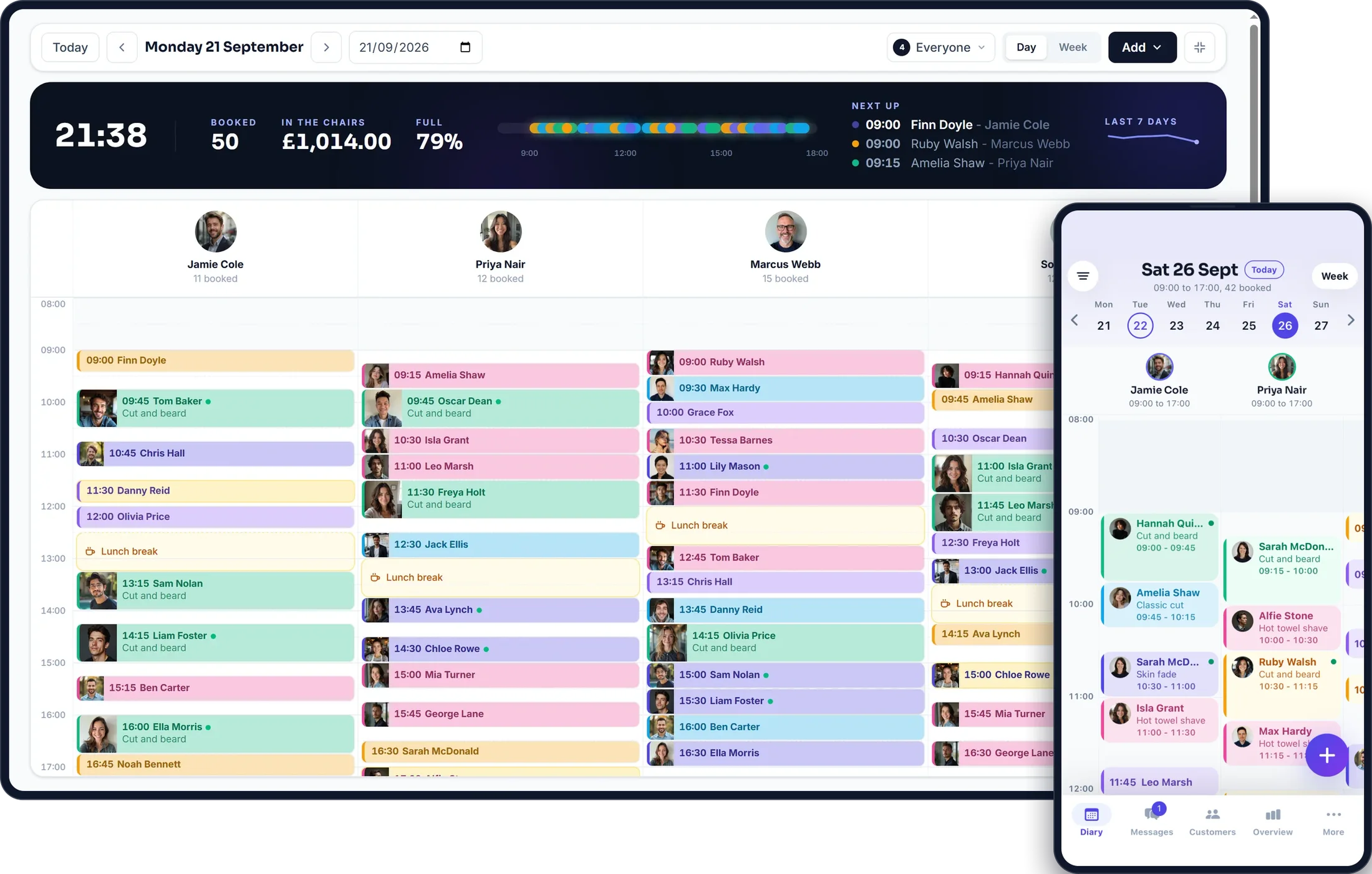
Bookings move with a drag, walk-ins go straight in, and every appointment can be marked done, cancelled or a no-show.
The same diary for everyone on the team, wherever they are: on a computer, in the browser on any phone, and in the FullDiary app on iPhone and Android.
Before they arrive
Less chasing. More doing.
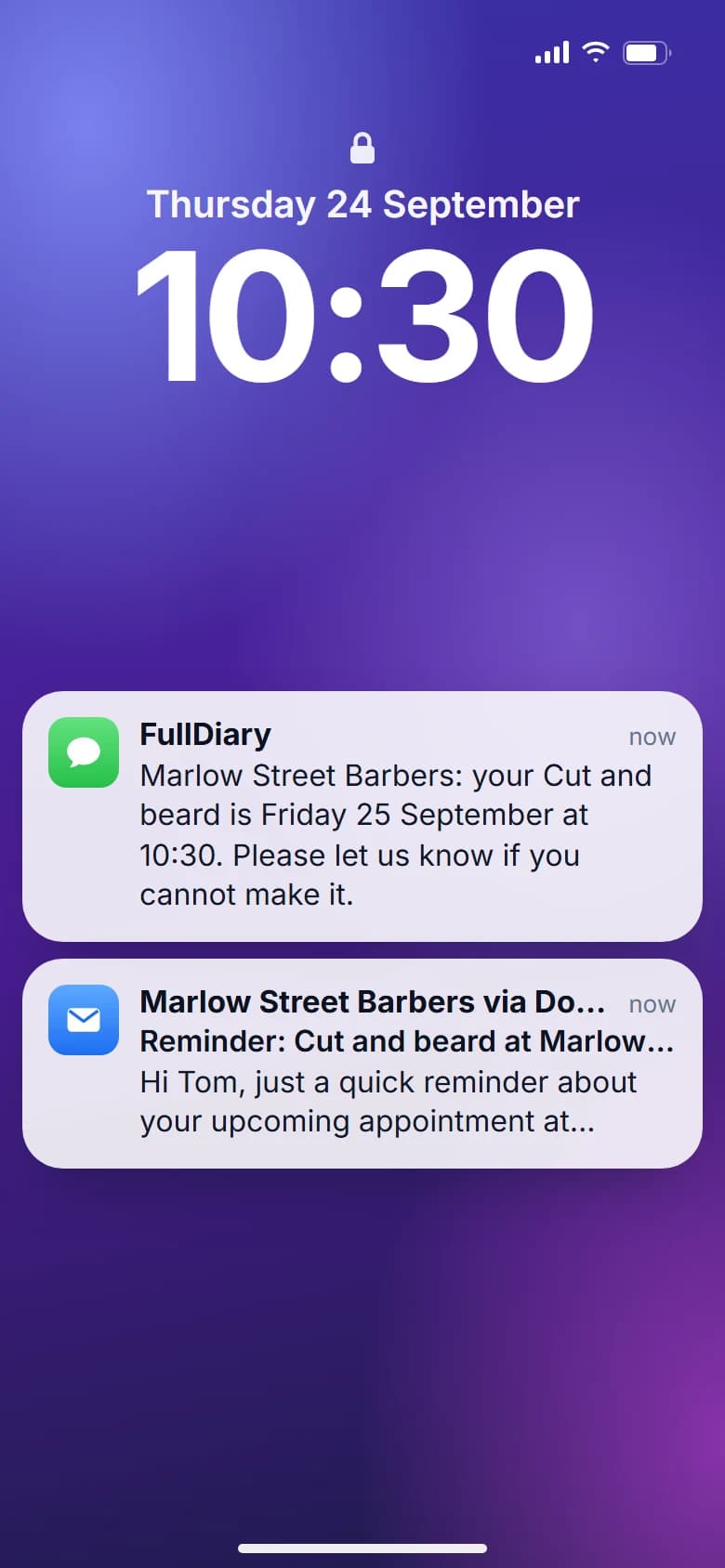
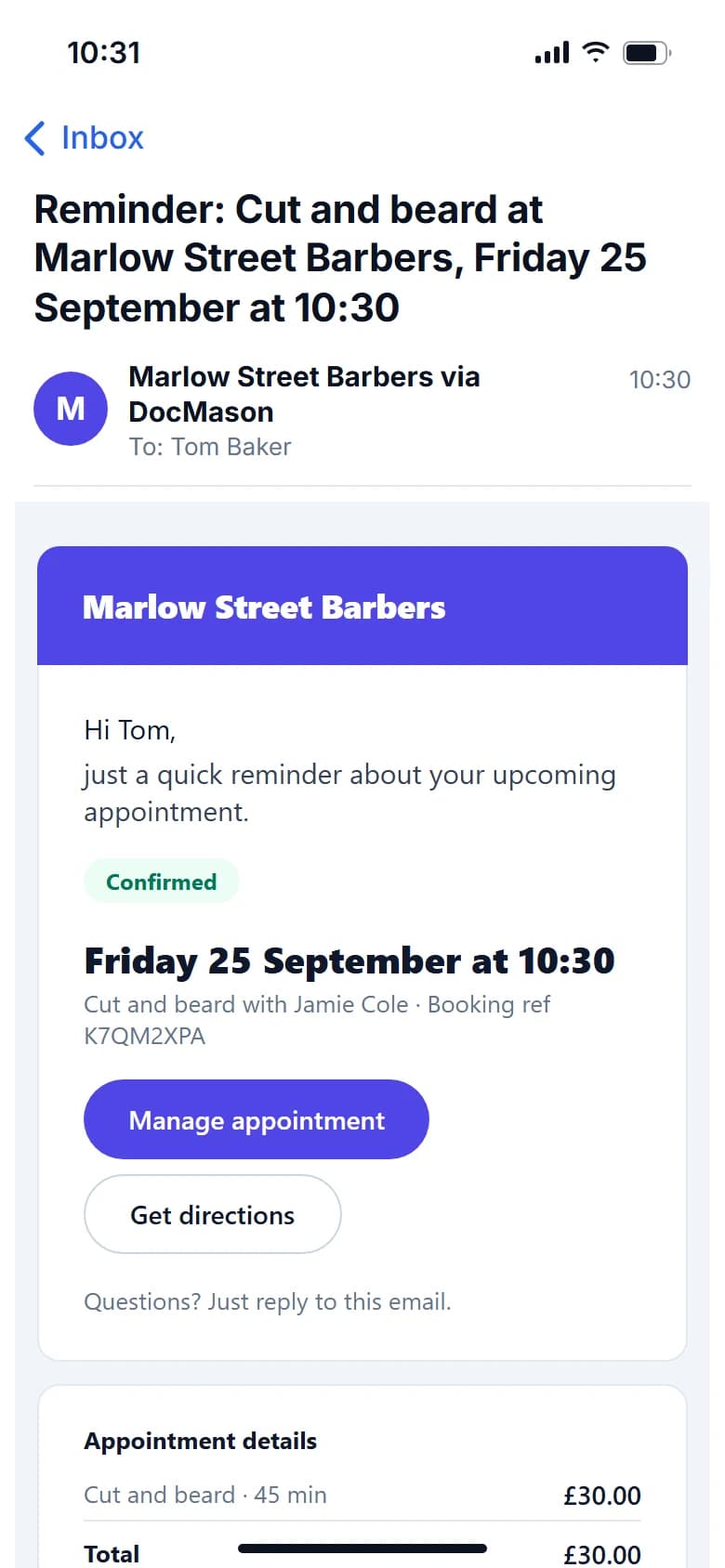
FullDiary automatically keeps customers updated with confirmations, reminders and booking changes. And if you need forms or customer information before an appointment, you can collect it all in advance.
- Booked
- Confirmed
- Reminder
- Appointment
Keeps them updated
- Booking confirmations
- Appointment reminders
- Booking changes
- Customer messages
Gets the answers first
- The pupil's name and age
- Their instrument
- Grade or level
- How to reach a parent
Customers complete forms before they arrive. Their answers stay with their booking.
The overview
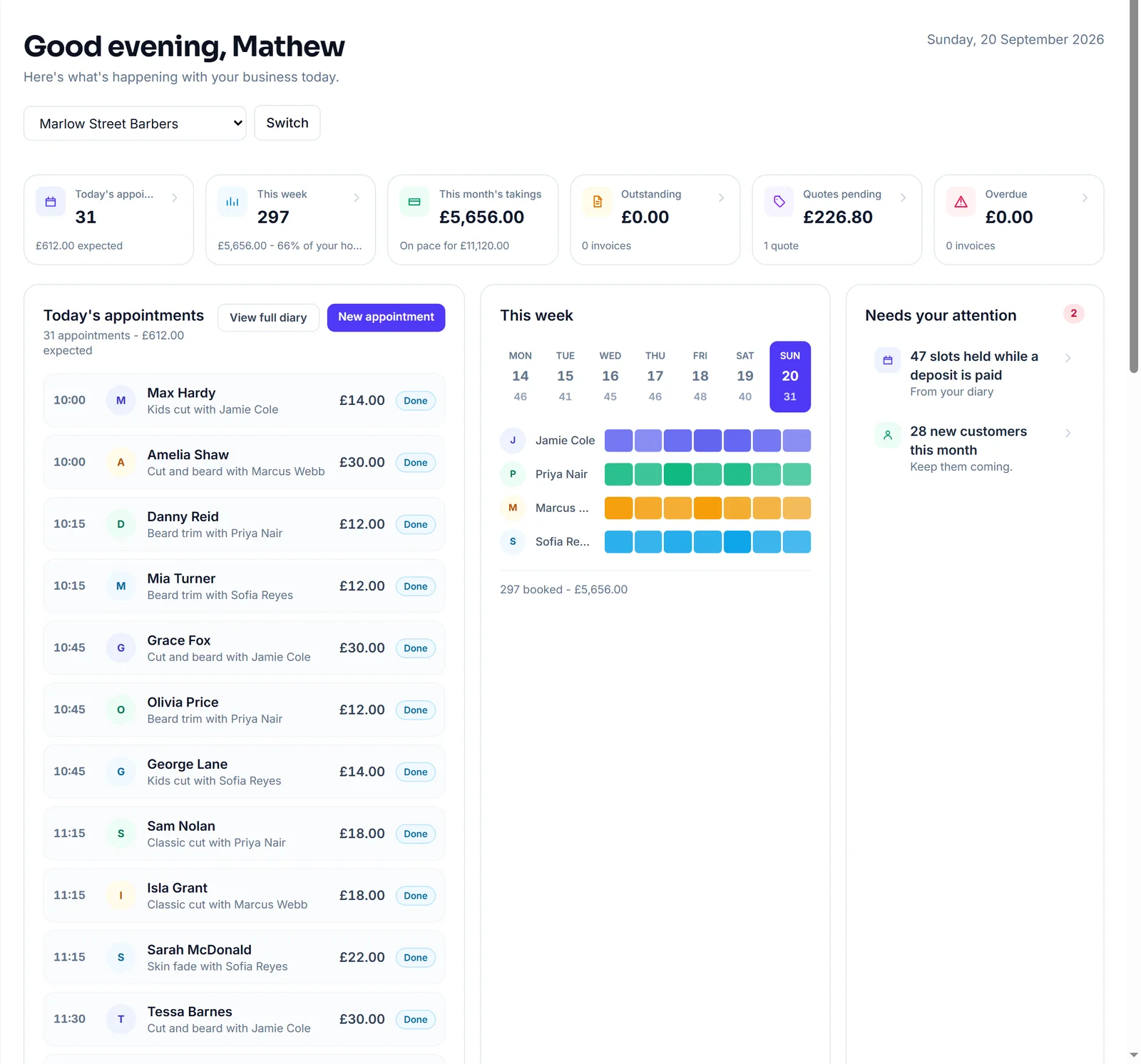
Next month's lessons, in pounds
The overview shows the lessons already booked in pounds, every teacher's week as coloured bars, takings, and how many lessons came through your booking page rather than the phone.
- The weeks ahead, in pounds
- Every teacher's week side by side
- How many pupils your booking page brought in
Payments
Get paid your way:
on the day, a deposit or in full.
Take a deposit, full payment or no payment at all when customers book online, whichever suits the service.
- Paid straight into your own Stripe account
- A deposit or full payment at booking
- No booking commission
- Going to the customer? A travel charge is on Pro
Deposit received
£20.00
- Customer
- Shona Baird
- Service
- Recording session
- When
- Saturday, 10:00
- Left to pay on the day
- £60.00
The money lands in your Stripe account, not ours. The slot is held while they pay.
After the appointment
Your booking doesn't stop when the appointment does.
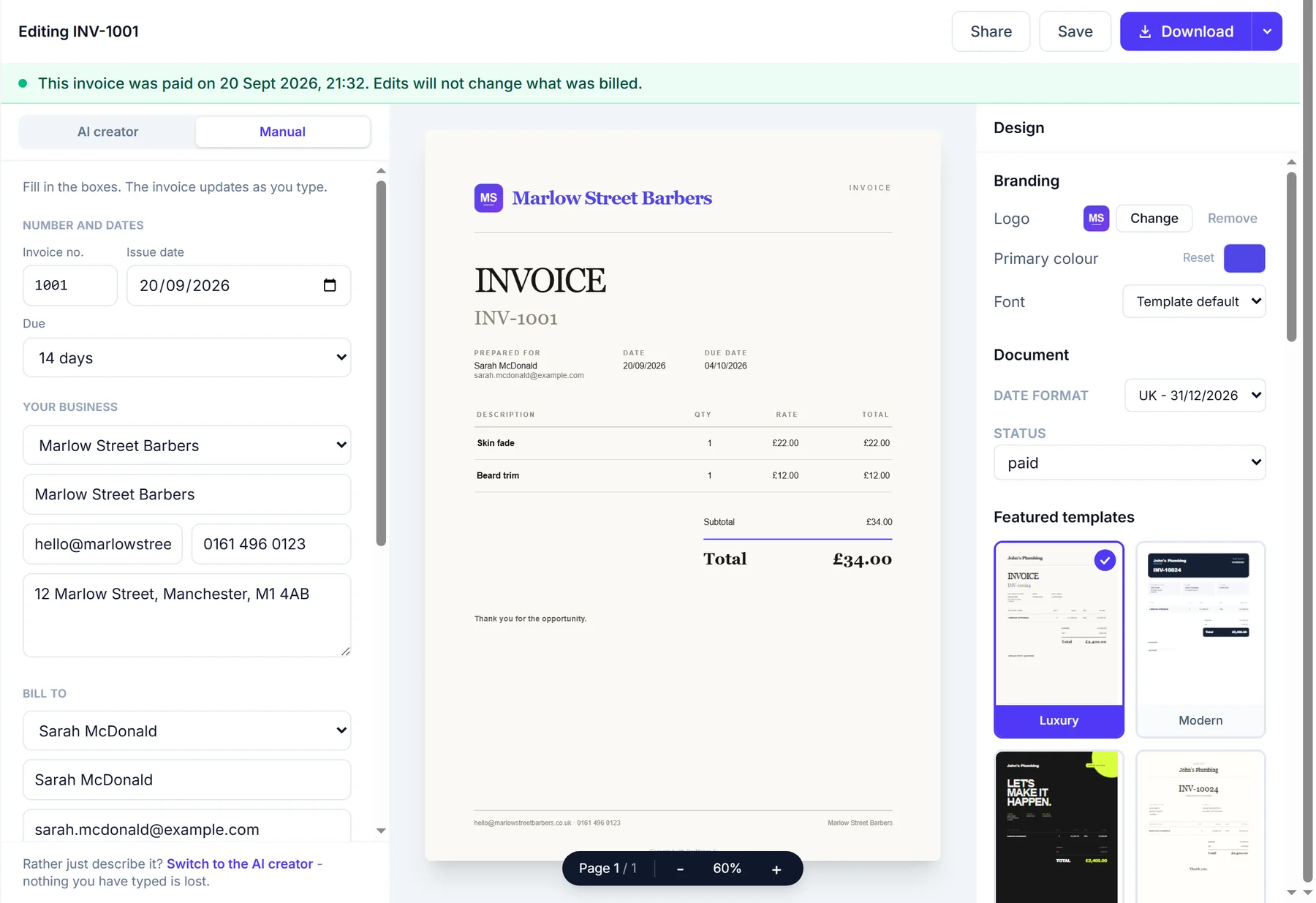
Finished bookings can flow into your invoices, payments and business admin.
- Booking
- Completed
- Invoice
- Paid
Invoices
Turn completed work into invoices.
Quotes
Create and send quotes when you need them.
Payments
Keep track of what has been paid and what is outstanding.
Your customers
Turn every booking into a returning customer.
Every booking automatically builds a customer record, so you can see their history, preferences and information in one place.
- Contact details in one place
- Everything they have booked before
- Notes and forms kept with the customer
- A come-back email when they have been away

Customer
Sarah McDonald
- Next appointment
- Mon 21 Sept, 16:30
- Beard trim
- Last appointment
- Sat 19 Sept
- Skin fade
- Completed
- 10
- since Sat 14 Mar
- Spent
- £244.00
- no no-shows
Everything so far
- Skin fade with Jamie ColeSat 19 Sept£22.00
- Cut and beard with Jamie ColeSat 22 Aug£30.00
- Skin fade with Priya NairSat 25 Jul£22.00
New bookingnow
Sarah McDonald booked Beard trim with Priya Nair, Mon 21 Sept, 16:30
Why FullDiary
You keep the money and the customers.
No commission
Keep what you earn. FullDiary doesn't take a percentage of your bookings.
No marketplace
Customers book directly with your business, with no competing businesses or listings beside you.
Simple pricing
One monthly price, and nothing added per booking.
Switching is simple
Already using a booking system?
Switch in a few minutes.
Bring your customers with you, answer six quick questions and share your new link. No retyping, no starting again.
Bring your customers
Your list comes across from your old system, with names, numbers, emails, birthdays and addresses, and you check the columns before anything imports.
clients.csv
312 customers
- Client nameName
- MobilePhone
- EmailEmail
Works with exports from Fresha, Booksy, Setmore, Cliniko, Bookwhen, Book in Beautiful and spreadsheets.
Your page, set up
Six quick questions about what you do, your hours and your services, then your page is live and looks like yours.
- Skin fade30 min£22
- Kids cut20 min£14
- Beard trim15 min£10
- + Add a service
Start taking bookings
Your link goes on Google, Instagram and WhatsApp, and customers start booking themselves in.
- Bookings you already have go into the diary in a few taps, and regulars repeat by themselves
- Gift vouchers you sold before keep their code and what is left on them (on Pro)
- From Cliniko, treatment notes and appointments come too; from Bookwhen, class bookings and passes; from Book in Beautiful and Setmore, appointments
Rather we did it for you? We'll move your clients and services across, and your bookings where we can.
Send us your filesFree to start, no card required. Moving, step by step
What comes with it
Everything FullDiary handles for music teachers.
Before they arrive
- A weekly slot, booked onlineParents see your free times and book the lesson themselves, at any hour, from one link.
- Brothers and sisters in one goA parent books both children's lessons in one checkout, back to back if you like.
- New pupils, before they arriveTheir instrument, their level and any exam coming up, asked on the booking page before you meet.
- A reminder the day beforeBy email, and by text on Pro. Parents move a lesson themselves from the confirmation.
- A card on file for late cancellationsSave a card as they book and charge the fee you chose, through your own Stripe account.
On the day
- A column for every teacherPiano, guitar and drums, each with their own teacher, hours and login. One teacher on Free, the whole school on Pro.
- The lesson, written downThe piece you worked on and what to practise this week, filled in from the diary after each lesson.
- Tempos that climbEach piece's tempo is kept lesson by lesson, so you and the family can watch it come up to speed.
- Messages, not your mobileParents reply from their own page, and it lands in your inbox on the website and in the app.
- Theory groups and bandsRun a theory group or a beginners' band with its own number of places, on every plan.
After
- Termly fees, paid up frontSell a term of lessons on Pro. Each lesson comes off it, and the family sees what is left.
- The same slot every weekA lesson can repeat weekly, and the weeks you block off for holidays are skipped.
- Invoices for the termTurn any lesson into an invoice, or send one for the whole term from the same login.
Every feature above is live today, and because invoices and quotes are built in, they are on the same login. See every feature.
Pricing
Simple pricing, no surprises.
No commission and no contract, on any plan.
A teacher working alone can start free. Once the diary passes 20 lessons a month, Pro is 9.99 GBP a month a person, never more than 39.99 GBP, and adds terms paid up front, text reminders and a login for every teacher.
Free
£0 forever
20 bookings a month
- Booking page
- Live diary
- QR card
- Reminders
- Messages
- Forms
- Customer import
Pro
£9.99 a person, a month
Never more than £39.99 a month, however big the team
Everything, for you and your whole team.
- Unlimited bookings and stores
- As many people as you need, each with their own login
- 50 text reminders a month for each person
- Packages, discount codes, gift vouchers, gallery and social links
- Unlimited invoices and quotes, card payments and QuoteChaser
- Send with your own branding
- Priority support
Every plan starts free, with no card and no commission. See the full comparison
Businesses using FullDiary
Built for people who are busy running a business.
"FullDiary makes managing bookings simple, organised and completely stress-free."
"Finally, a booking system that doesn't feel complicated. I set everything up in 5 minutes and my clients were booking straight away."
"So so good! Can't believe I can finish work and not have 24773 messages to go through."
FAQs
Questions from music teachers
What it costs, what your pupils see, and how FullDiary fits the way music teachers work.
Something else on your mind? Ask us.
Is this music teacher software, or just a booking page?
Both. Parents book online, and behind the booking page sit your diary, lesson notes, termly fees, messages and invoices, on the website and in the FullDiary app. Pro adds a login for every teacher. It does not enter pupils for exams or do your accounts.
Can parents pay for a term up front?
Yes, on Pro. A term is sold as a package of lessons, paid up front through your own Stripe on your booking page or from the pupil's profile. Each lesson comes off it, and the family's own page shows how many are left.
Can a pupil keep the same slot all year?
Yes, on every plan. A lesson can repeat every week, and the diary keeps it topped up. Weeks you have blocked off for the school holidays are skipped, and so is a week that clashes.
Can I teach online?
Yes, with your own video link. FullDiary has no video lessons of its own, so your Zoom or FaceTime link goes in the confirmation and reminder emails, in your own words.
What do pupils see after a lesson?
Their own page shows the piece you worked on, what to practise this week and how each piece's tempo is coming on, with no login to remember. Your private notes are never shown.
How do parents pay?
As they book, through your own Stripe account, or with a term paid up front on Pro. You can also send a payment link or an invoice, or mark a lesson paid in cash. FullDiary takes no commission.
Is it really free to start?
Yes, and it is not a trial. Twenty bookings a month, with the booking page, the live diary and the QR card included, for as long as you like. No card, nothing expires, and there is never commission on bookings. Pro is 9.99 GBP a month a person, never more than 39.99 GBP, when you outgrow it.
Do my pupils need an app?
No. Your booking page is a link. It opens in their browser, they pick a service and a time, and the confirmation lands by email with an add-to-calendar file. Nothing to install on either side, and no password for anyone to forget.
Other businesses
FullDiary for other trades.
- Barbers
- Hair salons
- Nail salons
- Dog groomers
- Tattoo studios
- Driving instructors
- Beauty salons
- Mobile valeters
- Garages
- Physiotherapists
- Massage therapists
- Podiatrists
- Photographers
- Osteopaths
- Personal trainers
- Cleaners
- Aesthetics clinics
- Window cleaners
- Plumbers
- Electricians
- Mobile mechanics
- Gardeners
- Handymen
- Coaches
- Chiropractors
- Tutors
- Painters and decorators
- Dog trainers
- Swim schools
- Dance schools
- Yoga studios
- Pilates studios
- Gyms