Guide5 minute read
How to add a Book Now button to Instagram and Facebook
Most bookings that start on Instagram end with a tap on a link. Here's every place your booking link can go on Instagram and Facebook, which ones work with any booking system, and what to do about the Book now button.

Director, FullDiary
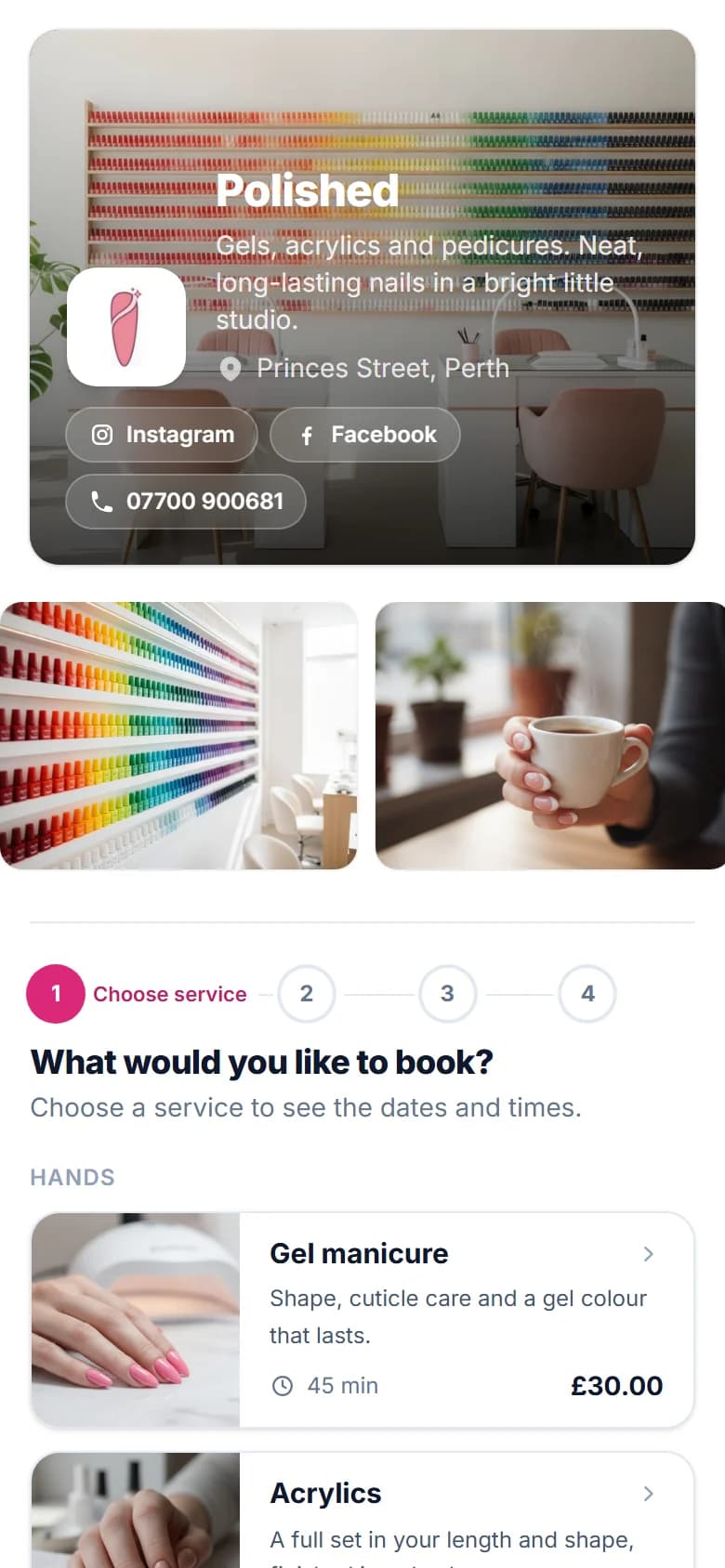
When someone finds you on Instagram, the next step should be one tap to book. If they have to send a DM and wait for an answer, some of them will book somewhere else before you reply.
First, get your booking link
Every online booking system gives your booking page its own web address. In FullDiary it's on the booking page card on your Home, with Copy link, Open it and Print QR card beside it. Share now opens quick ways to send it, and its Instagram button copies the link ready to paste.
Instagram: a link in your bio
This is the one that matters most, because it sits on your profile for good. In the Instagram app:
- Go to your profile and tap Edit profile.
- Tap Links, then Add external link.
- Paste your booking link and tap Done.
You can add up to five links and change their order, so put the booking link first. Instagram's help says links can only be added in the app, not on a computer.
Instagram: the Book now button
A business profile can show an action button, such as Book now, under the bio. Instagram only lets you connect it to one of its partner booking apps, and you need an account with that partner. Only one button shows at a time, under Edit profile, then Action buttons.
FullDiary isn't an Instagram booking partner, so with FullDiary the Book now button isn't available. The link in your bio does the same job in one tap.
Instagram stories: the link sticker
- Make your story, then tap the sticker icon at the top.
- Choose Link and paste your booking link.
- Place the sticker where people will see it, over a photo of your work.
Anyone who sees the story can tap it. Post one when you have a gap to fill, with the day and time in the picture. A web address typed into a post caption can't be tapped (Meta only offers tappable post links on its paid plan), so on posts say the link is in your bio.
Facebook: your Page
- The Book now button on a Facebook Page is set up with Facebook's own appointments or one of its listed booking providers. FullDiary isn't on that list.
- Your intro. Put your booking link in your Page's intro, so it's one of the first things people see.
- Posts. A link pasted into a Facebook post turns into a preview people can tap. Meta now limits how many posts with links some Pages can make each month, so make the link in your intro do the heavy lifting.
A QR card for the shop
Not every booking starts online. A QR code by the till, on the mirror or on the back of an appointment card lets a client book their next visit before they've left. Print it, laminate it and put it where people wait.
With FullDiary
- Your own booking link, with Copy link, Open it and Print QR card on the booking page card on your Home.
- Share now opens Facebook's share box, WhatsApp, text and email ready to send, and copies your link for Instagram.
- The QR card is a page to print, with your name, Scan to book and the code.
- Links the other way. On Pro, your booking page shows buttons for your Instagram, Facebook, TikTok and website.
- Change your address and the old one keeps working for good, so links in old posts and printed cards never break.
- Free for one person, with 20 bookings a month, no commission and no card to sign up.
Where else to put your link, and how the QR card works.
Help: sharing your booking link
Sources
Adding up to five links to your profile.
Instagram Help: add a website to your profile
Action buttons on business profiles, and the partner account they need.
Instagram Help: add an action button
Instagram's action button partners.
Instagram Help: about action button partners
Stickers on stories, the link sticker among them.
Instagram Help: using stickers
Switching to a professional account.
Instagram Help: set up a professional account
Action buttons on a Facebook Page.
Facebook Help: add an action button to your Page
Facebook's Book now button and its booking providers.
Meta: providers for Appointments on Facebook
Tappable links on posts and reels, offered only on Meta's paid plan.
Meta: add links to your posts and reels with Meta One
The monthly limit on posts with links for some Pages.
Facebook Help: links in Page posts and comments
Instagram and Facebook change their menus often. If a step looks different, their help pages have the current one.
Questions people ask
- Can I add a Book now button to Instagram?
- Only with a business account and a booking app that's one of Instagram's partners. Otherwise, put your booking link in your bio, which takes the same one tap.
- How many links can I put in my Instagram bio?
- Up to five. Add them in the Instagram app under Edit profile, then Links, and put your booking link first.
- Is FullDiary an Instagram booking partner?
- No. With FullDiary your booking link goes in your Instagram bio and stories, and in your Facebook Page's intro and posts.
- Can people tap a link in an Instagram post?
- Not on a normal account. A web address in a caption can't be tapped unless you pay for Meta One, so use a link sticker on a story or say the link is in your bio.
- How do I add my booking link to an Instagram story?
- Tap the sticker icon at the top of your story, choose Link, paste your booking link and place the sticker on the picture.
Read next
Written by
Matt SucklingDirector, FullDiary
Matt is a software engineer with over 15 years of experience. He started FullDiary to build a fairer booking system, and he still builds it himself.