
New feature3 minute read
Book their next visit before they leave
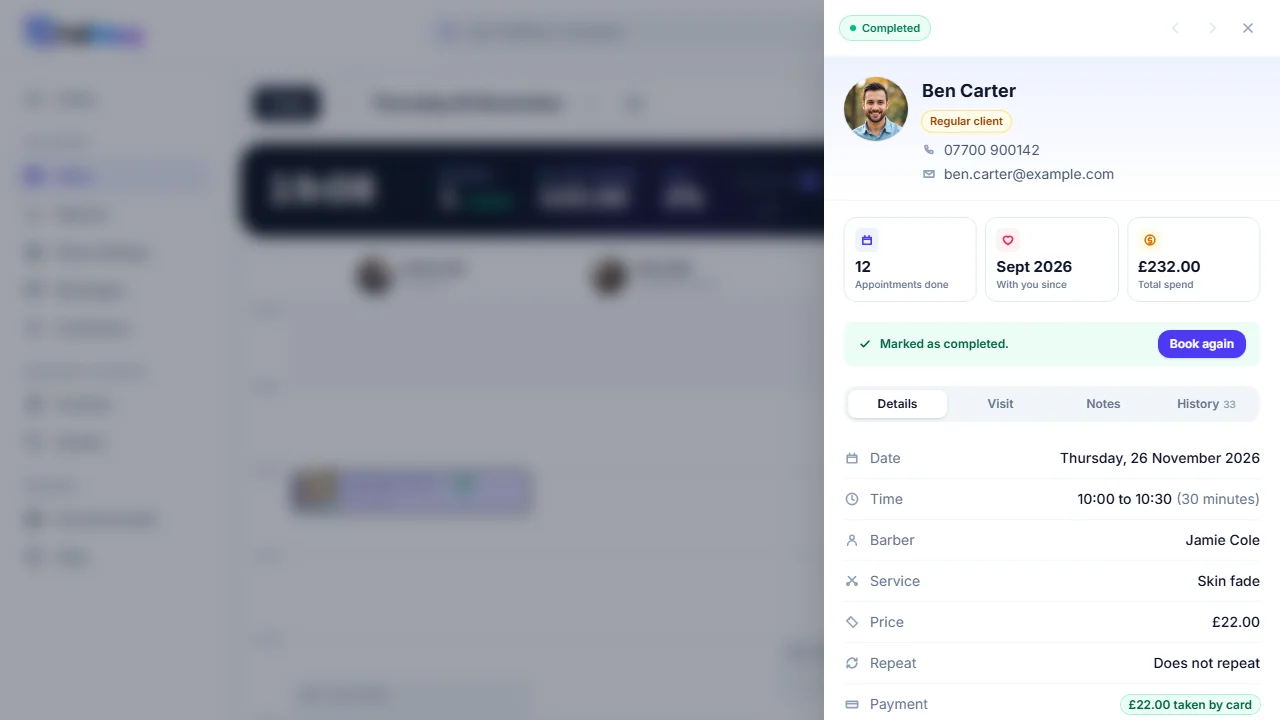
Once an appointment is marked as completed, Book again books the same customer in for the same service. Pick 2 weeks, 6 weeks or any date you like.

Director, FullDiary
FullDiary is the booking system for UK small businesses, with an online booking page, a diary and payments in one place. One of our customers asked for a quicker way to book someone's next appointment while they are still there, so we built one.
The best time to book a customer's next visit is before they leave. They know when they are free, you know when you are, and nobody has to chase anyone later.
How it works
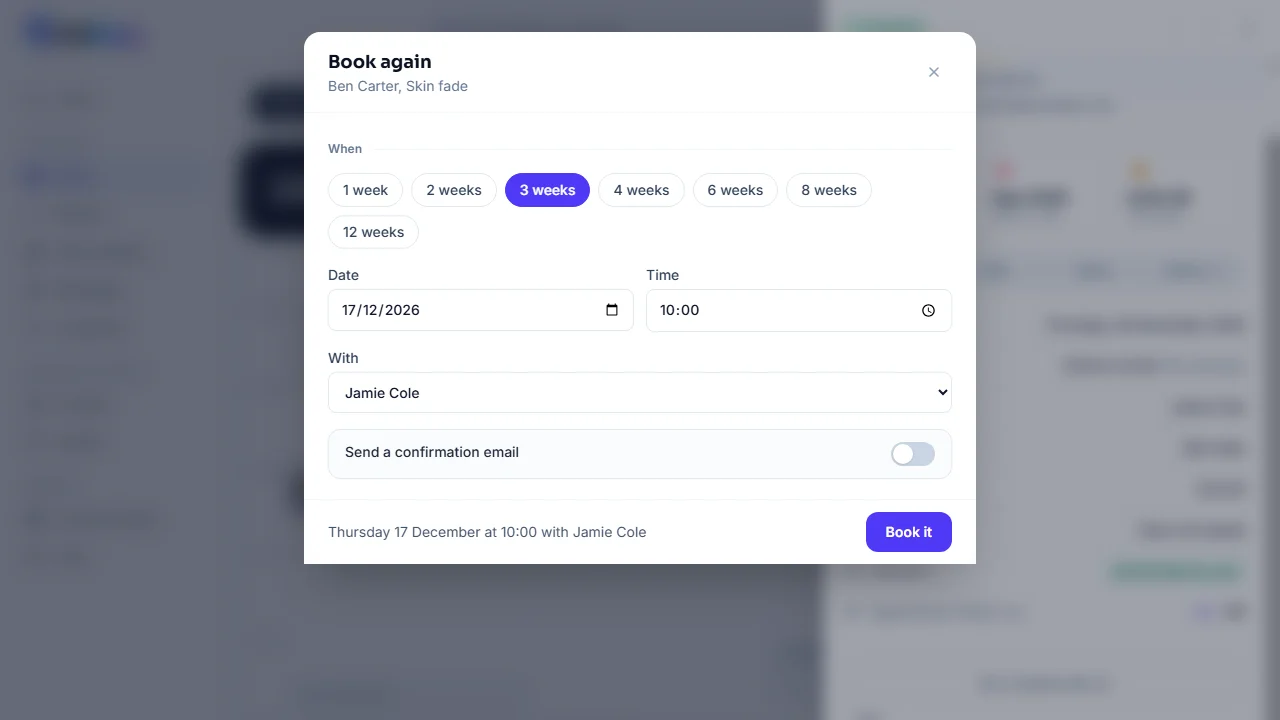
Mark an appointment as completed and Book again appears beside it. Pick how far ahead, from 1 week to 12 weeks, and the date lands on the same day of the week as the visit. Or choose any other date.
It starts at the same time, with the same person, and you can change either. The line at the bottom reads back exactly what is about to be booked before you press Book it.
Everything about the visit comes with it
The new appointment is for the same customer and the same service. Two services booked together go again together, and a job that needs two of your team goes again with the same people. The address and any travel charge come too.
It is booked at today's price, so a price change since the last visit is picked up. If they have a package, the session comes off it as usual.
Your customer hears about it
A customer with an email address gets the same confirmation email as any booking made in the diary. Switch it off if you would rather tell them yourself.
If the time is taken
If someone else is already booked at that time, FullDiary says who before anything is booked. Pick another time, or book it anyway if you meant to.
How to switch it on
There is nothing to switch on. Mark an appointment as completed in the diary and Book again is there, on every plan.
In the app
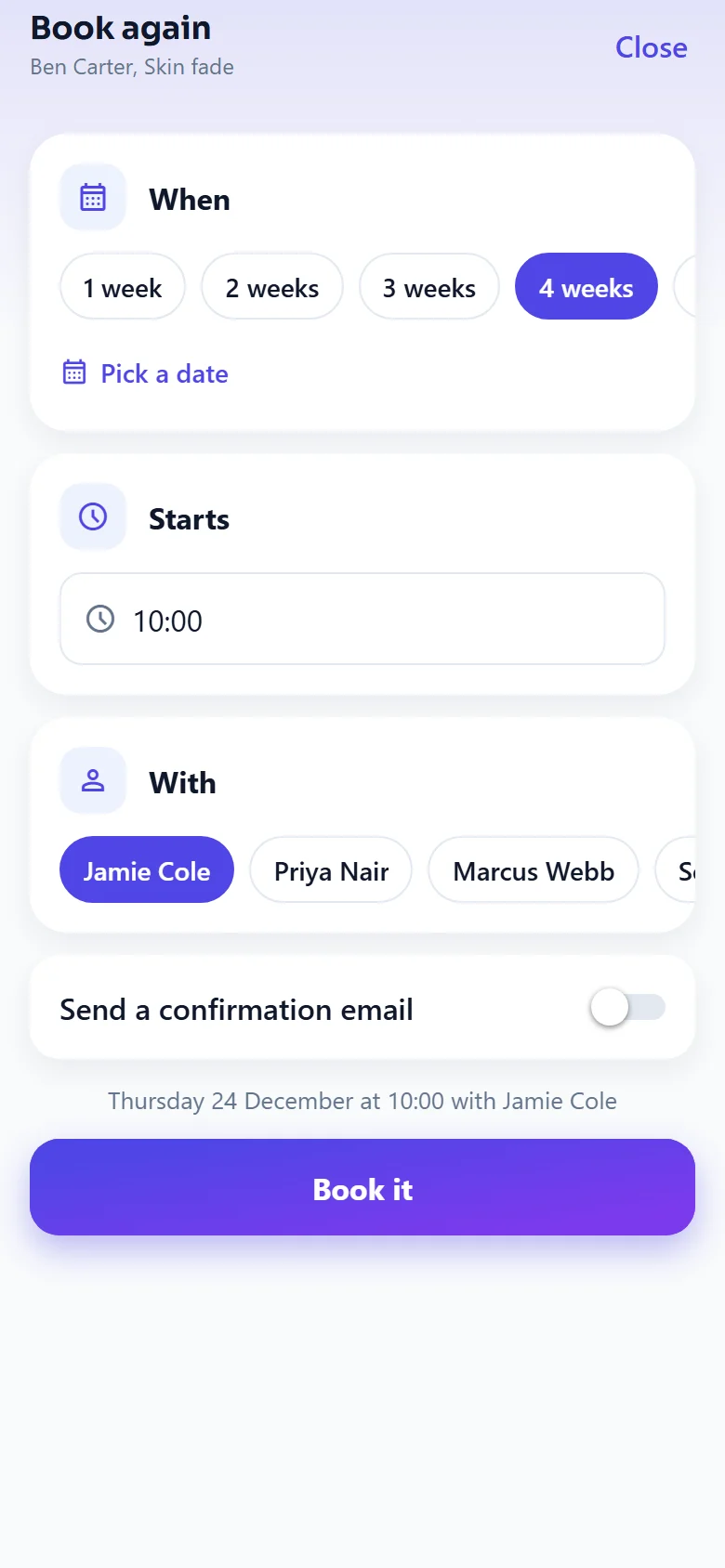
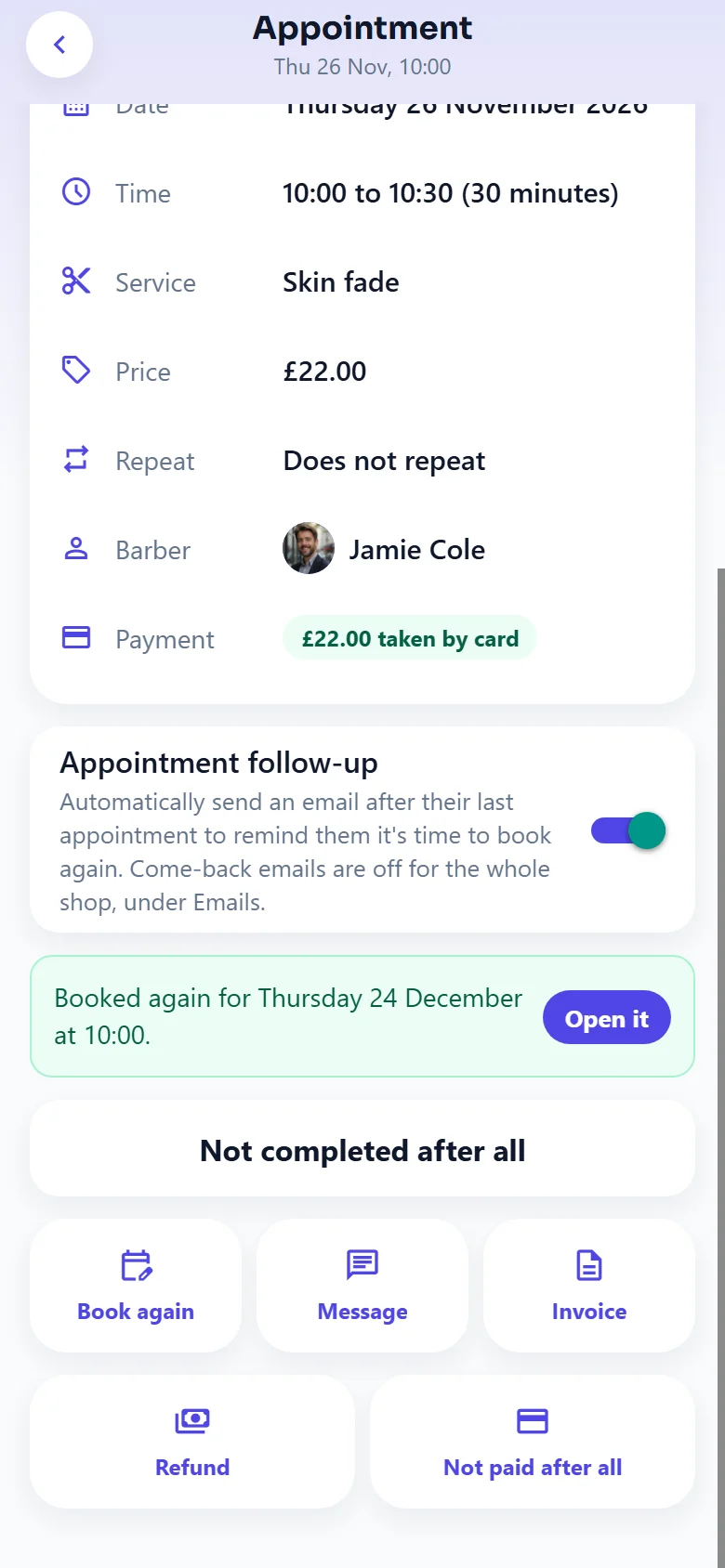
Book again comes to the FullDiary app on iPhone and Android with its next update, next to Message and Invoice on a finished appointment. It works the same way, with a calendar for any other date. Until then, use it on the website.
What it does not do
Book again books one appointment. For someone who comes at the same time every week, Make it repeat on their booking keeps the slot going for you. A place in a class is booked from the class itself.
Questions people ask
- Can I rebook a customer straight after their appointment?
- Yes. Once you mark the appointment as completed, Book again books the same customer and service in on the date you pick.
- Does the customer get told?
- Yes, by email, if they have an email address. You can switch the confirmation off before you book.
- Can I pick a date that is not on the list?
- Yes. The weeks are there to save time, and any date works.
- Which plan is it on?
- Every plan, including Free.
Read next
Written by
Matt SucklingDirector, FullDiary
Matt is a software engineer with over 15 years of experience. He started FullDiary to build a fairer booking system, and he still builds it himself.