
New feature5 minute read
Classes: one session, several people, booked on your page
A class is a service with a number of places. Put it on a timetable and the sessions go in your diary 12 weeks ahead; customers book a place on your booking page and pay as they would for an appointment; you open the session in your diary to see who is coming, check them in and take payment.

Director, FullDiary
FullDiary is the booking system for appointment businesses: an online booking page, a diary and reminders in one place. Until now a booking was one person in one person's time, which suits a barber or a physio and not a bootcamp. A prospect asked us about block bookings and passes for group sessions; the honest answer was that we did not do classes. Now we do.
Setting a class up
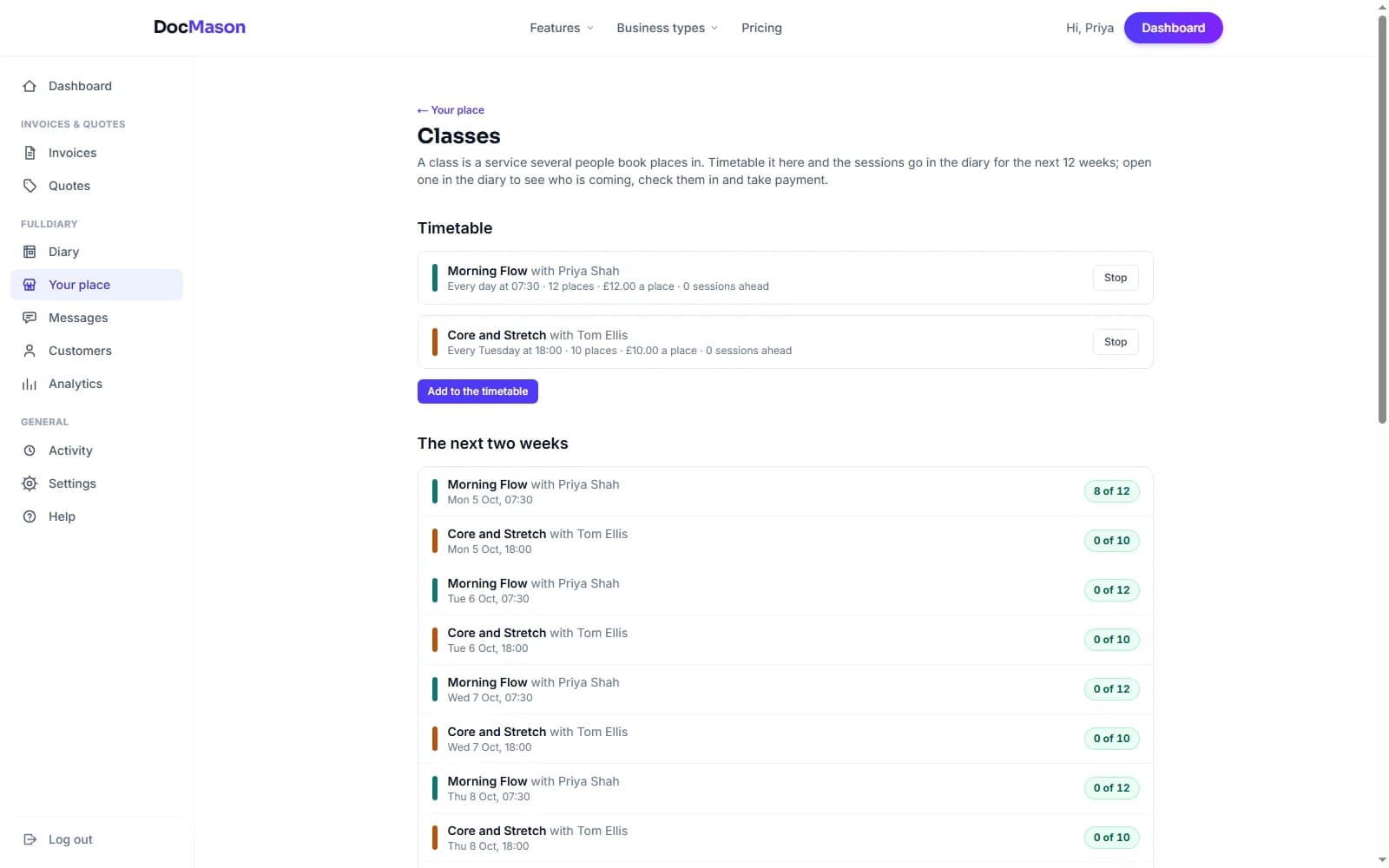
- A class has its own list. Under Your shop, What you sell, Classes, press Add a class and set the places per session. Its length, price per place, deposit, colour and forms work as they do for a service, and under People you tick who teaches it.
- A timetable makes the sessions. Under Your shop, What you sell, Classes, add the class, the teacher, where, the day and time, and every week or every N days. The sessions go in your diary for the next 12 weeks and are topped up every night; a day the teacher is not free is skipped and you are told which.
- A one-off session. Draw on the diary and choose Class, for the extra Saturday workshop.
What customers see
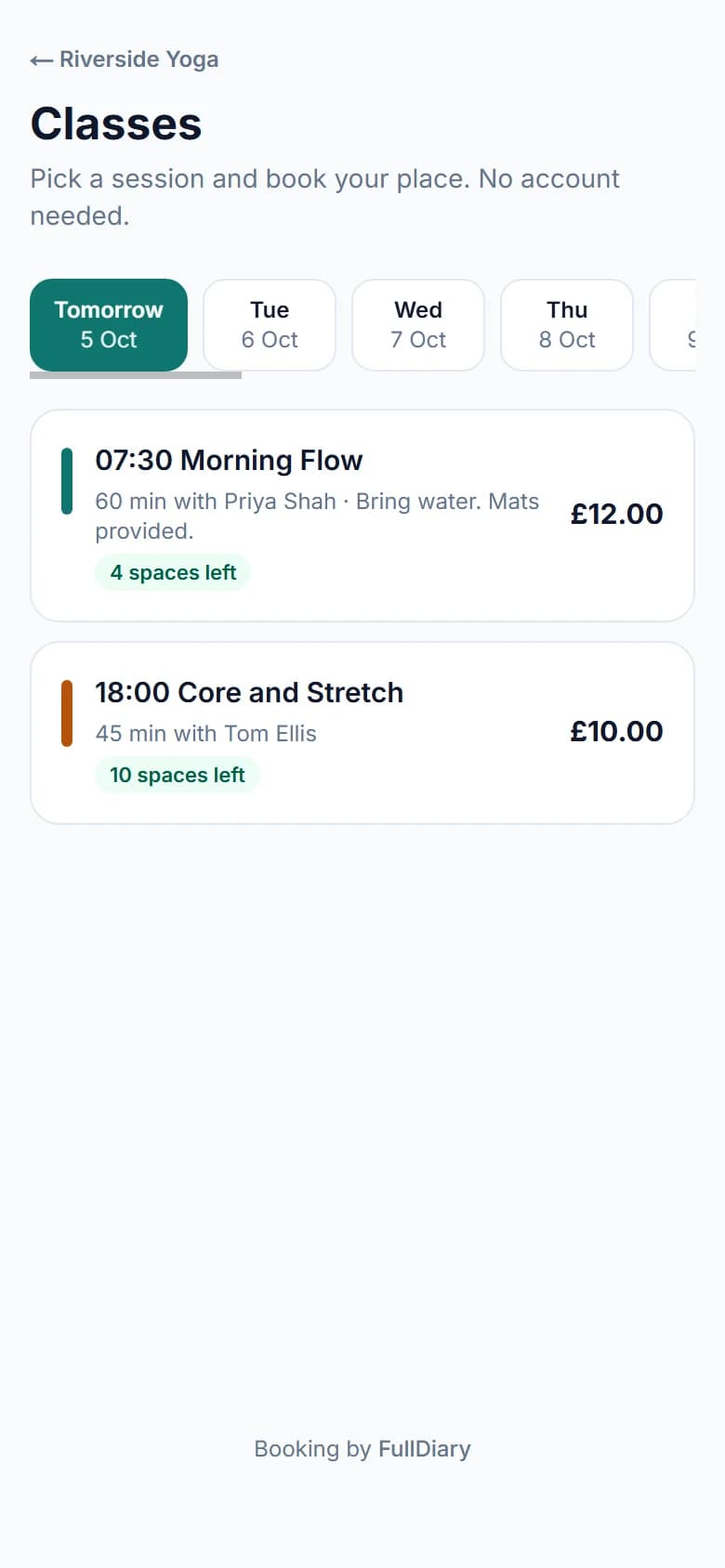
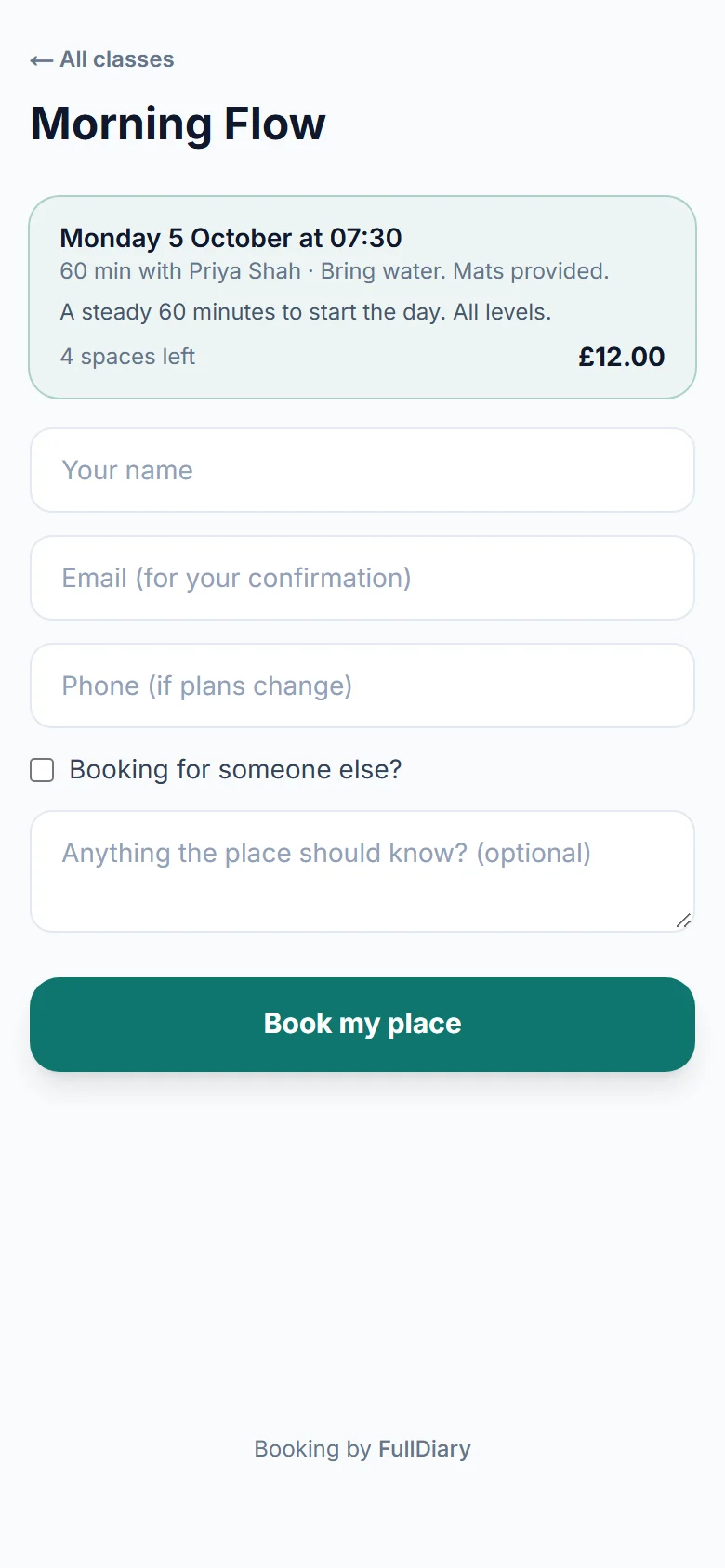
Your booking page gets a Book a place in a class card. It opens the classes view: a day strip, and each day's sessions with the time, the class, who teaches it, the price and the places left. Customers pick a session and book one place, with Booking for someone else? for a child or a friend. They pay as they would for an appointment: nothing, a deposit or in full by card through your own Stripe account, with the same discount codes, gift vouchers and forms, and the same minimum notice. The confirmation, the reminders and any text say the class's name and who the place is for, and they can cancel their place from their confirmation inside your cancellation window.
A full session says so and offers the waiting list. When a place frees up, the first person waiting is emailed a link that is good for two hours; the place is not held, so the first to book it has it, and after two hours the next person is told.
Running it from your diary
A session is one block in the teacher's column, in the class's colour, with how full it is: 7 of 12. It takes the teacher's time, so nothing else can be booked over it, online or at the desk. Open it and you see everyone in it.
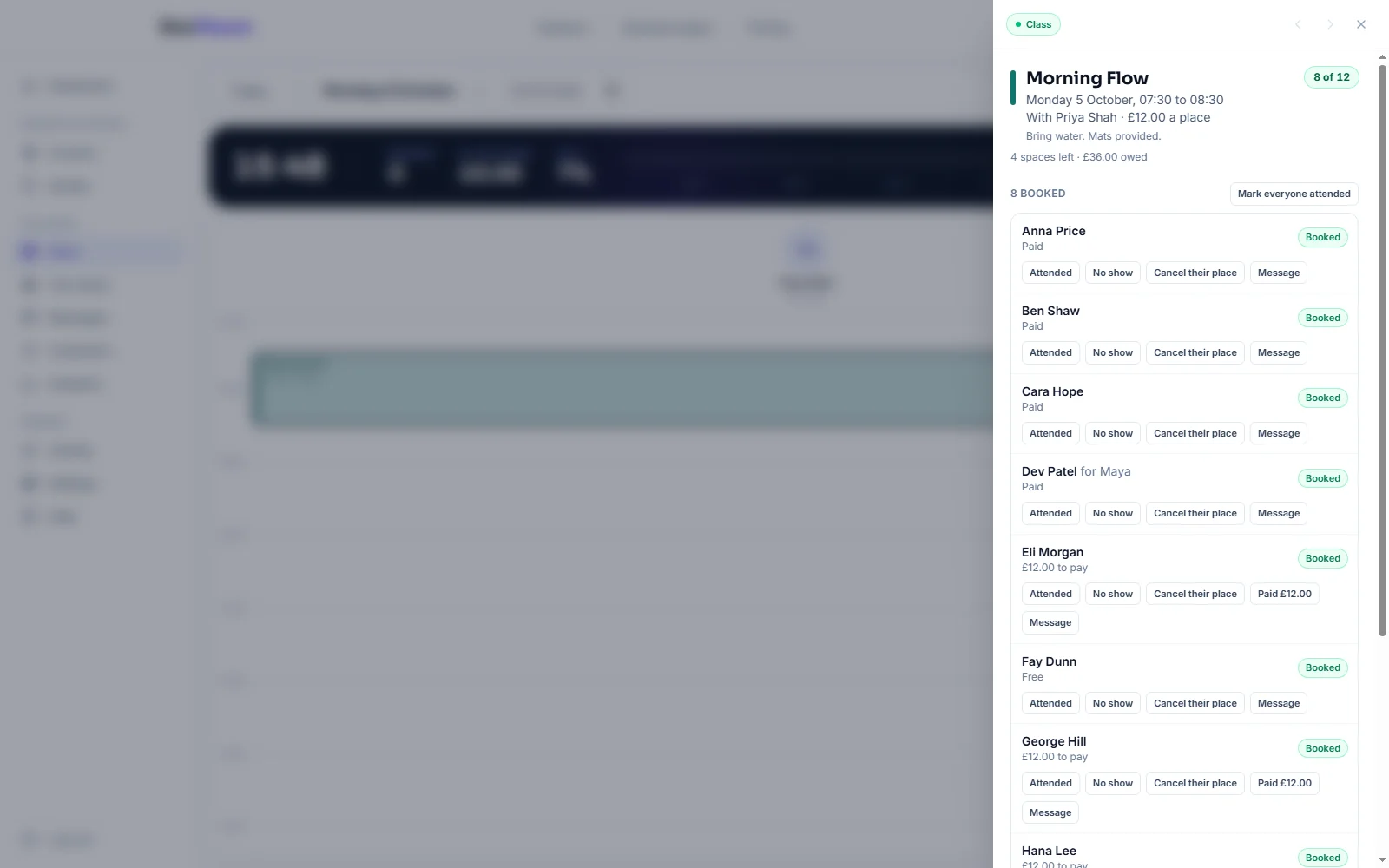
- At the door. Attended, No show, or Cancel their place for each person, and Mark everyone attended at the end. Take payment from the person's row; it lands in your takings like any booking.
- Add someone. A customer by email (an existing one is found, never made twice), or booking for someone else by name. A class pass they hold is used by itself. When the session is full, Add anyway makes room for one more.
- Change the class. A new day, time or teacher moves everyone booked and emails them the new time. Places can grow but never below the people already in.
- Cancel the whole class. Everyone is emailed, pass credits and vouchers go back, and the panel lists who paid so you can refund them in your Stripe account.
Class passes
A class pass is a package: under Your shop, Sell more, Packages, make one for the class or for Any class, sell it on your booking page or at the desk, and each place booked comes off it. A package for a single service is never spent on a class, and a class pass is never spent on a one-to-one. A cancelled place gives the credit back; a no-show keeps it spent.
Setting it up
Classes are part of Pro. Open Your shop (it takes your business's word, so it might say Your studio), choose What you sell, then under Classes press Add a class and timetable it.
In the FullDiary app, a session is a block in the diary with a class screen behind it for checking people in and taking payment; adding or changing a timetable is on the website for now.
Questions people ask
- Can a customer book two places?
- One place per booking. To bring a friend they book a second place in their friend's name with Booking for someone else, or the friend books their own.
- What happens if two people go for the last place at once?
- One gets it. The database decides at the moment of booking, so a class with 12 places never holds 13 unless you press Add anyway yourself.
- Can I take a deposit for a class?
- Yes. A class pays like any service: nothing, a deposit or in full, by card through your own Stripe account, and the place is held for 30 minutes while they pay.
- Which plan is it on?
- Classes are part of Pro, at 9.99 pounds a month a person. Sessions already booked keep running if you ever leave Pro.
Read next
Written by
Matt SucklingDirector, FullDiary
Matt runs Cynical Software Ltd, the Perthshire company that makes FullDiary, and builds it.