
New feature2 minute read
Customers can sign your forms
Your consent forms can now ask for a signature, drawn by the customer. They sign in a box on their phone or computer, and it is kept with their answers.

Director, FullDiary
FullDiary is the booking system for UK small businesses, with an online booking page, a diary and payments in one place. Its forms ask your customers what you need to know before a visit, such as a patch test, a health questionnaire or a consent form.
Until now a consent form ended with the customer typing their name. Now a form can ask for a signature too, drawn by the customer as they would on paper.
What your customers see
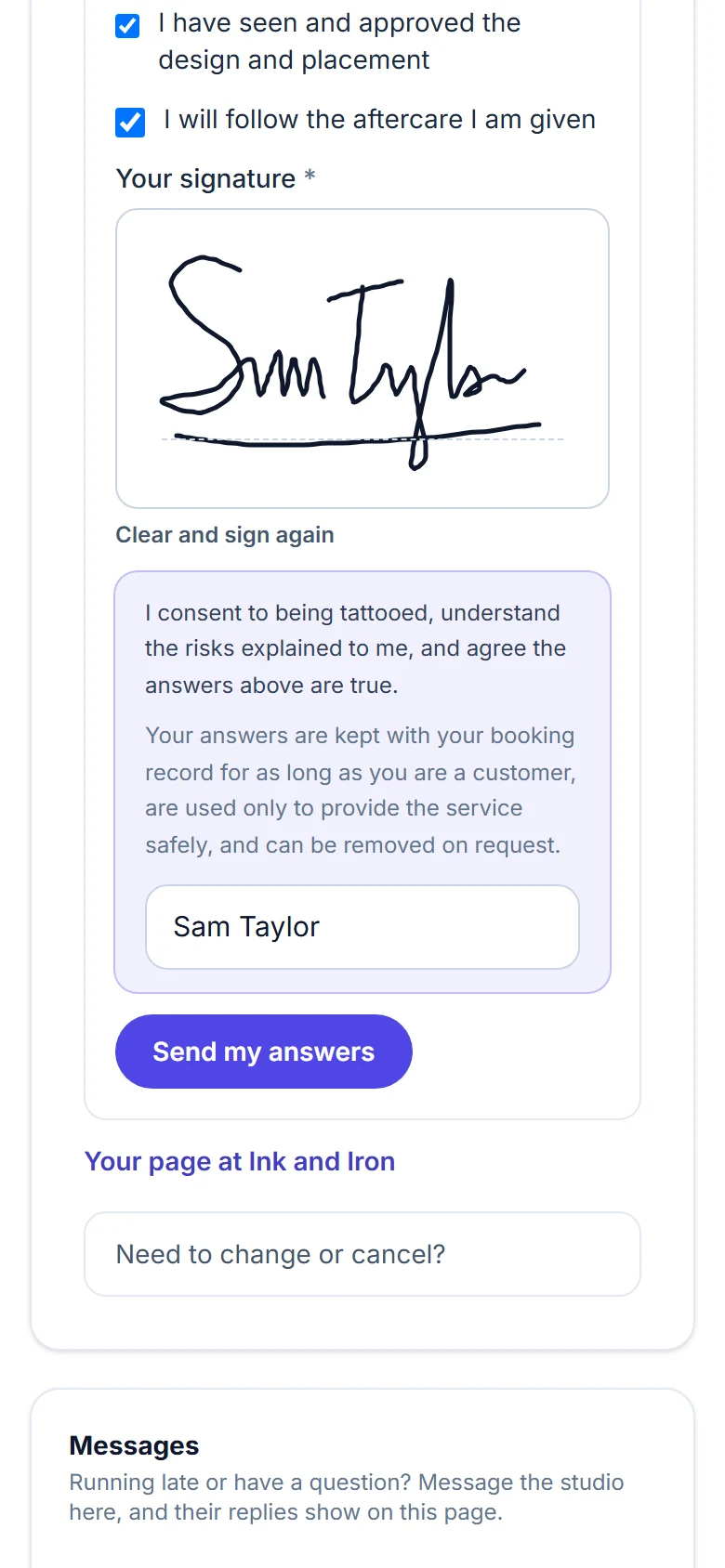
A signature question is a box on the form. Customers sign in it with a finger on a phone or a mouse on a computer, and can clear it and sign again if they are not happy with it.
It works wherever your form is asked, while they book and on their booking page if they fill it in afterwards. If the signature is required, they need to sign before they can carry on.
Adding a signature to a form
The patch test, tattoo consent, consent to treatment and model release templates now end with a signature, so a copy you add from today asks for one. Forms you already have keep their questions until you change them.
To add a signature to any form, open Shop settings, then Forms, and edit the form. Add a question and choose A signature as its answer. Put it anywhere on the form and choose whether it is required.
Where you see it
The signature sits with the rest of the customer's answers on their profile, exactly as it was drawn. It is in the PDF you download too.
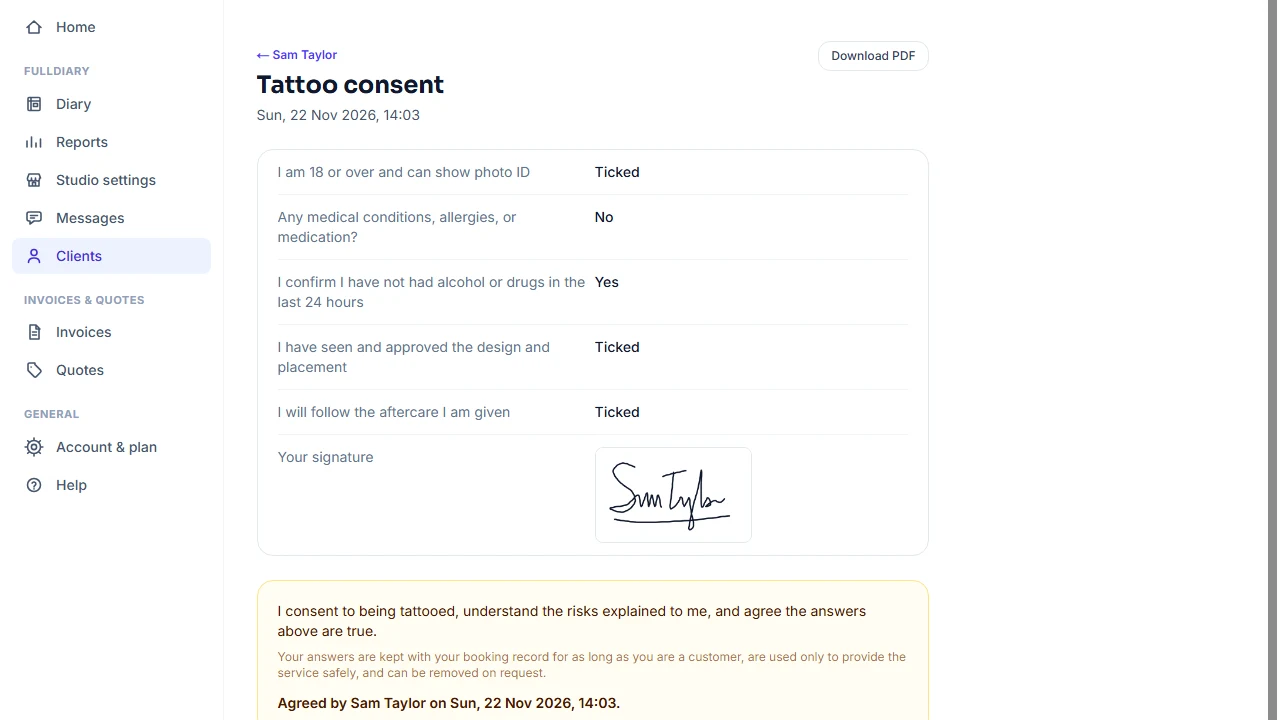
On a health or consent form the customer still types their name to agree, and the signature sits beside it.
In the app
In the FullDiary app, See the answers shows the signature from the next app update, and you can add a signature question there too. Until then the app shows the answer as Signed.
Questions people ask
- Which plan is it on?
- Every plan. Forms are free on every plan, and signatures are part of them.
- Do my existing forms change?
- No. Forms you already have keep their questions, and you can add a signature to any of them whenever you like.
- Can customers sign on a phone?
- Yes. They sign with a finger on a phone or tablet, or with a mouse on a computer.
- Where is the signature kept?
- With the customer's answers in FullDiary. It shows on their answers page and in the PDF of the form.
Read next
Written by
Matt SucklingDirector, FullDiary
Matt is a software engineer with over 15 years of experience. He started FullDiary to build a fairer booking system, and he still builds it himself.