
New feature2 minute read
Sell to someone who walks in
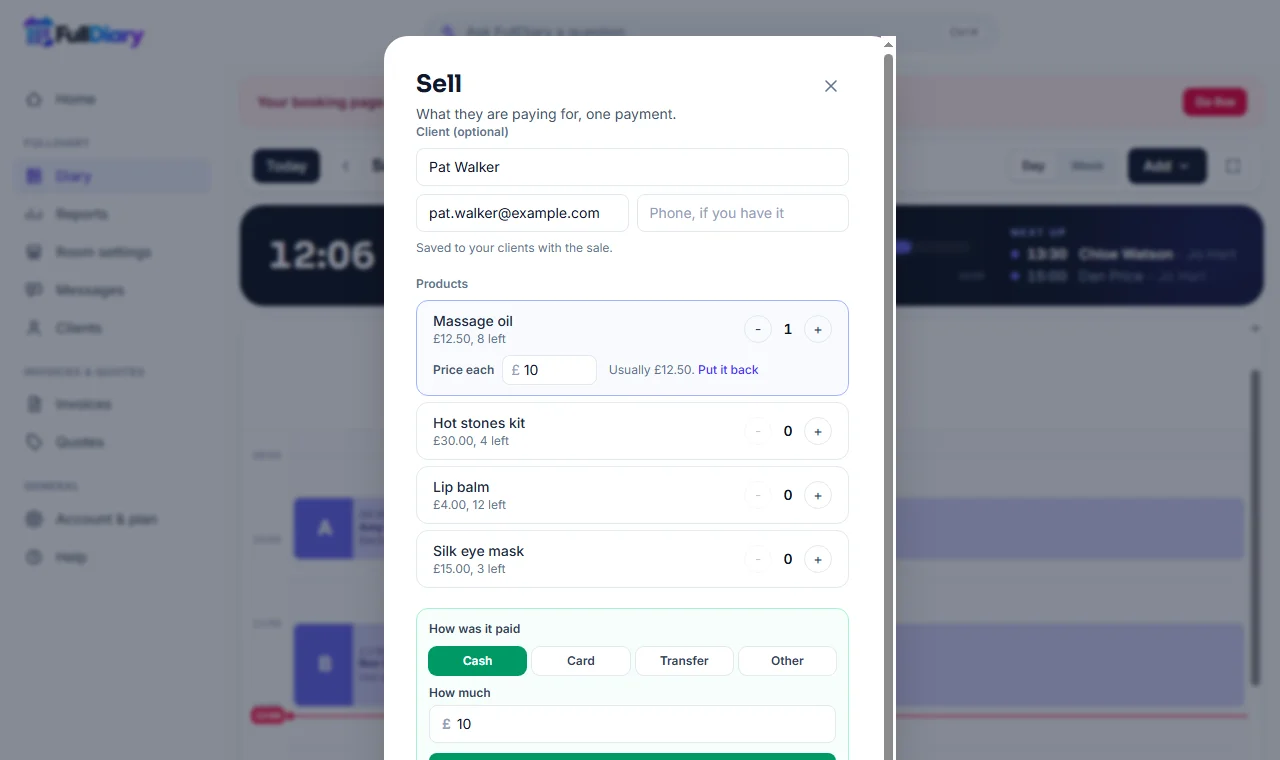
Someone pops in for a bottle of oil with nothing booked. Sell it straight from the diary. Change the price for this sale if you want to, and add them to your customers if they would like a receipt.

Director, FullDiary
FullDiary is the booking system for UK small businesses, with an online booking page, a diary and payments in one place. On Pro it already sells the things on your shelf beside a booking. Now it sells them to someone who has nothing booked at all.
No booking needed
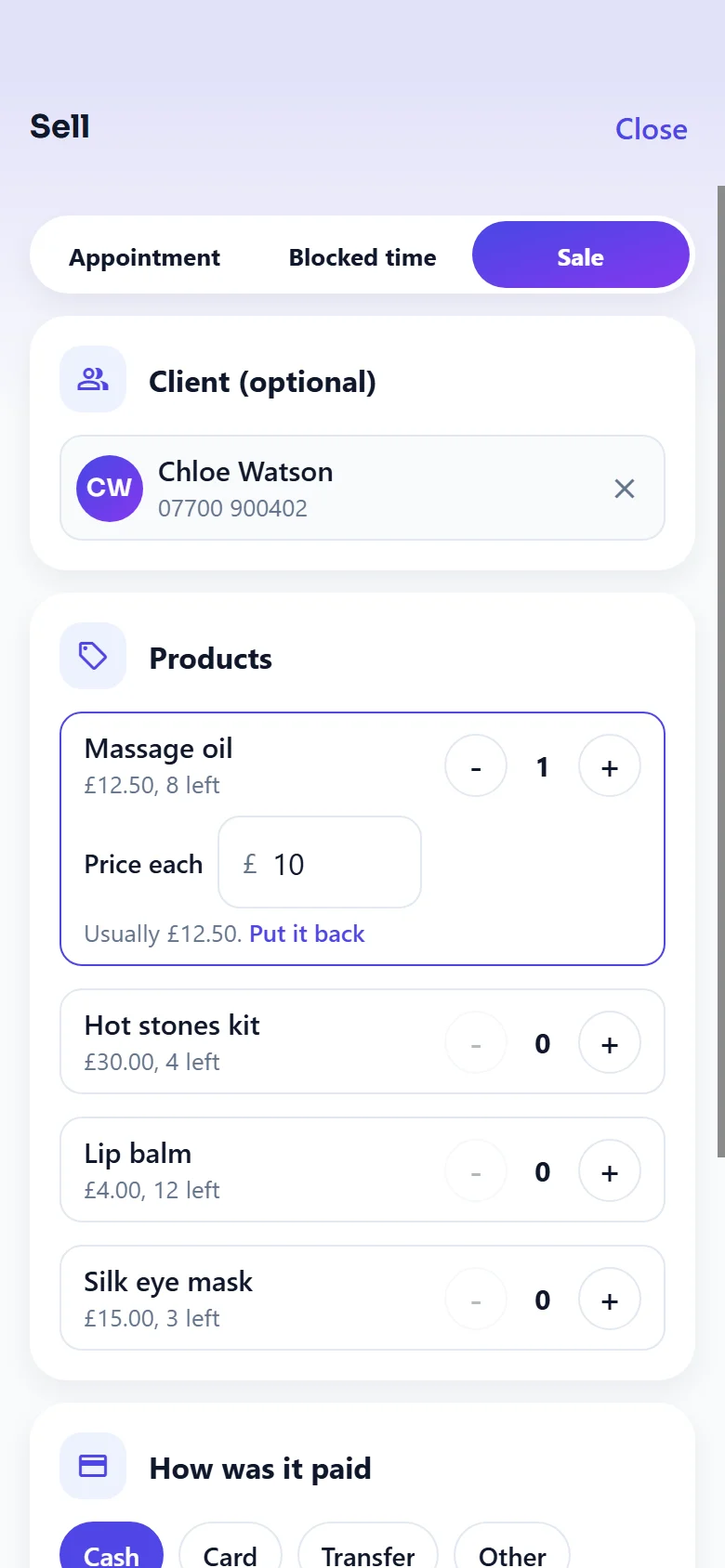
In the diary on the website, Add has a new choice, Sale. In the FullDiary app it is Sale at the top of the + in the diary. Both open the same sheet as Sell on a booking, with your products and passes and nothing ticked.
With a name or without
Start typing and FullDiary finds them in your customers. Type a name it does not know and they are added with the sale, with an email and phone number if they give them. Leave it blank for a quick sale to someone passing. A pass needs a name, because it goes on their profile.
A price for today
Once a product is in the sale, its price sits in a box under it. Change it for a regular's discount, a damaged box or the last of a line. The total, the receipt and your takings use the price you took, and the activity log notes the usual price beside it. Your product list keeps its own price for next time.
A press that goes through twice still makes one sale, so nothing comes off the shelf twice.
Questions people ask
- Do I have to take the customer's name?
- No. Leave it blank and the sale is recorded without one. Add a name if they want a receipt or you would like them in your customers.
- Does changing the price change my product list?
- No. The price you type is for that sale only. Your product list, your booking page and the next sale all use the product's own price.
- Which plan is it on?
- Selling products is part of Pro, on the website and in the FullDiary app.
Read next
Written by
Matt SucklingDirector, FullDiary
Matt is a software engineer with over 15 years of experience. He started FullDiary to build a fairer booking system, and he still builds it himself.