
Guide5 minute read
How does an online booking system work?
An online booking system lets customers pick a time and book it themselves, day or night, and puts the booking straight in your diary. Here is what happens at each step, what it costs and how to set one up.

Director, FullDiary
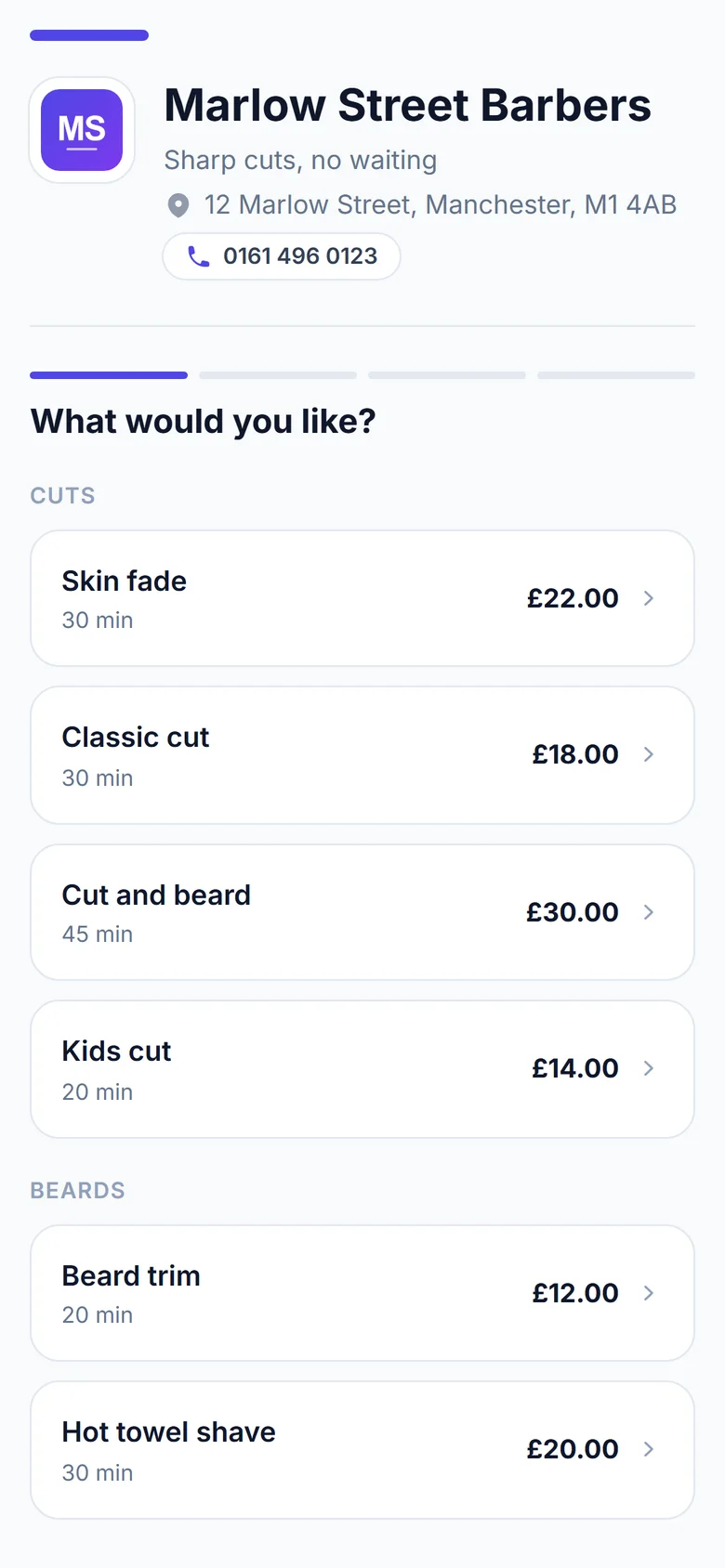
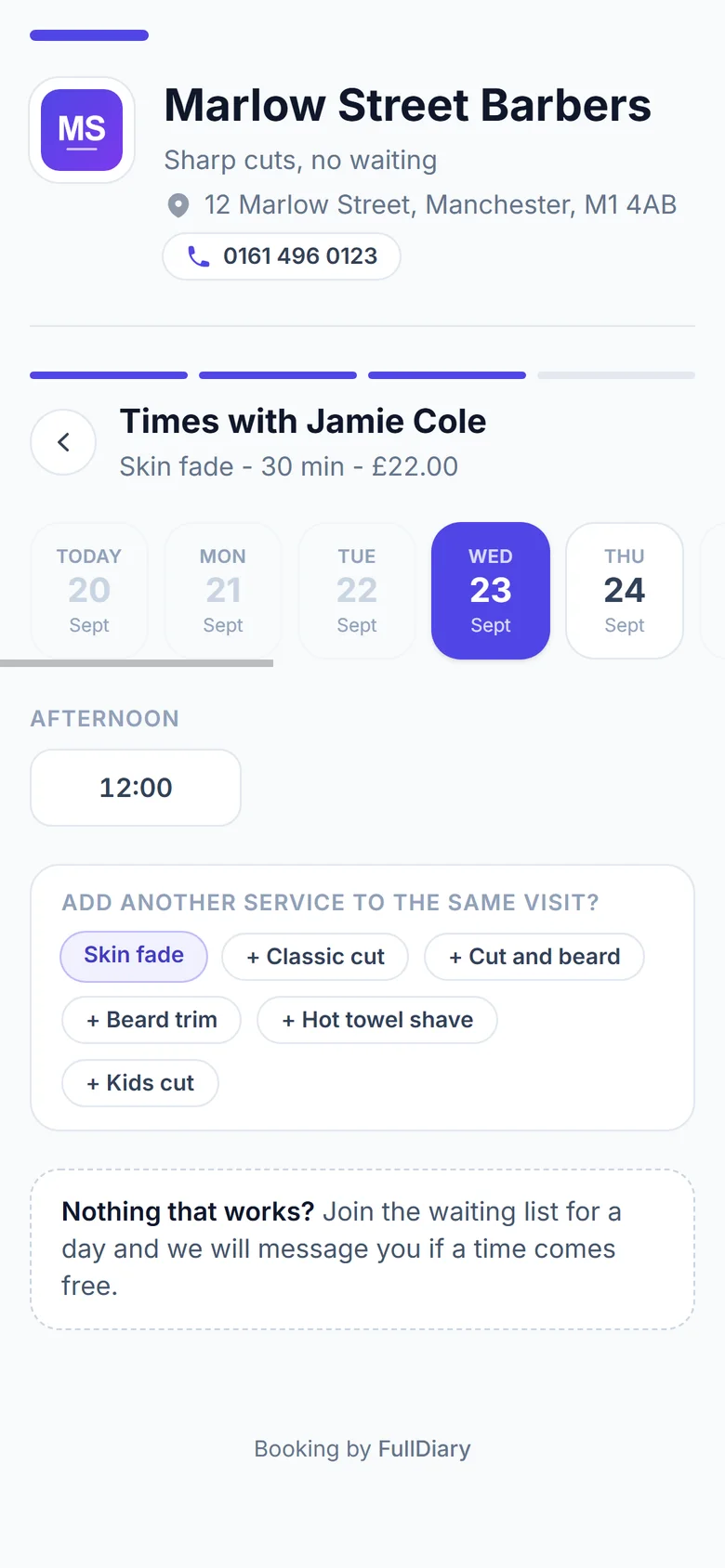
If you take bookings by phone, text or Instagram message, every booking costs you a conversation. An online booking system takes that conversation away. Customers see when you are free and book a time themselves, while you get on with the work.
This guide explains what happens at each step, for the customer and for you. We make FullDiary, a booking system for UK small businesses, so the screens shown here are ours. The way it works is much the same whichever system you choose.
What the customer does
- They open your link. Your booking page is a web page with your name, services and prices on it. The link goes in your Instagram bio, on your Google profile or on a QR card by the till. There is nothing to download and no account to make.
- They pick a service. Each one shows its price and how long it takes, so nobody has to ask.
- They pick a time. The page shows only the times that are free. If more than one of you takes bookings, they can choose who, or take whoever is free first.
- They say who they are. A name and an email is enough. A phone number is optional.
- They are booked. They see a confirmation and get an email with the details and a link to move or cancel.
What happens on your side
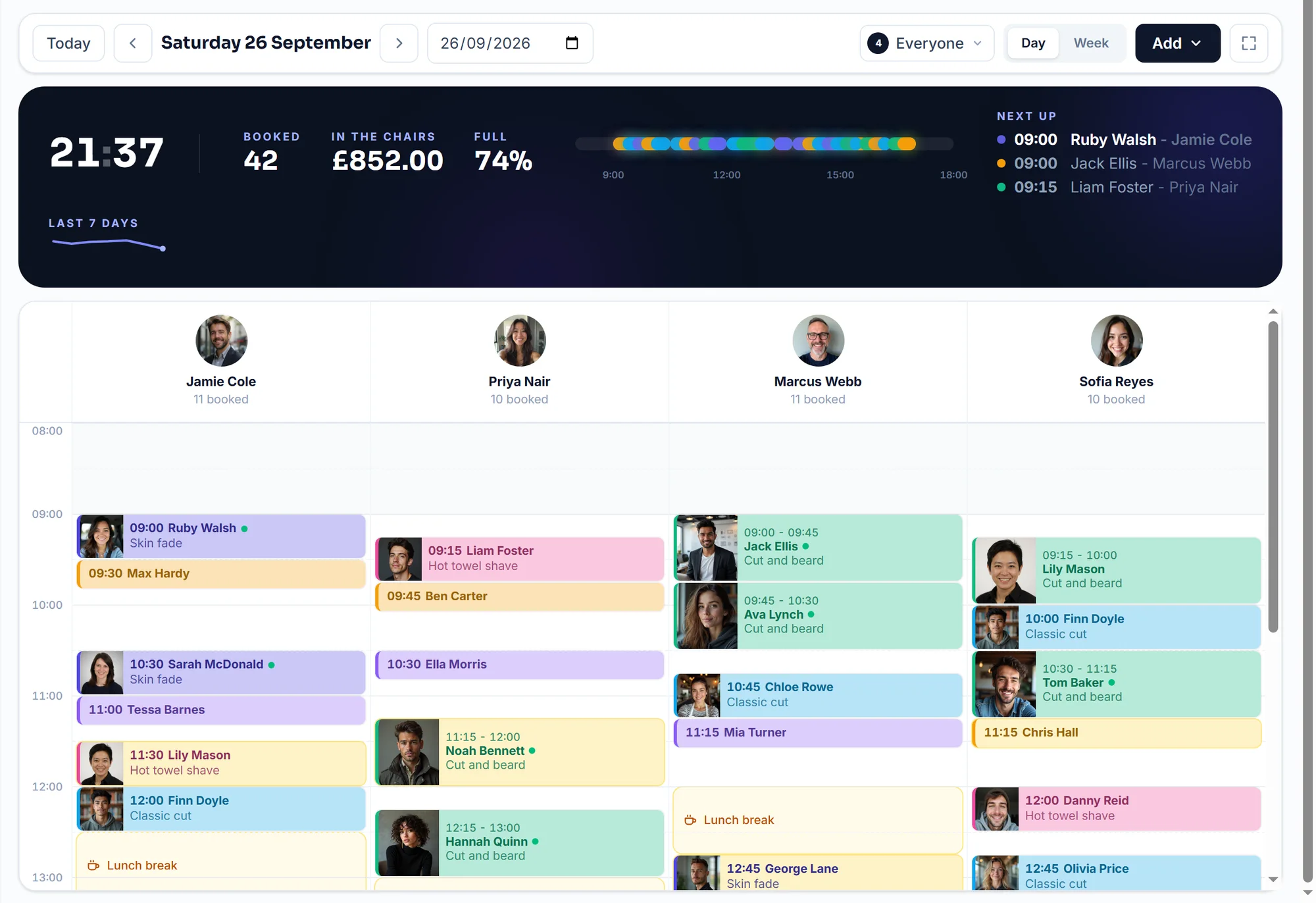
The booking lands in your diary the moment it is made. You get a notification, and that time is no longer offered to anyone else. You did not have to reply to anything.
The diary is the other half of the system. It is where you see the day, add the bookings people still make by phone, and block out lunch or a holiday. The booking page reads the same diary, so a time you fill by hand disappears from the page too.
How it stops double bookings
A booking system only offers a time when the person doing the work is free for the whole length of the service. Two customers cannot take the same slot, even if they press the button in the same second. In FullDiary the second one is told the time has just been taken and picks another.
You also set the rules. Your opening hours, how much notice you need, how far ahead people can book and how late they can cancel. Nothing outside those rules is ever offered.
Reminders and no-shows
Once a booking exists, the system looks after it. A confirmation goes out straight away and a reminder goes out before the day. The customer can move or cancel from the link in it, which frees the time for someone else instead of leaving you with an empty chair.
To cut no-shows further you can ask for a deposit or the full price when they book, or save their card and charge a fee if they miss it or cancel late.
No-show fees: should you charge one?
What it costs
Booking systems charge in three ways, and it is worth checking all three before you choose.
- A monthly fee. Usually a price for each person who takes bookings. Some have a free plan with a limit.
- Commission. A marketplace that finds you new customers often takes a share of that customer's first booking.
- Card fees. If customers pay online, the payment company takes a small percentage of each payment.
FullDiary is free for 20 bookings a month. Pro is £9.99 a month for each person and never more than £39.99, with unlimited bookings and no commission. Card payments go through your own Stripe account, and Stripe's fee is between you and Stripe.
What booking apps really cost a salon
Do you need a website?
No. The booking page is a web page of its own, with your name, logo and photo on it. Plenty of small businesses use it as their only page. If you already have a website, you link to it from there.
How to set one up
With FullDiary you answer six questions about what you do, who works with you, your hours and your services. The answers are already filled in for your trade, so most people only change a few. Then you make the page look like yours and switch it on. It takes about ten minutes.
If you are moving from another system, your customer list comes across as a file, so nobody is typed in twice.
Moving to FullDiary, step by step
Questions people ask
- How much does appointment booking software cost?
- It depends on the system. Most charge a monthly fee for each person who takes bookings, and a marketplace may add a commission on new customers. FullDiary is free for 20 bookings a month, then £9.99 a month a person and never more than £39.99, with no commission.
- How do I let customers book appointments online?
- Set up a booking page with your services, prices and hours, then share its link. Customers pick a free time and book it themselves, and the booking goes straight into your diary.
- How can I take deposits for appointments?
- Connect a payment account and choose which services ask for a deposit. The customer pays by card as they book, and the time is theirs once the payment goes through. In FullDiary the money goes straight to your own Stripe account, on every plan.
- How do I reduce missed appointments?
- Send a reminder before the day, let customers move their own booking, and take a deposit or save a card for a no-show fee. FullDiary does all three.
- Can I manage several staff with a booking system?
- Yes. Each person has their own column, hours and services, and customers can book them by name. In FullDiary each person can have their own login, and you choose what it can see.
- How do I move from Fresha to another booking system?
- Download your client list, services and appointments from Fresha, then import the files into the new system. FullDiary reads Fresha's own files, so clients, services and bookings come across without retyping.
- Do customers need to download an app?
- No. A booking page opens in the browser on any phone, with no account and no password.
Read next
Written by
Matt SucklingDirector, FullDiary
Matt is a software engineer with over 15 years of experience. He started FullDiary to build a fairer booking system, and he still builds it himself.